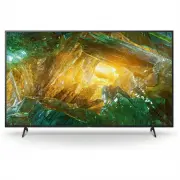
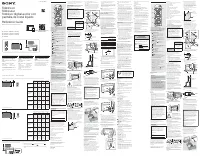
Page 2 - About Manuals; Location of the identification label; Setup Guide; • TV installation and setup.; button on; Safety Information
2 GB About Manuals This TV comes with the following manuals. Please retain the manuals for future reference. Note • Before operating the TV, please read the “Safety Information”.• Read the supplied safety documentation for additional safety information. • Instructions about “Installing the TV to the...
Page 3 - Remote Control and TV; On screen menu navigation; Number buttons; Display text information.; buttons
3 GB GB • When transporting the TV set, do not subject it to jolts or excessive vibration. • When transporting the TV set for repairs or when moving, pack it using the original carton and packing material. Topple prevention(Models with supplied support belt kit) Refer to the Setup Guide on top of th...
Page 4 - Installing the TV to the Wall
4 GB GUIDE/ : Display the digital programme guide. APPS: Display a list of installed apps. (Input select): Display and select the input source, etc. (Quick settings): Display Quick Settings. BACK HOME +/– (Volume) (Jump) (Mute)* 3 CH +/–/ / : Select the channel, or next ( ) / previou...
Page 6 - Detaching the Table-Top Stand from the TV; Troubleshooting; Refer to the Help menu by pressing; on; The remote control does not function.
6 GB Detaching the Table-Top Stand from the TV KD-75X8000H / 65X8000H / 55X8000H 1 Remove one side of the Table-Top Stand at a time. Firmly hold the Table-Top Stand securely with both hands while the other people lift up the TV. 2 Repeat the previous step and remove the other side of the Table-Top S...
Page 7 - Specifications; System; Power and others
7 GB GB Specifications System Panel system: LCD (Liquid Crystal Display) Panel, LED BacklightTV system: Analogue: I, D/K, B/G, MDigital: DTMB Colour system: PAL/SECAM/NTSC3.58/NTSC4.43Channel coverage: Analogue: UHF/VHF/CableDigital: UHF Sound output: 10 W + 10 WWireless technology Protocol IEEE 802...
Page 8 - Others; Trademark Information
8 GB Others Optional accessories Wall-Mount Bracket: SU-WL850 (KD-75X8000H / 65X8000H / 55X8000H only)Wall-Mount Bracket: SU-WL450 Operating temperature: 0 ºC - 40 ºCOperating humidity: 10% - 80% RH (non-condensing) *1 When 4096 × 2160p is input and [Wide mode] is set to [Normal], the resolution is ...
Page 10 - 關於說明書; 識別標籤的位置; 安裝指南; 安全資訊
2 CT 關於說明書 本電視機附帶以下說明書。請保管好這些說明書,以供日後參考。 註 • 使用電視機之前,請詳讀 “ 安全資訊 ”。 • 有關其他安全資訊,請閱讀隨附的安全檔案。 • 有關 “ 將電視機安裝在牆上 ” 的指示已包含在這台電視機的使用說明書。 • 安裝指南和本說明書中使用的影像和插圖僅作參考並可能與實際產品不同。 識別標籤的位置 電視機型號和電源等級的標籤位於電視機背面。 隨附 AC 電源供應器的型號:AC 電源供應器型號和系列號的標籤位於 AC 電源供應器底部。 安裝 / 設定 為了避免火災、觸電或損壞及 / 或受傷等危險,請遵照下列指示來安裝和使用電視機。 安裝 • 應將電視...
Page 11 - 遙控器和電視機
3 CT CT 防止傾倒 (隨附支撐帶套件的型號) 請參閱軟墊上的安裝指南。隨附的木螺絲僅適用於固定木製的固體物件。 (隨附支撐帶套件的型號除外) KD-75X8000H / 65X8000H / 55X8000H KD-49X8000H / 43X8000H 遙控器和電視機 遙控器外形、按鈕的位置、可用性與功能視您的國家 / 區域 / 電視機型號而可能略有不同。 (麥克風):使用語音搜尋 *1 。 / / / / :在螢幕選單導航和選擇上。 TV:顯示電視機頻道清單或切換為輸入。 (電視待機) 數字按鈕 ( 點) (文字):顯示文字資訊。 Google P...
Page 12 - 將電視機安裝在牆上; (非附帶)
4 CT +/- (音量) (跳轉) (靜音) *3 CH +/-/ / :選擇頻道,或下一頁 ( )/ 上一頁 ( )。 AUDIO:選擇多語言源的聲音或雙聲道 (視乎節目源而定)。 (字幕設定) HELP:顯示說明選單。 / / / EXIT / (顯現資訊 / 文字):顯示資訊。 (電源)(KD-49X8000H / 43X8000H 除 外) (電源)/+/- (僅限 KD-49X8000H / 43X8000H) 遙控器感應器 / 光感應器 / LED *1 語音搜尋需要網際網路連線。*2 僅限限制的區域 / 國家 ...
Page 13 - 從電視機背面卸下螺絲。; 將桌面底座從電視機上拆下來; 重複上一步並拆下桌面底座的另一側。
5 CT CT KD-49X8000H / 43X8000H • 務必將未使用的螺絲及桌面底座存放於安全位置,直到您已準備好連接桌面底座。請將螺絲存放在兒童接觸不到的位置。 * 僅限限制的區域 / 國家 / 電視機型號。 註 • 當從電視機拆下桌面底座時,將電視機以螢幕朝下放置在覆蓋著厚而軟布的平坦和穩固的表面上以避免損壞液晶顯示的表面。(KD-49X8000H / 43X8000H) KD-75X8000H / 65X8000H / 55X8000H 1 從電視機背面卸下螺絲。 2 將壁掛安裝連接件 (電視機隨附)連接到電視機後部 (使其與牆壁平行)。 註 • 使用電動螺絲批時,請將扭力設定...
Page 14 - 故障排除; 規格; 系統
6 CT 故障排除 以下問題的一般故障排除:黑螢幕、沒有聲音、凍結畫面、電視機沒有反應或網絡丟失,請依照以下步驟操作。 1 按遙控器上的電源按鈕大約五秒重新啟動電視機。電視機將重新啟動。如果電視機未恢復正常,請嘗試拔下 AC 電源線。然後按電視機上的電源按鈕,再鬆開此按鈕。等候兩分鐘,隨後插入 AC 電源線。 2 請按遙控器上的 HELP 以參閱說明選單。 3 將電視機連接至網路,然後執行軟件更新。Sony 建議您不斷更新您的電視機軟件。軟件更新將提供新功能和效能改善。 4 造訪 Sony 支持網站 (本說明書末尾提供的資訊)。 在插入電視機時,即使按遙控器或電視機上的電源按鈕,電視機也可能在...
Page 15 - 電源和其他規格; 尺寸 (大約)(寬 × 高 × 深)(毫米); oC; 商標資訊
7 CT CT LAN 10BASE-T/100BASE-TX 接頭 (視網絡的作業環境而定,連線速度可能不同。不保證通訊率和通訊品質。) DC IN 19.5 V (僅限隨附 AC 電源供應器 的型號) AC 電源供應器輸入 REMOTE RS-232C,迷你插孔 (此端子僅供維修使用。) 電源和其他規格 電源需求 隨附 AC 電源供應器的型號除外220 V - 240 V AC,50 Hz僅限隨附 AC 電源供應器的型號帶有 AC 電源供應器的 19.5 V DC額定規格:輸入 220 V - 240 V AC,50 Hz 螢幕尺寸 (對角測量)(大約) KD-75X8000H:75 英寸...
Page 16 - Printed in Malaysia
© 2020 Sony Corporation Printed in Malaysia Support 支援 https://www.sony-asia.com/support