Smeg SOPA6302S2PX - User Manual
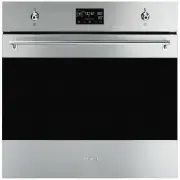
Smeg SOPA6302S2PX Oven – User Manual, read for free online in PDF format. We hope this helps you resolve any issues you may have. If you have further questions, please contact us through the contact form.


Table of Contents:
- Page 2 – Risk of damaging the appliance
- Page 3 – For pyrolytic appliances
- Page 4 – Installation and maintenance; MUST NOT; For this appliance
- Page 5 – Appliance purpose; This user manual; • This user manual is an integral part of the
- Page 6 – Fan forced mode; Energy efficiency technical data; Power voltage
- Page 8 – DESCRIPTION; General Description
- Page 9 – Control panel; Function knob; Other parts; Shelves
- Page 10 – Accessories
- Page 11 – Jug; USE; Preliminary operations; • Remove any protective film from the outside
- Page 12 – First heating; Using the accessories; Racks and trays; Digital programmer; Time setting
- Page 13 – Modifying the time; Using the oven; Steam-assisted cooking
- Page 19 – List of traditional cooking functions
- Page 20 – Positioning the probe
- Page 22 – Cooking advice
- Page 23 – Mini guide to accessories; Special functions; DEFROSTING
- Page 26 – STONE
- Page 27 – AIRFRY; Secondary functions; MINUTE MINDER TIMER
- Page 28 – TIME; Settings
- Page 29 – Water hardness
- Page 31 – Other settings; Eco light; CLEANING AND MAINTENANCE; Cleaning the appliance; Cleaning the surfaces; Cleaning the door; Door disassembly
- Page 33 – Cleaning the oven cavity; Drying
- Page 34 – Removing racks/trays support frames; Special cleaning functions
- Page 37 – Descaling
- Page 41 – Reservoir draining; Extraordinary maintenance; Seal maintenance tips
- Page 42 – INSTALLATION; Electrical connection; General information
- Page 43 – Positioning
- Page 44 – Make sure that the cabinet top/rear
- Page 46 – Make sure that the piece of furniture
PRECAUTIONS - 3
91477A113/B
e
Information for European Control Bodies
Energy efficiency technical data
10
11
Optional accessories (can be purchased separately)
Advantages of assisted steam cooking
14
Using the temperature probe (on some models only)
Information for Supervisory Bodies
Vapor Clean (on some models only)
Pyrolytic (on some models only)
Cleaning the reservoir and hydraulic circuit
We advise you to read this manual carefully, which contains all the instructions for maintaining the
appliance’s aesthetic and functional qualities. For further information on the product: www.smeg.com
PRECAUTIONS
General safety instructions
Risk of personal injury
• ATTENTION: during use, the
appliance and its accessible
parts become very hot.
Children must be kept away
from the appliance.
• ATTENTION: during use, the
appliance and its accessible
parts become very hot. Never
touch the heating elements
during use.
• Protect your hands by wearing
oven gloves when moving food
inside the oven.
• Never try to put out a fire or
flames with water: turn off the
appliance and smother the
flames with a fire blanket or
other appropriate cover.
• This appliance may be used by
children aged at least 8 and by
people of reduced physical,
sensory or mental capacity, or
lacking in experience in the use
of electrical appliances,
provided that they are
"Loading the manual" means you need to wait until the file loads and becomes available for online reading. Some manuals are very large, and the time they take to appear depends on your internet speed.
Was this manual helpful?
About this manual
- Brand
- Smeg
- Model
- SOPA6302S2PX
- Document type
- User Manual
- Category
- Oven
- Language(s)
- English
- Pages
- 47
- File size
- 2.3 MB
- Format
Summary
4 - PRECAUTIONS 91477A113/B supervised or instructed by adults who are responsible for their safety. • Children must not play with the appliance. • Keep children under the age of 8 at a safe distance unless they are constantly supervised. • Keep children under the age of 8 away from the appliance wh...
PRECAUTIONS - 5 91477A113/B e into the side guides. The mechanical safety locks that prevent them from being removed must face downwards and towards the back of the oven cavity. • Do not use steam jets to clean the appliance. • Do not spray any spray product near the appliance. • Do not obstruct ven...
6 - PRECAUTIONS 91477A113/B Installation and maintenance • THIS APPLIANCE MUST NOT BE INSTALLED IN A BOAT OR CARAVAN. • The appliance must not be installed on a pedestal. • Position the appliance into the cabinet cut-out with the help of a second person. • To prevent any possible overheating, the ap...
Ask a question
Related manuals
Popular Smeg Ovens


More Smeg Ovens models
 Smeg SO6102S3PB3 User Manual
 Smeg SO6104APG User Manual
 Smeg SOPA3302TPX User Manual
 Smeg SOPA6301TN User Manual
 Smeg SOPA6301TX User Manual
 Smeg SOPA6302S2PN User Manual
 Smeg TR90IBL2 User Manual
 Smeg TR90IBL9 User Manual
 Smeg TR90IP2 User Manual
 Smeg TR4110IBL2 User Manual
 Smeg TR4110IP2 User Manual
 Smeg TRA90BL2 User Manual