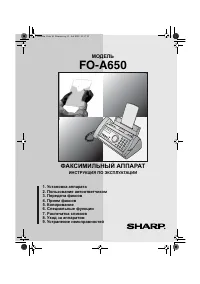
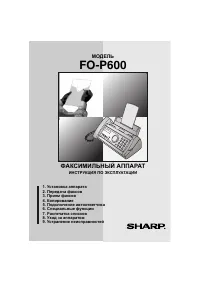
Page 3 - WARRANTY; Business Products; Congratulations on Your Purchase!; WARRANTY PERIODS
WARRANTY Business Products Congratulations on Your Purchase! This Sharp product is warranted against faults in material and manufacture for the period as stated in the table below.In the event of any defect arising in the equipment during the warranty period, such repairs should only be carried out ...
Page 4 - FOR LOCATION ENQUIRIES WITHIN; AUSTRALIA; REGARDING YOUR LOCAL; SHARP APPROVED SERVICE CENTRE; VISIT OUR WEBSITE AT
FOR LOCATION ENQUIRIES WITHIN AUSTRALIA REGARDING YOUR LOCAL SHARP APPROVED SERVICE CENTRE VISIT OUR WEBSITE AT www.sharp.net.au OR CALL SHARP CUSTOMER CARE 1300 135 022 (LOCAL CALL COST APPLY WITHIN AUSTRALIA) SHARP CORPORATION OF AUSTRALIA PTY LTD SPform019(JUNE 2004)
Page 5 - Table of Contents; Key Lock Function
1 Introduction 2 A Look at the Operation Panel 6 1. Installation 9 Unpacking Checklist. . . . . . . . . . . . . . 9Setup . . . . . . . . . . . . . . . . . . . . . . . . . 9Imaging Film. . . . . . . . . . . . . . . . . . . 10Loading Paper . . . . . . . . . . . . . . . . . 12Initial Settings . . . . ....
Page 6 - Specifications; Introduction
2 Specifications Imaging film Initial sample roll (included with machine) : Yields approx. 20 A4 pages Replacement roll (not included): FO-31CR (33 m x one roll) (one roll yields approx. 100 A4 pages) Paper tray capacity Approx. 10 A4 sheets (80 g/m 2 ) (at room temperature) Recording system Thermal...
Page 7 - Automatic/Dark selectable
3 As a part of our policy of continuous improvement, SHARP reserves the right to make design and specification changes for product improvement without prior notice. The performance specification figures indicated are nominal values of production units. There may be some deviations from these values ...
Page 8 - Important safety information; This facsimile machine is designed for use in Australia only.
4 Important safety information For your safety, if any of your equipment is not operating properly or should any physical damage occur to the equipment where internal parts may become exposed, the equipment should be immediately disconnected from the phone line and then the power line and returned t...
Page 10 - RESOLUTION/RECEPTION key; A Look at the Operation Panel; MEMO key
6 Display: This displays messages to help you operate the machine. Function key: Press this key followed by the arrow keys to select special functions and settings. Arrow keys: Use to scroll through and select settings, and to search for numbers in the phonebook (p. 22). Number keys: Use to dial fax...
Page 11 - This is not a speakerphone.; Sleep mode; the speaker cannot be used for speaking
7 STOP key: Press to cancel an operation before it is completed. START key: Press after dialling to send a fax (p. 19). REPEAT key: Press while listening to a message to repeat it (FO-A760 only). SKIP key: Press while listening to a message to skip it (FO-A760 only). SPEAKER key: Press before dialin...
Page 12 - Entering letters
8 Entering letters When the display prompts you to enter a name or other text, press the number keys for each letter as shown below. Note: To enter a number in a name, press and then press the desired number. To switch back to letter entry mode, press again. (“ABC” appears at the right of the displa...
Page 13 - Keep dust away from the machine.; About condensation; Unpacking Checklist; Connecting the handset; Plug the power cord into a
Unpacking Checklist 9 1. Installation Points to keep in mind when setting up ♦ Do not place the machine in direct sunlight. ♦ Do not place the machine near heaters or air conditioners. ♦ Keep dust away from the machine. ♦ Keep the area around the machine clear. About condensation If the machine is m...
Page 14 - Connecting the phone line; LINE; Imaging Film; Replacing the; Replacing the imaging film; Replacement film
Imaging Film 10 Connecting the phone line Connect the phone line cord to the TEL. LINE socket and a wall telephone socket (use the provided adapter if needed). TEL.LINE Imaging Film Checking the pre-loaded sample roll A sample roll of imaging film has been pre-loaded in the machine. Perform steps 1 ...
Page 15 - Open the operation panel.
Imaging Film 11 1. Installation 2 Press the release and open the print compartment cover. 3 Remove the used roll from the compartment, lifting the left ends of the spools first. Press green release 1 Open the operation panel. 4 Insert the new roll of film into the print compartment: a. Fit the right...
Page 17 - print side down; When not using the machine:; If paper is left in the tray a long; Setting the date and time; Set the date and time in the machine.; Initial Settings
Initial Settings 13 1. Installation 4 Insert the stack of paper into the tray, print side down . • If paper remains in the tray, take it out and combine it into a single stack with the new paper. • Printing on the reverse side of the paper may result in poor print quality. • Do not use paper that ha...
Page 18 - Entering your fax number; OWN NAME SET; Entering your name; DIAL MODE
Initial Settings 14 Entering your fax number Enter your fax number in the machine. ♦ Your entered fax number will be printed automatically at the top of all fax pages you send. 1 Press , , 2 Press to select SET. (To clear your number, press twice and go to Step 5.) 3 Enter your fax number with the n...
Page 19 - FAX; all calls must; Volume Adjustment; Ringer volume; HIGH; Setting the reception mode; is not; Speaker volume
Setting the Reception Mode 15 1. Installation Setting the Reception Mode The machine has the following modes for receiving incoming faxes: FAX mode: Select this mode when you only want to receive faxes on your line. The machine automatically answers all calls and receives incoming faxes. TEL mode: T...
Page 20 - Key Tone setting; Press
Volume Adjustment 16 Key Tone setting The machine normally sounds a beep each time you press a key on the operation panel. This confirms that the key has been correctly pressed. If desired, you can turn off the beep sound. Follow the steps below. 1 Press , , and . 2 Press (YES) to turn on the beep s...
Page 21 - Minimum document size/weight; Loading up to 10 sheets at once:; Other restrictions
Transmittable Documents 17 2. Sending Fa x e s 2. Sending Faxes Transmittable Documents Loading the Document ♦ Documents which are taped, torn, smaller than the minimum size, carbon backed, easily smudged, or have a slick, coated surface should be photocopied, and the copy loaded in the feeder. ♦ Do...
Page 22 - READY TO SEND; Clearing a jammed document; Resolution settings; Resolution and Contrast
Resolution and Contrast 18 2 Place the document face down with the top edge going in first, and insert it all the way into the feeder. Make sure that the roller draws the document in. • Display: [ READY TO SEND ]. 3 Adjust the resolution and/or contrast settings (p. 18), and then dial the receiving ...
Page 23 - Contrast settings; Sending a Fax: Normal Dialling
Sending a Fax: Normal Dialling 19 2. Sending Fa x e s Contrast settings 1 Load the document(s). • The resolution/contrast cannot be adjusted unless the document is loaded. 2 Press one or more times until the desired resolution and contrast settings appear in the display. • The first time you move th...
Page 24 - DOCUMENT JAMMED; Storing Numbers
Storing Numbers 20 5 When you hear the fax tone, press . Replace the handset. • If the transmission is completed successfully, the machine will beep once. • If an error occurs, the machine will beep three times. Note: If the transmission is unsuccessful and the display shows [ DOCUMENT JAMMED ], rem...
Page 25 - Clearing a Rapid Key
Storing Numbers 21 2. Sending Fa x e s Assigning a number in the phonebook to a Rapid Key You can assign your most frequently dialled numbers to the Rapid Keys. Three Rapid Keys are available. ♦ When a number is assigned to a Rapid Key, it can be dialled by simply pressing the Rapid Key. ♦ To assign...
Page 26 - Deleting a single number:; Sending a Fax: Auto Dialling
Sending a Fax: Auto Dialling 22 4 Make the desired changes to the number. • To backspace and clear a mistake, press on the FO-P710, or on the FO-A760. • If you do not wish to change the number, go directly to Step 5. 5 Press . 6 Press to exit. Deleting numbers from the phonebook Deleting a single nu...
Page 27 - Redial; DOCUMENT; Deleting redial numbers; Deleting a single redial number:
Sending a Fax: Auto Dialling 23 2. Sending Fa x e s 3 Dialling and transmission will take place automatically. • To cancel transmission, press . • If the transmission is completed successfully, the machine will beep once. • If an error occurs, the machine will beep three times. Redial The machine re...
Page 28 - Automatic redialling; RECALLING; Dial Tone Check
Sending a Fax: Auto Dialling 24 Storing a redial number in the phonebook 1 Press , and then or as needed until the number you wish to store appears. 2 Press . 3 Enter a name for the number (see page 8). 4 Press . 5 The number will appear. Press again to store it. Automatic redialling If you use the ...
Page 29 - Dialing using the keypad
Making Phone Calls 25 2. Sending Fa x e s Making Phone Calls Dialing using the keypad 1 Lift the machine’s handset. 2 Press the number keys to dial the phone number. Dialling using a Rapid Key 1 Lift the machine’s handset. 2 Press the Rapid Key to which the number is assigned. • You can also press t...
Page 30 - Pseudo ring duration; Initial setting: 15 seconds; Silent fax reception
Using TEL/FAX (T/F) Mode 26 3. Receiving Faxes Using TEL/FAX (T/F) Mode To select TEL/FAX mode, press (with no document in the feeder) until [ T/F ] appears in the display. When the reception mode is set to TEL/FAX, the machine automatically answers all calls on 2 rings (the number of rings can be c...
Page 31 - Number of Rings setting; Using TEL Mode; TEL
Using FAX Mode 27 3. Receiving Fa x e s Using FAX Mode To select FAX mode, press (with no document in the feeder) until [ FAX ] appears in the display. In FAX mode, the machine automatically answers all calls on two rings and receives incoming faxes. ♦ If you pick up a phone connected to the same li...
Page 32 - Putting a call on hold
Using TEL Mode 28 Putting a call on hold To put the other party on hold during a phone call, press . When this is done, they cannot hear you. You can put the handset back in the cradle without breaking the connection. When you are ready to speak with the other party again, pick up the handset. If yo...
Page 33 - to print the; PRESS START; press; Reception to Memory
Using A.M. Mode (FO-A760) 29 3. Receiving Fa x e s The machine is set to initially receive faxes to memory and then automatically print them out. This allows reception to take place even if there is no paper in the paper tray, or when a problem occurs that prevents printing such as no imaging film o...
Page 34 - Fax Receive setting
Reception to Memory 30 Fax Receive setting If you prefer that faxes not be received to memory, follow the steps below to change the Fax Receive setting to “PAPER”. ♦ When the Fax Receive setting is “PAPER”, fax reception will not take place (a communication error will occur) if a problem occurs that...
Page 35 - er; Example; Checking the outgoing message; Recording an OGM; Turning on the answering system
Recording an OGM 31 4. Ans w er ing System 4. Answering System (FO-A760 only) The built-in answering system allows you to receive both voice messages and faxes while you are out. ♦ The answering system is only available on the FO-A760. ♦ When no faxes are in memory, a maximum of 15 minutes of voice ...
Page 36 - Using the Answering System; Listening to your messages; Change playback speed:; Printing the Message list; Erasing received messages; Erasing a single message; Recording memos
Using the Answering System 32 Listening to your messages 1 Press . 2 The messages will play. While messages are playing, you can do any of the following: • Repeat: To repeat a message or move back to a previous message, press (press repeatedly if necessary). • Skip: To skip forward to the next messa...
Page 37 - Answering System Settings; Call screening
Answering System Settings 33 4. Ans w er ing System Answering System Settings Call screening Each time a caller calls and leaves a message in the answering system, you can have the caller’s voice broadcast through the speaker. ♦ You can pick up the handset while the caller is speaking to answer the ...
Page 38 - Programming the override code; Make sure the override; Overriding the answering system; presses
Override Ringing 34 Override Ringing This function allows selected callers using a touch-tone telephone to override the answering system's outgoing message and cause the machine to make a special ringing sound, alerting you that they are calling. This is useful when you are near the machine but only...
Page 39 - Remote Operations; Remote code
Remote Operations 35 4. Ans w er ing System Remote Operations When you are out, you can call the machine from any touch-tone telephone and listen to your messages using the remote commands. Remote code To listen to your messages from an outside phone, you must enter a 3-digit remote code. The remote...
Page 41 - Other remote commands; The following commands cannot; Changing the reception mode; If you select TEL mode, you; Recording a new outgoing message; When you are finished, press; Turning on OGM Only mode:
Remote Operations 37 4. Ans w er ing System Other remote commands After listening to your messages, you can enter any of the following commands. Note: The following commands cannot be entered while messages are being played. If you do not want to wait until playback ends to enter a command, first st...
Page 42 - contrast setting, press
38 5. Making Copies 2 To set the number of copies per original page, enter the desired number with the number keys (any number from 1 to 9). (The default setting is “1”.) Example: Press for five copies. 3 When you are ready to begin copying, press . COPY/ HELP The machine can be used as a convenienc...
Page 43 - er ID; Activating Caller ID; Display messages; PRIVATE; Caller ID List
Activating Caller ID 39 6. Call er ID 6. Caller ID (Requires Service) Important: To use this function, you must subscribe to a Caller ID service from your phone company. The machine may not be compatible with some Caller ID services. Activating Caller ID If you subscribe to a Caller ID service, you ...
Page 44 - Deleting calls from the list; Deleting a single call:; Printing the Caller ID list
Caller ID List 40 1 Press twice. Display: [ <REVIEW CALLS> ] 2 Press or to scroll through the list . • To exit the list, press . 3 To dial a number, scroll until the number appears and: • Fax: Load the document and press . Transmission will begin. • Voice call: Pick up the handset. Dialing wil...
Page 45 - Blocking “PRIVATE” calls; Blocking Calls
Blocking Calls 41 6. Call er ID Blocking “PRIVATE” calls If you have Caller ID service and have turned on the Caller ID function, you can have the machine automatically block all calls for which Caller ID information is not provided at the caller’s request (calls for which “PRIVATE” appears). ♦ When...
Page 46 - Deleting a single Anti Junk number:; Printing the Junk number list
Blocking Calls 42 3 Press . 4 Press to exit. Deleting a single Anti Junk number: 1 Press , , . 2 Press or until the number you wish to delete appears. 3 FO-P710: Press twice. FO-A760: Press twice. Deleting all numbers: 1 FO-P710: Press . FO-A760: Press . 2 Press , . Printing the Junk number list To ...
Page 47 - Storing the Key Lock code; ALREADY STORED
43 7. K e y Loc k Function 7. Key Lock Function The Key Lock function is used to prevent unauthorised operation of the machine. When the Key Lock function is activated, all operations are prohibited except for the following: ♦ Phone calls can be made by picking up the handset and dialling using one ...
Page 48 - Releasing the Key Lock
44 ♦ [ <<<RINGING!>>> ] will appear to signal an incoming call if the ringer has been turned off (page 15). Releasing the Key Lock Follow the steps below when you wish to release the Key Lock and operate the machine normally. 1 Hold down until [ CANCEL KEY LOCK ]/[ ENTER LOCK CODE ...
Page 50 - Cleaning the Machine
Cleaning the Machine 46 9. Maintenance Cleaning the scanning glass and rollers Any dirt on the scanning glass and rollers will degrade the quality of transmitted documents and copies. Clean these frequently as explained below. 1 Open the operation panel. 2 Rotate the lever on the left side of the ro...
Page 51 - Cleaning the Print Head and Rollers; Remove any paper from the
Cleaning the Print Head and Rollers 47 9. Maintenance Cleaning the Print Head and Rollers Clean the print head frequently to ensure optimum printing performance. Note: Remove any paper from the paper tray and push in the tray extension before cleaning the print head. 1 Open the operation panel. 5 Re...
Page 52 - Caution; Replace the imaging film:; Print head
Cleaning the Print Head and Rollers 48 4 Wipe the print head and rollers with a dry cloth. (If the head is difficult to clean, try moistening the cloth with water.) 2 Press the release and open the print compartment cover. 3 Remove the imaging film from the compartment, lifting the left ends of the ...
Page 53 - Cleaning the housing; About the lithium battery:
Cleaning the Print Head and Rollers 49 9. Maintenance Cleaning the housing Wipe the external parts and surface of the machine with a dry cloth. Caution: Do not use benzene or thinner. These solvents may damage or discolor the machine. 7 Close the print compartment cover. • Press down on the marks on...
Page 54 - Line error; Problem; Dialling and transmission problems; Problem
Problems and Solutions 50 Line error Problem Solution COM ERROR XX appears in the display.(XX is a number used by service technicians to diagnose problems) A line error occurs when your machine cannot communicate correctly with another fax machine. The error is usually due to a problem on the phone ...
Page 55 - roub; Reception and copying problems
Problems and Solutions 51 10. T roub le- shooting Dialling is not possible. • Make sure the power cord is properly plugged into a power outlet. • Make sure that the telephone line is properly connected to both the TEL. LINE socket and the wall socket (see page 10). • Make sure that the machine is se...
Page 57 - General problems; • Make sure the power cord is properly plugged into a
Problems and Solutions 53 10. T roub le- shooting General problems Problem Solution Nothing appears in the display. • Make sure the power cord is properly plugged into a power outlet. • Connect another electrical appliance to the outlet to see if it has power. The machine does not respond when you p...
Page 58 - Line Error; Messages and Signals
Messages and Signals 54 Display messages ♦ If a message is longer than the display, the parts of the message will alternate. ♦ If you have turned on the Caller ID function, see page 39 for display messages related to Caller ID. ADD PAPER & /PRESS START KEY(alternating messages) This appears when...
Page 60 - Audible signals
Messages and Signals 56 Audible signals READY TO SEND A document has been loaded and the fax machine is waiting for you to begin faxing or copying. RECALLING This appears if you attempt to send a fax by automatic dialling and the line is busy or the receiving fax machine does not answer. Your fax ma...
Page 61 - the display, first try pressing; Clearing Paper Jams
Clearing Paper Jams 57 10. T roub le- shooting Clearing a jammed document If the original document doesn’t feed properly during transmission or copying, or [ DOCUMENT JAMMED ] appears in the display, first try pressing then . If the document doesn't feed out, remove it as explained below. Important:...
Page 62 - Rotate the lever back down.
Clearing Paper Jams 58 4 Remove the document. 5 Replace the left end of the white roller in its holder. • If the right end of the roller came out of its holder while you were removing the document, re-insert the right end into its holder before replacing the left end. 6 Rotate the lever back down. 7...
Page 63 - Clearing jammed printing paper
Clearing Paper Jams 59 10. T roub le- shooting Clearing jammed printing paper Note: Remove any paper from the paper tray and push in the tray extension before removing jammed printing paper. 1 Open the operation panel. 2 Press the release and open the print compartment cover. 3 Remove the paper. 4 T...
Page 64 - Quick Reference Guide; Sending Faxes; Normal Dialling; or; Rapid Key Dialling; Receiving Faxes; (To enter two letters in succession that
60 Quick Reference Guide Sending Faxes Place your document (up to 10 pages) face down in the document feeder. Normal Dialling 1. Lift the handset or press . 2. Dial the fax number. 3. Wait for the reception tone (if a person answers, ask them to press their Start key). 4. Press . Dialling using the ...
Page 65 - Erasing received faxes, 30; Index
Index 61 A A.M. reception mode, 15, 29Answering system, using with machine (FO-P710 only), 29 Audible signals, 56Auto-dial numbers Deleting, 22Editing, 21Storing, 20Using, 22 C Call screening, 33Caller ID, 39Caller ID list, 39Contrast, 19Copies, 38 D Date, setting, 13Dial mode, 10Dial Tone Check, 24...
Page 66 - Phonebook
Index 62 Phonebook Deleting numbers, 22Editing numbers, 21Storing numbers, 20Using to dial, 22, 25 Power cord, 9Pseudo ring duration, 26 R Rapid Key Dialling, 22, 25Rapid Keys, assigning numbers to, 21Reception mode A.M., 15, 29FAX, 15, 27TEL, 15, 27TEL/FAX, 15, 26 Recording time, 33Redialling, 23, ...
Page 67 - REMOTE OPERATION CARD; Remote Operation Guide
1. Call your fax from a touch-tone telephone, and press # when the outgoing message begins. 2. Enter your remote code: . 3. Press # . 4. After listening to your messages, you can either hang up to save them, or enter one of the commands on the reverse side. REMOTE OPERATION CARD The card below is pr...
Page 68 - REMOTE COMMANDS
REMOTE COMMANDS • FAX RECEPTION MODES A.M. mode ........................ 8 1 # FAX mode ......................... 8 2 # TEL mode ......................... 8 3 # TEL/FAX mode ................. 8 4 # • OGM ONLY MODE Turn on ............................. 1 1 # Turn off ............................. 1 2...
Page 69 - SHARP CORPORATION
SHARP CORPORATION OF AUSTRALIA PTY.LTD. A.C.N. 003 039 405 1 Huntingwood Drive, Huntingwood, Blacktown, N.S.W., 2148 SHARP CORPORATION PRINTED IN THAILAND (TINSE4610XHTZ)