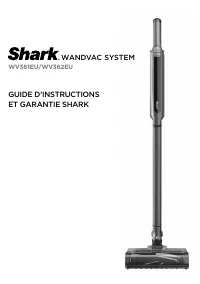
Shark WS632 - Manual

Shark WS632 – Manual, read for free online in PDF format. We hope this helps you resolve any issues you may have. If you have further questions, please contact us through the contact form.


Table of Contents:
- Page 2 – QUICK; WARNING; FOR HOUSEHOLD USE ONLY • PLEASE READ; SAVE THESE INSTRUCTIONS; BATTERY PACK
- Page 3 – ASSEMBLY; RECYCLING THE LI - ION BAT TERY; RUNTIMES PER FULLY CHARGED BAT TERY; Charging
- Page 4 – CHARGING; CHARGING WHILE IN STOR AGE MODE
- Page 5 – USING YOUR VACUUM; CONTROL S; Boost
- Page 6 – EMPT YING THE DUST CUP; MAINTAINING YOUR VACUUM; Cyclone Filter; CLEANING THE DUST CUP AND FILTER
- Page 7 – CHECKING FOR BLOCK AGES
- Page 8 – ADDITIONAL ACCESSORIES AVAILABLE ON SHARKACCESSORIES.COM; power and remove the battery before servicing.; (Refer to Checking for Blockages section for more information.); My vacuum has a PowerFins nozzle but the brushroll doesn’t spin.; Battery Indicator Lights on hand vacuum are flashing.
- Page 10 – NOTES; BATTERY REMOVAL AND DISPOSAL; TECHNICAL SPECIFICATIONS; RECORD THIS INFORMATION; REGISTER YOUR PURCHASE; registeryourshark.com
- Page 11 – PLEASE READ CAREFULLY AND KEEP FOR FUTURE REFERENCE.
Cordless Vacuum
WS630 Series
OWNER’S GUIDE
WAND
VAC
®
SYST E M
"Loading the manual" means you need to wait until the file loads and becomes available for online reading. Some manuals are very large, and the time they take to appear depends on your internet speed.
Was this manual helpful?
Helpful for 3 of 3 readers
About this manual
- Brand
- Shark
- Model
- WS632
- Document type
- Manual
- Language(s)
- English
- Pages
- 11
- File size
- 3.1 MB
- Format
Other Manuals for Shark WS632
Summary
s h a r k c l e a n . c o m s h a r k c l e a n . c o m QUICK START GUIDE THE FLOOR NOZZLE, WAND, AND HAND VACUUM CONTAIN ELECTRICAL CONNECTIONS:1. This vacuum consists of a motorized nozzle, wand, and hand vacuum. These components contain electrical connections, electrical wiring, and moving parts ...
s h a r k c l e a n . c o m s h a r k c l e a n . c o m ASSEMBLY 1. Slide the Wand onto the neck of the PowerFins Floor Nozzle until it clicks into place. 2. Align the Hand Vacuum nozzle opening with the top of the wand and slide it on until it clicks into place. 3. Make sure the Dock Plate is facin...
s h a r k c l e a n . c o m s h a r k c l e a n . c o m CHARGING CHARGING STOR AGE ON THE GO CHARGING WHILE IN STOR AGE MODE CHARGING THE HAND VACUUM REMOVING THE BAT TERY Charge the unit in upright mode by placing it on the dock plate, with the hook on the back of the wand over the charging post. M...