Samsung UBD-M9000 - Quick Guide
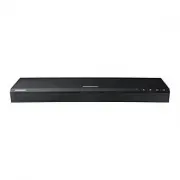
Samsung UBD-M9000 Player – Quick Guide, read for free online in PDF format. We hope this helps you resolve any issues you may have. If you have further questions, please contact us through the contact form.


Table of Contents:
- Page 2 – Warning; Safety Information
- Page 3 – CLASS 1 LASER product
- Page 5 – Check for the supplied accessories shown below.; Power Cable; Accessories
- Page 6 – Remote Control; Press to play disc or files.
- Page 7 – one 2-digit code. If the first code does not; TV Control Codes
- Page 8 – Front Panel and Rear Panel; Front Panel; : Remote control or Front; Rear Panel
- Page 9 – Connections; Connecting to a TV; Audio; Connecting to an Audio Device; pass through; Video
- Page 10 – ▶ Method 2: Connecting to a S; oundbar / AV receiver; with a Digital Optical cable; Soundbar / AV receiver; Connecting to a Network Router; Wireless Network; Router; Wired Network; Router or wall connection
- Page 11 – The Initial Settings Procedure; Home Screen
- Page 12 – Playing Media Content; Playing a Commercial Disc; Playing Media Contents Saved on a USB Memory Device; Select
- Page 13 – Additional Functions; Enter the name of a specific app to; Smart View; On your device, find the name of the Player; Upgrading Software; Software Update > Update Now; If it finds a new version, the Update
- Page 14 – Specifications; Port deactivation method
- Page 15 – Licences
- Page 16 – Disc types and contents your product can play; been recorded and finalised, or a USB storage media containing; Supported Video Formats; Supported Formats
- Page 17 – Supported Subtitle File Formats
- Page 18 – Region Code; If the codes do not match, the disc will not play.; Disc Type; China
- Page 19 – Correct disposal of batteries in this product
- Page 20 – UNITED KINGDOM; the country concerned. In case of difficulty,; Samsung Customer Support Centre; ■ WARRANTY CONDITIONS
UBD-M9000
USER MANUAL
"Loading the manual" means you need to wait until the file loads and becomes available for online reading. Some manuals are very large, and the time they take to appear depends on your internet speed.
Was this manual helpful?
About this manual
- Brand
- Samsung
- Model
- UBD-M9000
- Document type
- Quick Guide
- Category
- Player
- Language(s)
- English
- Pages
- 21
- File size
- 3.1 MB
- Format
Other Manuals for Samsung UBD-M9000
Summary
English 2 Class II product : This symbol indicates that it does not require a safety connection to electrical earth (ground). AC voltage : This symbol indicates that the rated voltage marked with the symbol is AC voltage. DC voltage : This symbol indicates that the rated voltage marked with the symb...
English 3 • Make sure to plug the power cord in until it is firmly seated. When unplugging the power cord from a wall outlet, always pull on the power cord’s plug. Never unplug by pulling on the power cord. Do not touch the power cord with wet hands. • If this apparatus does not operate normally - i...
English 5 Check for the supplied accessories shown below. POP UP /MENU DISC MENU TOOLS 123 TV Batteries (AA Size) Power Cable User Manual Remote Control ✎ For further instructions, refer to the Web Manual. Web manual : www.samsung.com ; Product name search : UBD-M9000 2 Accessories
Ask a question
Related manuals
Popular Samsung Players


More Samsung Players models
 Samsung DVD-P380 KT User Manual
 Samsung DVD-S324 Manual
 Samsung HT-BD2 Manual
 Samsung UBD-K8500 User Manual
 Samsung UBD-M7500 Quick Guide
 Samsung UBD-M8500 Quick Guide
 Samsung UBD-M9500 Quick Guide
 Samsung BD-C5300 User Manual
 Samsung BD-C5900 User Manual
 Samsung BD-C7500 User Manual
 Samsung BD-D5100 User Manual
 Samsung BD-D6500 Manual