Samsung BD-J6300 - Quick Guide
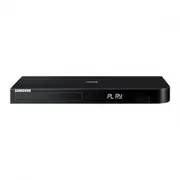
Samsung BD-J6300 Player – Quick Guide, read for free online in PDF format. We hope this helps you resolve any issues you may have. If you have further questions, please contact us through the contact form.


Table of Contents:
- Page 2 – Warning; CAUTION; Safety Information
- Page 3 – CLASS 1 LASER product
- Page 4 – Using the 3D function
- Page 5 – Remote Control; Number buttons; Playback related buttons; TV Related buttons
- Page 6 – Front Panel and Rear Panel; Front Panel
- Page 7 – Connections; Connecting to a TV; Audio; Connecting to an Audio System; Method 1 Connecting to an HDMI compatible AV receiver; Method 1
- Page 8 – Connecting to a Network Router; Wired Network; Router
- Page 9 – The Initial Settings Procedure; POWER; Home Screen
- Page 10 – Playing Media Content; Playing Media Content Saved on a Disc or; Playing Media Content Saved in a Mobile; Multimedia Screen
- Page 11 – Additional Functions; Screen Mirroring; Upgrading Software; OK
- Page 12 – Specifications
- Page 13 – Licences
- Page 14 – Disc types and contents your product can play; Supported Formats
- Page 15 – Supported Subtitle File Formats
- Page 16 – UNITED KINGDOM; Samsung Customer Support Centre
- Page 17 – Contact SAMSUNG WORLD WIDE
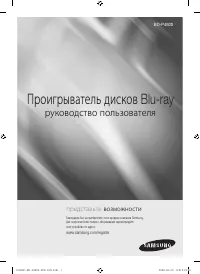
Blu-ray™ Disc Player
USER MANUAL
BD-J6300
For further instructions, refer to the Web Manual.
Web manual : www.samsung.com
;
SUPPORT
;
TV / Audio / Video
;
Blu-ray
;
Product name search : BD-J6300
;
PDF file download.
© 2017 Samsung Electronics Co., Ltd. All rights reserved.
"Loading the manual" means you need to wait until the file loads and becomes available for online reading. Some manuals are very large, and the time they take to appear depends on your internet speed.
Was this manual helpful?
About this manual
- Brand
- Samsung
- Model
- BD-J6300
- Document type
- Quick Guide
- Category
- Player
- Language(s)
- English
- Pages
- 17
- File size
- 3.7 MB
- Format
Other Manuals for Samsung BD-J6300
Summary
English 2 Class II product : This symbol indicates that it does not require a safety connection to electrical earth (ground). AC voltage : This symbol indicates that the rated voltage marked with the symbol is AC voltage. DC voltage : This symbol indicates that the rated voltage marked with the symb...
English 3 • Maintenance of Cabinet. - Before connecting other components to this product, be sure to turn them off. - If you move your product suddenly from a cold place to a warm place, condensation may occur on the operating parts and lens and cause abnormal disc playback. If this occurs, unplug t...
English 4 IMPORTANT NOTE The mains lead on this equipment is supplied with a molded plug incorporating a fuse. The value of the fuse is indicated on the pin face of the plug. If it requires replacing, a fuse approved to BS1362 of the same rating must be used. Never use the plug with the fuse cover o...
Ask a question
Related manuals
Popular Samsung Players


More Samsung Players models
 Samsung BD-H8900N User Manual
- Samsung BD-H8909S User Manual
 Samsung BD-J4500 User Manual
 Samsung BD-J5500 User Manual
 Samsung BD-J5900 User Manual
 Samsung BD-J7500 User Manual
 Samsung BD-P1000 User Manual
 Samsung BD-P1400 Manual
 Samsung BD-P1500 Manual
 Samsung BD-P4600 Manual
 Samsung DVD-C350 User Manual
 Samsung DVD-C500 Manual