Page 2 - Safety Information; Warning; CAUTION
2 English Safety Information Class II product : This symbol indicates that it does not require a safety connection to electrical earth (ground). AC voltage : This symbol indicates that the rated voltage marked with the symbol is AC voltage.DC voltage : This symbol indicates that the rated voltage ma...
Page 4 - CLASS 1 LASER product
4 English Safety Information • Do not allow children to hang on the product. • Store the accessories (battery, etc.) in a location safely out of the reach of children. • Do not install the product in an unstable location such as a shaky self, a slanted floor, or a location exposed to vibration. • Do...
Page 5 - IMPORTANT NOTE
5 English 01Safety Information IMPORTANT NOTE The mains lead on this equipment is supplied with a molded plug incorporating a fuse. The value of the fuse is indicated on the pin face of the plug. If it requires replacing, a fuse approved to BS1362 of the same rating must be used. Never use the plug ...
Page 6 - Contents; SAFETY INFORMATION
6 English Contents SAFETY INFORMATION 2 Warning GETTING STARTED 8 Accessories9 Front Panel 9 Rear Panel 10 Remote Control10 Tour of the Remote Control CONNECTIONS 12 Connecting to a TV14 Connecting to an Audio Device14 Method 1 Connecting to an HDMI (HDR) compatible Soundbar / AV receiver that suppo...
Page 7 - MEDIA PLAY
7 English Contents MEDIA PLAY 28 Playing Commercial Discs28 Disc Storage & Management 28 Playing Photos, Videos, and Music (Multimedia) 28 Playing Media Content Saved on a USB Device 29 Playing Media Content Saved in a Computer 29 Playing a Disc with User Recorded Content30 Controlling Video Pla...
Page 8 - Getting Started; Accessories; Check for the supplied accessories shown below.; Power Cable
8 English Getting Started Accessories Check for the supplied accessories shown below. POP UP /MENU DISC MENU TOOLS 123 TV Batteries (AA Size) Power Cable User Manual Remote Control
Page 9 - Front Panel; Rear Panel
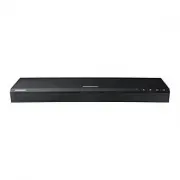
9 English 02Getting Started Front Panel POWER POWER REMOTE CONTROL SENSOR USB HOST Wi-Fi ANTENNA Do not place any object near or in front of the antenna to ensure proper operation. DISC TRAY OPEN/CLOSE BUTTON POWER INDICATOR Red : Power off Green : Power on Green blinking : Remote control or Front K...
Page 10 - Remote Control; Tour of the Remote Control
10 English Getting Started Remote Control |NOTE | \ Previous BD-Player remote controls may not be compatible with this player. Tour of the Remote Control POP UP /MENU DISC MENU TOOLS 123 TV Turns the player on and off. Turns the TV on and off. Press to open and close the disc tray. Return to the pre...
Page 11 - Using Remote Control Buttons to Enter
11 English 02Getting Started Using Remote Control Buttons to Enter TV Codes 1. Press and hold the ( TV Power ) button. 2. While holding the ( TV Power ) button, press the buttons on the remote that correspond to a two-digit TV Code from the list below. Use the illustration to the right as a guide. F...
Page 12 - Connections; Connecting to a TV; Audio
12 English Connections Connecting to a TV Connect an HDMI cable (not supplied) from the HDMI OUT jack on the back of the product to the HDMI IN jack on your TV. - Do not connect the power cord to the wall outlet until you have made all the other connections. - When you change the connections, turn o...
Page 13 - HDMI outputs only a pure digital signal to the TV.
13 English 03Connections \ HDMI outputs only a pure digital signal to the TV. If your TV does not support HDCP (High-bandwidth Digital Content Protection), random noise appears on the screen. \ If your TV does not support HDCP (High-bandwidth Digital Content Protection) version 2.2, some of Ultra HD...
Page 14 - Connecting to an Audio Device; pass through; HDMI OUT; Video
14 English Connections Connecting to an Audio Device You can connect this product to an audio system using the methods illustrated below. - Do not connect the power cord to the wall outlet until you have made all the other connections. - When you change the connections, turn off all devices before y...
Page 15 - Method 2 Connecting to a Soundbar /; Connecting to a Mobile Device
15 English 03Connections Method 2 Connecting to a Soundbar / AV receiver with a Digital Optical Cable • Using a digital Optical cable (not supplied), connect the DIGITAL AUDIO OUT jack on the product to the DIGITAL AUDIO IN jack of the receiver. • You will hear sound only through the front two speak...
Page 16 - Connecting to a Network Router; Wireless Network; Wired Network
16 English Connections Connecting to a Network Router You can connect your product to your network router using one of the methods illustrated below. The connection can be wireless or wired. Wireless Network POWER Wall connection Router |NOTES | \ If your wireless router supports DHCP, this product ...
Page 17 - Settings; The Initial Settings Procedure
17 English 04Settings Settings The Initial Settings Procedure • The Home screen will not appear if you do not configure the initial settings. • The OSD (On Screen Display) may change in this product after you upgrade the software version. • The access steps may differ depending on the menu you selec...
Page 18 - Accessing the Settings Screen; Buttons on the Remote Control Used; Detailed Function Information
18 English Settings |NOTE | \ If you leave the player in the stop mode for more than 5 minutes without using it, a screen saver will appear on your TV. If the player is left in the screen saver mode for more than 15 minutes, the power will automatically turn off. Accessing the Settings Screen 1. Sel...
Page 19 - Settings Menu Functions
19 English 04Settings Settings Menu Functions Picture TV Aspect Ratio Lets you adjust the output of the product to the screen size and screen format of your TV. Resolution Set the output resolution of the HDMI video signal to Auto , 2160p , 1080p , 720p , or 576p/480p . The number indicates the numb...
Page 20 - General
20 English Settings PCM Downsampling Lets you choose to have 96kHz PCM signals downsampled to 48kHz before they are outputted to an amplifier. Turn on PCM Downsampling if the amplifier or receiver is not compatible with 96 kHZ signal. Dynamic Range Control Lets you apply dynamic range control to Dol...
Page 23 - Networks and the Internet; Configuring Your Network Connection
23 English 04Settings Remote Management When activated, lets Samsung Call Centre agents diagnose and fix problems with this player remotely. Requires an active Internet connection. |NOTES | \ Remote Management service might not be available in some countries. \ To use Remote Management: 1) Call the ...
Page 26 - Upgrading Software
26 English Settings 7. Press the WPS or PBC button on your router within two minutes. Your product automatically acquires all the network settings values it needs and connects to your network. Ğ WPS(PIN) Before you begin, open the router's setup menu on your PC and access the screen with the WPS PIN...
Page 27 - Update Now; Auto update; Update by USB
27 English 04Settings Update Now 1. Select Support > Software Update > Update Now . 2. An online update function downloads and installs the update software directly from the Internet. - This option requires an Internet connection. |NOTES | \ When the system update is done, check the software d...
Page 28 - Media Play; Playing Commercial Discs; Disc Storage & Management
28 English Media Play Your Ultra HD Blu-ray Player can play content located on Ultra HD Blu-ray/Blu-ray/DVD/CD discs, USB devices, PCs, and on the Web. To play content located on your PC, you must connect the PC and the product to your network. Playing Commercial Discs 1. Press the ^ button to open ...
Page 29 - Playing Media Content Saved in a; Playing a Disc with User Recorded
29 English 05Media Play Playing Media Content Saved in a Computer You can play media content on the product that is stored on a computer connected to the same network as the product. |NOTES | \ To play content on a computer, make sure that home network mode is enabled on the computer. \ The content ...
Page 30 - Controlling Video Playback; Buttons on the Remote Control used for Video Playback; title list
30 English Media Play Controlling Video Playback You can control the playback of video content located on a Disc, USB, or PC. Depending on the disc or contents, some of the functions described in this manual may not be available. Buttons on the Remote Control used for Video Playback To use the dis...
Page 31 - Using the On-screen Menu during Playback of a Video; Displaying optional menus
31 English 05Media Play Using the On-screen Menu during Playback of a Video Use the Up/Down/Left/Right buttons to select each function and then press the ( OK ) button. Displaying optional menus When playing a disc : Press TOOLS on the remote control. When playing a video file : Press ( OK ) on the ...
Page 33 - Using the Sort By & Options Menus; Using the Sort By Menu; Controlling Music Playback; Buttons on the Remote Control used
33 English 05Media Play Using the Sort By & Options Menus Using the Sort By Menu On a file screen containing video files, select Sort By , and then press the ( OK ) button. Arrange folders or files in order by Date or Title . Using the Options Menu On a file screen containing video files, select...
Page 35 - Playing Photo Contents; Using the On-screen Menu during
35 English 05Media Play 4. Repeat Step 3 to select and check additional tracks. 5. To remove a track from the list, move to the track, and then press the ( OK ) button again. The check on the track is removed. 6. When done, press the Up/Down buttons to select Done , and then press the ( OK ) button....
Page 37 - Creating a Samsung Account; Network Services
37 English 06Network Services You can enjoy various network services such as streaming video or on-line apps by connecting the product to your network. To use network services, you must first: 1. Connect the player to a network. (See page 16) 2. Configure the network settings. (See pages 23~26) Crea...
Page 38 - Before Using Apps; The Apps Screen at a Glance
38 English Network Services Before Using Apps If you haven’t set up Smart Hub, when you use Apps for the first time, the product will ask you to perform the Smart Hub set up procedure. 1. On the Home screen, select APPS , and then press the ( OK ) button. 2. If you haven't set up Smart Hub, the Smar...
Page 39 - Downloading an App; Starting an Application; The Settings Menu
39 English 06Network Services Downloading an App 1. Use the Up/Down buttons to move to Editor's Choice , Most Popular , Group Content , or Genre . If you have moved to Group Content or Genre , press the ( OK ) button to select the desired category or genre. 2. Use the Up/Down/Left/Right buttons to m...
Page 40 - Move; Using the Internet
40 English Network Services Lock/Unlock This function blocks access to an app unless you enter your PIN. Unlock removes the lock. 1. On the Settings screen, select the app to be locked. 2. Select Lock/Unlock , and then press the ( OK ) button. Enter your PIN. A check appears next to the app. |NOTE |...
Page 41 - The Web Browser window at a Glance
41 English 06Network Services The Web Browser window at a Glance Featured Featured Most visited Bookmarks Open Tabs http://www.samsung.com 100% 1 3 2 6 5 4 1 • Current Tab : Shows the current screen name. To delete the tab, click the next to the tab name. • Open new tab : Opens a new web browser tab...
Page 42 - Using the Keyboard Pop-up; Options on the Keyboard Pop-Up
42 English Network Services Using the Keyboard Pop-up When you click the , or access a data or text entry field, and then press the ( OK ) button, the keyboard pop-up appears. To use the keyboard pop-up with your remote, follow these steps: Featured Featured Most visited Bookmarks Open Tabs http://w...
Page 43 - Using the Browser Menu
43 English 06Network Services Using the Browser Menu The menu contains functions that control how the browser operates and browser security functions. To open the menu, highlight the ( Menu ) icon, and then press the ( OK ) button. To select an option in the menu, highlight the option, and then pres...
Page 44 - Linking Your Internet Service
44 English Network Services Linking Your Internet Service Accounts to the Product The Link Service Accounts function lets you link your product to your accounts with Internet services such as Pandora so that the product can log you in to the service automatically when you start the app for that serv...
Page 45 - Additional Information; Notes; Appendix
45 English 07Appendix Additional Information Notes Settings TV Aspect Ratio • Depending on the disc type, some aspect ratios may not be available. • If you select an aspect ratio and option that is different than the aspect ratio of your TV screen, the picture might appear to be distorted. • If you ...
Page 47 - Resolution according to the contents type
47 English 07Appendix Resolution according to the contents type Contents Type Setup Ultra HD Blu-ray Disc/ Blu-ray Disc E-contents/ Digital contents DVD Disc Movie Frame (24p/25p) * 2160p, 1080p only Disc Content Auto 2160p(1080p)@24 2160p(1080p)@60 2160p(1080p)@60 Off Max.Resolution of TV input Max...
Page 48 - Digital Output Selection
48 English Appendix Digital Output Selection Setup PCM Bitstream (Unprocessed) Bitstream (Re-encoded DTS) Bitstream (Re-encoded Dolby D) Connection HDMI Optical HDMI Optical HDMI or Optical HDMI or Optical Audio Stream on Ultra HD Blu-ray Disc/ Blu-ray Disc PCM Up to PCM 7.1ch PCM 2ch PCM PCM 2ch DT...
Page 49 - Troubleshooting; PROBLEM
49 English 07Appendix Troubleshooting Before requesting service, please try the following solutions. PROBLEM SOLUTION No operation can be performed with the remote control. • Check the batteries in the remote control. They may need replacing. • Operate the remote control at a distance of no more tha...
Page 52 - Disc and Format Compatibility; Disc types and contents your product can play; Media; Disc types your product cannot play
52 English Appendix Disc and Format Compatibility Disc types and contents your product can play Media Disc Type Details VIDEO Ultra HD Blu-ray Disc Ultra HD BD-ROM format.Blu-ray Disc BD-ROM format.DVD-VIDEO DVD-RW DVD-R DVD+RW DVD+R DVD-VIDEO, recorded DVD+RW/DVD-RW(V)/DVD-R/+R that have been recor...
Page 53 - Region Code; Disc Type Region; Logos of Discs the product can play
53 English 07Appendix Region Code Both products and discs are coded by region. These regional codes must match for a disc to play. If the codes do not match, the disc will not play. The Region Number for this product is displayed on the rear panel of the product. Disc Type Region Code Area Blu-ray D...
Page 54 - Supported Formats; Supported Video File Formats; File
54 English Appendix Supported Formats Supported Video File Formats File Extension Container Video Codec Resolution Frame rate (fps) Bit rate (Mbps) Audio Codec *.avi *.mkv *.asf *.wmv *.mp4 *.mov *.3gp *.vro *.mpg *.mpeg *.ts *.tp *.trp *.mov *.flv *.vob *.svi *.m2ts *.mts *.divx AVI MKV ASF MP4 3GP...
Page 55 - Supported DivX subtitle file formats; Supported Subtitle File Formats
55 English 07Appendix ` Limitations - Even when a file is encoded by a supported codec listed in the Video File Support table, the file might not play if its content has a problem. - Normal playback is not guaranteed if the file’s container information is wrong or the file itself is corrupted. - Pla...
Page 56 - Supported Music File Formats
56 English Appendix Supported Music File Formats File Extension Type Codec Support Range *.mp3 MPEG MPEG1 Audio Layer 3 - *.m4a *.mpa *.aac MPEG4 AAC - *.flac FLAC FLAC 24bit/192kHz Supports up to two channels. *.ogg OGG Vorbis Supports up to two channels. *.wma WMA WMA For WMA 10 Pro supports up to...
Page 57 - AVCHD (Advanced Video Codec High
57 English 07Appendix • If playback from a USB HDD is unstable, provide additional power by plugging the HDD into a wall socket. If the problem continues, contact the USB HDD manufacturer. • SAMSUNG is not responsible for any data file damage or data loss. • This player does not support NTFS compres...
Page 58 - Compliance and Compatibility Notice; NOT ALL discs are compatible
58 English Appendix Compliance and Compatibility Notice NOT ALL discs are compatible • Subject to the restrictions described below and those noted throughout this Manual, including the Disc Type and Characteristics section of this user manual, disc types that can be played are: pre-recorded commerci...
Page 59 - Copy Protection; Cinavia Notice; Network Service Disclaimer
59 English 07Appendix Copy Protection • Because AACS (Advanced Access Content System) is approved as content protection system for Ultra HD Blu-ray Disc and Blu-ray Disc format, similar to use of CSS (Content Scramble System) for DVD format, certain restrictions are imposed on playback, analogue sig...
Page 60 - Licences
60 English Appendix THIRD PARTY CONTENT AND SERVICES ARE PROVIDED "AS IS." SAMSUNG DOES NOT WARRANT CONTENT OR SERVICES SO PROVIDED, EITHER EXPRESSLY OR IMPLIEDLY, FOR ANY PURPOSE. SAMSUNG EXPRESSLY DISCLAIMS ANY IMPLIED WARRANTIES, INCLUDING BUT NOT LIMITED TO, WARRANTIES OF MERCHANTABILITY...
Page 61 - United States and other countries.
61 English 07Appendix • The terms HDMI and HDMI High-Definition Multimedia Interface, and the HDMI Logo are trademarks or registered trademarks of HDMI Licensing LLC in the United States and other countries. • Oracle and Java are registered trademarks of Oracle and/or its affiliates. Other names may...
Page 62 - Specifications; Port Deactivation Method
62 English Appendix Specifications General Weight 1.9 kg Dimensions 406.0 (W) X 44.7 (H) X 230.0 (D) mm Operating Temperature Range +5°C to +35°C Operating Humidity Range 10 % to 75 % USB Type A USB 2.0 DC output 5V 500mA Max. HDMI Video 2160p, 1080p, 720p, 576p/480p Audio PCM, Bitstream Audio Outpu...
Page 63 - Correct Disposal of This Product
63 English 07Appendix Correct Disposal of This Product (Waste Electrical & Electronic Equipment) (Applicable in the European Union and other European countries with separate collection systems) This marking on the product, accessories or literature indicates that the product and its electronic a...
Page 64 - Samsung Customer Support Centre
UNITED KINGDOM EIRE This Samsung product is warranted for the period of twelve (12) months from the original date of purchase, against defective materials and workmanship. In the event that warranty service is required, you should return the product to the retailer from whom it was purchased. Howeve...


 Samsung DVD-P380 KT User Manual
 Samsung DVD-S324 Manual
 Samsung HT-BD2 Manual
 Samsung UBD-K8500 User Manual
 Samsung UBD-M7500 User Manual
 Samsung UBD-M8500 User Manual
 Samsung UBD-M9500 User Manual
 Samsung BD-C5300 User Manual
 Samsung BD-C5900 User Manual
 Samsung BD-C7500 User Manual
 Samsung BD-D5100 User Manual
 Samsung BD-D6500 User Manual