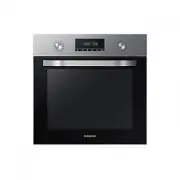
Page 2 - Contents
2 English C ontents Contents Contents Using this manual 3 The following symbols are used in this User Manual: 3 Safety instructions 3 Important safety precautions 3 Correct Disposal of This Product (Waste Electrical & Electronic Equipment) 6 Auto energy saving function 6 Installation 6 What’s in...
Page 3 - Safety instructions; The following symbols are used in this User Manual:; Important safety precautions; Using this manual
English 3 Using this manual Safety instructions Thank you for choosing SAMSUNG Built-In Oven.This User Manual contains important information on safety and instructions intended to assist you in the operation and maintenance of your appliance.Please take the time to read this User Manual before using...
Page 6 - What’s included; Installation; Auto energy saving function
6 English Installation Installation Safety instructions WARNING This oven must be installed by a qualified technician. The installer is responsible for connecting the oven to the main power, while observing the relevant safety regulations of your area. What’s included Make sure all parts and accesso...
Page 7 - Power connection
English 7 Installation Accessories The oven comes with different accessories that help you prepare different types of food. Wire rack Wire rack insert * Baking tray * Universal tray * Extra-deep tray * Rotisserie spit * Rotisserie spit and Shashlik * Telescopic rail * NOTE Availability of accessorie...
Page 8 - Cabinet mount
8 English Installation Installation D C B A E Built-in cabinet (mm) A Min. 550 B Min. 560 C Min. 50 D Min. 590 - Max. 600 E Min. 460 x Min. 50 NOTE The built-in cabinet must have vents ( E ) to ventilate heat and circulate the air. D C B A Under-sink cabinet (mm) A Min. 550 B Min. 560 C Min. 600 D M...
Page 9 - Before you start; Initial settings; New oven smell
English 9 Befor e you s tar t Mounting the oven A Make sure to leave a gap ( A ) of at least 5 mm between the oven and each side of the cabinet. Fit the oven into the cabinet and fix the oven firmly on both sides using 2 screws. After installation is complete, remove the protective film, tape, and o...
Page 10 - Accessories
10 English Befor e you s tar t Before you start Rotisserie spit * The rotisserie spit is used for grilling food such as chicken. Use the rotisserie spit only in Single mode at level 3 where the spit adapter is available. Unscrew the spit handle to remove while grilling. Rotisserie spit and Shashlik ...
Page 11 - Control panel; Operations
English 11 Oper ations Control panel The front panel comes in a wide range of materials and colours. For improved quality, the actual appearance of the oven is subject to change without notice. 01 09 02 05 04 06 07 08 03 01 Mode selector Turn to select a cooking mode or function. 02 Temperature Use ...
Page 15 - Cooking mode
English 15 Oper ations Cooking modes Mode Temperature range (°C) Suggested temperature (°C) Convection 30-250 170 The rear heating element generates heat, which is evenly distributed by the convection fan. Use this mode for baking and roasting on different levels at the same time. Eco convection 30-...
Page 16 - Auto cook
16 English Oper ations Operations Auto cook For inexperienced cooks, the oven offers a total of 20 auto cooking recipes. Take advantage of this feature to save you time or shorten your learning curve. The cooking time and temperature will be adjusted according to the selected programme and serving s...
Page 17 - Timer; Steam cleaning
English 17 Oper ations NOTE • If the oven is heavily soiled with grease, for example, after roasting or grilling, it is recommended to remove stubborn soils manually using a cleaning agent before activating Steam cleaning. • Leave the oven door ajar when the cycle is complete. This is to allow the i...
Page 18 - Manual cooking; Cooking smart
18 English C ooking smar t Cooking smart Manual cooking WARNING on acrylamide Acrylamide produced while baking starch-contained food such as potato chips, French fries, and bread may cause health problems. It is recommended to cook these foods at low temperatures and avoid overcooking, heavy crispin...
Page 22 - Auto cook programmes
22 English C ooking smar t Cooking smart Auto cook programmes The following table presents 20 auto programmes for cooking, roasting and baking.It contains its quantities, weight ranges and appropriate recommendations. Cooking modes and times have been pre-programmed for your convenience. You will fi...
Page 24 - Test Dishes
24 English C ooking smar t Cooking smart Test Dishes According to standard EN 60350-1 1. Baking The recommendations for baking refer to a preheated oven. Always put trays the slanted side to the door front. Type of food Accessory Level Type of heating Temp. (°C) Time (min.) Small cakes Universal tra...
Page 25 - Cleaning; Maintenance
English 25 Maint enanc e Cleaning WARNING Make sure the oven and accessories are cool before cleaning.Do not use abrasive cleaning agents, hard brushes, scouring pads or cloths, steel wool, knives or any other abrasive materials. Oven interior • For cleaning the interior of the oven, use a clean clo...
Page 27 - Replacement
English 27 Maint enanc e Replacement Bulbs 1. Remove the glass cap by turning anti-clockwise. 2. Replace the oven light. 3. Clean the glass cap. 4. When done, follow step 1 above in the reverse order to reinsert the glass cap. WARNING • Before replacing a bulb, turn off the oven and unplug the power...
Page 28 - Troubleshooting; Checkpoints
28 English Tr ouble shoo ting Troubleshooting Troubleshooting Checkpoints If you encounter a problem with the oven, first check the table below and try the suggestions. If the problem continues, contact a local Samsung service centre. Problem Cause Action The buttons cannot be pressed properly. • If...
Page 30 - Appendix; Information codes; Product data sheet
30 English Appendix Appendix Troubleshooting Appendix Information codes If the oven fails to operate, you may see an information code on the display. Check the table below and try the suggestions. Code Meaning Action C-d1 Door lock malfunctions Turn off the oven and then restart. If the problem cont...
Page 31 - Memo
English 31 Memo NV70K2340RS_EU_DG68-00758A-04_EN.indd 31 2018-04-27 12:21:58