Page 2 - English; Regulatory Notice; Door seals and sealing surface.; CAUTION; This device may not cause harmful interference period.
2 English Regulatory Notice For products sold in the US and Canadian markets, only channels 1~11 are available. You cannot select any other channels. FCC STATEMENT: This equipment has been tested and found to comply within the limits for a Class B digital device, pursuant to part 15 of the FCC Rules...
Page 3 - English 3; IC RADIATION EXPOSURE STATEMENT:
English 3 Regulatory Notice 2. IC Notice The term “IC” before the radio certification number only signifies that Industry Canada technical specifications were met. Operation is subject to the following two conditions: (1) this device may not cause interference, and (2) this device must accept any in...
Page 5 - SAVE THESE INSTRUCTIONS; Important safety instructions; This guide does not cover all; Important safety symbols and precautions; What the icons and signs in this user manual mean:
English 5 Impor tant saf ety ins truc tions SAVE THESE INSTRUCTIONS CAUTION To reduce the risk of fire, explosion, electric shock, or personal injury when using your oven, follow these basic safety precautions. Do NOT attempt.Do NOT disassemble.Do NOT touch.Follow directions explicitly.Unplug the po...
Page 6 - Important safety instructions (Microwave Oven); CALIFORNIA PROPOSITION 65 WARNING
6 English Impor tant saf ety ins truc tions SAVE THESE INSTRUCTIONS Important safety instructions (Microwave Oven) 9. This appliance should be repaired or serviced only by qualified service personnel. Contact the nearest authorized service facility for examination, repair, or adjustment. 10. Do not ...
Page 7 - WARNING; Do not overheat liquid.; GROUNDING INSTRUCTIONS
English 7 Impor tant saf ety ins truc tions SAVE THESE INSTRUCTIONS WARNING Improper use of the grounding plug can result in a risk of electric shock. • Plug into a grounded 3 prong outlet. Do not remove the third (grounding) prong. Do not use an adaptor or otherwise defeat the grounding plug. • Con...
Page 8 - Never leave children alone or
8 English Impor tant saf ety ins truc tions SAVE THESE INSTRUCTIONS Important safety instructions (Oven) • Do not enter the oven. • Do not leave children alone. Never leave children alone or unattended in an area where this appliance is in use. They should never be allowed to sit or stand on any par...
Page 9 - Use only dry potholders.
English 9 Impor tant saf ety ins truc tions SAVE THESE INSTRUCTIONS • Use only dry potholders. Placing moist or damp potholders on hot surfaces may result in burns from steam. Do not let the potholder touch hot heating elements. Do not use a towel or other bulky cloth instead of a potholder. • Teach...
Page 13 - CRITICAL INSTALLATION WARNINGS
English 13 Impor tant saf ety ins truc tions SAVE THESE INSTRUCTIONS • Do not cut or remove the ground prong from the power cord under any circumstances. • Connect the oven to a circuit that provides the correct amperage. • Do not install this appliance in a humid, oily or dusty location, or in a lo...
Page 14 - CRITICAL USAGE WARNING
14 English Impor tant saf ety ins truc tions SAVE THESE INSTRUCTIONS Important safety instructions (Oven) • Always observe safety precautions when using your oven. Never try to repair the oven on your own - there is dangerous voltage inside. If the oven needs to be repaired, contact an authorized Sa...
Page 16 - USAGE CAUTIONS
16 English Impor tant saf ety ins truc tions SAVE THESE INSTRUCTIONS Important safety instructions (Oven) USAGE CAUTIONS CAUTION • If the surface is cracked, turn the appliance off. - Failing to do so may result in electric shock. • Dishes and containers can become hot. Handle with care. • Hot foods...
Page 18 - CRITICAL CLEANING WARNINGS
18 English Impor tant saf ety ins truc tions SAVE THESE INSTRUCTIONS Important safety instructions (Oven) CRITICAL CLEANING WARNINGS CAUTION • Do not clean the appliance by spraying water directly on to it. • Do not use benzene, thinner, or alcohol to clean the appliance. - This may result in discol...
Page 19 - What’s included with your oven; Accessories for oven; Introducing your new oven; Overview; NOTE
English 19 Intr oducing y our ne w ov en What’s included with your oven This oven ships with different kinds of accessories that help you cook what you want. Accessories for oven Wire rack (1)* Gliding rack (1)* Divider (1)* Temp probe (1)* Air Fry tray (1)* Wire Rack Steam (1)* Wire racks Use these...
Page 20 - Accessories for microwave; Assembling the steam container (applicable models only)
20 English Befor e you begin Before you begin Introducing your new oven Accessories for microwave Roller ring* Turntable* Hot plate* Low rack* High rack* Roller ring Put in the center of the base. It supports the turntable. Turntable Put on the roller ring with the center fitting of the coupler. It ...
Page 21 - Before you begin; Energy saving tips; Whenever possible, cook more than one item at a time.
English 21 Befor e you begin Before you begin Before using the top and bottom ovens for the first time, remove all the accessories, and then clean the ovens thoroughly. Then, set the lower oven to Bake, and run it at 400 °F for 1 hour. Next, set the microwave (top) oven to Power Convection, and then...
Page 22 - Water reservoir; on
22 English Befor e you begin Before you begin Water reservoir The water reservoir is used for the Steam Bake, Steam Roast, Steam Proof and Steam Cook functions and also to remove water scale that may form on the oven walls, especially after Steam Baking, Steam Roasting, Steam Proofing and Steam Cook...
Page 23 - Basic operations; Control panel; Convection Bake; Off; None; Start
English 23 Basic oper ations Basic operations Control panel 01 04 02 03 05 06 07 08 09 01 Microwave : Use to display the upper Microwave oven mode screen on the display. Touching here does not turn the oven on or off. It only displays its current status. 02 Pause/Off : Use to pause or turn off the u...
Page 24 - Setting the temperature; Convec�on Bake; Control lockout; High; Kitchen timer
24 English Basic oper ations Basic operations Setting the temperature 4:35 PM Convec�on Bake Faster, more even baking 325 °F Cook Time None No Preheat Off Delay Start None Start Lower TIP OVEN MODE 4:35 PM Adjust temp. 175°F - 550°F Ready at 4:35 PM Set Cancel 325 °F 1 6 7 8 9 0 2 3 4 5 OK • Tap the ...
Page 25 - min; Tap; How to change the timer name; Tap the timer name area.
English 25 Basic oper ations 3. Tap + Add . NOTE After you have performed Steps 1 to 6, you can return to Step 3 and set additional timers. You can also name timers so you canidentify them separately. Ready at 4:35 PM Set Cancel 1 6 7 8 9 0 2 3 4 5 OK hr 00 0 00 min sec 01 4. Tap the numbers in the ...
Page 26 - Minimum and maximum settings; Upper microwave oven
26 English Basic oper ations Basic operations Minimum and maximum settings Upper microwave oven All the features listed in the table below have minimum and maximum time, temperatures, and power level settings. Feature Temp./ Power range Default Temp./ Power Max. time Manual mode Microwave 10 - 100 %...
Page 27 - Micr; Microwave; sec; sec
English 27 Micr o w ave ov en (Upper O v en) 4:35 PM 1 6 7 8 9 0 2 3 4 5 OK Maximum cook �me: 1hr 30min hr 0 min sec 30 00 3. Tap numbers in the numeric pad to set the cooking time. 4:35 PM 1 6 7 8 9 0 2 3 4 5 OK hr 1 min sec 30 00 Maximum cook �me: 1hr 30min 4. Tap OK . The cooking time screen clos...
Page 29 - Broil; Broil; Power Convection; Power Convec�on
English 29 Micr o w ave ov en (Upper O v en) Broil For best performance, make sure all heating elements are in a horizontal position. 4:35 PM Broil Cook Time None Upper Direct heat cooking Start 1. Put a rack or the combination of a rack and the hot plate on the turntable. 2. Select the Microwave Ov...
Page 30 - Speed Broil; Speed Broil
30 English Micr o w ave ov en (Upper O v en) Microwave oven (Upper Oven) 4:35 PM Speed Power Conv. 30% +30sec 0 hr 10 min 30 sec Temp 350°F Power Upper Power Convec�on with Microwave Start 5. Tap Start to start cooking. 6. If you want to pause cooking, tap Pause . In Pause , you can cancel or contin...
Page 31 - Air Fry Auto Cook; Bone-in Chicken Pieces
English 31 Micr o w ave ov en (Upper O v en) Air Fry Auto Cook 4:35 PM Air Fry Auto Cook Pre-programmed Air Frying recipes Upper Bone-In Chicken Pieces Sirloin Steak, Medium (1 Inch) Sirloin Steak, Well done (1 Inch) Boneless pork chops Salmon Steak Frozen Pizza (6 Inch) 1. Put the food in the cente...
Page 33 - Healthy Cook; Fresh Vegetables; Broccoli
English 33 Micr o w ave ov en (Upper O v en) 4:35 PM Broccoli Unit 2servings Use glass bowl 3 min 10 sec Upper Start 7. Tap Start to start cooking. 8. If you want to pause cooking, tap Pause . In Pause , you can cancel or continue cooking by tapping Off or Continue . CAUTION • Use only microwave-saf...
Page 34 - Grain
34 English Micr o w ave ov en (Upper O v en) Microwave oven (Upper Oven) Food Amount Instructions Frozen Green Beans 1 serving 2 servings3 servings4 servings Place the green beans in the microwave safe bowl. Add 1-4 tbsps. of water. (1tbsp. Per serving) Cover with vented(1 inch vent) plastic wrap wh...
Page 35 - Sensor Cook; Popcorn
English 35 Micr o w ave ov en (Upper O v en) CAUTION • Use only microwave-safe cookware. • Use oven gloves when taking out food. Food Amount Instructions Popcorn 3.0-3.5 oz 1 package Use only one microwave popcorn bag at a time. Be careful when removing the heated bag from the oven and when opening ...
Page 38 - Auto Cook; Melt Bu�er; Melt Bu�er
38 English Micr o w ave ov en (Upper O v en) Microwave oven (Upper Oven) Auto Cook The oven offers 29 different auto cook options for your convenience. You do not need to set either the cooking time or the power level. You can adjust the size of the serving. 4:35 PM Auto Cook Preset Cook modes for e...
Page 40 - Defrost; Meat
40 English Micr o w ave ov en (Upper O v en) Microwave oven (Upper Oven) Food Amount Instructions Soften/Melt Melt Butter 0.25 lb. 0.5 lb. Place the butter in a dish and cover with wax paper. Soften Butter 0.25 lb. 0.5 lb. Place the butter in a dish and cover with wax paper. Melt Chocolate 1 cup Pla...
Page 41 - Push to open door
English 41 O v en (L o w er O v en) CAUTION • Use only microwave-safe cookware. • Use oven gloves when taking out food. Food Amount Instructions Meat 0.1-3.5 lbs. Shield the edges with aluminium foil. Turn the meat over when the oven beeps. This program is suitable for lamb, pork, steaks, chops, and...
Page 42 - er O; How to set the oven for timed cooking
42 English O v en (L o w er O v en) Oven (Lower Oven) Cook Time 1 hr 45 min Delay Start None No Preheat Off View Summary 4:35 PM Convection Bake Faster, more even baking 325 °F Start OVEN MODE TIP Lower • The cooking time is displayed in the Cook Time area on the screen. • You can cancel a cook time...
Page 43 - Delay start; The clock must be set to the current time.; Using the Temp probe
English 43 O v en (L o w er O v en) Delay start In the delay timed cooking mode, the oven’s timer turns the oven on at a time you select in advance. You can have the oven turn off automatically after a set time has elapsed by setting the Timed Cooking function as well. • You can use the delay start ...
Page 45 - Twin cooking mode temperature setting ranges
English 45 O v en (L o w er O v en) LOWER COMPARTMENT UPPER COMPARTMENT (Available function settings and temperatures) Mode Set Temp. Broil Convection Bake, Convection Roast Low Hi Min Max Bake / Convection Bake 480 °F O O 400 °F 480 °F 450 °F O O 350 °F 480 °F 350 °F O X 275 °F 450 °F 325 °F O X 27...
Page 49 - Broiling recommendation guide
English 49 O v en (L o w er O v en) Mode Instruction Steam Proof • For bread dough (yeast dough and sour dough), added steam shortens fermentation time and keeps the surface of the dough from drying out. • Place the dough on rack position 2 or 3. There is no need to cover it with cloth or with plast...
Page 50 - Air Fry; Tray or Baking sheet; Wet or thicken coating will not crisp or set to use with the Air Fry.
50 English O v en (L o w er O v en) Oven (Lower Oven) NOTE • Preheating is not necessary. • Place the Air Fry Tray on position 3. • It is recommended to use avocado oil. • Place a baking sheet or tray on the rack below the Air Fry Tray to catch any drippings. This will help to reduce splatter and sm...
Page 52 - Setting the mode; Swipe the screen; Summarized mode; Tap the mode you want.; Basic baking and broiling instructions
52 English O v en (L o w er O v en) Oven (Lower Oven) Setting the mode Swipe the screen 4:35 PM Convection Bake Faster, more even baking 325 °F Start View Summary OVEN MODE TIP Temp Probe 100 ° No Preheat Off Delay Start None Lower Swipe the screen to select mode you want. (You can swipe left or rig...
Page 53 - Type
English 53 O v en (L o w er O v en) Cook Time None Delay Start None No Preheat Off 4:35 PM Convection Bake Faster, more even baking 325 °F Start View Summary OVEN MODE TIP Lower 3. Follow the steps below to use the No Preheat, Steam Bake, or Steam Roast feature. If you are not using these features, ...
Page 55 - Steam Cook; Replacing the wire rack steam and steam container
English 55 O v en (L o w er O v en) Steam Cook recommendation guide • Preheating is not required, it can be cooked immediately. • Fill the reservoir with water up to the max line before using. • Use the Steam container, place it in position 1. • Use the Wire rack steam for the Steam container. (See ...
Page 56 - Air Sous Vide; Air Sous Vide recommendation guide
56 English O v en (L o w er O v en) Oven (Lower Oven) Air Sous Vide • It is not necessary to preheat the oven when using Air Sous Vide mode. • Use it to cook meat, fish, seafood, poultry or vegetables. • Use fresh and quality ingredients only. Trim them in a clean condition and store under refrigera...
Page 58 - Convection Vegetable; Convection Vegetable recommendation guide
58 English O v en (L o w er O v en) Oven (Lower Oven) NOTE • When cooking vegetables, place baking paper on a baking sheet or tray to catch any drippings. • It is recommended to use some oil such as olive oil or avocado oil and some salt or pepper. • It is recommended to serve with fresh herbs such ...
Page 59 - Using the special function feature; Mode
English 59 O v en (L o w er O v en) Using the special function feature Special function provides 4 different specialized cooking options. Mode Temperature range Keep Warm **None Proof 95 °F (35 °C) / 105 °F (40 °C) Steam Proof 95 °F (35 °C) / 105 °F (40 °C) Dehydrate 100 °F (40 °C) - 225 °F (105 °C)...
Page 60 - Using the smart control feature (Lower oven only)
60 English O v en (L o w er O v en) Oven (Lower Oven) CAUTION • Do not use Steam Proof when the oven temperature is above 125 °F. If temperature is above 125 °F, this mode won't function properly. Wait until the oven cools down. • Do not use Steam Proof for warming food. The proofing temperature is ...
Page 61 - Remotely start the oven.; Bixby; Setup supported devices on SmartThings
English 61 O v en (L o w er O v en) To start the oven remotely Cook Time 4:35 PM Convection Bake Faster, more even baking 325 °F TIP Steam Delay Start Smart Control is on Lower View Summary OVEN MODE Start Tap the Smart Control on the screen. The oven can now be started and controlled remotely by a ...
Page 62 - Using the oven racks; Oven rack positions with divider (twin mode)
62 English O v en (L o w er O v en) Oven (Lower Oven) Using the oven racks Oven rack positions (single mode) 01 03 05 02 04 06 Recommended rack positions for cooking TYPE OF FOOD RACK POSITION Broiling hamburgers 6 Broiling meats or small cuts of poultry, fish 3 - 5 Bundt cakes, pound cakes, frozen ...
Page 64 - Using the gliding rack; Installing the Gliding rack; Rack
64 English O v en (L o w er O v en) Oven (Lower Oven) Removing the Gliding rack With the Gliding rack in the Closed position and the oven off and cool, grasp the rack and frame and pull both forward to remove. CAUTION Do not install the Gliding rack directly above the Wire rack.You will not be able ...
Page 65 - Using the clean feature
English 65 O v en (L o w er O v en) Using the clean feature The Clean feature has four selections: Self-Clean, Steam-Clean, Descale, and Draining. Self Clean This self-cleaning oven uses high temperatures (well above cooking temperatures) to burn off leftover grease and residue completely or reduce ...
Page 66 - Swipe the screen to; Don’t hand
66 English O v en (L o w er O v en) Oven (Lower Oven) How to run a self-cleaning cycle Self clean Descale Drain Steam clean Clean Oven cleaning 4:35 PM Lower View Summary OVEN MODE 1. Swipe the screen to Clean . The display will show 4 cleaning selections. Self clean Descale Drain Steam clean Clean ...
Page 67 - Press the
English 67 O v en (L o w er O v en) NOTE • You will not be able to start a self-cleaning cycle if the control lockout feature is activated or if the oven’s temperature is too hot. • The oven doors lock automatically. The display will show the cleaning time remaining. You cannot open the oven doors u...
Page 68 - Important
68 English O v en (L o w er O v en) Oven (Lower Oven) Steam clean OK Pour 10oz (300ml) of water in oven. 4:35 PM 4. Pour approximately 10 oz. (300 ml) of water onto the bottom of the empty oven and then close the oven door. Use normal water only, not distilled water. Tap OK to begin steam-cleaning. ...
Page 69 - Wear gloves during cleaning.
English 69 O v en (L o w er O v en) How to run a descale cycle Self clean Descale Drain Steam clean Clean Oven cleaning 4:35 PM OVEN MODE Lower 1. Swipe the screen to Clean . The display will show 4 cleaning selections. 2. Tap Descale . Descale Please descale Water Reservoir to improve quality. Clea...
Page 70 - To avoid accidents, keep children away from the oven.
70 English O v en (L o w er O v en) Oven (Lower Oven) How to run a draining Self clean Descale Drain Steam clean Clean Oven cleaning 4:35 PM OVEN MODE Lower 1. Swipe the screen to Clean . The display will show 4 cleaning selections. 2. Tap Draining . Drain Water is draining after Steam function use....
Page 71 - Settings
English 71 O v en (L o w er O v en) Display1. Brightness You can change the brightness of the display screen. • Tap Settings > Display > Brightness , and then use the bar next to Brightness to adjust the brightness of the screen. 2. Screen saver If screen saver is turned off, the Clock theme a...
Page 73 - Using the sabbath feature
English 73 O v en (L o w er O v en) Using the sabbath feature (For use on the Jewish Sabbath & Holidays) K For further assistance, guidelines for proper usage, and a complete list of models with the Sabbath feature, please visit the web at http:\\www.star-k.org. You can use the Sabbath feature w...
Page 75 - Maintaining your appliance; Care and cleaning of the oven; Dry and buff with a clean, dry paper towel or soft cloth.
English 75 Maint aining y our applianc e Maintaining your appliance Care and cleaning of the oven Cleaning painted parts and decorative trim • For general cleaning, use a cloth with hot, soapy water. • For more difficult residue and built-up grease, apply a liquid detergent directly onto the area an...
Page 76 - To lubricate the slides of the gliding rack; DO NOT spray or allow
76 English Maint aining y our applianc e Maintaining your appliance To lubricate the slides of the gliding rack 1. Remove the rack from the oven. See removing the gliding rack in the Using the gliding rack section on page 64 . 2. Fully extend the rack on a table or countertop. Newspaper may be place...
Page 78 - Removing the; Replacing the oven door (Lower oven only)
78 English Maint aining y our applianc e Maintaining your appliance 4. Lower the oven door to the fully open position. If the oven door does not open to a full 90 °, repeat steps 1 through 3. 5. Locate the oven door hinge locks in the corners of the oven door, and rotate the hinge locks toward the o...
Page 79 - Changing the oven light (Lower oven only); Light
English 79 Maint aining y our applianc e Changing the oven light (Lower oven only) The oven light is a standard 40-watt appliance halogen bulb. It comes on when the oven door is open. When the oven door is closed, touch Light to turn the light on or off. It will not work during a self-cleaning cycle...
Page 80 - For the Microwave Oven; Troubleshooting; Control Display
80 English Tr ouble shoo ting Troubleshooting For the Microwave Oven Symptom Cause Action General The buttons cannot be pressed properly. Foreign matter may be caught between the buttons. Remove the foreign matter and try again. For touch models: Moisture is on the exterior. Wipe the moisture from t...
Page 83 - For the Lower Oven; See the
English 83 Tr ouble shoo ting Symptom Cause Action The oven does not cook properly. The oven door is frequently opened during cooking. If you open the door often, the interior temperature will be lowered and this may affect the results of your cooking. The oven controls are not correctly set. Correc...
Page 86 - Information codes; Press
86 English Tr ouble shoo ting Troubleshooting Displayed Code Possible cause Solution C-23 The temp probe sensor is short when the oven is operating. Press Off and then restart the oven. If the problem persists, disconnect all power to the oven for at least 30 seconds and then reconnect the power. If...
Page 88 - ANAD
88 English W arranty (C ANAD A) Warranty (CANADA) Warranty (CANADA) PLEASE DO NOT DISCARD. THIS PAGE REPLACES THE WARRANTY PAGE IN THE USE & CARE GUIDE SAMSUNG ELECTRIC OVEN LIMITED WARRANTY TO ORIGINAL PURCHASER This SAMSUNG brand product, as supplied and distributed by SAMSUNG ELECTRONICS CANA...
Page 90 - Appendix; Open Source Announcement
90 English Appendix Appendix Appendix Open Source Announcement The software included in this product contains open source software. You may obtain the complete corresponding source code for a period of three years after the last shipment of this product by contacting our support team via http://open...
Page 91 - Memo
Page 92 - * Requires reader to be installed on your
Please be advised that the Samsung warranty does NOT cover service calls to explain product operation, correct improper installation, or perform normal cleaning or maintenance.QUESTIONS OR COMMENTS? COUNTRY CALL OR VISIT US ONLINE AT U.S.A Consumer Electronics 1-800-SAMSUNG (726-7864) www.samsung.co...



 Samsung NE63T8951SS
User Manual
Samsung NE63T8951SS
User Manual
 Samsung NQ50J5530BS
User Manual
Samsung NQ50J5530BS
User Manual
 Samsung NQ50J9530BS
User Manual
Samsung NQ50J9530BS
User Manual
 Samsung NQ70CB700D12
User Manual
Samsung NQ70CB700D12
User Manual
 Samsung NQ70CG600DSR
User Manual
Samsung NQ70CG600DSR
User Manual
 Samsung NV51CB700S12
User Manual
Samsung NV51CB700S12
User Manual
 Samsung NV51CG600SMT
User Manual
Samsung NV51CG600SMT
User Manual
 Samsung NV51CG600SSR
User Manual
Samsung NV51CG600SSR
User Manual
 Samsung NV51CG700SMT
User Manual
Samsung NV51CG700SMT
User Manual
 Samsung NV51CG700SSR
User Manual
Samsung NV51CG700SSR
User Manual
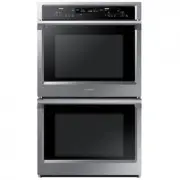 Samsung NV51K6650DS
User Manual
Samsung NV51K6650DS
User Manual
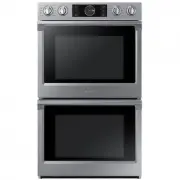 Samsung NV51K7770DS
User Manual
Samsung NV51K7770DS
User Manual
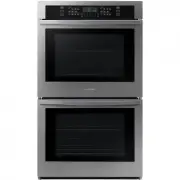 Samsung NV51T5511DS
User Manual
Samsung NV51T5511DS
User Manual
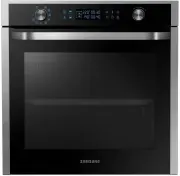 Samsung NV75J5540RS
User Manual
Samsung NV75J5540RS
User Manual
 Samsung NX58M6850SG
User Manual
Samsung NX58M6850SG
User Manual
 Samsung NX58M6850SS
User Manual
Samsung NX58M6850SS
User Manual
 Samsung NX60A6751SG
User Manual
Samsung NX60A6751SG
User Manual
 Samsung NX60A6751SS
User Manual
Samsung NX60A6751SS
User Manual
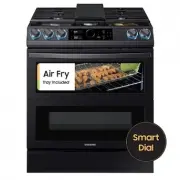 Samsung NX60T8751SG
User Manual
Samsung NX60T8751SG
User Manual
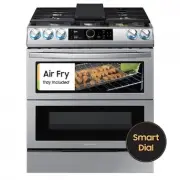 Samsung NX60T8751SS
User Manual
Samsung NX60T8751SS
User Manual