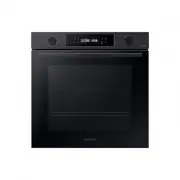
Page 2 - Contents
2 English C ontents Contents Using this manual 3 The following symbols are used in this User Manual: 3 Safety instructions 3 Important safety precautions 3 Correct Disposal of This Product (Waste Electrical & Electronic Equipment) 6 Auto energy saving function 6 Installation 6 What’s included 6 ...
Page 3 - Safety instructions; IMPORTANT SAFETY PRECAUTIONS; Using this manual; The following symbols are used in this User Manual:; or property damage; personal injury and/or property
English 3 Using this manual Safety instructions Installation of this oven must be performed only by a licensed electrician. The installer is responsible for connecting the appliance to the mains power supply in observance of the relevant safety recommendations. IMPORTANT SAFETY PRECAUTIONS WARNING T...
Page 6 - Auto energy saving function; Installation; What’s included
6 English Safety ins truc tions Safety instructions Correct Disposal of This Product (Waste Electrical & Electronic Equipment) (Applicable in countries with separate collection systems) This marking on the product, accessories or literature indicates that the product and its electronic accessori...
Page 7 - Power connection
English 7 Installation Accessories The oven comes with different accessories that help you prepare different types of food. Wire rack Wire rack insert * Baking tray * Universal tray * Extra-deep tray * Meat probe * Steam tray * 2 screws (M4 L25) NOTE Availability of accessories with an asterisk (*) ...
Page 8 - Cabinet mount
8 English Installation Installation Cabinet mount If installing the oven in a built-in cabinet, the cabinet must have its plastic surfaces and adhesive parts resistant up to 90 °C. Samsung is not responsible for damage to furniture from the oven’s heat emission.The oven must be properly ventilated. ...
Page 10 - Before you start; Initial settings; OK; New oven smell; Smart safety mechanism
10 English Befor e you s tar t Before you start Initial settings When you power on the oven for the first time, the default time of “12:00” appears on the display where the hour element (“12”) blinks. Follow the steps below to set the current time. 1. With the hour element blinking, turn the value d...
Page 11 - Accessories; Soft closing door (applicable models only)
English 11 Befor e you s tar t Accessories For first time use, clean the accessories thoroughly with warm water, detergent and a soft clean cloth. 050403 0201 01 Level 1 02 Level 2 03 Level 3 04 Level 4 05 Level 5 • Insert the accessory to the correct position inside of the oven. • Allow at least a ...
Page 13 - Operations; Control panel
English 13 Oper ations 10 Smart Control Press 3 seconds to enable/disable the Smart Control function. 11 Child lock To prevent accidents, Child Lock disables all controls. Hold down for 3 seconds to activate, or hold down for 3 seconds again to deactivate the lock on the controlpanel. 12 OK Press to...
Page 15 - Common settings
English 15 Oper ations Common settings It is common to change the default temperature and/or cooking time across all cooking modes. Follow the steps below to adjust the temperature and/or cooking time for the selected cooking mode. Temperature 1. Turn the mode selector to choose a mode or function. ...
Page 21 - To stop cooking; Special function
English 21 Oper ations Mode Temperature range (°C) Suggested temperature (°C) Instructions F 1 Plate warm 30-80 50 Use this for warming dishes or ovenware. F 2 Defrost 30-60 30 This mode uses for defrosting frozen products, baking goods, fruit, cake, cream and chocolate. The defrosting time is depen...
Page 22 - Convection; Natural Steam
22 English Oper ations Operations Natural Steam (applicable models only) With Natural Steam, you can bake bread that is crispy on the outside and moist inside. We recommended preheat the oven for the best results. 1. Insert steam tray on the bottom of compartment. 2. Fill the tray with water 250 ml ...
Page 23 - Cleaning; Auto Cook; Cooking time
English 23 Oper ations Cleaning Two cleaning modes are available for you. This function saves you time by removing the need for regular manual cleaning. The remaining time appears on the display during this process. Function Instructions C 1 Steam Clean This is useful for cleaning light soiling with...
Page 25 - Timer
English 25 Oper ations CAUTION • Do not touch the oven because the oven becomes very hot during the cycle. • To avoid accidents, keep children away from the oven. • After the cycle is complete, do not power off while the cooling fan is operating to cool the oven down. NOTE • Once the cycle starts, t...
Page 26 - Baking; Cooking smart; Manual cooking; Accessory tips
26 English C ooking smar t Baking We recommend to preheat the oven for best results. Food Accessory Level Type of heating Temp. (°C) Time (min.) Sponge cake Wire rack, Ø 25-26 cm tin 2 160-170 35-40 Marble cake Wire rack, Gugelhopf tin 3 175-185 50-60 Tart Wire rack, Ø 20 cm tart tin 3 190-200 50-60...
Page 27 - Roasting
English 27 C ooking smar t Food Accessory Level Type of heating Temp. (°C) Time (min.) Duck breast Wire rack + Universal tray 31 180-200 20-30 Small turkey, Whole, 5 kg Wire rack + Universal tray 31 180-200 120-150 Vegetables Vegetables, 0.5 kg Wire rack + Universal tray 31 220-230 15-20 Baked potat...
Page 28 - Grilling
28 English C ooking smar t Cooking smart Frozen ready-meal Food Accessory Level Type of heating Temp. (°C) Time (min.) Frozen pizza Wire rack 3 200-220 15-25 Frozen oven chips Universal tray 3 220-225 20-25 Frozen croquettes Universal tray 3 220-230 25-30 Pro-Roasting This mode includes an automatic...
Page 29 - Auto Cook programmes; ECO convection
English 29 C ooking smar t Auto Cook programmes The following table presents 20 auto programmes for cooking, roasting and baking.It contains its quantities, weight ranges and appropriate recommendations. Cooking modes and times have been pre-programmed for your convenience. You will find some recipe...
Page 31 - Test Dishes
English 31 C ooking smar t Test Dishes According to standard EN 60350-1 1. Baking The recommendations for baking refer to a preheated oven. Do not use the fast preheat function. Always put trays the slanted side to the door front. Type of food Accessory Level Type of heating Temp. (°C) Time (min.) S...
Page 32 - Collection of frequent Auto cook recipes
32 English C ooking smar t Cooking smart Collection of frequent Auto cook recipes Potato gratin Ingredients 800 g potatoes, 100 ml milk, 100 ml cream, 50 g beaten whole egg, 1 tbsp each of salt, pepper, nutmeg, 150 g grated cheese, butter, thyme Directions Peel potatoes and slice them to 3 mm thickn...
Page 35 - Maintenance
English 35 Maint enanc e Cooking smart Rack of Pork rib Ingredients 2 racks pork spare ribs, 1 tbsp black peppercorns, 3 bay leaves, 1 onion (chopped), 3 garlic cloves (chopped), 85 g brown sugar, 3 tbsp Worcestershire sauce, 2 tbsp Tomato puree, 2 tbsp olive oil Directions Make a barbecue sauce. He...
Page 38 - Replacement
38 English Maint enanc e Maintenance Replacement Bulbs 1. Remove the glass cap by turning anti-clockwise. 2. Replace the oven light. 3. Clean the glass cap. 4. When done, follow step 1 above in the reverse order to reinsert the glass cap. WARNING • Before replacing a bulb, turn off the oven and unpl...
Page 39 - Troubleshooting; Checkpoints
English 39 Tr ouble shoo ting Troubleshooting Checkpoints If you encounter a problem with the oven, first check the table below and try the suggestions. If the problem continues, contact a local Samsung service centre. Problem Cause Action The buttons cannot be pressed properly. • If there is foreig...
Page 41 - Information codes
English 41 Tr ouble shoo ting Code Meaning Action S-01 Safety shutoff Oven has continued operating at a set temperature for an extended time. • Under 100 °C - 16 hours • From 105 °C to 240 °C - 8 hours • From 245 °C to Max - 4 hours This is not system failure. Turn off the oven and remove food. Then...
Page 42 - Appendix; Product data sheet; Technical specifcations
42 English Technic al specif cations Appendix Product data sheet Supplier’s name Samsung Model identification NV7B411****, NV7B412****, NV7B413****, NV7B414****, NV7B415****, NV7B411**C*, NV7B412**C*, NV7B414**C* Energy Efficiency Index per cavity (EEI cavity ) 81.6 Energy Efficiency Class per cavit...
Page 43 - Open Source Announcement
English 43 Appendix Appendix Overall Standby Power consumption (W) (All network ports is "on" condition) 1.9 W Period of time for the power management (min) 20 min. Wi-Fi Standby-mode Power Consumption (W) 1.9 W Period of time for the power management (min.) 20 min. Stand-By Mode Power consu...