Page 2 - Safety Information; CAUTION
2 - English Safety Information • The slots and openings in the cabinet and in the back or bottom are provided for necessary ventilation. To ensure reliable operation of this apparatus, and to protect it from overheating, these slots and openings must never be blocked or covered. - Do not place this ...
Page 3 - CLASS 1 LASER PRODUCT; D Precautions
3 - English Safety Information • Use only a properly grounded plug and wall outlet. - An improper ground may cause electric shock or equipment damage. (Class l Equipment only.) • To turn this apparatus off completely, you must disconnect it from the wall outlet. Consequently, the wall outlet and pow...
Page 4 - Contents
4 - English Contents GETTING STARTED 5 Accessories 5 Speaker Components 6 Front Panel 6 Rear Panel 7 Remote Control CONNECTIONS 8 Connecting the Speakers 11 Attaching the Toroidal Ferrite Core to the Power Cord of the Wireless Receiver Module (SWA-6000) 12 Connecting to a TV and External Devices 13 ...
Page 5 - Accessories; Getting Started
5 - English Getting Started Check the box for the accessories and speaker components listed or shown below. Accessories • Remote Control • Lithium Battery • User Manual (For Power cord) Power Cable FM Antenna Toroidal Ferrite Core Soft Cloth WARNING, DO NOT INGEST BATTERY, CHEMICAL BURN HAZARD, [The...
Page 6 - Front Panel; DISPLAY ICONS; OK; Rear Panel
6 - English Getting Started Front Panel DISPLAY ICONS FUNCTION STOP PLAY/PAUSE OPEN/CLOSE VOLUME CONTROL POWER 5V 0.5A USB REMOTE CONTROL SENSOR DISPLAY DISC TRAY NFC ✎ When the product is on, do not let children touch the product's surface. It will be hot. ✎ To upgrade the product's software throug...
Page 7 - Remote Control; Tour of the Remote Control; SAMSUNG APPS; Installing batteries in the Remote Control
7 - English Getting Started Remote Control Tour of the Remote Control Turn the product on and off. Adjust the volume. Press to move to the Home screen. Press to skip backwards( [ ) or forwards( ] ) or Press and hold to search backwards( ( ) or forwards( ) ). Select on-screen menu items and change me...
Page 8 - Connections; Connecting the Speakers; for sound effects. Sound will not come from them all the time.
8 - English Connections This section describes various methods of connecting the product to other external components. Before moving or installing the product, be sure to turn off the power and disconnect the power cord. Connecting the Speakers Surround (L) Surround (R) Product Centre Subwoofer Wire...
Page 9 - Installing the Speakers on the Tallboy Stand; Stand Base
9 - English Connections Installing the Speakers on the Tallboy Stand 1. Turn the Stand Base upside-down and connect it to the Stand. 2. Use the driver to combine the screws (5x20) on the 3 marked holes. 3. Straighten a supplied speaker wire and put in the hole on the center of Stand Base. 4. Connect...
Page 10 - ID SET
10 - English Connections HDM AUX IN FM ANT OPTICAL DIGITAL AUDIO IN L R SPEAKERS OUT CENTER SUBWOOFER FRONT L FRONT R IMPEDANCE : 3 SPEAKERS OUT CENTER SUBWOOFER FRONT L FRONT R IMPEDANCE : 3 Front Speaker (R) Front Speaker (L) Subwoofer Centre Speaker Wireless Receiver Module Surround Speaker (...
Page 11 - Do not hang the subwoofer on the wall using the duct (hole).
11 - English Connections | CAUTION | If you want to install the speakers on the wall, fasten screws or nails (not provided) firmly to the wall wherever you want to hang a speaker, and then, using the hole in the rear of each speaker, carefully hang each speaker on a screw or nail. Do not let childre...
Page 12 - Connecting to a TV and External Devices; Connecting to a TV; Method 1 AUX IN : Connecting an External Analogue Component; Selecting an External Device to Use; SOURCE
12 - English Connections Connecting to a TV and External Devices HDMI OUT LAN AUX IN FM ANT OPTICAL DIGITAL AUDIO IN L R HDMI IN HDMI OUT HDMI IN AUDIO OUT OPTICAL OUT HDMI OUT LAN POWER AUX IN FM ANT OPTICAL DIGITAL AUDIO IN L R HDMI IN SPEAKERS OUT CENTER SUBWOOFER FRONT L FRONT R IMPEDANCE : 3 ...
Page 13 - Connecting to a Network Router; Wired Network; Wireless Network
13 - English Connections Connecting to a Network Router You can connect your product to your network router using one of the methods illustrated below. Wired Network Broadband service Broadband service Broadband modem (with integrated router) Broadband modem Router Or HDMI OUT LAN POWER AUX IN FM AN...
Page 14 - Settings; The Initial Settings Procedure
14 - English Settings The Initial Settings Procedure • The Home menu will not appear if you do not configure the initial settings. • The OSD (On Screen Display) may change in this product after you upgrade the software version. • The access steps may differ depending on the menu you selected. After ...
Page 15 - Accessing the Settings Screen; Detailed Function Information; Settings Menu Functions
15 - English Settings Selecting an Option on the Home Screen 1. To select an option on the Home screen, move the cursor using the ,. buttons until it highlights the option of your choice, and then press the OK button. ✎ If you leave the product in the stop mode for more than 5 minutes without usin...
Page 21 - Network Setup; Configuring Your Network Connection
21 - English Settings Network Setup When you connect this product to a network, you can use network based applications and functions such as Smart Hub and BD-LIVE, and upgrade the product's software through the network connection. For more information about accessing and using Internet services, see...
Page 24 - Through the Wi-Fi Device; Upgrading Software
24 - English Settings 5. You have three ways to complete the Wi-Fi connection: • Through the Wi-Fi device. • Through the product using PBC. • Through the product using a PIN. Each is covered below. Through the Wi-Fi Device 1. On the Wi-Fi device, follow the device's procedure for connecting to anoth...
Page 25 - Update now; Auto update; Update by USB
25 - English Settings Update now You can use Update now to update the software through your network connection or by using a USB flash drive. The network instructions are below. The USB flash drive instructions are on this page. 1. Select Update now , and then press the OK button.The Update now pop-...
Page 26 - Playing Content; Playing Commercial Discs; Disc Storage & Management; Playing Multimedia Files
26 - English Playing Content Your home cinema can play content located on Blu-ray/DVD/CD discs, USB devices, PCs, smart phones, tablets, and on the Web. To play content located on your PC or a mobile device, you must connect the PC or mobile device and the product to your network. To play content on...
Page 27 - Playing Files on a Storage Device; Method 1 : If the product is turned on after you
27 - English Playing Content ✎ In the Filter( ) drop down, select Photos , Videos , or Music . ✎ Even though the product will display folders that contain all content types, it will only display files of the content type you selected For example, if you selected Music , you will only be able to see ...
Page 28 - Controlling Video Playback
28 - English Playing Content 1. In the Home screen, select MULTIMEDIA , and then press the OK button. 2. Select Network Device at the bottom of the screen, and then press the OK button. Storages devices connected to the same network as the Home cinema are listed. 3. Select a storage device, and then...
Page 29 - Using the TOOLS Menu; Commercial Discs
29 - English Playing Content TITLE MENU During playback, press this button to display the Title menu or Popup menu. • If your disc has a playlist, press the Sort By button to go to the playlist. 2 Playback related buttons The product does not play sound in Search, or Slow mode. • To return to normal...
Page 31 - Using the Sort By & Options Menus; Controlling Music Playback; EXIT
31 - English Playing Content Using the Sort By & Options Menus Select the Filter( ) function, and then Videos to display videos only. ✎ Even though the product will display folders that contain all content types, it will only display files of the content type you selected For example, if you sel...
Page 32 - Music Screen Controls; RETURN; On Screen Music Controls
32 - English Playing Content Music Screen Controls 00:00/00:00 TRACK 001 00:43 TRACK 002 03:56 TRACK 003 04:41 TRACK 004 04:02 TRACK 005 03:43 TRACK 006 03:40 TRACK 007 04:06 TRACK 008 03:52 TRACK 009 03:04 TRACK 010 04:02 TRACK 001 The Track List screen appears initially, and the first track begins...
Page 33 - Repeating Tracks on an Audio CD
33 - English Playing Content On the screen that lists the music files, use the ,. buttons to select Sort By or Options in the upper right, and then press the OK button. Music Sort By Track Displays all the music tracks on the media or storage device. Album Displays all the music on the media or ...
Page 34 - Shuffling Tracks on an Audio CD
34 - English Playing Content Shuffling Tracks on an Audio CD You can set the product to play tracks on an audio CD (CD-DA/MP3) at random. 1. During playback, use the ,. buttons to select in the lower left corner of the screen, and then press the OK button. 2. Use the ,. to set the Shuffle mode Off o...
Page 35 - Creating a playlist
35 - English Playing Content ✎ If you want to use Play Selected to watch videos, use the Filter( ) function to select Videos instead of Music . Using Play Selected Starting from the Home Screen ✎ Select PLAY DISC or MULTIMEDIA depending on the media you are using. - If you selected PLAY DISC , the T...
Page 36 - Ripping; Using Bluetooth
36 - English Playing Content 5. Select Yes , and then press the OK button. ✎ Deleting all files included in a playlist will delete the playlist itself, too. ✎ You can save up to 5 playlists. Ripping 1. Insert a USB device into the USB jack on the front of the product. This is the device you will rip...
Page 37 - Connect
37 - English Playing Content To connect the Home Cinema to a Bluetooth device Connect Bluetooth device Before you begin, confirm that the Bluetooth device supports the Bluetooth compliant stereo headset function. 1. Press the SOURCE button on the remote control to display the BT message. 2. Select t...
Page 38 - Using Bluetooth Power On
38 - English Playing Content ✎ In Bluetooth mode, the screen saver will start if the Bluetooth device stays in the Ready state for 5 minutes. To reconnect the Bluetooth device, turn off the screen saver, and then connect the device. To turn off the screen saver, press any button on the remote contro...
Page 39 - Playing Photo Contents; Using the Tools Menu; TOOLS
39 - English Playing Content Playing Photo Contents You can play photo contents located on a DVD, USB, mobile device, or PC. Using the Tools Menu While displaying a photo, press the TOOLS button on the remote. Select Settings( T ) in the upper right corner of the screen, and then press the OK button...
Page 40 - Using the Send Function; Listening to the Radio; Operating the Radio with the Remote Control; Presetting Stations
40 - English Playing Content Title Displays all the photo files on the media or storage device by title. Folder Displays all the folders on the media or storage device. Options Slide Show Starts the slide show. Shows all the files in the current folder, one after another. If you want to create...
Page 41 - MEMORY
41 - English Playing Content 4. Press the MEMORY button again. • Press the MEMORY button before NUMBER disappears from the display on its own. • After you press the MEMORY button, NUMBER disappears from the display and the station is stored in memory. 5. To preset another station, repeat steps 2 to ...
Page 42 - Network Services; Adding a Credit Card
42 - English Network Services You can enjoy various network services such as streaming video or on-line apps by connecting the product to your network. To use network services, you must first: 1. Connect the product to a network.(See page 13) 2. Configure the network settings.(See pages 21~23) Loggi...
Page 43 - Using FILMS AND TV SHOWS
43 - English Network Services 3. Select Start , and then press the OK button. The Smart Hub Terms & Conditions, Privacy Policy screen appears. 4. On the Additional Services and Options screen, you must review and agree to both the Smart Hub Terms and Conditions and the Privacy Policy to use Smar...
Page 44 - Using SAMSUNG APPS; The SAMSUNG APPS Screen at a Glance; Downloading an App; Starting an Application
44 - English Network Services ✎ On the each movie or show information screen, the Watch Now button is displayed only after you have download one of the video streaming apps you can use to stream that particular movie or show. Watch Via appears if you have not downloaded the necessary video streaming...
Page 46 - Screen Mirroring; Link Browsing and Pointer Browsing
46 - English Network Services 3. The Update Apps screens lists all the apps that have updates available. Select each app you want to update, and then press the OK button. You can also choose Select All to update all the apps listed. 4. Select Update , and then press the OK button. Screen Mirroring T...
Page 47 - The Control Panel at a Glance; Caps
47 - English Network Services The Control Panel at a Glance The Control Panel, which runs across the top of the screen, has a series of icons which start a number of useful functions. The icons are described below, starting with the icon on the far left of the screen. http://www.samsung.com 100% • :...
Page 48 - Options on the Keyboard Pop-Up; Using the Settings Menu
48 - English Network Services Options on the Keyboard Pop-Up To access the keyboard pop-up options, highlight the button on the bottom left of the keyboard, and then press the OK button. Language Select the language for the keyboard. You can select English, French, Russian, etc. Recommend text The k...
Page 50 - Appendix; Additional Information; Notes
50 - English Appendix Additional Information Notes Connections HDMI OUT • Certain HDMI output resolutions may not work, depending on your TV. • You must have an HDMI connection to enjoy videos with 3D technology. • A long HDMI cable may cause screen noise. If this occurs, set HDMI Deep Colour to Off...
Page 51 - Disk and Format Compatibility
51 - English Appendix Front Display • You cannot change the brightness of the button and the VOL + , - button. Speaker Settings • When Sound Output is set to TV Speaker , audio is produced by the TV speakers. HDMI audio • When HDMI audio is output to the TV speakers, it is automatically down-mixed t...
Page 52 - Disc Types your Product cannot Play
52 - English Appendix ✎ The product may not play certain CD-RW/-R and DVD-R because of the disc type or recording conditions. ✎ If a DVD-RW/-R disc has not been recorded properly in DVD video format, it will not be playable. ✎ Your product will not play content that has been recorded on a DVD-R at a...
Page 53 - Supported Formats; Notes on the USB connection
53 - English Appendix DVD- VIDEO 1 The U.S., U.S. territories and Canada 2 Europe, Japan, the Middle East, Egypt, Africa, Greenland 3 Taiwan, Korea, the Philippines, Indonesia, Hong Kong 4 Mexico, South America, Central America, Australia, New Zealand, Pacific Islands, Caribbean 5 Russia, Eastern Eu...
Page 54 - Video File Support; Window Media Video; - Supports M2 profile
54 - English Appendix Video File Support File Extension Container Video Codec Resolution Frame rate (fps) Bitrate (Mbps) Audio Codec *.avi *.mkv *.asf *.wmv *.mp4 *.mov *.3gp *.vro *.mpg *.mpeg *.ts *.tp *.trp *.mov *.flv *.vob *.svi *.m2ts *.mts *.divx *.ps AVI MKV ASF MP4 3GP MOV FLV VRO VOB PS TS...
Page 55 - Music File Support
55 - English Appendix Music File Support File Extension Type Codec Comments *.mp3 MPEG MPEG1 Audio Layer 3 - *.m4a *.mpa *.aac MPEG4 AAC - *.flac FLAC FLAC Supports up to 2ch *.ogg OGG Vorbis Supports up to 2ch *.wma WMA WMA Supports WMA 10 Pro (Up to 5.1) Does not support WMA lossless audio Support...
Page 56 - Digital Output Selections
56 - English Appendix Digital Output Selections Setup PCM Bitstream (Unprocessed) Bitstream (Re-encoded DTS) Bitstream (Re-encoded Dolby D) Connection HDMI supported AV receiver Audio Stream on Blu-ray Disc PCM Up to PCM 7.1ch PCM DTS re-encoded Re-encoded Dolby Digital * Dolby Digital Up to PCM 5.1...
Page 57 - Resolution according to the content type
57 - English Appendix Resolution according to the content type Blu-ray Disc/E-contents/Digital Contents playback DVD playback Output Setup HDMI Mode HDMI Mode Blu-ray Disc E-contents/ Digital contents BD Wise Resolution of Blu-ray Disc 1080p@60F 576i/480i Auto Max. Resolution of TV input Max. Resolu...
Page 58 - Troubleshooting
58 - English Appendix Troubleshooting Refer to the table below when this product does not function properly. If the problem you are experiencing is not listed below or if the instructions below do not help, turn off the product, disconnect the power cord and contact the nearest authorized dealer or ...
Page 61 - Specifications
61 - English Appendix Specifications General Weight 2.3 kg Dimensions 430.0 (W) x 55.0 (H) x 252.0 (D) mm Operating Temperature Range +5°C to +35°C Operating Humidity Range 10 % to 75 % FM Tuner Signal/noise ratio 55 dB Usable sensitivity 12 dB Total harmonic distortion 0.5 % HDMI Video 1080p, 1080i...
Page 63 - Licences
63 - English Appendix Licences Manufactured under license from Dolby Laboratories. Dolby and the double-D symbol are trademarks of Dolby Laboratories. For DTS patents, see http://patents.dts.com. Manufactured under license from DTS Licencing Limited. DTS, DTS-HD, the Symbol, DTS and the Symbol toget...
Page 64 - Contact SAMSUNG WORLD WIDE
AH68-02684H-01 Contact SAMSUNG WORLD WIDE If you have any questions or comments relating to Samsung products, please contact the SAMSUNG customer care centre. Area Contact Centre Web Site ` Asia Pacific AUSTRALIA 1300 362 603 www.samsung.com/au/support NEW ZEALAND 0800 SAMSUNG (0800 726 786) www.s...
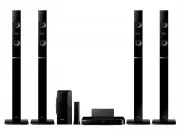


 Samsung HT-H5500 User Manual
 Samsung HT-H5530K, HT-H5550K Manual
 Samsung HT-H7500WM User Manual
 Samsung HT-H7750WM User Manual
 Samsung HT-J4200 User Manual
 Samsung HT-J4500 User Manual
 Samsung HT-J4500K, HT-J4530K, HT-J4550K Manual
 Samsung HT-J4530 User Manual
 Samsung HT-J4550 User Manual