Page 2 - About this manual
2 Table of Contents Read me first Getting started 7 Package contents 8 Device layout 10 S Pen13 Using the SIM or USIM card and battery 16 Charging the battery19 Using a memory card21 Turning the device on and off21 Locking and unlocking the screen Basics 22 Using the touchscreen25 Home screen layout...
Page 3 - Instructional icons; Copyright
Table of Contents 3 Useful apps 113 Car mode115 S Finder116 S Planner118 S Health120 S Voice122 Music124 Video126 Internet127 Voice Recorder129 Clock131 Calculator131 Dropbox132 Flipboard132 Peel Smart Remote135 Evernote135 PEN.UP136 Google apps Connecting with other devices 138 Quick connect139 Blu...
Page 4 - Trademarks
Table of Contents 4 Device & data manager 149 Updating the device150 Transferring files between the device and a computer 151 Backing up and restoring data151 Performing a data reset Settings 152 An introduction152 Configuring settings152 Quick settings153 Connections158 Device162 Personalisatio...
Page 5 - Table of Contents; Getting started; Basics
5 Read me first Please read this manual before using the device to ensure safe and proper use. • Descriptions are based on the device’s default settings. • Some content may differ from your device depending on the region, service provider, or device’s software. • Content (high quality content) that ...
Page 6 - Utilities
Read me first 6 Instructional icons Warning : situations that could cause injury to yourself or others Caution : situations that could cause damage to your device or other equipment Notice : essential information for using the device, functional limitations of using the device, usage charge informat...
Page 7 - Settings
7 Getting started Package contents Check the product box for the following items: • Device • Battery • Quick start guide • The items supplied with the device and any available accessories may vary depending on the region or service provider. • The supplied items are designed only for this device and...
Page 9 - Buttons
Getting started 9 • Do not cover the antenna area with your hands or other objects. This may cause connectivity problems or drain the battery. • Using a Samsung-approved screen protector is recommended. Unapproved screen protectors may cause the sensors to malfunction. • Do not allow water to contac...
Page 10 - S Pen; Package contents
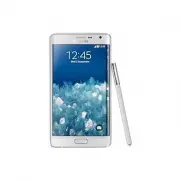
Getting started 10 S Pen S Pen button S Pen nib Tweezers Name Functions S Pen nib • Use the S Pen to write, draw, or perform touch actions on the screen. • Hover the S Pen over items on the screen to access additional S Pen features, such as Air Button and the air view feature. S Pen button • Hover ...
Page 11 - Installing the SIM or USIM card and battery
Getting started 11 Removing the S Pen When you remove the S Pen from the slot, the device launches Action memo or displays the air command features depending on the S Pen detachment option setting.To change the setting, open the All apps screen and tap Settings → S Pen → Detachment options . Replaci...
Page 13 - Removing the SIM or USIM card and battery
Getting started 13 Using the SIM or USIM card and battery Installing the SIM or USIM card and battery Insert the SIM or USIM card provided by the mobile telephone service provider, and the included battery. • Only microSIM cards work with the device. • Some LTE services may not be available dependin...
Page 14 - Charging the battery; Charging with the charger
Getting started 14 2 Insert the SIM or USIM card with the gold-coloured contacts facing downwards. • Do not insert a memory card into the SIM card slot. If a memory card happens to be lodged in the SIM card slot, take the device to a Samsung Service Centre to remove the memory card. • Use caution no...
Page 16 - Checking the battery charge status; Reducing the battery consumption
Getting started 16 Charging the battery Using the battery charger Charge the battery before using it for the first time or before using it after it has been unused for an extended period. Use only Samsung-approved chargers, batteries, and cables. Unapproved chargers or cables can cause the battery t...
Page 17 - Inserting a memory card
Getting started 17 After fully charging, disconnect the device from the charger. First unplug the charger from the device, and then unplug it from the electric socket. Do not remove the battery before removing the charger. This may damage the device. To save energy, unplug the charger when not in us...
Page 18 - Removing the memory card; Formatting the memory card
Getting started 18 Fast charging The device has a built-in fast charging feature. You can use this feature to charge the battery more quickly while the device or its screen is turned off. About Fast charging • Fast charging uses battery charging technology that charges the battery faster by increasi...
Page 19 - Replacing the S Pen nib
Getting started 19 Using a memory card Installing a memory card Your device accepts memory cards with maximum capacities of 128 GB. Depending on the memory card manufacturer and type, some memory cards may not be compatible with your device. • Some memory cards may not be fully compatible with the d...
Page 20 - Turning the device on and off
Getting started 20 Removing the memory card Before removing the memory card, first unmount it for safe removal.On the Home screen, tap → Settings → Storage → SD card → Unmount . 1 Remove the back cover. 2 Pull out the memory card. 3 Replace the back cover. Do not remove the memory card while the dev...
Page 21 - Holding the device
Getting started 21 Turning the device on and off Press and hold the Power key for a few seconds to turn on the device.When you turn on your device for the first time or after performing a data reset, follow the on-screen instructions to set up your device.To turn off the device, press and hold the P...
Page 22 - Indicator icons
22 Basics Using the touchscreen • Do not allow the touchscreen to come into contact with other electrical devices. Electrostatic discharges can cause the touchscreen to malfunction. • To avoid damaging the touchscreen, do not tap it with anything sharp or apply excessive pressure to it with your fin...
Page 23 - Using the touch screen
Basics 23 Tapping and holding Tap and hold an item or the screen for more than 2 seconds to access available options. Dragging To move an item, tap and hold it and drag it to the target position. Double-tapping Double-tap on a webpage or image to zoom in. Double-tap again to return.
Page 24 - Finger gestures; Tapping
Basics 24 Swiping Swipe to the left or right on the Home screen or the All apps screen to view other panels. Swipe upwards or downwards to scroll through a webpage or a list of items, such as contacts. Spreading and pinching Spread two fingers apart on a webpage, map, or image to zoom in a part. Pin...
Page 25 - Dragging
Basics 25 Home screen layout Home screen The Home screen is the starting point for accessing all of the device’s features. It displays widgets, shortcuts to apps, and more. Widgets are small apps that launch specific app functions to provide information and convenient access on your Home screen.To v...
Page 26 - Flicking
Basics 26 Home screen options On the Home screen, tap and hold an empty area, or pinch your fingers together to access the available options. Customise the Home screen by adding, deleting, or rearranging Home screen panels. You can also set the Home screen wallpaper, add widgets to the Home screen, ...
Page 27 - Control motions; Rotating the screen
Basics 27 Edge screen An introduction Answer a call or check notifications directly on the Edge screen. Conveniently launch apps or play music from the Edge screen instead of using the main screen. Using the Edge screen You can view call or message alerts and other notifications from the Edge screen...
Page 28 - Picking up
Basics 28 Using the Quick tools You can turn on the torch, record voices, or use other convenient functions directly from the Edge screen. Drag downwards from the top of the Edge screen to view the Quick tools. To close the Quick tools, drag the bottom of the Edge screen upwards. Torch Timer Voice R...
Page 29 - Panning to browse
Basics 29 Activating the Edge screen only You can activate the Edge screen and view the clock and notifications while the main screen is off.Swipe upwards then downwards, or vice versa, on the Edge screen to activate it, and then swipe to the left or right to view the desired information. To launch ...
Page 30 - Tilting; Palm motions; Sweeping
Basics 30 Launching apps Launch apps directly from the Edge screen. You can add frequently used apps to the apps panel on the Edge screen and access them conveniently. 1 Swipe to the left or right on the Edge screen to view the apps panel. 2 Scroll up or down the apps list and select an app.The sele...
Page 31 - Covering; Air Gesture; Quick glance
Basics 31 Adding or deleting apps on the apps panel Manage apps on the apps panel. You can add frequently used apps to the apps panel on the Edge screen and access them conveniently. 1 Swipe to the left or right on the Edge screen to view the apps panel. 2 Tap at the top of the panel. 3 Tap and hold...
Page 32 - Air browse
Basics 32 Adding folders 1 Swipe to the left or right on the Edge screen to view the apps panel. 2 Tap at the top of the panel. 3 Tap and hold an app and drag it to Create folder at the top of the screen. To add more apps to the created folder, tap and hold an app and drag it to the folder. 4 Tap DO...
Page 33 - Using the S Pen
Basics 33 Answering or rejecting calls You can answer or reject calls using the Edge screen while the main screen is on or an app is running.When a call comes in, drag or to the right or left on the Edge screen. Viewing messages You can view messages on the Edge screen.When a message comes in, tap o...
Page 34 - Air command; Making a simple memo
Basics 34 Using the night clock Use the night clock to keep the Edge screen active. You can view the date and the clock from the Edge screen without turning on the main screen. 1 Swipe upwards from the bottom of the Edge screen and tap .Alternatively, open the All apps screen and tap Settings → Edge...
Page 35 - Capturing screenshots; Launching multiple applications; Opening available options
Basics 35 Managing the Edge screen Adding panels to the Edge screen Add panels to the Edge screen or download panels from Galaxy Apps . 1 Swipe upwards from the bottom of the Edge screen and tap .Alternatively, open the All apps screen and tap Settings → Edge screen . The Edge screen settings screen...
Page 36 - Selecting and capturing an image; S Pen keeper
Basics 36 3 Tick panels to add to the Edge screen and tap .Swipe to the left or right on the Edge screen to view added panels. Default panels Downloading panels 1 Swipe upwards from the bottom of the Edge screen and tap .Alternatively, open the All apps screen and tap Settings → Edge screen . The Ed...
Page 37 - Air view
Basics 37 Rearranging panels 1 Swipe upwards from the bottom of the Edge screen and tap .Alternatively, open the All apps screen and tap Settings → Edge screen . The Edge screen settings screen will appear. 2 Tap Manage panels → → Reorder . 3 Tap and hold a panel and drag it to the desired location....
Page 38 - Samsung Smart Pause
Basics 38 4 Drag the image on the screen to specify the area to set as a panel. Then, use the available editing options. • Rotate : Rotate or flip the image. • Effect : Apply various effects to the image. • Image : Add extra images into the image. • Object : Add extra objects, such as colours or pat...
Page 39 - Activating Multi Window; Using the Multi Window panel
Basics 39 7 Tap the new panel.The panel will be added to the Edge screen panels list.To share or delete the new panels, tap → Select , tick panels to select, and then tap or . Edit a panel. All apps screen The All apps screen displays icons for all apps, including newly installed apps.On the Home sc...
Page 40 - Using Multi Window applications; Sharing files; Using the same application in two windows
Basics 40 Indicator icons Indicator icons appear on the status bar at the top of the screen. The icons listed in the table below are most common. Icon Meaning No signalSignal strengthRoaming (outside of normal service area)GPRS network connectedEDGE network connectedUMTS network connectedHSDPA netwo...
Page 41 - Notifications
Basics 41 Icon Meaning Battery power level The status bar may not appear at the top of the screen in some apps. To display the status bar, drag down from the top of the screen. Notification and quick settings panels Using the notification panel When you receive new notifications, such as messages or...
Page 42 - Home screen; Changing the Home screen mode
Basics 42 You can use the following functions on the notification panel. Launch Settings . Launch S Finder . Tap a notification and perform various actions. Clear all notifications. Adjust the brightness. View all quick setting buttons. Activate or deactivate options. Tap and hold a button to view m...
Page 43 - Rearranging items; Rearranging panels; Setting wallpaper
Basics 43 Opening apps On the Home screen or the All apps screen, select an app icon to open it.To open the list of recently used apps, tap and select an app window to open it. Closing an app Tap → , and then tap END next to an app to close it. To close all running apps, tap END ALL . Alternatively,...
Page 44 - Using widgets; Adding widgets to the Home screen; Locked screen; Locking and unlocking the device
Basics 44 Installing apps Browse apps by category or search for a keyword.Select an app to view information about it. To download free apps, tap INSTALL . To purchase and download apps where charges apply, tap the price and follow the on-screen instructions. To change the auto update settings, tap →...
Page 45 - Applications screen; Rearranging applications
Basics 45 Entering text Keyboard layout A keyboard appears automatically when you enter text to send messages, create memos, and more. Text entry is not supported in some languages. To enter text, you must change the input language to one of the supported languages. Break to the next line. Delete a ...
Page 46 - Using applications; Opening an application
Basics 46 Using additional keyboard functions Tap and hold to use various functions. Other icons may appear instead of the icon depending on the last function that was used. • : Enter text by voice. Open the keyboard. Start or pause entering text by voice. • : Switch to handwriting mode. Switch to t...
Page 47 - Entering text; Changing the keyboard type
Basics 47 • : Switch to the floating keyboard. You can move the keyboard to another location by dragging the tab. Switch to the standard keyboard. Copying and pasting 1 Tap and hold over text. 2 Drag or to select the desired text, or tap Select all to select all text. 3 Tap Copy or Cut . The selecte...
Page 48 - Entering uppercase; Changing language keyboards
Basics 48 Screen capture Capture a screenshot while using the device.Press and hold the Home key and the Power key simultaneously. The image is saved in the Screenshots folder. To open the folder, open the All apps screen and tap Gallery → → Album → Screenshots . After capturing a screenshot, you ca...
Page 49 - Direct pen input; Entering text by voice
Basics 49 My Files Access and manage various files stored in the device or in other locations, such as cloud storage services. Using My Files Tap My Files on the All apps screen. Access additional options. View the download history. Search for files or folders. View files stored in the device. View ...
Page 50 - Copying and pasting; Connecting to a Wi-Fi network; Turning Wi-Fi on and off
Basics 50 Ultra power saving mode Use this mode to extend the device’s battery power. In ultra power saving mode, the device performs the following: • Displays colours on the screen as grey tones. • Restricts the available apps to essential and selected apps only. • Deactivates the mobile data conne...
Page 51 - Adding Wi-Fi networks; Setting up accounts; Adding accounts
51 S Pen features Air command Remove the S Pen from the slot, or hover the S Pen over any part of the screen and press the S Pen button to access four useful features.With the air command features, you can perform various actions. Smart select Screen write Action memo • Action memo : Write memos qui...
Page 52 - Transferring files; Connecting with Samsung Kies
S Pen features 52 Action memo Open the Action memo pad and create memos to perform various actions using the written or drawn information. 1 On the air command panel, tap Action memo . 2 Write or draw a memo. 3 Tap MORE → Link to action . The entire memo will be selected. If you want to use specific...
Page 53 - Connecting with Windows Media Player
S Pen features 53 4 Select an app to use with the selected memo information.The selected app will launch from Action memo . Create a task. Create a contact. Search for a location. Send a message. Make a call. Search the web. Send an email. Viewing memos On the Action memo screen, tap List . Select a...
Page 54 - Securing the device; Setting a signature; Setting a pattern
S Pen features 54 Smart select Collect the desired area of content appearing on the screen with the S Pen. You can collect content from webpages or music and videos during playback. 1 When there is content you want to collect, such as a part of a webpage, open the air command panel and tap Smart sel...
Page 55 - Setting a PIN; Setting a password; Unlocking the device
S Pen features 55 Screen write Capture screenshots to write or draw on them. 1 When there is content you want to capture, such as a part of a webpage, open the air command panel and tap Screen write . The current screen is automatically captured and the editing toolbar appears on the screen. 2 If yo...
Page 56 - Upgrading the device; Upgrading with Samsung Kies
S Pen features 56 S Note An introduction Create custom notes by recording your thoughts and ideas. You can insert multimedia files and create Photo notes. Using the S Note widget You can launch some S Note features directly from the S Note widget. On the Home screen, tap an icon in the S Note widget...
Page 57 - Communication; Making calls; Making a call; Speed dial numbers; Number prediction
S Pen features 57 3 Compose a note.Tap to write or draw on the screen, or tap to enter text using the keyboard. Handwriting mode Save Eraser mode Undo/Redo More options Add page Text mode Changing the pen settings When writing or drawing on the screen, tap once more to change the pen type, line thic...
Page 58 - Finding contacts
S Pen features 58 Using the line eraser 1 Tap . 2 Tap an area to erase.The whole line on the area will be erased. The line eraser can erase your S Note line by line. • To only erase the area you touch with the S Pen, tap once more and deselect Erase line by line . You can adjust the size of the eras...
Page 59 - Adding contacts
S Pen features 59 3 Use one of the following options: • Layout : Change the input properties, such as layout, size, colour, or thickness. • Cut : Cut out the input. To paste it to another location, tap and hold the location, and then tap Paste . • Copy : Copy the input. To paste it to another locati...
Page 60 - Receiving calls; Answering a call; Missed calls
S Pen features 60 3 Fit the edges of a subject inside the preview screen. Turn the flash on or off. Detected subject Show or hide viewfinder guides. Take a photo. 4 When the border around the subject turns blue, tap to take a photo. 5 Edit the photo. 6 Tap DONE . The photo will be inserted into S No...
Page 61 - Call forwarding; Video calls; Making a video call; Listening to a voice message
S Pen features 61 • Copy : Copy the input. To paste it to another location, tap and hold the location, and then tap Paste . • Delete : Delete the input. Scrapbook Collect content from various sources to create your own digital scrapbook. While viewing webpages or videos, you can select and add a des...
Page 62 - Managing contacts; Creating a contact; Setting a speed dial number
S Pen features 62 Air view Hover over an item on the screen with the S Pen to perform various functions. Previewing information Point at the screen to preview content or view information in a pop-up window. Using Air Button Hovering the S Pen over items in some apps, such as Gallery and Video , will...
Page 63 - Searching for contacts; Moving contacts to Google
S Pen features 63 Pen Select While pressing and holding the S Pen button, drag the S Pen over text or item lists to select multiple items or text. You can also copy and paste the selected items or text into another app or share them with others. Direct pen input Fill in forms and write messages usin...
Page 64 - Importing and exporting contacts; Importing contacts; Favourite contacts
S Pen features 64 3 Write with the S Pen.When composing a message in Messages , tap DRAWING MODE at the top of the handwriting field to switch to drawing mode. A drawing will be inserted into the message as an attachment. 4 When you are finished, tap DONE . Writing in apps You can write directly on ...
Page 65 - Contact groups; Adding contacts to a group; Business card
65 Motions & usability features Motions and gestures Excessive shaking or impact on the device may result in unintended inputs. Control motions properly. Direct call While viewing call, message, or contact details, pick up and hold the device to your ear to make a call. If this feature is not ac...
Page 66 - Sending messages; Sending handwritten messages
Motions & usability features 66 Smart alert If you have missed calls or new messages, the device will vibrate when you pick it up. This feature may not work if the screen is turned on or the device is not on a flat surface. If this feature is not activated, open the All apps screen, tap Settings...
Page 67 - Sending scheduled messages
Motions & usability features 67 Turning device over Turn the device over to mute incoming calls or alarms. If this feature is not activated, open the All apps screen, tap Settings → Motions and gestures → Mute , and then tap the Mute switch to activate it. Palm swipe to capture Place the side of...
Page 68 - Email; Setting up email accounts
Motions & usability features 68 Multi window An introduction Multi window lets you run two apps at the same time in a split screen. You can also run multiple apps at the same time in pop-up windows. Split screen Multi window Some apps, such as Calculator and Contacts , can only be launched in po...
Page 69 - Reading messages
Motions & usability features 69 Launching Multi window from the list of recent apps 1 Tap . 2 Swipe upwards or downwards and tap to launch an app in Multi window. 3 Select another app to launch in Multi window. Using Multi window options When you use Multi window apps, select an app window and t...
Page 71 - Labels
Motions & usability features 71 Adjusting the window size Drag the circle between the app windows up or down to adjust the size of the windows. If Multi window is not activated, open the All apps screen, tap Settings → Multi window , and then tap the Multi window switch to activate it. Alternati...
Page 73 - Viewing webpages; Opening a new page; Bookmarks
Motions & usability features 73 One-handed operation An introduction You can switch to one-handed operation mode to conveniently operate the device with one hand.On the All apps screen, tap Settings → Display and wallpaper → One-handed operation . Reducing the screen size Tap Reduce screen size ...
Page 74 - Chrome
Motions & usability features 74 One-handed input Tap One-handed input and tap the One-handed input switch to activate it. Tap or to adjust the position of the dialling keypad, in-call buttons, and other input panels for easy one-handed access. Side key panel Tap Side key panel and tap the Side k...
Page 76 - Screen Mirroring
Personalising 76 Managing panels On the Home screen, tap and hold an empty area to add, move, or remove a panel.To add a panel, swipe to the left, and then tap .To move a panel, tap and hold a panel preview, and then drag it to a new location.To remove a panel, tap and hold a panel preview, and then...
Page 77 - Sending files; Playing files on a remote device
Personalising 77 Setting wallpaper and ringtones Setting wallpaper Set an image or photo stored in the device as wallpaper for the Home screen or the locked screen. 1 On the Home screen, tap and hold an empty area, and then tap Wallpapers . Alternatively, on the All apps screen, tap Settings → Displ...
Page 78 - Managing contents on a web storage service
Personalising 78 Changing the screen lock method You can change the way that you lock the screen to prevent others from accessing your personal information.On the All apps screen, tap Settings → Lock screen → Screen lock , and then select a screen lock method. The device requires an unlock code when...
Page 79 - Creating a group for Group Play; Joining Group Play
Personalising 79 My Places Quickly access useful features associated with your frequently visited places by automatically recognising your location. Adding a My Places widget To add the widget, tap and hold an empty area on the Home screen, tap Widgets , tap and hold the My Places widget, and then d...
Page 80 - Using additional features in a Group Play session; NFC
Personalising 80 Ensure that the device is connected to a Wi-Fi or mobile network to automatically search for your current location. 2 Tap NEXT . 3 On the Manage shortcuts screen, tap MANAGE → or to add or delete shortcuts to various apps and features. 4 Tap OK . The My Places widget with your locat...
Page 82 - S Beam
Personalising 82 • The device may not recognise fingerprints that are affected by wrinkles or scars. • The device may not recognise fingerprints from small or thin fingers. • To improve recognition performance, register fingerprints of the hand used most often to perform tasks on the device. • Do no...
Page 83 - WatchON; Connecting to a TV; Setting programme reminders
Personalising 83 4 Tap and hold the screen in the fingerprint recognition area, and then drag your finger downwards over the Home key.Repeat this action using the same finger until the fingerprint is registered. 5 Tap DONE to finish scanning your fingerprint. Or, tap REGISTER to register an addition...
Page 84 - Media; Playing music
Personalising 84 Deregistering fingerprints You can deregister your fingerprints using the fingerprint manager. 1 On the All apps screen, tap Settings → Finger Scanner → Fingerprint manager . 2 Scan a registered fingerprint, or tap and enter the backup password. 3 Tap → Select . 4 Tick fingerprints ...
Page 85 - Setting a song as ringtone or alarm tone; Creating playlists
Personalising 85 Using fingerprints to sign in to accounts You can use your fingerprints to sign in to webpages that support password saving. 1 On the All apps screen, tap Settings → Finger Scanner → Web sign-in , and then tap the Web sign-in switch to activate it. 2 Open a webpage that you want to ...
Page 86 - Taking photos; Taking a photo
Personalising 86 4 Tap START , select a private mode access method, and then follow the on-screen instructions to complete the setup.Private mode is activated and the icon appears on the status bar. Hiding content 1 On the All apps screen, launch an app to hide items. 2 Select an item and tap → Move...
Page 87 - Shooting mode
Personalising 87 Unhiding content 1 In the private folder, select items to unhide. 2 Tap → Remove from Private . 3 Select a folder to move the items to.The items will be moved to the selected folder. Easy mode Easy mode provides an easier user experience by using a simpler layout and bigger icons on...
Page 89 - Panoramic photos; Applying filter effects; Taking videos; Taking a video
Personalising 89 3 Connect your current device to the computer using the USB cable. 4 On the computer, click the manufacturer of the previous device and follow the on-screen instructions to transfer data to your device. Using Samsung Kies Import a backup of your data from your computer via Samsung K...
Page 90 - Recording mode; Zooming in and out
Personalising 90 Registering Samsung accounts You need a Samsung account when using some Samsung apps. You can back up or restore data saved in the device to your Samsung account. Register your Samsung account to the device to conveniently use Samsung services. 1 On the All apps screen, tap Settings...
Page 91 - Dual Camera mode
91 Phone & contacts Phone An introduction Make or answer voice and video calls. Making calls 1 Tap on the Home screen. 2 Tap Keypad and enter a phone number. 3 Tap to make a voice call, or tap to make a video call. Access additional options. Add the number to the contacts list. Preview the phone...
Page 92 - Controlling the camera remotely
Phone & contacts 92 Making calls from call logs or contacts list Tap Logs or Contacts , and then swipe to the right on a contact or a phone number to make a call. Making calls from the favourites list Select a contact and tap to add the contact to the favourite contacts list. Open the Favourites...
Page 93 - Shortcuts
Phone & contacts 93 Receiving calls Answering a call • When the main screen is off:The main screen turns on and a call alert will appear on it. To answer a call, drag outside the large circle. • When the main screen is on or an app is running:A call alert will appear on the Edge screen. To answe...
Page 94 - Viewing images; Playing videos
Phone & contacts 94 Options during calls During a voice call The following actions are available: • : Increase the volume. • Add call : Dial a second call. • Keypad : Open the keypad. • End call : End the current call. • Speaker : Activate or deactivate the speakerphone. When using the speakerph...
Page 95 - Trimming segments of a video
Phone & contacts 95 Contacts An introduction Create new contacts or manage contacts on the device. Adding contacts Moving contacts from other devices You can move contacts from other devices to your device. Refer to Transferring data from your previous device for more information. Creating conta...
Page 96 - Modifying images
Phone & contacts 96 Searching for contacts On the All apps screen, tap Contacts → Contacts . Use one of the following search methods: • Scroll up or down the contacts list. • Drag a finger along the index at the right side of the contacts list to scroll through it quickly. • Tap the search field...
Page 97 - Making image collages
97 Messages & email Messages An introduction Send text messages (SMS) or multimedia messages (MMS) and view messages by conversation. Sending messages You may incur additional charges for sending messages when you are roaming. 1 Tap Messages on the All apps screen. 2 Tap . 3 Add recipients and e...
Page 98 - Using Tag buddy; Story Album
Messages & email 98 Viewing messages Messages are grouped into message threads by contact. You may incur additional charges for receiving messages when you are roaming. 1 Tap Messages on the All apps screen. 2 On the messages list, select a contact. 3 View your conversation. In the message detai...
Page 99 - Creating story albums; Creating albums from Gallery
Messages & email 99 Sending emails 1 Tap Email on the All apps screen. 2 Tap at the bottom of the screen to compose a message. 3 Add recipients and enter a message. 4 Tap to send the message. Reading emails 1 Tap Email on the All apps screen. 2 On the messages list, tap a message to read.
Page 100 - Viewing story albums
100 Camera & gallery Camera An introduction Take photos and record videos using various modes and settings. Basic shooting You can take photos or record videos. View your photos and videos in Gallery . Tap Camera on the All apps screen. Camera etiquette • Do not take photos or record videos of o...
Page 101 - Editing images
Camera & gallery 101 Taking photos or recording videos 1 Tap the image on the preview screen where the camera should focus. 2 Tap to take a photo or tap to record a video. Start recording a video. Take a photo. Change the shooting mode. View photos and videos you have captured. Change camera set...
Page 102 - Creating albums with recommended photos; Setting your home city; Video
Camera & gallery 102 Selfie Automatically taking self-portraits When you are taking photos with the front camera, place your finger on the sensor or use voice commands to automatically take a photo without tapping the shutter button. 1 Tap Camera on the All apps screen. 2 Tap on the Edge screen ...
Page 103 - Deleting videos; Sharing videos
Camera & gallery 103 Wide selfie Take a wide self-portrait to include more people in the photo and avoid leaving people out. 1 Tap Camera on the All apps screen. 2 Tap on the Edge screen to switch to the front camera for self-portraits. 3 Tap MODE → Wide selfie . 4 Face the front camera lens. 5 ...
Page 104 - Using Popup Video player; Watching videos; Uploading videos
Camera & gallery 104 HDR (Rich tone) Take photos with rich colours and reproduce details even in bright and dark areas. 1 Tap Camera on the All apps screen. 2 Tap on the Edge screen to switch to the rear camera. 3 Tap on the Edge screen on the preview screen.The icon will change to . 4 Tap to ta...
Page 105 - My Magazine
Camera & gallery 105 Rear-cam selfie Use this mode to take self-portraits using the rear camera. 1 On the preview screen, tap MODE → Rear-cam selfie . 2 Drag or adjust the frame to set the face detection area. 3 Compose your shot with the rear camera lens facing you. 4 Listen to the beeps to gui...
Page 107 - Application & media stores; Play Store; Installing applications; Uninstalling applications
Camera & gallery 107 Downloading modes Download more shooting modes from Galaxy Apps . On the preview screen, tap MODE → Download . • To get the best shots using panorama mode, follow these tips: – Move the camera slowly in one direction. – Keep the image within the frame on the camera’s viewfin...
Page 108 - Play Books
Camera & gallery 108 To access additional camera settings, open the preview screen and tap → . • Beauty face : Set the device to take a photo with lightened faces for gentler images. • Exposure value : Change the exposure value. This determines how much light the camera’s sensor receives. For lo...
Page 109 - Play Games
Camera & gallery 109 • Review pictures : Set the device to show photos after capturing them. • Manage shortcuts : Reorganise shortcuts to frequently used options. • Reset settings : Reset the camera settings. • : View help information for using the camera. Gallery An introduction View and manage...
Page 110 - Creating notes; Composing notes
Camera & gallery 110 Viewing content stored in other devices Search for content stored in other devices and view it on your device. Accessing content stored in nearby devices Search for nearby devices via Wi-Fi, Wi-Fi Direct, or a mobile hotspot to view content stored in them on your device. 1 O...
Page 111 - Using the eraser tool
111 Safety assistance Emergency mode Emergency mode changes the screen to grey tones to reduce battery consumption. Some apps and functions will be restricted. Activating emergency mode 1 On the All apps screen, tap Settings → Safety assistance → Emergency mode and tap the Emergency mode switch to a...
Page 112 - Editing handwritten notes
Safety assistance 112 Deactivating emergency mode To deactivate emergency mode, tap → Disable Emergency mode . Alternatively, press and hold the Power key, and then tap Emergency mode . Send help messages In an emergency situation, quickly press the Power key three times. The device sends messages t...
Page 113 - Inserting multimedia files; Inserting an idea sketch
113 Useful apps Car mode An introduction Use this mode to control the device while you are driving. You can listen to messages and music by using voice commands and without touching the device. Do not look at the screen or perform functions with your hands while driving. • Navigation maps, your curr...
Page 114 - Creating and managing charts; Making a table
Useful apps 114 2 Follow the on-screen instructions to complete the setup.When the Bluetooth permission request window appears, tap YES to allow a vehicle to search for your device and connect them via Bluetooth. • Before registering your vehicle, start the vehicle and turn on the radio. • While you...
Page 115 - Editing a chart; Viewing note pages
Useful apps 115 Using the navigation feature Select a location precisely by tapping and holding your finger on the map. Or, use a voice command to navigate to a destination. 1 Open the quick settings panel and tap Car mode to activate it. 2 On the car mode main screen, say “Hi Galaxy.” 3 Say “Naviga...
Page 116 - Viewing pages preview; Searching for notes
Useful apps 116 Managing the search history Your past searches are saved automatically. To delete a search history item, tap next to an item. S Planner An introduction Manage your schedule by entering upcoming events or tasks in your planner. Creating events or tasks 1 Tap S Planner on the All apps ...
Page 118 - Viewing memos
Useful apps 118 S Health An introduction S Health helps you manage your wellness and fitness. Set fitness goals, check your progress, and keep track of your overall wellness and fitness. Starting S Health When running this app for the first time or restart it after performing a data reset, follow th...
Page 119 - S Planner; Creating events or tasks
Useful apps 119 Additional information • The purpose for such data collection is limited to providing the service that you have requested, including providing additional information to enhance your wellness, back up/sync data, data analysis and statistics or to develop and provide better services. (...
Page 121 - Drive; Dropbox
Useful apps 121 Tips for better voice recognition • Speak clearly. • Speak in quiet places. • Do not use offensive or slang words. • Avoid speaking in dialectal accents. The device may not recognise your commands or may perform unwanted commands depending on your surroundings or how you speak. Wakin...
Page 122 - Cloud; Syncing with the Samsung account
Useful apps 122 Music An introduction Listen to music sorted by category and customise playback settings. Playing music Tap Music on the All apps screen. Select a song to play. Add the song to a playlist. Skip to the next song. Tap and hold to fast-forward. Pause and resume playback. Access addition...
Page 123 - Alarm; Setting alarms
Useful apps 123 Playing music stored in other devices Search for music stored in other devices and play it on your device.Tap Music on the All apps screen. Accessing music stored in Samsung Link devices To use this feature, sign in to your Samsung account. Refer to Registering Samsung accounts for m...
Page 124 - Stopping alarms; World clock; Creating clocks; Stopwatch
Useful apps 124 Video An introduction Watch videos stored in the device and customise playback settings. Playing videos Tap Video on the All apps screen. Select a video to play. Change screen ratio. Rewind or fast-forward by dragging the bar. Skip to the previous video. Tap and hold to move backward...
Page 125 - Calculator; S Health; Starting S Health
Useful apps 125 Playing videos stored in other devices Search for videos stored in other devices and play them on your device.Tap Video on the All apps screen. Accessing videos stored in Samsung Link devices To use this feature, sign in to your Samsung account. Refer to Registering Samsung accounts ...
Page 126 - Additional information
Useful apps 126 Internet Browse the Internet to search for information and bookmark your favourite webpages to access them conveniently. Browsing webpages 1 Tap Internet on the All apps screen. 2 Tap the address field. To change the search engine, tap the search engine icon next to the web address f...
Page 127 - Voice Recorder; Recording voice memos
Useful apps 127 Voice Recorder An introduction Use different recording modes for various situations, such as in an interview or a meeting. The device can convert your voice to text and distinguish between sound sources. Recording voice memos 1 Tap Voice Recorder on the All apps screen. 2 Tap to star...
Page 128 - Changing the recording mode; Managing voice memos
Useful apps 128 Changing the recording mode Tap to select a mode from the list. • Normal : This is the normal recording mode. • Interview : The microphone is sensitive to sounds from two directions. In this mode, both the top and the bottom of the device pick up equal amounts of sound. Voice memos r...
Page 129 - Saving files with contextual tags; Creating a category; Viewing the bookmarks list; S Voice
Useful apps 129 Clock An introduction Set alarms, check the current time in many cities around the world, time an event, or set a specific duration. Alarm On the All apps screen, tap Clock → Alarm . Setting alarms 1 Tap . 2 Set an alarm time, select the days on which the alarm will repeat, and then ...
Page 131 - Waking up the device with voice; Using wake-up commands on the locked screen; S Finder
Useful apps 131 Calculator Perform simple or complex calculations. Using the calculator Tap Calculator on the All apps screen. Rotate the device to landscape orientation to display the scientific calculator. If Screen rotation is disabled, tap → Scientific calculator . To see the calculation history...
Page 132 - Searching the device; Google Now
Useful apps 132 Flipboard Use this app to view live social network updates and news in a personalised magazine format.Tap Flipboard on the All apps screen. This app may not be available depending on the region or service provider. When you launch this app for the first time or restart it after perfo...
Page 133 - Voice Search; Viewing scrapbooks
Useful apps 133 Starting Smart Remote 1 Tap Peel Smart Remote on the All apps screen. 2 Select a country and region. Then, follow the on-screen instructions to complete the setup.The available TV programmes appear. Using the device as a remote control You can turn the TV on or off, browse channels, ...
Page 134 - Viewing files
Useful apps 134 6 Select a channel source. Turn the TV on or off. TV control menus Watching TV using the device Select a TV programme from the list of available programmes to watch on the connected TV. 1 Tap Peel Smart Remote on the All apps screen. 2 Tap ON NOW , ON LATER , or STREAMING . 3 Select ...
Page 135 - Downloads
Useful apps 135 Evernote Use this app to create, sync, and share multimedia notes. You can add tags to the notes, or sort the notes into a notebook so that you can efficiently manage your ideas.Tap Evernote on the All apps screen. This app may not be available depending on the region or service prov...
Page 137 - Searching for locations
Useful apps 137 Play Books Download various books from Play Store and read them. Play Newsstand Read news and magazines that interest you in one convenient location. Play Games Download games from Play Store and play them with others. Drive Store your content on the cloud, access it from anywhere, a...
Page 138 - About Settings; CONNECTIONS; Setting Wi-Fi sleep policy
138 Connecting with other devices Quick connect An introduction Automatically search for nearby devices and quickly connect to them. • When connecting to a device that does not support the Quick connect feature, ensure that Wi-Fi Direct is activated. • Connection methods may vary depending on the ty...
Page 139 - Setting Network notification
Connecting with other devices 139 Re-searching for devices If the desired device does not appear in the list, search for the device.Tap REFRESH and select the device from the list of detected devices. Sharing content Share content with the connected devices. 1 Open the notification panel and tap Qui...
Page 141 - More networks; Default messaging app
Connecting with other devices 141 Receiving an image When another device sends you an image, accept the Bluetooth connection request. The received image is saved in the Download folder. To open the folder, open the All apps screen and tap Gallery → → Album → Download . Unpairing Bluetooth devices 1 ...
Page 142 - Nearby devices; DEVICE; Sounds and notifications
Connecting with other devices 142 3 Select a device to connect to. 4 Accept the Wi-Fi Direct connection request on the other device to confirm. Sending and receiving data You can share data, such as contacts or media files, with other devices. The following actions are an example of sending an image...
Page 143 - Display
Connecting with other devices 143 NFC An introduction Your device allows you to read near field communication (NFC) tags that contain information about products. You can also use this feature to make payments and buy tickets for transportation or events after downloading the required apps. The batte...
Page 144 - LED indicator
Connecting with other devices 144 Making a purchase with the NFC feature Before you can use the NFC feature to make payments, you must register for the mobile payment service. To register or get more information about the service, contact your service provider. 1 On the All apps screen, tap Settings...
Page 145 - Wallpaper
Connecting with other devices 145 4 When Touch to beam. appears on the screen, tap your device’s screen to send the item. • Do not send copyright-protected data via S Beam. Doing so may violate copyright laws. Samsung is not responsible for any liabilities caused by the illegal use of copyrighted da...
Page 146 - Call
Connecting with other devices 146 • This feature may not be available depending on the region or service provider. • Some files may be buffered during playback, depending on the network connection. • To save energy, deactivate this feature when not in use. • If you specify a Wi-Fi frequency, AllShar...
Page 148 - CONTROLS; Language and input; Language
Connecting with other devices 148 Mobile printing An introduction Connect the device to a printer via Wi-Fi or Wi-Fi Direct, and print images or documents. Some printers may not be compatible with the device. Adding printer plug-ins Add printer plug-ins for printers you want to connect the device to...
Page 149 - Google voice typing; Voice control
149 Device & data manager Updating the device The device can be updated to the latest software. Updating over the air The device can be directly updated to the latest software by the firmware over-the-air (FOTA) service.On the All apps screen, tap Settings → About device → Download updates manua...
Page 151 - Air gesture
Device & data manager 151 Backing up and restoring data Keep your personal information, app data, and settings safe on your device. You can back up your sensitive information to a backup account and access it later. You must sign in to your Google or Samsung account to back up or restore data. U...
Page 153 - Palm motion; Smart screen; Increase touch sensitivity
Settings 153 Connections Wi-Fi Activate the Wi-Fi feature to connect to a Wi-Fi network and access the Internet or other network devices. Your device uses a non-harmonised frequency and is intended for use in all European countries. The WLAN can be operated in the EU without restriction indoors, but...
Page 154 - GENERAL; Accounts
Settings 154 Using Smart network switch Use this feature to maintain a stable network connection when you browse webpages, download content, and more.On the Settings screen, tap Wi-Fi , and then tick Smart network switch . The device automatically switches from a Wi-Fi network to a mobile network wh...
Page 155 - Safety assistance
Settings 155 • USB tethering : Use USB tethering to share the device’s mobile data connection with a computer via USB. When connected to a computer, the device is used as a wireless modem for the computer. • Bluetooth tethering : Use Bluetooth tethering to share the device’s mobile data connection w...
Page 156 - Application manager
Settings 156 • Restrict background data : Set the device to disable sync in the background while using a mobile network. • Show Wi-Fi usage : Set the device to show your data usage via Wi-Fi. • Mobile hotspots : Select mobile hotspots to prevent apps that are running in the background from using the...
Page 157 - Security
Settings 157 • Screen Mirroring : Activate the screen mirroring feature to share your display with others. Refer to Screen Mirroring for more information. • MirrorLink : Use the MirrorLink feature to control your device’s MirrorLink apps on the vehicle’s head unit monitor. Refer to MirrorLink for mo...
Page 158 - About device
Settings 158 Device Sounds and notifications Change settings for various sounds on the device.On the Settings screen, tap Sounds and notifications . • Sound mode : Set the device to use sound mode or silent mode. • Vibration intensity : Adjust the force of the vibration notification. • Vibrate when ...
Page 159 - Troubleshooting; When you turn on your device or while you are using the device, it
Settings 159 • One-handed operation : Activate one-handed operation mode for your convenience when using the device with one hand. Refer to One-handed operation for more information. • Screen rotation : Set the content to rotate automatically when the device is turned. • Smart stay : Set the device ...
Page 160 - The touch screen responds slowly or improperly
Settings 160 • Action memo on lock screen : Set the device to launch Action memo when you double- tap the locked screen with the S Pen while pressing and holding the S Pen button. • Unlock effect : Select an effect that you see when you unlock the screen. Multi window Set the device to use Multi win...
Page 162 - Your device is hot to the touch
Settings 162 Edge screen Change the settings for using the Edge screen.On the Settings screen, tap Edge screen . • Manage panels : Manage panels that you can use on the Edge screen. You can download additional panels from Galaxy Apps . • Express me : Create or delete your own panels to use on the Ed...
Page 163 - Another Bluetooth device is not located
Settings 163 Backup and reset Change the settings for managing settings and data.On the Settings screen, tap Backup and reset . • Back up my data : Set the device to back up settings and app data to the Google server. • Backup account : Set up or edit your Google backup account. • Automatic restore ...
Page 164 - Data stored on the device has been lost
Settings 164 Private mode Set the device to prevent others from accessing your personal content by activating private mode. Refer to Private mode for more information. On the Settings screen, tap Private mode , and then tap the Private mode switch to activate it. • Private mode access type : Set or ...


 Samsung Galaxy Note9 User Manual
 Samsung Galaxy Note10 User Manual
 Samsung Galaxy Note10 Lite User Manual
 Samsung Galaxy Note10+ User Manual
 Samsung Galaxy Note20 User Manual
 Samsung Galaxy Note20 Ultra 5G User Manual
 Samsung Galaxy S5 User Manual
 Samsung Galaxy S5 mini User Manual
 Samsung Galaxy S5 Neo User Manual
 Samsung Galaxy S6 User Manual
 Samsung Galaxy S6 edge User Manual
 Samsung Galaxy S6 edge+ User Manual