Page 2 - Table of Contents; Getting started
2 Table of Contents Getting started 6 Device layout and functions10 Charging the battery13 Nano-SIM card15 microSD card17 Turning the device on and off18 Initial setup Apps and features 19 Introduction20 Samsung account21 Understanding the screen29 Notification panel31 Entering text33 Installing or ...
Page 3 - Settings
Table of Contents 3 107 Lock screen 108 Extend Unlock108 Always On Display (SM-A245F) (Displaying information when the screen is turned off) 109 Security and privacy 110 Face recognition112 Fingerprint recognition114 Secure Folder (SM-A245F)117 Samsung Pass (SM-A245F) 120 Location120 Safety and emer...
Page 4 - Usage notices; Appendix
Table of Contents 4 Usage notices 134 Precautions for using the device136 Notes on package contents and accessories 137 Device overheating situations and solutions Appendix 142 Troubleshooting147 Removing the battery
Page 6 - Device layout and functions
Getting started 6 Device layout and functions ▶ SM-A145F , SM-A145FB , SM-A145P , SM-A145R , SM-A146B , SM-A146P : Speaker Side button (Fingerprint recognition sensor) Volume button Proximity/Light sensor Touch screen Front camera Multipurpose jack (USB Type-C) Headphone jack SIM card / microSD card...
Page 9 - Hard buttons; Setting the Side button; Soft buttons
Getting started 9 Hard buttons Button Function Side button • Press and hold to turn the device on or off. • Press to turn on or lock the screen. • Press twice to open the app or feature you set. Side button + Volume Down button • Press simultaneously to capture a screenshot. • Press and hold simulta...
Page 10 - Charging the battery; Wired charging
Getting started 10 Charging the battery Charge the battery before using it for the first time or when it has been unused for extended periods. Wired charging Connect the USB cable to the USB power adapter and plug the cable into the device’s multipurpose jack to charge the battery. After fully charg...
Page 11 - Charging other devices
Getting started 11 Charging other devices Use the USB cable to charge another mobile device with your phone’s battery.Connect your phone and the other device using your phone’s USB cable. A USB connector may be needed depending on the other device.When charging starts, the battery charging icon will...
Page 12 - Battery charging tips and precautions
Getting started 12 Battery charging tips and precautions Use only Samsung-approved battery, charger, and cable specifically designed for your device. Incompatible battery, charger, and cable can cause serious injuries or damage to your device. • Connecting the charger improperly may cause serious da...
Page 13 - Inserting the SIM or USIM card
Getting started 13 Nano-SIM card Insert the SIM or USIM card provided by your carrier.For dual SIM models, you can insert two SIM or USIM cards so you can have two phone numbers or carriers for a single device. In some areas, data transfer speeds may be slower if two SIM cards are inserted in the de...
Page 15 - microSD card; Inserting an SD card
Getting started 15 SIM manager (dual SIM models) Open Settings and tap Connections → SIM manager . • SIM cards : Activate the SIM card to use and customise the SIM card settings. • Preferred SIMs : Select to use specific SIM cards for some features, such as voice calls, when two cards are activated....
Page 17 - Removing the SD card; Turning the device on and off
Getting started 17 Removing the SD card Before removing the SD card, first unmount it for safe removal. 1 Open Settings and tap Device care → Storage . 2 Swipe to the left to access the SD card page. 3 Tap → Unmount . Do not remove external storage, such as an SD card or USB storage, while the devic...
Page 18 - Turning the device on; Initial setup
Getting started 18 Turning the device on Press and hold the Side button for a few seconds to turn on the device. Turning the device off 1 To turn off the device, press and hold the Side button. Alternatively, open the notification panel, swipe downwards, and then tap . 2 Tap Power off . To restart t...
Page 19 - Apps and features; Introduction
19 19 Apps and features Introduction Use apps and various features of the device. This chapter is a common manual for apps and features provided by Samsung devices.Depending on the model, some content may differ, or descriptions of apps or features not available on your device may be included.
Page 20 - Samsung account; Finding your ID and resetting your password
Apps and features 20 Samsung account Using the Samsung account, you can use a variety of Samsung services that are provided through mobile devices, TVs, and the Samsung website.To check the list of services that can be used with your Samsung account, visit account.samsung.com . 1 Open Settings and t...
Page 21 - Understanding the screen; Controlling the touch screen
Apps and features 21 Understanding the screen Controlling the touch screen Tapping Tap the screen. Touching and holding Touch and hold the screen for approximately 2 seconds. Dragging Touch and hold an item and drag it to the target position. Double tapping Double tap the screen. Swiping Swipe upwar...
Page 22 - Hiding the navigation bar
Apps and features 22 Navigation bar (soft buttons) When you turn on the screen, the soft buttons will appear on the navigation bar at the bottom of the screen. The soft buttons are set to the Recents button, Home button, and Back button by default. The functions of the buttons can change according t...
Page 23 - Home screen and Apps screen; Switching between Home and Apps screens
Apps and features 23 Home screen and Apps screen The Home screen is the starting point for accessing all of the device’s features. It displays widgets, shortcuts to apps, and more.The Apps screen displays icons for all apps, including newly installed apps. Switching between Home and Apps screens On ...
Page 24 - Editing the Home screen; Displaying all apps on the Home screen
Apps and features 24 Editing the Home screen On the Home screen, touch and hold an empty area, or pinch your fingers together to access the editing options. You can set the wallpaper, add widgets, and more. You can also add, delete, or rearrange Home screen panels. • Adding panels: Swipe to the left...
Page 25 - Launching Finder; Moving items; Creating folders
Apps and features 25 Launching Finder Search for content on the device. 1 On the Apps screen, tap Search . 2 Enter a keyword.Apps and content on your device will be searched.If you tap on the keyboard, you can search for more content. Moving items Drag an item to a new location. To move the item to ...
Page 26 - Edge panel
Apps and features 26 • Moving apps from a folder Drag an app to a new location. • Deleting a folder Touch and hold a folder, and then tap Delete folder . Only the folder will be deleted. The folder’s apps will be relocated to the Apps screen. Edge panel You can access your favourite apps and feature...
Page 27 - Lock screen; Changing the screen lock method; Indicator icons
Apps and features 27 Lock screen Pressing the Side button turns off the screen and locks it. Also, the screen turns off and automatically locks if the device is not used for a specified period.To unlock the screen, swipe in any direction when the screen turns on.If the screen is off, press the Side ...
Page 29 - Notification panel; Using the quick settings panel
Apps and features 29 Notification panel When you receive new notifications, indicator icons appear on the status bar. To check out more information about the icons, open the notification panel and check the details.To open the notification panel, drag the status bar downwards. To close the notificat...
Page 30 - Controlling media playback; Controlling nearby devices
Apps and features 30 Tap each button to turn the specific feature on or off. To access more detailed settings, tap the button’s text or touch and hold a button.To edit buttons, tap → Edit . Controlling media playback Control media on your phone and connected nearby devices on the notification panel....
Page 31 - Entering text; Keyboard layout; Changing the input language
Apps and features 31 Entering text Keyboard layout A keyboard appears automatically when you enter text. Break to the next line. Delete a preceding character. Enter symbols. Enter uppercase. For all caps, tap it twice. Additional keyboard functions Enter a space. Access more keyboard functions. Text...
Page 32 - Copying and pasting
Apps and features 32 Copying and pasting 1 Touch and hold over text. 2 Drag or to select the desired text, or tap Select all to select all text. 3 Tap Copy or Cut . The selected text is copied to the clipboard. 4 Touch and hold where the text is to be inserted and tap Paste . To paste text that you ...
Page 33 - Installing or uninstalling apps; Galaxy Store; Uninstalling or disabling apps
Apps and features 33 Installing or uninstalling apps Galaxy Store Purchase and download apps. You can download apps that are specialised for Samsung Galaxy devices.Open the Galaxy Store app. Browse apps by category or tap to search for a keyword. • This app may not be available depending on the carr...
Page 34 - Setting app permissions
Apps and features 34 Setting app permissions For some apps to operate properly, they may need permission to access or use information on your device.To access your app permission settings, open Settings and tap Apps . Select an app and tap Permissions . You can check the app’s permissions list and c...
Page 35 - Phone; Making calls from call logs or contacts list
Apps and features 35 Phone Introduction Make or answer voice and video calls. Making calls 1 Open the Phone app and tap Keypad . 2 Enter a phone number. 3 Tap to make a voice call, or tap or to make a video call. Preview the phone number. More options Search for a contact. Add the number to the cont...
Page 36 - Making an international call; Receiving calls; Answering a call; Blocking phone numbers
Apps and features 36 Making an international call 1 Open the Phone app and tap Keypad . 2 Touch and hold 0 until the + sign appears. 3 Enter the country code, area code, and phone number, and then tap . Receiving calls Answering a call When a call comes in, drag outside the large circle. Rejecting a...
Page 37 - Contacts; Creating a new contact; Searching for contacts
Apps and features 37 Contacts Introduction Create new contacts or manage contacts on the device. Adding contacts Creating a new contact 1 Open the Contacts app and tap . 2 Select a storage location. 3 Enter contact information and tap Save . Importing contacts Add contacts by importing them from oth...
Page 38 - Deleting contacts
Apps and features 38 • / : Make a video call. • : Compose an email. Deleting contacts 1 Open the Contacts app and tap → Edit . 2 Select contacts and tap Delete . To delete contacts one by one, tap a contact from the contacts list and tap More → Delete . Sharing contacts You can share contacts with o...
Page 39 - Checking messages
Apps and features 39 Messages Introduction Send and check messages by conversation.You may incur additional charges for sending or receiving messages when you are roaming. Sending messages 1 Open the Messages app and tap . 2 Add recipients and enter a message.To record and send a voice message, touc...
Page 40 - Sorting messages; Changing message settings
Apps and features 40 Sorting messages You can sort messages by category.Open the Messages app and tap Conversations → . If the category option does not appear, tap → Settings and tap the Conversation categories switch to turn it on. Deleting messages Touch and hold a message to delete, then tap Dele...
Page 41 - Multi window
Apps and features 41 Multi window (Using multiple apps at once) Introduction Run two apps at the same time in split screen view. You can also run multiple apps at the same time in the pop-up view. Split screen view Pop-up view Some apps may not support this feature.
Page 42 - Launching Multi window by swiping the screen; Opening apps using the Recents button
Apps and features 42 Launching Multi window by swiping the screen You can launch Multi window by swiping the screen.Swipe with two fingers from the bottom of the screen towards the middle of the screen. The screen will change to the split screen view.To change to the pop-up view, swipe from the top ...
Page 43 - Using additional features; Using the multi window menus; Adjusting the window size; Moving pop-up windows
Apps and features 43 Using additional features Using the multi window menus When you tap the multi window handle, the available menus will appear. Split screen view Pop-up view Multi window handle Adjusting the window size Drag the circles between the app windows to adjust the size of the windows.Wh...
Page 44 - Samsung Internet; Using Secret mode
Apps and features 44 Samsung Internet Browse the internet to search for information and bookmark your favourite webpages to access them conveniently. 1 Open the Samsung Internet app. 2 Enter the web address or a keyword, and then tap Go . If the toolbar does not appear, swipe downwards slightly on t...
Page 45 - Samsung Kids; Using parental controls features
Apps and features 45 Samsung Kids You can restrict children’s access to certain apps, set their usage times, and configure settings to provide a fun and safe environment for children when they use the device.Open the notification panel, swipe downwards, and then tap ( Kids ). If you cannot find ( Ki...
Page 46 - Using Samsung Health
Apps and features 46 Samsung Health Introduction Samsung Health helps you manage your wellness and fitness. Set fitness goals, check your progress, and keep track of your overall wellness and fitness. You can also compare your step count records with other Samsung Health users and check out health t...
Page 47 - Creating notes; Deleting notes
Apps and features 47 Samsung Notes Create notes by entering text from the keyboard or by handwriting or drawing on the screen. You can also insert images or voice recordings into your notes. Some features may not be available depending on the model. Creating notes 1 Open the Samsung Notes app, tap ,...
Page 48 - Samsung Global Goals; Galaxy Shop
Apps and features 48 Samsung Members Samsung Members offers support services to customers, such as device problem diagnosis, and lets users submit questions and error reports. You can also share information with others in the Galaxy users’ community or check the latest news and tips. Samsung Members...
Page 49 - Galaxy Wearable; Creating events
Apps and features 49 Galaxy Wearable Using the Galaxy Wearable app, you can manage your wearable devices. When you connect your phone to the wearable device, you can customise the wearable device’s settings and apps.Open the Galaxy Wearable app. Tap Continue to connect your phone to the wearable dev...
Page 50 - Reminder; Starting Reminder
Apps and features 50 Reminder (Receiving notifications for to-do items) Register to-do items as reminders and receive notifications according to the condition you set. • To receive more accurate notifications, connect to a Wi-Fi or mobile network. • To use location reminders, the GPS feature must be...
Page 51 - Calculator
Apps and features 51 My Files (Checking and managing the files) Access and manage various files stored in the device.Open the My Files app. To check for unnecessary data and free up the device’s storage, tap Manage storage . To search for files or folders, tap . Clock Set alarms, check the current t...
Page 52 - Gaming Hub; Removing a game from Gaming Hub
Apps and features 52 Gaming Hub Gaming Hub gathers your games downloaded from Play Store and Galaxy Store into one place.Open the Gaming Hub app and select the game you want. • If Gaming Hub does not appear, open Settings , tap Advanced features , and then tap the Gaming Hub switch to turn it on. • ...
Page 53 - Game Booster; Opening apps in pop-up windows while playing games
Apps and features 53 Game Booster (SM-A245F) (Configuring your gaming environment) You can play games in a better environment with Game Booster. You can use Game Booster while playing games.To open the Game Booster panel while playing games, tap on the navigation bar. If the navigation bar is hidden...
Page 54 - SmartThings
Apps and features 54 SmartThings Control and manage smart appliances and Internet of Things (IoT) products.To access more information, open the SmartThings app and tap Menu → How to use . 1 Open the SmartThings app. 2 Tap Devices → Add device or . 3 Select a device and connect to it by following the...
Page 55 - Music Share
Apps and features 55 Music Share (SM-A245F) Introduction Using the Music Share feature, you can share your Bluetooth speaker that is already connected to your phone with another person. You can also listen to the same music on your Galaxy Buds and another person’s Galaxy Buds.This feature is availab...
Page 56 - Listening to music together with Galaxy Buds
Apps and features 56 Listening to music together with Galaxy Buds You can listen to music on your phone together through your Buds and your friend’s Buds.This feature is supported only on the Galaxy Buds series. 1 Make sure that each phone and pair of Buds are connected.Refer to Pairing with other B...
Page 57 - Link to Windows; (Using the device through a computer connection); Connecting to a computer
Apps and features 57 Link to Windows (SM-A245F) (Using the device through a computer connection) Access and use the mobile device’s data, such as apps or pictures, on a Windows computer. • It is recommended to use the latest version of Windows and the Phone Link app to fully use this feature. • A Mi...
Page 58 - Google apps
Apps and features 58 Google apps Google provides entertainment, social network, and business apps. You may require a Google Account to access some apps.To check out more app information, access each app’s help menu. • Chrome : Search for information and browse webpages. • Gmail : Send or receive ema...
Page 59 - Taking pictures
Apps and features 59 Camera Introduction Take pictures and record videos using various modes and settings. Camera etiquette • Do not take pictures or record videos of other people without their permission. • Do not take pictures or record videos where legally prohibited. • Do not take pictures or re...
Page 61 - Using zoom features
Apps and features 61 Using zoom features Select 0.5x / 1x / 2x or drag it to the left or right to zoom in or out. Alternatively, spread two fingers apart on the screen to zoom in, and pinch to zoom out. • 0.5x : Take wide-angle pictures or record wide-angle videos of things like landscapes. (SM-A145...
Page 62 - Options for current shooting mode
Apps and features 62 Options for current shooting mode On the preview screen, use the following options. • : Turn the flash on or off. • : Select the length of the delay before the camera automatically takes a picture. • 3:4 : Select an aspect ratio for pictures. • 12M : Select a resolution for pict...
Page 63 - Photo mode; Changing the resolution
Apps and features 63 Photo mode The camera adjusts the shooting options automatically depending on the surroundings.On the shooting modes list, tap PHOTO and tap to take a picture. Changing the resolution You can take high-resolution pictures.In shooting options, tap 12M to change the resolution to ...
Page 64 - Video mode; Portrait mode
Apps and features 64 Video mode The camera adjusts the shooting options automatically depending on the surroundings. 1 On the shooting modes list, tap VIDEO and tap to record a video. To capture an image from the video while recording, tap . 2 Tap to stop recording the video. The optical zoom may no...
Page 65 - Pro mode; Available options
Apps and features 65 Fun mode (SM-A245F) Take pictures or record videos with various effects. 1 On the shooting modes list, tap FUN . 2 Select an effect. 3 Tap the effect button to take a picture.To record a video, touch and hold the effect button. Pro mode Capture pictures while manually adjusting ...
Page 66 - Separating the focus area and the exposure area; Panorama mode
Apps and features 66 Separating the focus area and the exposure area You can separate the focus area and the exposure area.Touch and hold the preview screen. The AF/AE frame will appear on the screen. Drag the frame to the area where you want to separate the focus area and the exposure area. Panoram...
Page 67 - Food mode
Apps and features 67 Food mode Take pictures of food with more vibrant colours. 1 On the shooting modes list, tap MORE → FOOD . A frame will appear on the screen and the area outside the frame will be blurred. 2 To resize the frame, drag a corner of the frame.Tap the area you want or drag the frame ...
Page 69 - Customising camera settings
Apps and features 69 Customising camera settings On the preview screen, tap . Some options may not be available depending on the shooting mode. Intelligent features • Scene optimiser : Set the device to adjust the colour settings and apply the optimised effect automatically depending on the subject ...
Page 71 - Using Gallery
Apps and features 71 Gallery Introduction Access images and videos stored in your device. You can also manage images and videos by album or create stories. Using Gallery Open the Gallery app. Search for images and videos. Sync images and videos. More options
Page 72 - Viewing images; Cropping enlarged images
Apps and features 72 Viewing images Open the Gallery app and select an image. To view other files, swipe to the left or right on the screen. More options Delete the image. Share the image with others. Image and video thumbnail Modify the image. Check details and additional features. View the content...
Page 73 - Viewing videos
Apps and features 73 Viewing videos Open the Gallery app and select a video to play. To view other files, swipe to the left or right on the screen. ▶ SM-A145F , SM-A145FB , SM-A145P , SM-A145R , SM-A146B , SM-A146P : To use more options during playback, tap Play video . ▶ SM-A245F : To use more opti...
Page 74 - Albums; Using the recycle bin feature
Apps and features 74 Albums Create albums and sort your images and videos. 1 Open the Gallery app and tap Albums → → Album to create an album. 2 Select the images or videos you want to copy or move them to an album. Stories When you capture or save images and videos, the device will read their date ...
Page 75 - AR Zone; Creating an AR Emoji
Apps and features 75 AR Zone (SM-A146B, SM-A146P, SM-A245F) Introduction AR Zone provides you AR related features. Choose a feature and capture fun pictures or videos. Launching AR Zone Use the following methods to launch AR Zone: • Open the AR Zone app. • Open the Camera app and tap MORE → AR ZONE ...
Page 76 - Selecting an AR emoji to use
Apps and features 76 3 Follow the on-screen instructions to create an emoji. Edit the emoji. My emojis list More options Selecting an AR emoji to use Open the AR Zone app, tap AR Emoji Studio → , and then select an emoji you want. Deleting AR emojis Open the AR Zone app, tap AR Emoji Studio → → , ti...
Page 77 - Creating your contact profile with an AR emoji; AR Emoji Stickers; Creating your own stickers
Apps and features 77 Creating your contact profile with an AR emoji Use an emoji as your profile picture for your Samsung account and in the Contacts app. 1 Open the AR Zone app and tap AR Emoji Studio . 2 Tap Profile and select an emoji. 3 Select a pose you want. 4 Tap Done → Save . Emoji Pose AR E...
Page 78 - Deleting AR emoji stickers
Apps and features 78 Deleting AR emoji stickers Open the AR Zone app and tap AR Emoji Stickers → → Edit . Select the emoji stickers to delete and tap Delete . Using your AR emoji stickers in chats You can use your emoji stickers during a conversation through messages or on a social network. The foll...
Page 79 - Radio
Apps and features 79 Voice Recorder Record or play voice recordings. 1 Open the Voice Recorder app. 2 Tap to start recording. Speak into the microphone. • Tap to pause recording. • While making a voice recording, tap BOOKMARK to insert a bookmark. 3 Tap to finish recording. 4 Enter a file name and t...
Page 80 - Playing through the speaker; Making payments; Verifying identity; Using tickets
Apps and features 80 Playing through the speaker You can listen to the radio through the speaker instead of the connected headphones.Tap → Play through speaker . Samsung Wallet (SM-A245F) Use various convenient features in Samsung Wallet. You can make a payment, verify your identity through your bio...
Page 81 - Setting up Samsung Pay; Registering cards
Apps and features 81 Samsung Pay Introduction Register cards to Samsung Pay to make both online and offline payments.You can check out more information, such as cards that support this feature at www.samsung.com/samsung-pay . • To make payments with Samsung Pay, the device may be required a connecti...
Page 82 - Cancelling payments
Apps and features 82 Making payments 1 Drag a card image at the bottom of the screen upwards. Alternatively, open the Samsung Pay app. Then, on the cards list, swipe to the left or right and select a card to use. 2 Scan your fingerprint or enter the payment PIN you set. 3 Touch the back of your devi...
Page 83 - Sharing content; Quick Share; Sharing content with nearby devices
Apps and features 83 Sharing content Share content by using various sharing options. The following actions are an example of sharing images. 1 Open the Gallery app and select an image. 2 Tap and select a sharing method you want. You may incur additional charges when sharing files through the mobile ...
Page 84 - Private sharing
Apps and features 84 Private sharing Encrypt content and share it with others. Shared content cannot be saved, copied, or resent by the recipient. 1 Open the Gallery app and select an image. 2 Tap → Quick Share → → Turn on Private sharing . 3 Select a device to transfer the image to, or tap View con...
Page 85 - Screen capture; How to capture a screenshot
Apps and features 85 Screen capture Capture a screenshot while using the device and write on, draw on, crop, or share the captured screen. You can capture the current screen and scrollable area. How to capture a screenshot Use the following methods to capture a screenshot. You can check the captured...
Page 86 - Transferring data from your previous device; Transferring data using a USB cable
Apps and features 86 Transferring data from your previous device (Smart Switch) You can use Smart Switch to transfer data from your previous device to your new phone.Open Settings and tap Accounts and backup → Bring data from old device . • This feature may not be supported on some devices or comput...
Page 87 - Transferring data wirelessly
Apps and features 87 Transferring data wirelessly Transfer data from your previous device to your new phone wirelessly through Wi-Fi Direct. 1 On the previous device, open Smart Switch . If you do not have the app, download it from Galaxy Store or Play Store . 2 On your new phone, open Settings and ...
Page 88 - Transferring backup data from a computer
Apps and features 88 Transferring backup data from a computer Back up data from your previous device to a computer and import the data to your new phone. 1 On the computer, visit www.samsung.com/smartswitch to download Smart Switch. 2 On the computer, open Smart Switch. If your previous device is no...
Page 90 - Options
Settings 90 Samsung account Sign in to your Samsung account and manage it.On the Settings screen, tap Samsung account . Connections Options Change settings for various connections, such as the Wi-Fi feature and Bluetooth.On the Settings screen, tap Connections . • Wi-Fi : Turn on the Wi-Fi feature t...
Page 91 - Connecting to a Wi-Fi network
Settings 91 • Data usage : Keep track of your data usage amount and customise the settings for the limitation. Set the device to automatically disable the mobile data connection when the amount of mobile data you have used reaches your specified limit.You can turn on the data saver feature to preven...
Page 92 - Checking out the Wi-Fi network quality information; Sharing Wi-Fi network passwords
Settings 92 Checking out the Wi-Fi network quality information Check out the Wi-Fi network quality information, such as the speed and stability.On the Settings screen, tap Connections → Wi-Fi and tap the switch to turn it on. The network quality information will appear under the Wi-Fi networks. If i...
Page 93 - Precautions for using Bluetooth
Settings 93 Bluetooth Use Bluetooth to exchange data or media files with other Bluetooth-enabled devices. Precautions for using Bluetooth • Samsung is not responsible for the loss, interception, or misuse of data sent or received through Bluetooth. • Always ensure that you share and receive data wit...
Page 94 - Sending and receiving data; Reading information from NFC tags
Settings 94 Sending and receiving data Many apps support data transfer through Bluetooth. You can share data, such as contacts or media files, with other Bluetooth devices. The following actions are an example of sending an image to another device. 1 Open the Gallery app and select an image. 2 Tap →...
Page 95 - Making payments with the NFC feature
Settings 95 Making payments with the NFC feature Before you can use the NFC feature to make payments, you must register for the mobile payment service. To register or get more information about the service, contact your service provider. 1 On the Settings screen, tap Connections and tap the NFC and ...
Page 96 - Allowed networks for apps
Settings 96 Allowed networks for apps Set apps to use only a Wi-Fi or mobile data, or both.For example, you can set the device to use only mobile data for apps that you want to keep secure or streaming apps that can be disconnected. Even if you do not turn off the Wi-Fi feature, the apps will open u...
Page 97 - Printing; Adding printer plug-ins
Settings 97 More connection settings Customise settings to control other connection features.On the Settings screen, tap Connections → More connection settings . • Nearby device scanning : Set the phone to scan for nearby devices to connect to. • Printing : Configure settings for printer plug-ins in...
Page 98 - Printing content; Connected devices
Settings 98 Printing content While accessing content, such as images or documents, access the options list, tap Print → → All printers... , and then select a printer. Printing methods may vary depending on the content type. Connected devices Change settings for device connections.On the Settings scr...
Page 99 - Modes and Routines; Adding modes
Settings 99 • SmartThings : Control and manage smart appliances and Internet of Things (IoT) products. Refer to SmartThings for more information. • Android Auto : Connect your device to a vehicle and control some of your device’s features on the vehicle’s display. Modes and Routines Introduction Sel...
Page 100 - Using routines; Adding routines; Sounds and vibration
Settings 100 Using routines Adding routines 1 On the Settings screen, tap Modes and Routines → Routines . 2 Tap and select a routine you want or tap to add your own routines.If you want to set the routine’s running condition to manual, tap Start manually . This option will appear only when there are...
Page 101 - Sound quality and effects
Settings 101 • System sound : Change the sound to use for certain actions, such as charging the device. • Volume : Adjust the device’s volume level. • Call vibration : Change the call vibration settings. • Notification vibration : Change the notification vibration settings. • System vibration : Set ...
Page 102 - Separate app sound
Settings 102 Separate app sound Set the device to play media sound from a specific app on the connected Bluetooth speaker or headset.For example, you can listen to the Navigation app through your device’s speaker while listening to playback from the Music app through the vehicle’s Bluetooth speaker....
Page 103 - Display
Settings 103 Display Options Change the display and the Home screen settings.On the Settings screen, tap Display . • Light / Dark : Turn Dark mode on or off. • Dark mode settings : Reduce eye strain by applying the dark theme when using the device at night or in a dark place. You can set a schedule ...
Page 105 - Changing the screen mode or adjusting the display colour; Changing the screen mode
Settings 105 Changing the screen mode or adjusting the display colour (SM-A245F) Change the screen mode or adjust the display colour to your preference. Changing the screen mode On the Settings screen, tap Display → Screen mode and select a mode you want. • Vivid : This optimises the colour range, s...
Page 106 - Wallpaper and style
Settings 106 Battery Check the remaining battery power and time to use the device. For devices with low battery levels, conserve battery power by turning on power saving features.On the Settings screen, tap Battery . • Power saving : Turn on power saving mode to extend the battery’s usage time. • Ba...
Page 108 - (Displaying information when the screen is turned off); Opening notifications on the Always On Display
Settings 108 Extend Unlock You can set the device to unlock itself and remain unlocked when trusted locations or devices are detected.For example, if you have set your home as a trusted location, when you get home your device will detect the location and automatically unlock itself.On the Settings s...
Page 109 - Turning off the Always On Display feature; Security and privacy
Settings 109 Turning off the Always On Display feature Open the notification panel, swipe downwards, and then tap ( Always On Display ) to turn it off. If you cannot find ( Always On Display ) on the quick settings panel, tap → Edit and drag the button over to add it. Alternatively, on the Settings ...
Page 110 - Precautions for using face recognition
Settings 110 Face recognition You can set the device to unlock the screen by recognising your face. • If you use your face as a screen lock method, your face cannot be used to unlock the screen for the first time after turning on the device. To use the device, you must unlock the screen using the pa...
Page 111 - Registering your face
Settings 111 Registering your face For better face registration, register your face indoors and out of direct sunlight. 1 On the Settings screen, tap Security and privacy → Biometrics → Face recognition . 2 Read the on-screen instructions and tap Continue . 3 Set a screen lock method. 4 Position you...
Page 112 - Fingerprint recognition; For better fingerprint recognition
Settings 112 Fingerprint recognition In order for fingerprint recognition to function, your fingerprint information needs to be registered and stored in your device. • This feature may not be available depending on the carrier or model. • Fingerprint recognition uses the unique characteristics of ea...
Page 113 - Registering fingerprints
Settings 113 • Ensure that the fingerprint recognition sensor and your fingers are clean and dry. • If you bend your finger or use a fingertip, the device may not recognise your fingerprints. Make sure to cover the entire fingerprint recognition sensor with your finger. • In dry environments, static...
Page 114 - Setting up Secure Folder
Settings 114 Secure Folder (SM-A245F) Secure Folder protects your private content and apps, such as pictures and contacts, from being accessed by others. You can keep your private content and apps secure even when the device is unlocked. Secure Folder is a separate, secured storage area. The data in...
Page 115 - Moving content to Secure Folder; Removing apps from Secure Folder
Settings 115 Moving content to Secure Folder Move content, such as pictures and videos, to Secure Folder. The following actions are an example of moving an image from the default storage to Secure Folder. 1 Open the Secure Folder app and tap → Add files . 2 Tap Images , tick images to move, and then...
Page 116 - Adding accounts
Settings 116 Adding accounts Add your Samsung and Google accounts, or other accounts, to sync with the apps in Secure Folder. 1 Open the Secure Folder app and tap → Settings → Manage accounts → Add account . 2 Select an account service. 3 Follow the on-screen instructions to complete the account set...
Page 117 - Registering Samsung Pass
Settings 117 Samsung Pass (SM-A245F) Register your biometric data to Samsung Pass and verify your identity when using services which require your login or personal information. • The website sign-in feature is only available for websites that you access through the Samsung Internet app. Some website...
Page 118 - Using Samsung Pass to sign in to apps; Signing in using passkeys; Managing sign-in information
Settings 118 Using Samsung Pass to sign in to apps You can use Samsung Pass to sign in to apps that support ID and password autofill. 1 On the sign-in page of the app, enter your ID and password, and then tap the app’s sign-in button. 2 When a pop-up window asking whether you want to save the sign-i...
Page 119 - Using Samsung Pass with websites and apps
Settings 119 Using Samsung Pass with websites and apps When using websites or apps that support Samsung Pass, you can sign in with Samsung Pass.To check out the list of websites and apps that support Samsung Pass, on the Samsung Pass main screen, tap → Settings → Partners . If there are no websites ...
Page 120 - Location
Settings 120 Location Change settings for location information permissions.On the Settings screen, tap Location . • App permissions : Check the list of apps that have permission to access the device’s location and edit the permission settings. • Location services : Set the device to use the Wi-Fi or...
Page 121 - Accounts and backup; Samsung Cloud; Backing up data
Settings 121 Accounts and backup Options Sync, back up, or restore your device’s data using Samsung Cloud. You can also sign in to accounts, such as your Samsung account or Google Account, or transfer data to or from other devices through Smart Switch.On the Settings screen, tap Accounts and backup ...
Page 122 - Restoring data; Google
Settings 122 3 Tap Done . • Some data will not be backed up. To check which data will be backed up, on the Settings screen, tap Accounts and backup and tap Back up data under Samsung Cloud . • To check the backup data for other devices in your Samsung Cloud, on the Settings screen, tap Accounts and ...
Page 123 - Advanced features
Settings 123 Advanced features Options Turn on advanced features and change the settings that control them.On the Settings screen, tap Advanced features . • Labs : Use new features of the device. • Side button : Select an app or feature to launch using the Side button. Refer to Setting the Side butt...
Page 124 - Motions and gestures
Settings 124 Motions and gestures Turn on the motion feature and configure settings.On the Settings screen, tap Advanced features → Motions and gestures . • Lift to wake : Set the device to turn on the screen when you pick it up. • Double tap to turn on screen : Set the device to turn on the screen ...
Page 125 - Dual Messenger; Uninstalling a second app
Settings 125 Dual Messenger Install the second app and use two separate accounts for the same messenger app. 1 On the Settings screen, tap Advanced features → Dual Messenger . Supported apps will appear. 2 Tap the switch of an app to install the second app.The second app will be installed. The secon...
Page 126 - Digital Wellbeing and parental controls
Settings 126 Digital Wellbeing and parental controls Check the history of your device usage and use features to prevent your device from interfering with your life. You can also set up parental controls for your children and manage their digital use.On the Settings screen, tap Digital Wellbeing and ...
Page 127 - Storage
Settings 127 Battery Check the remaining battery power and time to use the device. For devices with low battery levels, conserve battery power by turning on power saving features.On the Settings screen, tap Device care → Battery . Refer to Battery for more information. Storage Check the status of th...
Page 128 - Ultra data saving; Apps
Settings 128 Ultra data saving Monitor and reduce your mobile data usage by preventing background apps from using the mobile data connection. You can also use the data compression feature to compress internet data, such as images, videos, and webpages, accessed through the mobile network.On the Sett...
Page 129 - General management; Adding device languages
Settings 129 General management Customise your device’s system settings or reset the device.On the Settings screen, tap General management . • Language : Select device languages. Refer to Adding device languages for more information. • App languages : Select the language you want to use for each app...
Page 130 - Accessibility
Settings 130 3 To set the selected language as the default language, tap Set as default . To keep the current language setting, tap Keep current . The selected language will be added to your languages list. If you changed the default language, the selected language will be added to the top of the li...
Page 131 - Security updates information; Remote support
Settings 131 Software update Update your device’s software through the firmware over-the-air (FOTA) service. You can also schedule software updates.On the Settings screen, tap Software update . • Download and install : Check for and install updates manually. • Auto download over Wi-Fi : Set the devi...
Page 132 - About phone
Settings 132 About phone Access your device’s information.On the Settings screen, tap About phone . To change your device’s name, tap Edit . • Status information : Check out various device information, such as the SIM card status, Wi-Fi MAC address, and serial number. • Legal information : Access le...
Page 134 - Precautions for using the device
Usage notices 134 Precautions for using the device Please read this manual when using the device to ensure safe and proper use. • Descriptions are based on the device’s default settings. • Some content may differ from your device depending on the region, service provider, model specifications, or de...
Page 136 - Instructional icons; Notes on package contents and accessories
Usage notices 136 Instructional icons Warning : situations that could cause injury to yourself or others Caution : situations that could cause damage to your device or other equipment Notice : notes, usage tips, or additional information Notes on package contents and accessories Refer to the quick s...
Page 137 - Device overheating situations and solutions; When the device heats up while charging the battery; Do the following when the device heats up:; When the device heats up during use
Usage notices 137 Device overheating situations and solutions When the device heats up while charging the battery While charging, the device and the charger may become hot. During wireless charging or fast charging, the device may feel hotter to the touch. This does not affect the device’s lifespan ...
Page 139 - Precautions for device overheating
Usage notices 139 Precautions for device overheating If you begin to feel uncomfortable because of the device overheating, stop using the device.When the device heats up, the features and performance may be limited or the device may turn off to cool down. The feature is only available on supported m...
Page 140 - Precautions for operating environment
Usage notices 140 Precautions for operating environment Your device may heat up because of the environment in the following conditions. Use caution to avoid shortening the battery’s lifespan, damaging the device, or causing a fire. • Do not store your device in very cold or very hot temperatures. • ...
Page 142 - Troubleshooting; When you turn on your device or while you are using the device, it; Your device displays network or service error messages; Your device does not turn on
Appendix 142 Troubleshooting Before contacting a Samsung Service Centre or an authorised service centre, please attempt the following solutions. Some situations may not apply to your device.You can also use Samsung Members to solve any problems you might encounter while using your device. When you t...
Page 143 - The touch screen responds slowly or improperly; Restarting the device
Appendix 143 The touch screen responds slowly or improperly • If you attach a screen protector or optional accessories to the touch screen, the touch screen may not function properly. • If you are wearing gloves, if your hands are not clean while touching the touch screen, or if you tap the screen w...
Page 145 - The battery depletes faster than when first purchased; Error messages appear when opening the camera; Error messages appear when opening multimedia files
Appendix 145 The battery depletes faster than when first purchased • When you expose the device or the battery to very cold or very hot temperatures, the useful charge may be reduced. • Battery consumption will increase when you use certain features or apps, such as GPS, games, or the internet. • Th...
Page 146 - Bluetooth is not working well
Appendix 146 • Your device supports pictures and videos captured with the device. Pictures and videos captured by other devices may not work properly. • Your device supports multimedia files that are authorised by your carrier or providers of additional services. Some content circulated on the inter...
Page 147 - Data stored in the device has been lost; A small gap appears around the outside of the device case; The Home button does not appear; Removing the battery
Appendix 147 Data stored in the device has been lost Always make backup copies of all important data stored in the device. Otherwise, you cannot restore data if it is damaged or lost. Samsung is not responsible for the loss of data stored in the device. A small gap appears around the outside of the ...
Page 148 - Copyright; Trademarks
Copyright Copyright © 2024 Samsung Electronics Co., Ltd.This manual is protected under international copyright laws.No part of this manual may be reproduced, distributed, translated, or transmitted in any form or by any means, electronic or mechanical, including photocopying, recording, or storing i...
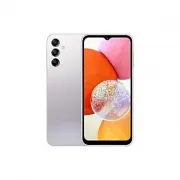


 Samsung Galaxy A7 User Manual
 Samsung Galaxy A8 User Manual
 Samsung Galaxy A9 User Manual
 Samsung Galaxy A10 User Manual
 Samsung Galaxy A12 User Manual
 Samsung Galaxy A13 5G User Manual
 Samsung Galaxy A15 User Manual
 Samsung Galaxy A20e User Manual
 Samsung Galaxy A21s User Manual
 Samsung Galaxy A22 5G User Manual
 Samsung Galaxy A23 5G User Manual