Samsung AX40T3030WM - User Manual
Samsung AX40T3030WM Air Purifier – User Manual, read for free online in PDF format. We hope this helps you resolve any issues you may have. If you have further questions, please contact us through the contact form.
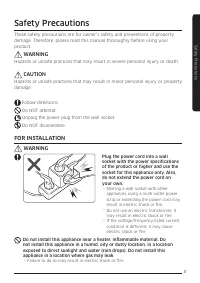
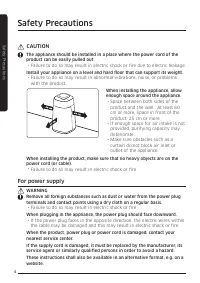
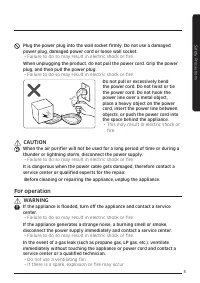
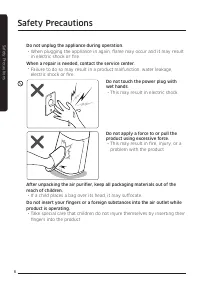
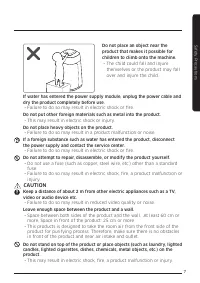
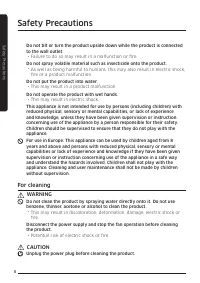
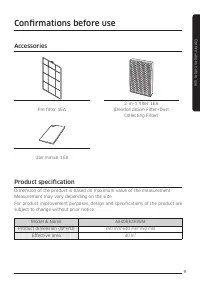
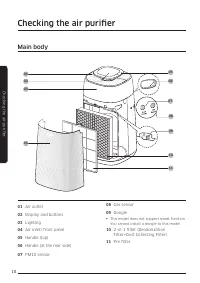
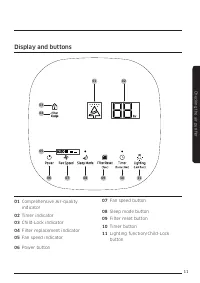
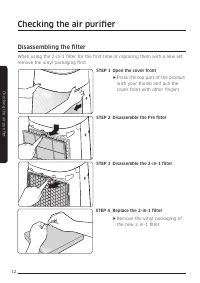
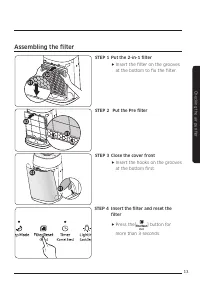

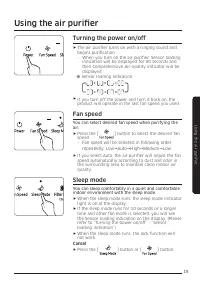
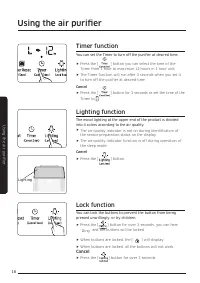
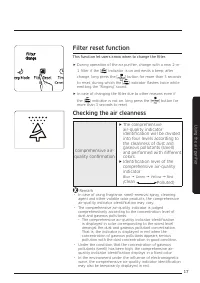
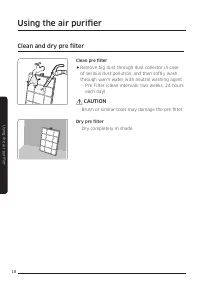
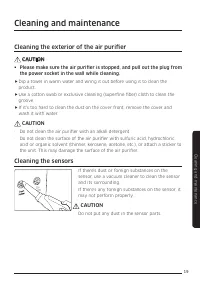
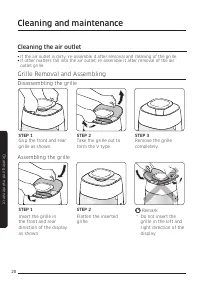
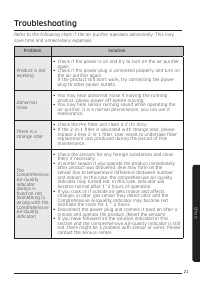
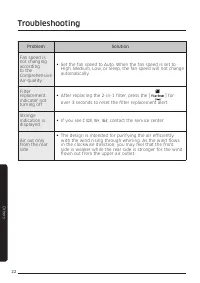
Table of Contents:
- Page 2 – Safety Precautions; FOR INSTALLATION; WARNING
- Page 3 – CAUTION; For power supply
- Page 4 – For operation
- Page 7 – For cleaning
- Page 8 – Accessories; Product specification
- Page 9 – Main body; Checking the air purifi er
- Page 10 – Display and buttons
- Page 11 – Disassembling the fi lter
- Page 12 – Assembling the fi lter
- Page 13 – Using the filter
- Page 14 – Using the air purifier; Turning the power on/off; Sleep mode
- Page 15 – Timer function; Lighting function; Lock function; Using the air purifi er
- Page 16 – Filter reset function; Checking the air cleanness
- Page 17 – Clean and dry pre filter
- Page 18 – Cleaning the exterior of the air purifier; Cleaning the sensors; Cleaning and maintenance
- Page 19 – Grille Removal and Assembling; Disassembling the grille; Cleaning the air outlet
- Page 20 – Troubleshooting
- Page 22 – Memo
- Page 24 – Air purifier; User manual
2
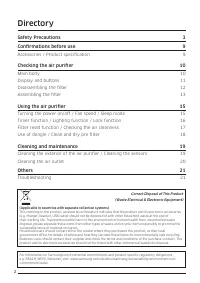
Directory
Safety Precautions
3
Confirmations before use
9
Accessories / Product specification
9
Checking the air purifier
10
Main body
10
Display and buttons
11
Disassembling the filter
12
Assembling the filter
13
Using the air purifier
15
Turning the power on/off / Fan speed / Sleep mode
15
Timer function / Lighting function / Lock function
16
Filter reset function / Checking the air cleanness
17
Use of dongle / Clean and dry pre filter
18
Cleaning and maintenance
19
Cleaning the exterior of the air purifier / Cleaning the sensors 19
Cleaning the air outlet
20
Others
21
Troubleshooting 21
Correct Disposal of This Product
(Waste Electrical & Electronic Equipment)
(Applicable in countries with separate collection systems)
This marking on the product, accessories or literature indicates that the product and its electronic accessories
(e.g. charger, headset, USB cable) should not be disposed of with other household waste at the end of
their working life. To prevent possible harm to the environment or human health from uncontrolled waste
disposal, please separate these items from other types of waste and recycle them responsibly to promote the
sustainable reuse of material resources.
Household users should contact either the retailer where they purchased this product, or their local
government office, for details of where and how they can take these items for environmentally safe recycling.
Business users should contact their supplier and check the terms and conditions of the purchase contract. This
product and its electronic accessories should not be mixed with other commercial wastes for disposal.
For information on Samsung’s environmental commitments and product-specific regulatory obligations,
e.g. REACH, WEEE, Batteries, visit: www.samsung.com/uk/aboutsamsung/sustainability/environment/our-
commitment/data/
"Loading the manual" means you need to wait until the file loads and becomes available for online reading. Some manuals are very large, and the time they take to appear depends on your internet speed.
Summary
3 Safety Pr ec au tions Safety Precautions Safety Precautions These safety precautions are for owner’s safety and preventions of property damage. Therefore, please read this manual thoroughly before using your product. WARNING Hazards or unsafe practices that may result in severe personal injury or ...
4 Safety Pr ec au tions CAUTION The appliance should be installed in a place where the power cord of the product can be easily pulled out. · Failure to do so may result in electric shock or fire due to electric leakage. Install your appliance on a level and hard floor that can support its weight. · ...
5 Safety Pr ec au tions Plug the power plug into the wall socket firmly. Do not use a damaged power plug, damaged power cord or loose wall socket. · Failure to do so may result in electric shock or fire. When unplugging the product, do not pull the power cord. Grip the power plug, and then pull the ...