Samsung AX60T5080WD - User Manual

Samsung AX60T5080WD Air Purifier – User Manual, read for free online in PDF format. We hope this helps you resolve any issues you may have. If you have further questions, please contact us through the contact form.
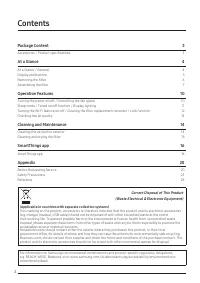
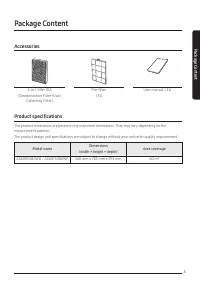
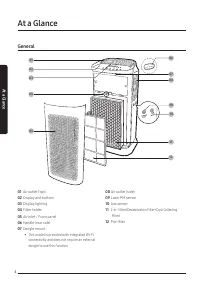
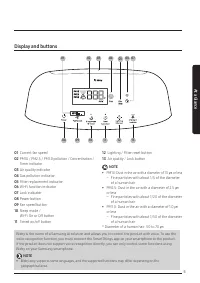
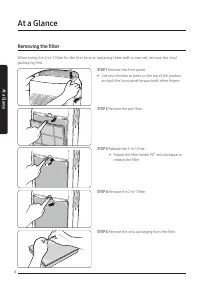
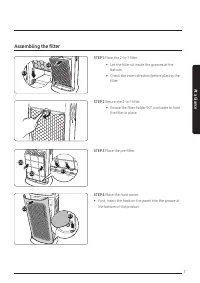
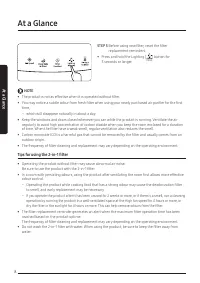
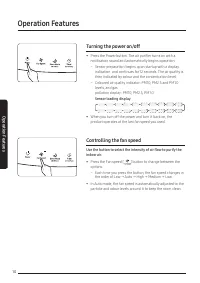
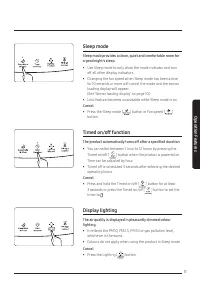
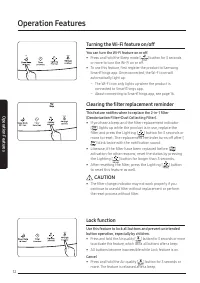
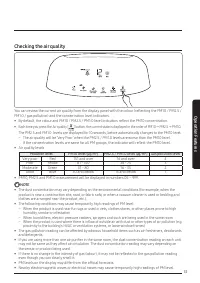
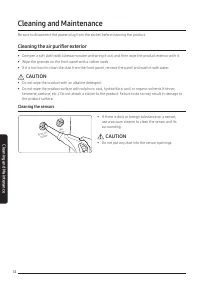
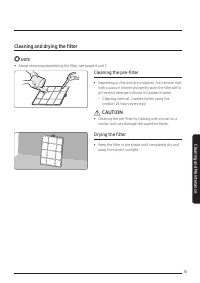
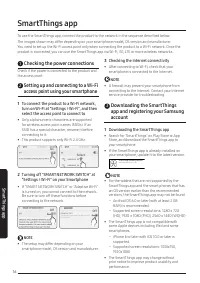
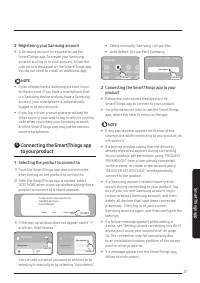
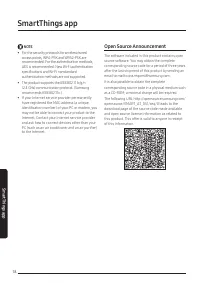
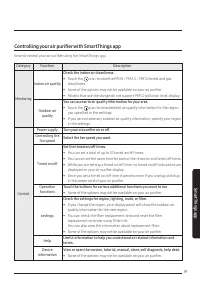
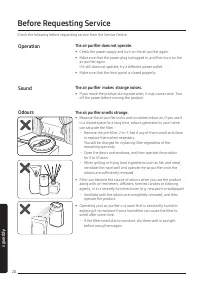
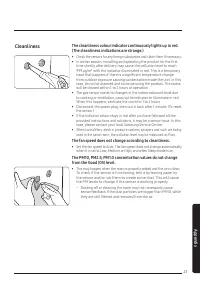
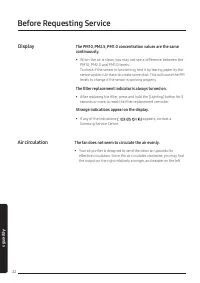
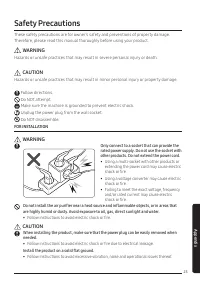
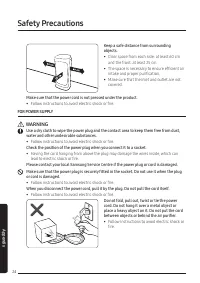
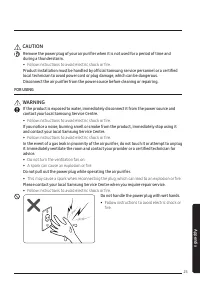
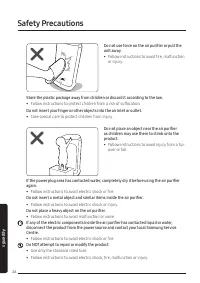
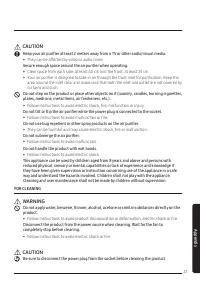
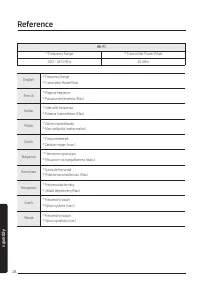
Table of Contents:
- Page 2 – Contents; Package Content; Correct Disposal of This Product
- Page 3 – Accessories; User manual 1 EA; Product specifications; Model name
- Page 4 – General; At a Glance
- Page 5 – Display and buttons; PM10: Dust in the air with a diameter of 10 μm or less; NOTE
- Page 6 – Removing the filter; STEP 1
- Page 7 – Assembling the filter
- Page 8 – STEP 5
- Page 10 – Turning the power on/off; Sensor loading display; Controlling the fan speed; Use the button to select the intensity of air flow to purify the; Operation Features
- Page 11 – Sleep mode; You can select between 1 hour to 12 hours by pressing the; Display lighting
- Page 12 – You can turn the Wi-Fi feature on or off.; Clearing the filter replacement reminder; This feature notifies when to replace the 2-in-1 filter; CAUTION; Use this feature to lock all buttons and prevent unintended
- Page 13 – Checking the air quality; Pollution level
- Page 14 – Cleaning the air purifier exterior; Cleaning the sensors; • If there is dust or foreign substance on a sensor,; • Do not put any dust into the sensor openings.; Cleaning and Maintenance
- Page 15 – Cleaning and drying the filter; Cleaning the pre-filter; Drying the filter
- Page 16 – To connect the product to a Wi-Fi network,; Checking the Internet connectivity; Downloading the SmartThings app; SmartThings app
- Page 17 – Registering your Samsung account; Connecting the SmartThings app; Selecting the product to connect to; Connecting the SmartThings app to your
- Page 18 – Open Source Announcement
- Page 19 – Controlling your air purifier with SmartThings app; Check the indoor air cleanliness.
- Page 20 – Operation; The air purifier does not operate.; Sound; The air purifier makes strange noises.; Odours; The air purifier smells strange.; Before Requesting Service; Appendix
- Page 21 – Cleanliness; The cleanliness colour indicator continuously lights up in red.
- Page 22 – Display; The filter replacement indicator is always turned on.; Air circulation; The fan does not seem to circulate the air evenly.
- Page 23 – Safety Precautions; FOR INSTALLATION; WARNING; Only connect to a socket that can provide the; Install the product on a solid flat ground.
- Page 24 – FOR POWER SUPPLY
- Page 25 – during a thunderstorm.; FOR USING; contact your local Samsung Service Centre.
- Page 26 – Do not use force on the air purifier or pull the
- Page 27 – • They can be affected by video or audio noise.; FOR CLEANING; completely stop before cleaning.
- Page 28 – Reference
- Page 30 – Bulgarian
- Page 31 – Memo
- Page 32 – QUESTIONS OR COMMENTS?
Air Purifier
User manual
AX60R5080WD / AX60T5080WF
ꞏ
Thank you for purchasing this Samsung air purifier.
ꞏ
Before operating this unit, please read this user manual carefully and retain it for future reference.
"Loading the manual" means you need to wait until the file loads and becomes available for online reading. Some manuals are very large, and the time they take to appear depends on your internet speed.
Was this manual helpful?
About this manual
- Brand
- Samsung
- Model
- AX60T5080WD
- Document type
- User Manual
- Category
- Air Purifier
- Language(s)
- English
- Pages
- 32
- File size
- 13.9 MB
- Format
Summary
2 Contents Package Content 3 Accessories / Product specifications 3 At a Glance 4 At a Glance / General 4 Display and buttons 5 Removing the filter 6 Assembling the filter 7 Operation Features 10 Turning the power on/off / Controlling the fan speed 10 Sleep mode / Timed on/off function / Display lig...
3 Package C ontent Package Content Accessories 2-in-1 filter 1EA (Deodorization Filter+Dust Collecting Filter) Pre-filter 1 EA User manual 1 EA Product specifications The product dimensions are based on the maximum dimensions. They may vary depending on the measurement position.The product design an...
4 At a Glance General 08 11 01 02 03 09 10 06 07 04 12 05 At a Glance 01 Air outlet (top) 02 Display and buttons 03 Display lighting 04 Filter holder 05 Air inlet / Front panel 06 Handle (rear side) 07 Dongle mount • This model is provided with integrated Wi-Fi connectivity and does not require an e...
Ask a question
Related manuals
Other Samsung appliances
 Samsung 2 Manual
- Samsung 3 Manual
 Samsung 3.5" hard disk drives Manual
 Samsung 4 Manual
 Samsung 4 CHANNEL DVR Manual
- Samsung 4g Manual
- Samsung 4G LTE SMARTPHONE Manual
 Samsung 5 Manual
- Samsung 8.9 Manual
- Samsung 10.1 Manual
 Samsung 14F2, 14F3, 14H4, 14H5, 14S1, 14S4, 14V5, 3366, 15K2, 15K5, 15K8, 15K9, 20F3, 20H4, 20H5, 20S1, 20S4, 20S5, 20V5, 5038, 21A3, 21A6, 21A7, 21A8, 21B6, 21D8, 21F3, 21F5, 21H4, 21H5, 21K2, 21K3, 21K5, 21K9, 21S1, 21S4, 21V5 Manual
 Samsung 14F2, 14F3, 14H4, 14H5, 14S1, 14V5, 3366, 15K2, 15K5, 15K8, 15K9, 15K10, 15M16, 17A11, 17K10, 20F3, 20H4, 20H5, 20S1, 20S4, 20S5, 20V5, 5038, 21A3, 21A6, 21A7, 21A8, 21B6, 21D8, 21F3, 21F5, 21H4, 21H5, 21K2, 21K3, 21K5, 21K9, 21K10, 21M16, 21S1, 21S4, 21V Manual
 Samsung 21-1840 Manual
- Samsung 21S Manual
 Samsung 21Z50 Manual
 Samsung 25A6, 29A5, 29A6, 29A7, 29K3, 29K5, 29K10, 29M6, 29U2, 29Z4, 34A7, 34Z4 Manual
 Samsung 25A6, 29A5, 29A6, 29A7, 29K3, 29K5, 29M6, 29U2, 34A7 Manual
 Samsung 31 Manual
 Samsung 34A20 Manual
 Samsung 50 Manual