Ring B08TG6NCTS - User Manual
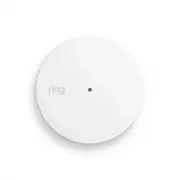
Ring B08TG6NCTS Security System – User Manual, read for free online in PDF format. We hope this helps you resolve any issues you may have. If you have further questions, please contact us through the contact form.


Table of Contents:
- Page 2 – Ring Glass Break Sensor; Introduction; Installation
- Page 3 – Adding Ring Glass Break Sensor to a Z-Wave Network
- Page 4 – Removing a Sensor from a Z-Wave Network; Ring Alarm Glass Break Sensor – Factory Reset; Identify Function
- Page 6 – Configuration Command Class
- Page 7 – Notification Command Class, V8
- Page 8 – Notification Command Class, V8 - continued
1
Ring Alarm Glass Break Sensor
Z-Wave Technical Manual
"Loading the manual" means you need to wait until the file loads and becomes available for online reading. Some manuals are very large, and the time they take to appear depends on your internet speed.
Summary
2 Ring Glass Break Sensor Introduction Ring Alarm Glass Break Sensor is a wireless sensor for the Ring Alarm system which provides users the ability to know when breaking glass is detected. After installing the sensor on a wall, ceiling or shelf and setting up the sensor in the Ring app, monitor and...
3 Z-Wave Instructions Z-Wave Device Type: Notification Sensor Role Type: Listening Sleeping Slave (LSS) • GENERIC_TYPE_SENSOR_NOTIFICATION (0x07) • SPECIFIC_TYPE_NOTIFICATION_SENSOR (0x01) Z-Wave Long Range This device supports both Classic Z-Wave and Z-Wave Long Range. Z-Wave Long Range capable con...
4 Removing a Sensor from a Z-Wave Network Exclusion Instructions: 1. Initiate remove “Ring Alarm Glass Break Sensor” flow in the Ring Alarm mobile application – Select the settings icon from device details page and choose “Remove Device” to remove the device. This will place the controller into Remo...


