Pioneer WYS009AMFI22RL-10 - User Manual
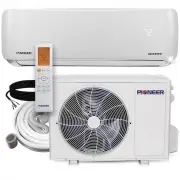
Pioneer WYS009AMFI22RL-10 Air Conditioner – User Manual, read for free online in PDF format. We hope this helps you resolve any issues you may have. If you have further questions, please contact us through the contact form.


Table of Contents:
- Page 2 – Table of Contents; Remote Controller Specifications
- Page 3 – Button Layout and Functions; AUTO LOW MED HIGH
- Page 4 – LCD Screen Icons/Indicators; AUTO
- Page 5 – FAN Mode Operation; HEAT Mode Operation; Basic Functions; Freeze Protection Mode
- Page 6 – TIMER ON; TIMER; sec
- Page 7 – ON; OFF; hours later
- Page 8 – or; SET; OK
INFRARED WIRELESS MULTI-FUNCTION
REMOTE CONTROLLER
OWNER’S MANUAL
Read through and understand these instructions
thoroughly before attempting to operate your
new air conditioning unit using this remote. Be
sure to store this manual for future reference.
The design and specifications of this product are subject to change
without prior notice as development continues. Consult with the
sales agency or manufacturer for details.
is a registered trademark of Parker Davis HVAC International, Inc.
Parker Davis HVAC International, Inc.
3250 NW 107th Ave, Doral, FL 33172
USA Tel.: (305) 513-4488
Fax: (305) 513-4499
e-mail: [email protected]
Website: www.pd-hvac.com
Copyright, Parker Davis HVAC International, Inc., 1995 - 2022. All rights reserved.
"Loading the manual" means you need to wait until the file loads and becomes available for online reading. Some manuals are very large, and the time they take to appear depends on your internet speed.
Summary
1 2 Table of Contents Remote Controller Specifications ........ ............................... 2 Button Layout and Functions ................................. ............. 3 Handling the Remote Controller . ............................... ......... 4 LCD Screen Icons and Indicators .. ...............
Before using your new air conditioner, be sure to familiarize yourself with the remote control. The following is a brief overview of the remote controller itself. For instructions on how to operate your air conditioner, refer to the BASIC and ADVANCED functions sections of this manual. Note: HEAT mo...
1. Press the MODE button to select COOL mode. 2. Set your desired temperature using the temp or temp buttons. 3. Press the FAN button to select the fan speed. 4. Press the ON/OFF button to start the unit. The operating temperature range for your air conditioning unit is 62-86°F (17-30°C). You can in...


