Page 2 - In case of trouble; CAUTION; CLASS 1 LASER PRODUCT; Sound muting; Sound is muted automatically when:; Before You Start
Thank you for purchasing this PIONEER product. To ensure proper use, please read through thismanual before using this product. It is espe-cially important that you read and observe WARNING s and CAUTION s in this manual. Please keep the manual in a safe and accessibleplace for future reference. If y...
Page 3 - Head unit; Display indication; Operating this unit; English
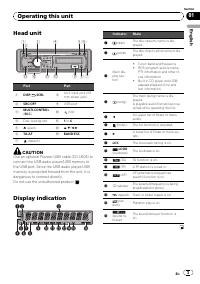
Head unit Part Part 1 DISP / / SCRL 8 AUX input jack (3.5mm stereo jack) 2 SRC / OFF 9 USB port 3 MULTI-CONTROL ( M.C. ) a (list) 4 Disc loading slot b 1 to 6 5 h (eject) c a / b / c / d 6 TA / AF d BAND / ESC 7 (detach) CAUTION Use an optional Pioneer USB cable (CD-U50E) toconnect the USB audio pla...
Page 4 - Important; Tuner; Basic Operations
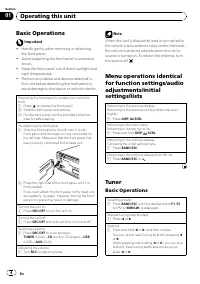
Basic Operations Important ! Handle gently when removing or attachingthe front panel. ! Avoid subjecting the front panel to excessiveshock. ! Keep the front panel out of direct sunlight andhigh temperatures. ! Remove any cables and devices attached tothis unit before detaching the front panel toavoi...
Page 5 - Note; Storing and recalling stations; Program service name; PTY list; Selecting alternative frequencies; Using PI Seek; is displayed and sound is muted.; Using Auto PI Seek for preset stations; Receiving traffic announcements; is
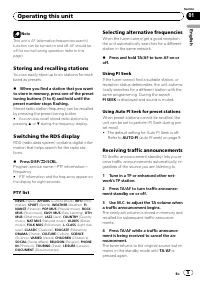
Note This unit ’ s AF (alternative frequencies search) function can be turned on and off. AF should beoff for normal tuning operation (refer to thispage). Storing and recalling stations You can easily store up to six stations for eachband as presets. % When you find a station that you want to store ...
Page 6 - Function settings; and press to select FUNCTION.; Notes
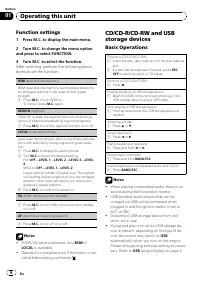
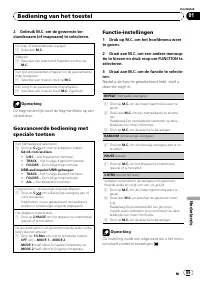
Function settings 1 Press M.C. to display the main menu. 2 Turn M.C. to change the menu option and press to select FUNCTION. 3 Turn M.C. to select the function. After selecting, perform the following proce-dures to set the function. BSM (best stations memory) BSM (best stations memory) automatically...
Page 7 - Displaying text information; Press
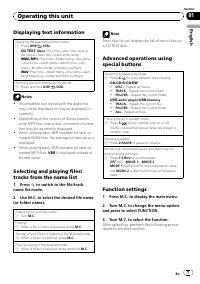
Displaying text information Selecting the desired text information 1 Press DISP / / SCRL . CD TEXT discs : Play time — disc title — disc ar- tist name — track title — track artist name WMA/MP3 : Play time — folder name — file name — track title — artist name — album title — com- ment — bit rate — fo...
Page 8 - Audio Adjustments; and press to select AUDIO.
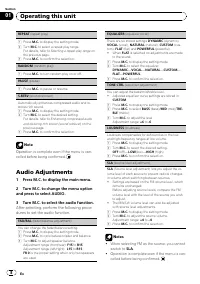
REPEAT (repeat play) 1 Press M.C. to display the setting mode. 2 Turn M.C. to select a repeat play range. For details, refer to Selecting a repeat play range on the previous page. 3 Press M.C. to confirm the selection. RANDOM (random play) 1 Press M.C. to turn random play on or off. PAUSE (pause) 1 ...
Page 9 - Initial Settings; Press SRC/OFF and hold until the unit; Using the AUX source; Insert the stereo mini plug into the
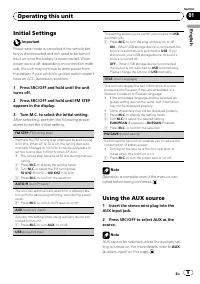
Initial Settings Important Power save mode is cancelled if the vehicle bat-tery is disconnected and will need to be turnedback on once the battery is reconnected. Whenpower save is off, depending on connection meth-ods, the unit may continue to draw power fromthe battery if your vehicle's ignition s...
Page 10 - USB storage device; Additional Information
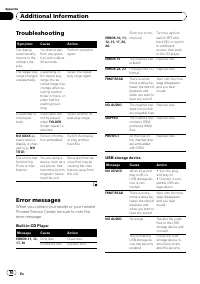
Troubleshooting Symptom Cause Action The displayautomaticallyreturns to theordinary dis-play. You did not per-form any opera-tion within about30 seconds. Perform operationagain. The repeat playrange changesunexpectedly. Depending onthe repeat playrange, the se-lected range maychange when se-lecting ...
Page 11 - Handling guideline; Discs and player
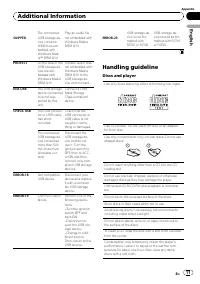
SKIPPED The connectedUSB storage de-vice containsWMA files em-bedded withWindows Med-ia ä DRM 9/10 Play an audio filenot embedded withWindows MediaDRM 9/10. PROTECT All the files in theUSB storage de-vice are em-bedded withWindows MediaDRM 9/10 Transfer audio filesnot embedded withWindows MediaDRM 9...
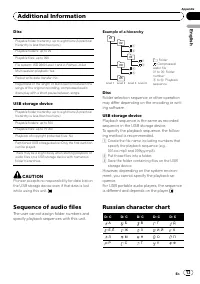
Page 13 - Sequence of audio files; Example of a hierarchy; Disc; Put those files into a folder.; Russian character chart
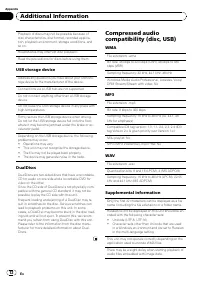
Disc Playable folder hierarchy: up to eight tiers (A practicalhierarchy is less than two tiers.) Playable folders: up to 99 Playable files: up to 999 File system: ISO 9660 Level 1 and 2, Romeo, Joliet Multi-session playback: Yes Packet write data transfer: No Regardless of the length of blank sectio...
Page 14 - Copyright and trademark; iTunes; Specifications; General
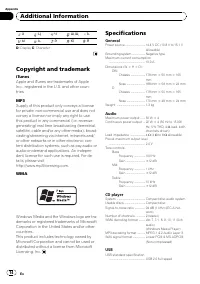
: Х : Ц : Ч : Ш , Щ : Ъ : Ы : Ь : Э : Ю : Я D : Display C : Character Copyright and trademark iTunes Apple and iTunes are trademarks of AppleInc., registered in the U.S. and other coun-tries. MP3 Supply of this product only conveys a licensefor private, non-commercial use and does notconvey a licens...
Page 16 - En cas d; PRÉCAUTION; Coupure du son; MUTE; Avant de commencer
Nous vous remercions d ’ avoir acheté cet appareil PIONEER. Pour garantir une utilisation correcte, lisezbien ce mode d ’ emploi avant d ’ utiliser cet ap- pareil. Il est particulièrement important quevous lisiez et respectiez les indications AT- TENTION et PRÉCAUTION de ce mode d ’ emploi. Conser v...
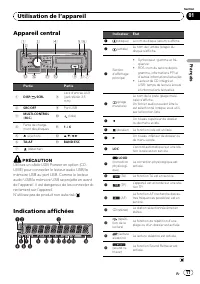
Page 17 - Appareil central; appareil, il est dangereux de les connecter di-; Indications affichées; Utilisation de l; Français
Appareil central Partie Partie 1 DISP / / SCRL 8 Jack d ’ entrée AUX (jack stéréo 3,5mm) 2 SRC / OFF 9 Port USB 3 MULTI-CONTROL ( M.C. ) a (liste) 4 Fente de charge-ment des disques b 1 à 6 5 h (éjection) c a / b / c / d 6 TA / AF d BAND / ESC 7 (détacher) PRÉCAUTION Utilisez un câble USB Pioneer en...
Page 18 - Opérations de base
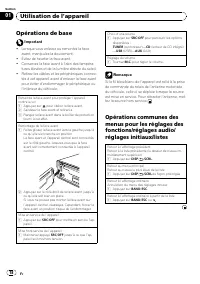
Opérations de base Important ! Lorsque vous enlevez ou remontez la faceavant, manipulez-la doucement. ! Évitez de heurter la face avant. ! Conservez la face avant à l ’ abri des tempéra- tures élevées et de la lumière directe du soleil. ! Retirez les câbles et les périphériques connec-tés à cet appa...
Page 19 - Syntoniseur; Remarque; Lorsque se présente une station que; Liste des codes PTY; PI SEEK
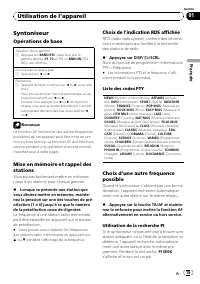
Syntoniseur Opérations de base Sélection d ’ une gamme 1 Appuyez sur BAND / ESC jusqu ’ à ce que la gamme désirée ( F1 , F2 en FM ou MW/LW (PO/ GO)), soit affichée. Accord manuel (pas à pas) 1 Appuyez sur c ou d . Recherche 1 Appuyez de façon continue sur c ou d , puis relâ- chez.Vous pouvez annuler...
Page 20 - (recherche automatique; informations routières
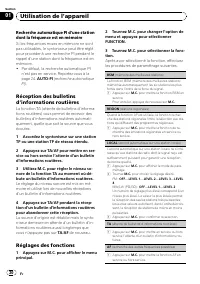
Recherche automatique PI d ’ une station dont la fréquence est en mémoire Si les fréquences mises en mémoire ne sontpas utilisables, le syntoniseur peut être réglépour procéder à une recherche PI pendant lerappel d ’ une station dont la fréquence est en mémoire. ! Par défaut, la recherche automatiqu...
Page 21 - Remarques
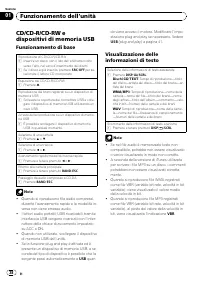
Remarques ! Si la gamme MW/LW (PO/GO) est sélection-née, seul BSM ou LOCAL est disponible. ! L ’ opération est validée même si le menu est annulé avant la confirmation. CD/CD-R/CD-RW etpériphériques de stockage USB Opérations de base Lecture d ’ un CD/CD-R/CD-RW 1 Introduisez un disque, l ’ étiquett...
Page 22 - Utilisation avancée à l; Réglages des fonctions; option de
Sélection et lecture des fichiers/plages à partir de la liste des noms 1 Appuyez sur pour passer en mode liste des noms de fichiers/plages. 2 Utilisez M.C. pour sélectionner le nom de fichier (ou nom de dossier) désiré. Modification d ’ un nom de fichier ou de dossier 1 Tournez M.C. Lecture 1 Lorsqu...
Page 23 - Réglages sonores
REPEAT (répétition de la lecture) 1 Appuyez sur M.C. pour afficher le mode de para- métrage. 2 Tournez M.C. pour sélectionner une étendue de répétition de lecture.Pour les détails, reportez-vous à la page précé-dente, Sélection d ’ une étendue de répétition de lec- ture . 3 Appuyez sur M.C. pour con...
Page 24 - Réglages initiaux
La correction physiologique a pour objet d ’ accentuer les hautes et les basses fréquences à bas niveaux d ’ é- coute. 1 Appuyez sur M.C. pour afficher le mode de para- métrage. 2 Tournez M.C. pour choisir le réglage désiré. OFF (désactivé) — LOW (faible) — HIGH (élevé) 3 Appuyez sur M.C. pour confi...
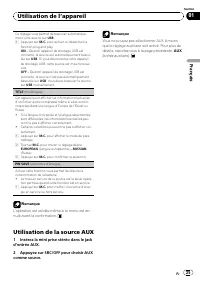
Page 25 - Utilisation de la source AUX; Insérez la mini prise stéréo dans le jack
Ce réglage vous permet de basculer automatique-ment votre source sur USB . 1 Appuyez sur M.C. pour activer ou désactiver la fonction plug and play. ON – Quand l ’ appareil de stockage USB est connecté, la source est automatiquement bascu-lée sur USB . Si vous déconnectez votre appareil de stockage U...
Page 26 - entretien agréé par Pioneer le plus; Lecteur de CD intégré; Informations complémentaires
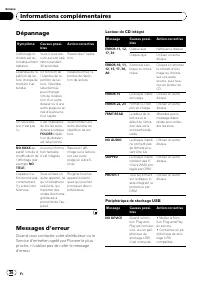
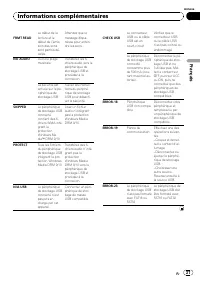
Dépannage Symptôme Causes possi-bles Action corrective L ’ affichage or- dinaire est au-tomatiquementrestauré. Vous n ’ avez exé- cuté aucune opé-ration pendant30 secondes. Réexécutez l ’ opéra- tion. L ’ étendue de ré- pétition de lec-ture change demanière inat-tendue. En fonction del ’ étendue de ...
Page 28 - Conseils sur la manipulation; Disques et lecteur
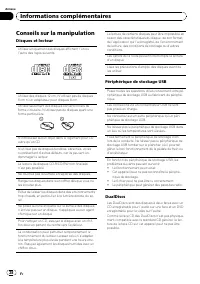
Conseils sur la manipulation Disques et lecteur Utilisez uniquement des disques affichant l ’ un ou l ’ autre des logos suivants. Utilisez des disques 12 cm. N ’ utilisez pas de disques 8 cm ni un adaptateur pour disques 8 cm. Utilisez seulement des disques conventionnels deforme circulaire. N ’ uti...
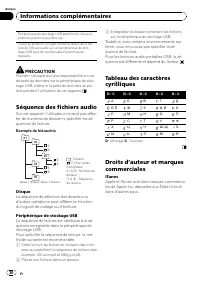
Page 30 - Pioneer n; Séquence des fichiers audio; utilisateur ne peut pas affec-; Exemple de hiérarchie; Disque; Placez ces fichiers dans un dossier.; Droits d
Périphérique de stockage USB partitionné : Seule lapremière partition peut être lue. Il peut se produire un léger retard au début de la lec-ture de fichiers audio sur un périphérique de stoc-kage USB avec de nombreuses hiérarchies dedossiers. PRÉCAUTION Pioneer n ’ accepte aucune responsabilité en c...
Page 31 - Caractéristiques techniques; Généralités
MP3 La vente de ce produit comporte seulementune licence d ’ utilisation privée, non commer- ciale, et ne comporte pas de licence ni n ’ im- plique aucun droit d ’ utilisation de ce produit pour une diffusion commerciale (c ’ est-à-dire générant des revenus) en temps réel (terrestre,par satellite, c...
Page 32 - Syntoniseur FM
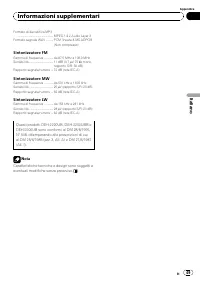
Format de décodage WMA ..................................................... Ver. 7, 7.1, 8, 9, 10, 11 (2 ca- naux audio)(Windows Media Player) Format de décodage MP3 ... MPEG-1 & 2 Couche Audio 3 Format du signal WAV .......... PCM Linéaire & MS ADPCM (Non compressé) Syntoniseur FM Gamme de...
Page 33 - In caso di problemi; ATTENZIONE; Non lasciare che questa unità entri in contatto; Silenziamento del suono; Prima di iniziare; Italiano
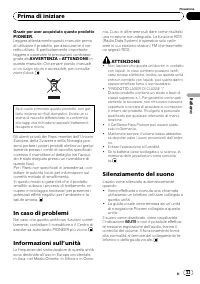
Grazie per aver acquistato questo prodotto PIONEER. Leggere attentamente questo manuale prima di utilizzare il prodotto, per assicurarne il cor- retto utilizzo. È particolarmente importante leggere e osservare le precauzioni contrasse- gnate da AVVERTENZA e ATTENZIONE in questo manuale. Conser vare ...
Page 34 - Unità principale; esterno dell; Indicazioni sui display; Funzionamento dell
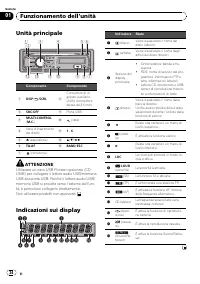
Unità principale Componente Componente 1 DISP / / SCRL 8 Connettore di in-gresso ausiliario(AUX) (connettorestereo da 3,5 mm) 2 SRC / OFF 9 Porta USB 3 MULTI-CONTROL ( M.C. ) a (lista) 4 Vano d ’ inserimento dei dischi b 1 - 6 5 h (espulsione) c a / b / c / d 6 TA / AF d BAND / ESC 7 (rimozione) ATT...
Page 35 - Funzionamento di base; Importante
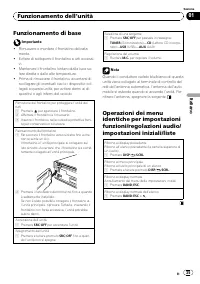
Funzionamento di base Importante ! Rimuovere o montare il frontalino delicata-mente. ! Evitare di sottoporre il frontalino a urti eccessi-vi. ! Mantenere il frontalino lontano dalla luce so-lare diretta e dalle alte temperature. ! Prima di rimuovere il frontalino, accertarsi discollegare gli eventua...
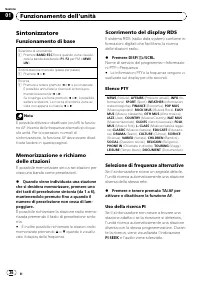
Page 36 - Sintonizzatore; Nota; Quando viene individuata una stazione; È inoltre possibile richiamare le stazioni radio; Scorrimento del display RDS; Le informazioni PTY e la frequenza vengono vi-; Elenco PTY; Selezione di frequenze alternative; Premere e tenere premuto TA/AF per; Uso della ricerca PI
Sintonizzatore Funzionamento di base Selezione di una banda 1 Premere BAND / ESC fino a quando viene visualiz- zata la banda desiderata ( F1 , F2 per FM o MW/ LW ). Sintonizzazione manuale (passo per passo) 1 Premere c o d . Ricerca 1 Premere e tenere premuto c o d e poi rilasciare. È possibile annu...
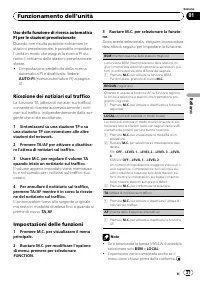
Page 37 - Ricezione dei notiziari sul traffico
Uso della funzione di ricerca automaticaPI per le stazioni preselezionate Quando non risulta possibile richiamare lestazioni preselezionate, è possibile impostarel ’ unità in modo che esegua la ricerca PI du- rante il richiamo delle stazioni preselezionatestesse. ! L ’ impostazione predefinita della...
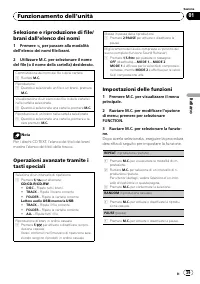
Page 39 - elenco dei nomi; Premere; Impostazioni delle funzioni; opzione
Selezione e riproduzione di file/brani dall ’ elenco dei nomi 1 Premere per passare alla modalità dell ’ elenco dei nomi file/brani. 2 Utilizzare M.C. per selezionare il nome del file (o il nome della cartella) desiderato. Commutazione dei nomi dei file o delle cartelle 1 Ruotare M.C. Riproduzione 1...
Page 40 - Regolazione dell
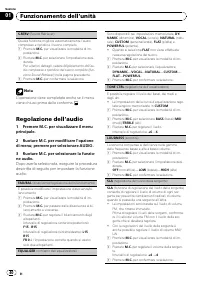
S.RTRV (Sound Retriever) Questa funzione migliora automaticamente l ’ audio compresso e ripristina il suono completo. 1 Premere M.C. per visualizzare la modalità di im- postazione. 2 Ruotare M.C. per selezionare l ’ impostazione desi- derata.Per ulteriori dettagli, vedere Miglioramento dell ’ au- di...
Page 41 - Impostazioni iniziali; Premere e tenere premuto SRC/OFF
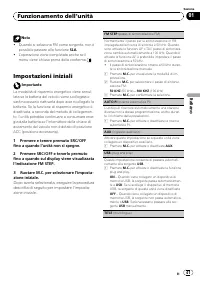
Note ! Quando si seleziona FM come sorgente, non èpossibile passare alla funzione SLA . ! L ’ operazione viene completata anche se il menu viene chiuso prima della conferma. Impostazioni iniziali Importante La modalità di risparmio energetico viene annul-lata se la batteria del veicolo viene scolleg...
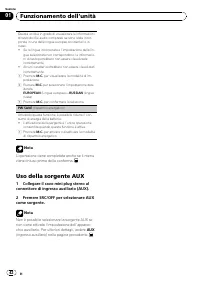
Page 42 - Uso della sorgente AUX; Collegare il cavo mini plug stereo al
Questa unità è in grado di visualizzare le informazionidi testo dei file audio compressi se sono state incor-porate in una delle lingue europee occidentali o inrusso. ! Se la lingua incorporata e l ’ impostazione della lin- gua selezionata non corrispondono, le informazio-ni di testo potrebbero non ...
Page 43 - Lettore CD incorporato; Informazioni supplementari
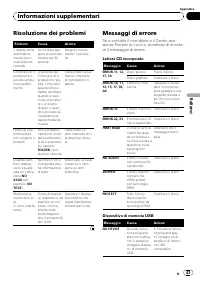
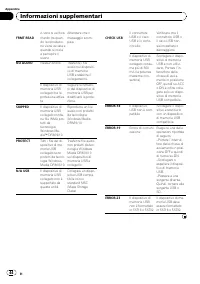
Risoluzione dei problemi Sintomo Causa Azione Il display tornaautomatica-mente alla vi-sualizzazionenormale. Non è stata ese-guita alcuna ope-razione per 30secondi. Eseguire nuova-mente l ’ operazio- ne. L ’ intervallo di ri- produzione ri-petuta cambiaimprevedibil-mente. A seconda del-l ’ intervall...
Page 45 - Dischi e lettori
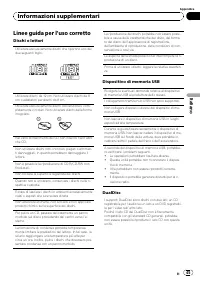
Linee guida per l ’ uso corretto Dischi e lettori Utilizzare esclusivamente dischi che riportino uno deidue seguenti loghi. Utilizzare dischi da 12 cm. Non utilizzare dischi da 8cm o adattatori per dischi da 8 cm. Utilizzare esclusivamente dischi convenzionali, com-pletamente circolari. Non utilizza...
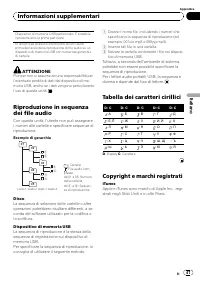
Page 47 - eventuale perdita di dati dal dispositivo di me-; utente non può assegnare; Esempio di gerarchia; Disco; Inserire tali file in una cartella.; Tuttavia, a seconda dell; Tabella dei caratteri cirillici
Dispositivo di memoria USB partizionato: È possibileriprodurre solo la prima partizione. In alcuni casi possono intercorrere alcuni istantiprima dell ’ avvio della riproduzione di file audio su un dispositivo di memoria USB con numerose gerarchiedi cartelle. ATTENZIONE Pioneer non si assume alcuna r...
Page 48 - WMA; Dati tecnici; Generali
MP3 La fornitura di questo prodotto prevede il tra-sferimento di una licenza esclusivamente peruso privato, non-commerciale e non prevedela concessione di una licenza, né implica qual-siasi diritto a utilizzare questo prodotto in qual-siasi trasmissione in diretta commerciale(ovvero, che generi prof...
Page 49 - Sintonizzatore FM
Formato di decodifica MP3 ..................................................... MPEG-1 & 2 Audio Layer 3 Formato segnale WAV ........... PCM lineare & MS ADPCM (Non compresso) Sintonizzatore FM Gamma di frequenza ............. da 87,5 MHz a 108,0 MHzSensibilità .................................
Page 50 - En caso de problemas; PRECAUCIÓN; PRODUCTO LÁSER DE CLASE 1; Silenciamiento del sonido; Antes de comenzar
Gracias por haber adquirido este producto PIONEER. Lea con detenimiento este manual antes de utilizar el producto por primera vez para que pueda darle el mejor uso posible. Es muy im- portante que lea y observe las ADVERTEN- CIAS y PRECAUCIONES de este manual. Una vez leído, guarde el manual en un l...
Page 51 - Unidad principal; Indicaciones de pantalla; Utilización de esta unidad; Español
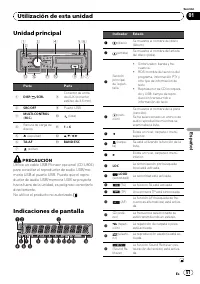
Unidad principal Parte Parte 1 DISP / / SCRL 8 Conector de entra-da AUX (conectorestéreo de 3,5 mm) 2 SRC / OFF 9 Puerto USB 3 MULTI-CONTROL ( M.C. ) a (lista) 4 Ranura de carga dediscos b 1 a 6 5 h (expulsar) c a / b / c / d 6 TA / AF d BAND / ESC 7 (soltar) PRECAUCIÓN Utilice un cable USB Pioneer ...
Page 52 - Funciones básicas
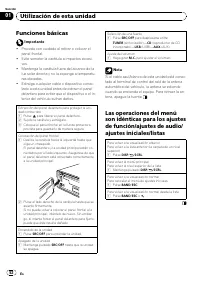
Funciones básicas Importante ! Proceda con cuidado al retirar o colocar elpanel frontal. ! Evite someter la carátula a impactos excesi-vos. ! Mantenga la carátula fuera del alcance de laluz solar directa y no la exponga a temperatu-ras elevadas. ! Extraiga cualquier cable o dispositivo conec-tado a ...
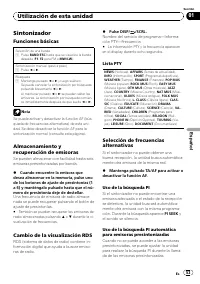
Page 53 - Sintonizador; Cuando encuentre la emisora que; También se pueden recuperar las emisoras de; Cambio de la visualización RDS; Nombre del servicio de programa; La información PTY y la frecuencia aparecen; Lista PTY; Mantenga pulsado TA/AF para activar o; Uso de la búsqueda PI
Sintonizador Funciones básicas Selección de una banda 1 Pulse BAND / ESC hasta que se visualice la banda deseada ( F1 , F2 para FM o MW/LW ). Sintonización manual (paso a paso) 1 Pulse c o d . Búsqueda 1 Mantenga pulsado c o d y luego suéltelo. Se puede cancelar la sintonización por búsquedapulsando...
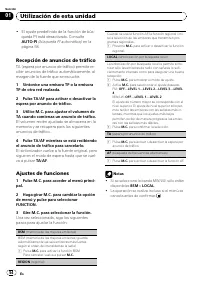
Page 54 - en la; Recepción de anuncios de tráfico; Notas
! El ajuste predefinido de la función de bús-queda PI está desactivado. Consulte AUTO-PI (búsqueda PI automática) en la página 58. Recepción de anuncios de tráfico TA (espera por anuncio de tráfico) permite re-cibir anuncios de tráfico automáticamente, almargen de la fuente que se escuche. 1 Sintoni...
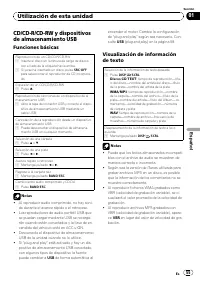
Page 56 - Ajustes de funciones
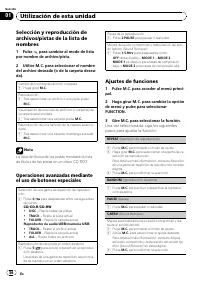
Selección y reproducción dearchivos/pistas de la lista denombres 1 Pulse para cambiar al modo de lista por nombre de archivo/pista. 2 Utilice M.C. para seleccionar el nombre del archivo deseado (o de la carpeta desea-da). Cambio del nombre del archivo o carpeta 1 Haga girar M.C. Reproducción 1 Tras ...
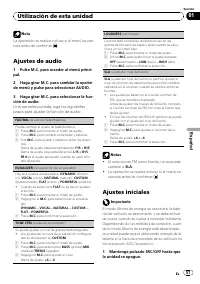
Page 57 - Ajustes de audio; de menú y pulse para seleccionar AUDIO.; Ajustes iniciales; Mantenga pulsado SRC/OFF hasta que
Nota La operación se realiza incluso si el menú se can-cela antes de confirmar. Ajustes de audio 1 Pulse M.C. para acceder al menú princi- pal. 2 Haga girar M.C. para cambiar la opción de menú y pulse para seleccionar AUDIO. 3 Haga girar M.C. para seleccionar la fun- ción de audio. Una vez seleccion...
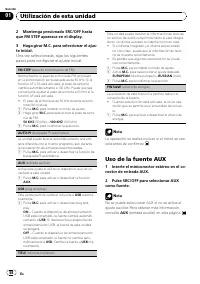
Page 58 - Uso de la fuente AUX; Inserte el miniconector estéreo en el co-
2 Mantenga presionado SRC/OFF hasta que FM STEP aparezca en el display. 3 Haga girar M.C. para seleccionar el ajus- te inicial. Una vez seleccionada, siga los siguientespasos para configurar el ajuste inicial: FM STEP (paso de sintonización de FM) Normalmente, el paso de sintonía de FM empleadoen la...
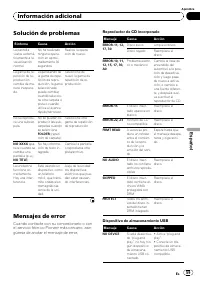
Page 59 - Reproductor de CD incorporado; Información adicional
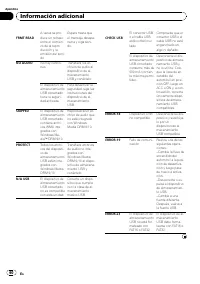
Solución de problemas Síntoma Causa Acción La pantallavuelve automá-ticamente a lavisualizaciónnormal. No ha realizadoninguna opera-ción en aproxi-madamente 30segundos. Realice la opera-ción de nuevo. La gama de re-petición de re-produccióncambia de ma-nera inespera-da. Dependiendo dela gama de repe...
Page 61 - Pautas para el manejo; Discos y reproductor; Dispositivo de almacenamiento USB; Discos dobles
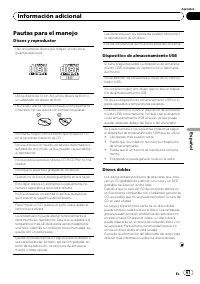
Pautas para el manejo Discos y reproductor Use únicamente discos que tengan uno de los si-guientes dos logos. Utilice discos de 12 cm. No utilice discos de 8 cm oun adaptador de discos de 8 cm. Utilice sólo discos convencionales y completamentecirculares. No use discos con formas irregulares. No ins...
Page 63 - Ejemplo de una jerarquía; Coloque esos archivos en una carpeta.; Tabla de caracteres rusos
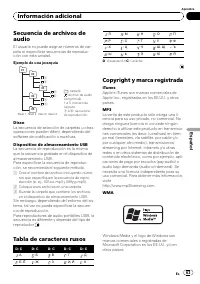
Secuencia de archivos deaudio El usuario no puede asignar números de car- peta ni especificar secuencias de reproduc- ción con esta unidad. Ejemplo de una jerarquía 12 34 56 01 02 03 04 05 Nivel 1 Nivel 2 Nivel 3 Nivel 4 : carpeta : archivo de audio comprimido1 a 5: número decarpeta 1 a 6 : secuenci...
Page 64 - Especificaciones
Este producto incorpora tecnología propiedad de Microsoft Corporation y no puede utilizarse ni distribuirse sin una licencia de Microsoft Licensing, Inc. Especificaciones Generales Fuente de alimentación ........ 14,4 V CC (10,8 V a 15,1 V permisible) Sistema de conexión a tierra ......................
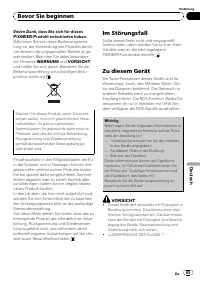
Page 65 - Im Störungsfall; Wichtig; VORSICHT; LASERPRODUKT DER KLASSE 1; Bevor Sie beginnen; Deutsch
Vielen Dank , dass Sie sich für dieses PIONEER-Produkt entschieden haben. Bitte lesen Sie sich diese Bedienungsanlei-tung vor der Verwendung des Produkts durch,um dessen ordnungsgemäßen Betrieb zu ge-währleisten. Beachten Sie dabei besondersdie Hinweise WARNUNG und VORSICHT und halten Sie sich daran...
Page 66 - Abschalten des Tons
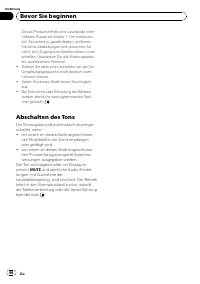
Dieses Produkt enthält eine Laserdiode einerhöheren Klasse als Klasse 1. Um kontinuier-lich Sicherheit zu gewährleisten, entfernenSie keine Abdeckungen und versuchen Sienicht, sich Zugang zum Geräteinneren zu ver-schaffen. Überlassen Sie alle Wartungsarbei-ten qualifiziertem Personal. ! Wählen Sie s...
Page 67 - Hauptgerät; Bedienung des Geräts
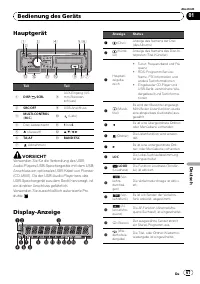
Hauptgerät Teil Teil 1 DISP / / SCRL 8 AUX-Eingang (3,5-mm-Stereoan-schluss) 2 SRC / OFF 9 USB-Anschluss 3 MULTI-CONTROL ( M.C. ) a (Liste) 4 Disc-Ladeschacht b 1 bis 6 5 h (Auswurf) c a / b / c / d 6 TA / AF d BAND / ESC 7 (Abnehmen) VORSICHT Verwenden Sie für die Verbindung des USB-Audio-Players/U...
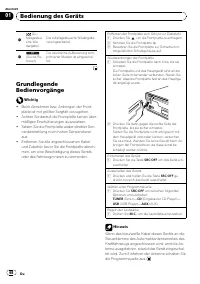
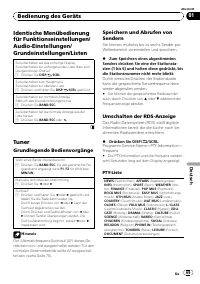
Page 69 - Grundlegende Bedienvorgänge; Hinweis; Zum Speichern eines abgestimmten; Umschalten der RDS-Anzeige; Frequenz
Identische Menübedienungfür Funktionseinstellungen/Audio-Einstellungen/Grundeinstellungen/Listen Zurückschalten auf das vorherige DisplayZurückschalten zur vorhergehenden Liste (bzw. zumübergeordneten Ordner) 1 Drücken Sie DISP / / SCRL . Zurückschalten zum HauptmenüZurückschalten zur obersten Liste...
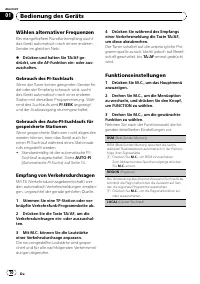
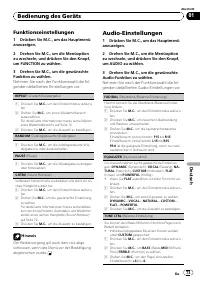
Page 70 - Wählen alternativer Frequenzen; Gebrauch des PI-Suchlaufs; Empfang von Verkehrsdurchsagen; einer Verkehrsdurchsage anpassen.; Funktionseinstellungen
Wählen alternativer Frequenzen Bei mangelhaftem Rundfunkempfang suchtdas Gerät automatisch nach einem anderenSender im gleichen Netz. % Drücken und halten Sie TA/AF ge- drückt, um die AF-Funktion ein- oder aus-zuschalten. Gebrauch des PI-Suchlaufs Wenn der Tuner keinen geeigneten Sender fin-det oder...
Page 71 - Hinweise
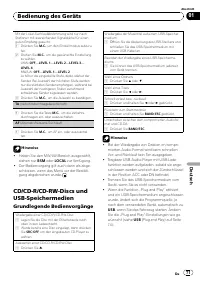
Mit der Lokal-Suchlaufabstimmung wird nur nachStationen mit ausreichender Signalstärke für einenguten Empfang gesucht. 1 Drücken Sie M.C. , um den Einstellmodus aufzuru- fen. 2 Drehen Sie M.C. , um die gewünschte Einstellung zu wählen.UKW: OFF — LEVEL 1 — LEVEL 2 — LEVEL 3 — LEVEL 4 MW/LW: OFF — LEV...
Page 72 - Anzeigen von Textinformationen; Drücken Sie
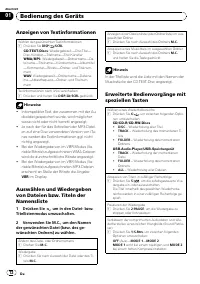
Anzeigen von Textinformationen Wählen der gewünschten Textinformationen 1 Drücken Sie DISP / / SCRL . CD-TEXT-Discs : Wiedergabezeit — Disc-Titel — Disc-Künstler — Titelname — Titel-Künstler WMA/MP3 : Wiedergabezeit — Ordnername — Da- teiname — Titelname — Künstlername — Albumtitel — Kommentar — Bit...
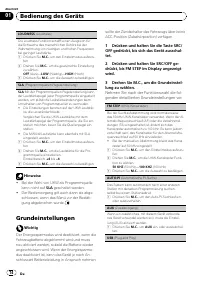
Page 74 - Grundeinstellungen; Drücken und halten Sie die Taste SRC/
LOUDNESS (Loudness) Die Loudness-Funktion schafft einen Ausgleich fürdie Schwäche des menschlichen Gehörs bei derWahrnehmung von niedrigen und hohen Frequenzenbei geringer Lautstärke. 1 Drücken Sie M.C. , um den Einstellmodus aufzuru- fen. 2 Drehen Sie M.C. , um die gewünschte Einstellung zu wählen....
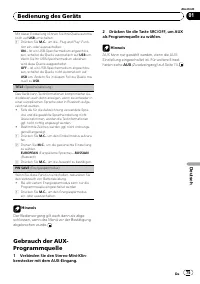
Page 75 - als Programmquelle zu wählen.
Mit dieser Einstellung können Sie Ihre Quelle automa-tisch auf USB umschalten. 1 Drücken Sie M.C. , um die „ Plug and Play “ -Funk- tion ein- oder auszuschalten. ON – Ist ein USB-Speichermedium angeschlos- sen, schaltet die Quelle automatisch auf USB um. Wenn Sie Ihr USB-Speichermedium abziehen,wird...
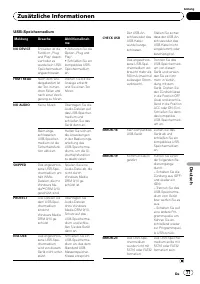
Page 76 - Fehlerbehebung; Fehlermeldungen; Eingebauter CD-Player; Zusätzliche Informationen
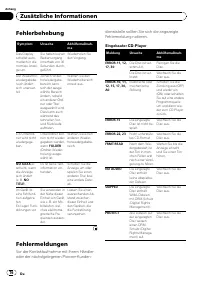
Fehlerbehebung Symptom Ursache Abhilfemaßnah-me Das Displayschaltet auto-matisch in dienormale Anzei-ge um. Sie haben keinenBedienvorganginnerhalb von 30Sekunden durch-geführt. Wiederholen Sieden Vorgang. Der Wiederhol-wiedergabebe-reich ändertsich unerwar-tet. Ja nach Wider-holwiedergabe-bereich ka...
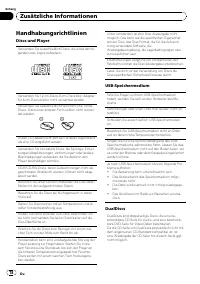
Page 78 - Handhabungsrichtlinien; Discs und Player; DualDiscs
Handhabungsrichtlinien Discs und Player Verwenden Sie ausschließlich Discs, die eines der fol-genden zwei Logos aufweisen: Verwenden Sie 12-cm-Discs. 8-cm-Discs bzw. Adapterfür 8-cm-Discs dürfen nicht verwendet werden. Verwenden Sie ausschließlich herkömmliche, rundeDiscs. Discs einer anderen Form s...
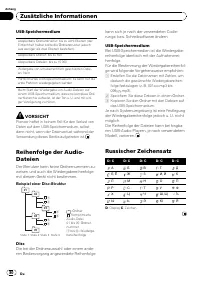
Page 80 - Beispiel einer Disc-Struktur; Speichern Sie diese Dateien in einem Ordner.; Russischer Zeichensatz
USB-Speichermedium Abspielbare Ordnerstruktur: bis zu acht Ebenen (derEinfachheit halber sollte die Ordnerstruktur jedochaus weniger als zwei Ebenen bestehen). Abspielbare Ordner: bis zu 500 Abspielbare Dateien: bis zu 15 000 Widergabe von urheberrechtlich geschützten Datei-en: Nein Partitioniertes ...
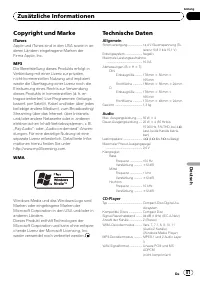
Page 81 - Copyright und Marke; Technische Daten; Allgemein
Copyright und Marke iTunes Apple und iTunes sind in den USA sowie in an-deren Ländern eingetragene Marken derFirma Apple, Inc. MP3 Die Bereitstellung dieses Produkts erfolgt inVerbindung mit einer Lizenz zur privaten,nicht-kommerziellen Nutzung und impliziertweder die Übertragung einer Lizenz noch d...
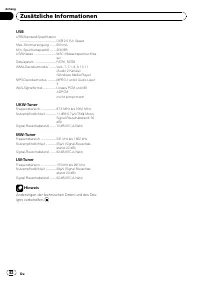
Page 82 - USB
USB USB-Standard-Spezifikation ..................................................... USB 2.0 Full Speed Max. Stromversorgung ......... 500 mAMin. Speicherkapazität ......... 256 MBUSB-Klasse ................................ MSC (Massenspeicher-Klas- se) Dateisystem ............................... FA...
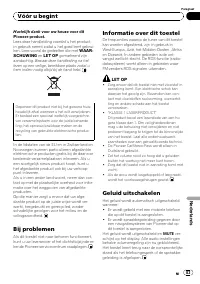
Page 83 - Bij problemen; LET OP; KLASSE 1 LASERPRODUCT; Geluid uitschakelen; Vóór u begint; Nederlands
Hartelijk dank voor uw keuze voor dit Pioneer-product. Lees deze handleiding voordat u het product in gebruik neemt zodat u het goed leert gebrui- ken. Lees vooral de gedeelten die met WAAR- SCHUWING en LET OP gemarkeerd zijn aandachtig. Bewaar deze handleiding na het lezen op een veilige, bereikbar...
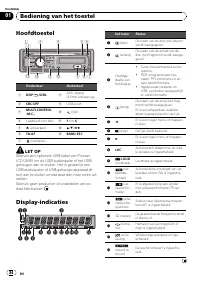
Page 84 - Hoofdtoestel; Bediening van het toestel
Hoofdtoestel Onderdeel Onderdeel 1 DISP / / SCRL 8 AUX-ingang(3,5mm-stereoplug) 2 SRC / OFF 9 USB-poort 3 MULTI-CONTROL ( M.C. ) a (lijst) 4 Laadsleuf voor disc b 1 t/m 6 5 h (uitwerpen) c a / b / c / d 6 TA / AF d BAND / ESC 7 (losmaken) LET OP Gebruik een optionele USB-kabel van Pioneer(CD-U50E) o...
Page 85 - Basisbediening; Belangrijk
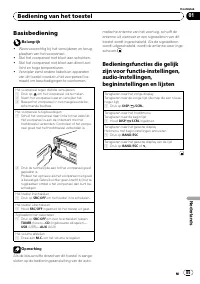
Basisbediening Belangrijk ! Wees voorzichtig bij het verwijderen en terug-plaatsen van het voorpaneel. ! Stel het voorpaneel niet bloot aan schokken. ! Stel het voorpaneel niet bloot aan direct zon-licht en hoge temperaturen. ! Verwijder eerst andere kabels en apparatenvan dit toestel voordat u het ...
Page 86 - Opmerking; Zenders opslaan en oproepen; Stem af op de zender die u in het ge-
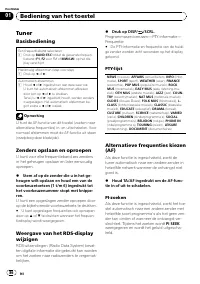
Tuner Basisbediening Een frequentieband selecteren 1 Druk op BAND / ESC totdat de gewenste frequen- tieband ( F1 , F2 voor FM of MW/LW ) op het dis- play verschijnt. Handmatig afstemmen (stap voor stap) 1 Druk op c of d . Automatisch afstemmen 1 Houd c of d ingedrukt en laat deze weer los. U kunt he...
Page 87 - Opmerkingen
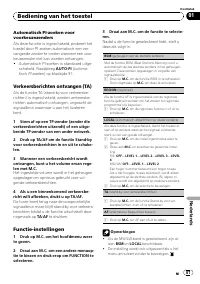
Automatisch PI-zoeken voorvoorkeuzezenders Als deze functie is ingeschakeld, probeert hettoestel door PI-zoeken automatisch een ver-vangende zender te vinden wanneer een voor-keuzezender niet kan worden ontvangen. ! Automatisch PI-zoeken is standaard uitge-schakeld. Raadpleeg AUTO-PI (automa- tisch ...
Page 88 - Tekstinformatie weergeven; Druk op
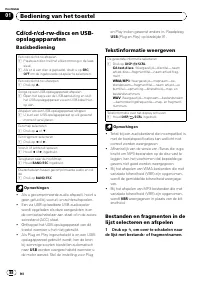
Cd/cd-r/cd-rw-discs en USB-opslagapparaten Basisbediening Een cd/cd-r/cd-rw afspelen 1 Plaats een disc met het etiket omhoog in de laad-sleuf. 1 Als er al een disc is geplaatst, drukt u op SRC / OFF om de ingebouwde cd-speler te selecteren. Een cd/cd-r/cd-rw uitwerpen 1 Druk op h . Songs op een USB-...
Page 90 - Begininstellingen; Houd SRC/OFF ingedrukt tot het toestel
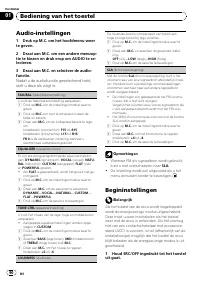
Audio-instellingen 1 Druk op M.C. om het hoofdmenu weer te geven. 2 Draai aan M.C. om een andere menuop- tie te kiezen en druk erop om AUDIO te se-lecteren. 3 Draai aan M.C. en selecteer de audio- functie. Nadat u de audiofunctie geselecteerd hebt,stelt u deze als volgt in. FAD/BAL (fader/balansinst...
Page 91 - Steek de stereo-miniplugkabel in de
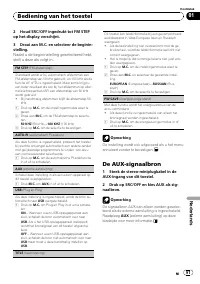
2 Houd SRC/OFF ingedrukt tot FM STEP op het display verschijnt. 3 Draai aan M.C. en selecteer de beginin- stelling. Nadat u de begininstelling geselecteerd hebt,stelt u deze als volgt in. FM STEP (FM-afstemstap) Standaard wordt er bij automatisch afstemmen eenFM-afstemstap van 50 kHz gebruikt, en 10...
Page 92 - Problemen verhelpen; Foutmeldingen; Aanvullende informatie
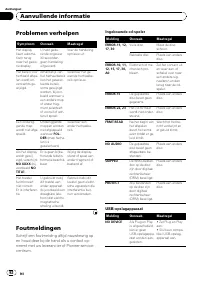
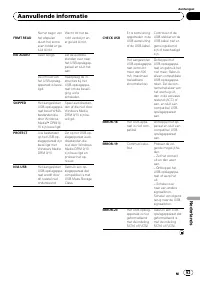
Problemen verhelpen Symptoom Oorzaak Maatregel Het displaykeert automa-tisch terugnaar het gewo-ne display. U hebt gedu-rende ongeveer30 secondengeen handelinguitgevoerd. Voer de handelingopnieuw uit. Het bereik voorherhaald afspe-len wordt on-verwachts ge-wijzigd. Afhankelijk vanhet herhaalbereikka...
Page 94 - Discs en de player
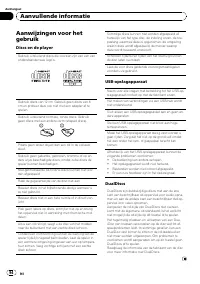
Aanwijzingen voor hetgebruik Discs en de player Gebruik uitsluitend discs die voorzien zijn van een vanonderstaande twee logo ’ s. Gebruik discs van 12 cm. Gebruik geen discs van 8cm en probeer deze ook niet met een adapter af tespelen. Gebruik uitsluitend normale, ronde discs. Gebruikgeen discs met...
Page 96 - Volgorde van audiobestanden; Voorbeeld van een boomstructuur; Plaats de bestanden in een map.; Lijst van Russische tekens
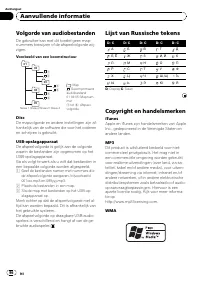
Volgorde van audiobestanden De gebruiker kan met dit toestel geen map-nummers toewijzen of de afspeelvolgorde wij-zigen. Voorbeeld van een boomstructuur 12 34 56 01 02 03 04 05 Niveau 1 Niveau 2 Niveau 3 Niveau 4 : Map : Gecomprimeerd audiobestand01 tot 05: Mapnum-mer 1 tot 6 : Afspeel- volgorde Dis...
Page 97 - Technische gegevens; Algemeen
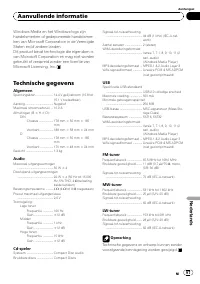
Windows Media en het Windows-logo zijnhandelsmerken of gedeponeerde handelsmer-ken van Microsoft Corporation in de VerenigdeStaten en/of andere landen.Dit product bevat technologie die eigendom isvan Microsoft Corporation en mag niet wordengebruikt of verspreid zonder een licentie vanMicrosoft Licen...
Page 98 - Благодарим Вас; за покупку этого из; Держите; Сведения об этом устройстве; ВНИМАНИЕ; Pioneer CarStereo-Pass; Перед началом эксплуатации
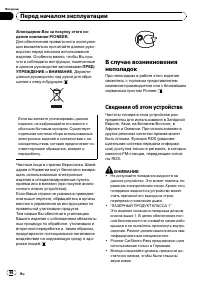
Благодарим Вас за покупку этого из - делия компании PIONEER. Для обеспечения правильности эксплуата - ции внимательно прочитайте данное руко - водство перед началом использованияизделия . Особенно важно , чтобы Вы про - чли и соблюдали инструкции , помеченные в данном руководстве заголовками ПРЕД - ...
Page 99 - Приглушение звука
! Не допускайте воздействия влажности наизделие . ! При отключении или разряде аккумулятор - ной батареи память предварительных на - строек будет стерта . Приглушение звука Звук приглушается автоматически : ! при получении входящего вызова илинаборе номера на сотовом телефоне , подключенном к этому ...
Page 100 - Основное устройство; Индикация на дисплее; Управление данным устройством
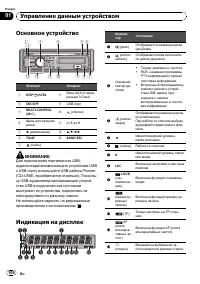
Основное устройство Элемент Элемент 1 DISP / / SCRL 8 Вход AUX ( стерео - разъем 3,5 мм ) 2 SRC / OFF 9 USB порт 3 MULTI-CONTROL ( M.C. ) a ( список ) 4 Щель для загрузкидиска b от 1 до 6 5 h ( извлечение ) c a / b / c / d 6 TA / AF d BAND / ESC 7 ( снять ) ВНИМАНИЕ Для подключения портативного USB-...
Page 101 - Основные операции; Важно
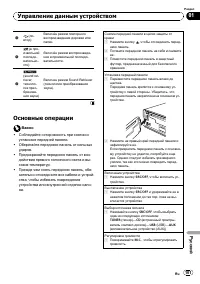
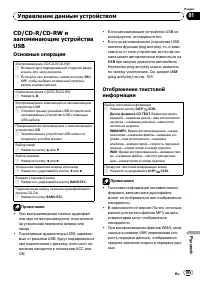
e ( по - втор ) Включён режим повторноговоспроизведения дорожки илипапки . f ( в про - извольнойпоследо - вательно - сти ) Включён режим воспроизведе - ния в произвольной последо - вательности . g (sound ret-riever, техноло - гия прео - бразова - ния звука ) Включен режим Sound Retriever ( технологи...
Page 102 - Примечание; ной настройки
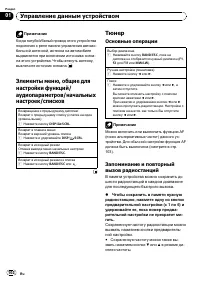
Примечание Когда голубой / белый провод этого устройства подключен к реле панели управления автомо - бильной антенной , антенна на автомобиле выдвигается при включении источника сигна - ла этого устройства . Чтобы втянуть антенну , выключите источник сигнала . Элементы меню , общие для настройки фун...
Page 103 - На дисплее на восемь секунд появится ин; PTY; Выбор альтернативных частот; PI; Прием дорожных сводок
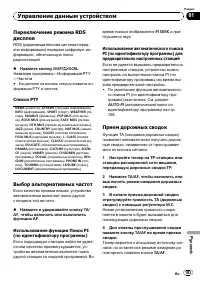
Переключение режима RDS дисплея RDS ( радиовещательная система перед - ачи информации ) передает цифровую ин - формацию , облегчающую поиск радиостанций . % Нажмите кнопку DISP / / SCRL . Название программы — Информация PTY — Частота # На дисплее на восемь секунд появится ин - формация PTY и частота...
Page 104 - Настройка функций; FUNCTION; Примечания
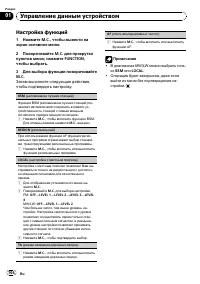
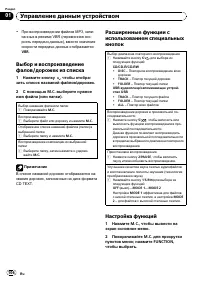
Настройка функций 1 Нажмите M.C. , чтобы вывести на экран основное меню . 2 Поворачивайте M.C. для прокрутки пунктовменю ; нажмите FUNCTION , чтобы выбрать . 3 Для выбора функции поворачивайте M.C. Затем выполните следующие действия , чтобы подтвердить настройку . BSM ( запоминание лучших станций ) ...
Page 106 - VBR; дорожек из списка
! При воспроизведении файлов МР 3, запи - санных в режиме VBR ( переменная ско - рость передачи данных ), вместо значения скорости передачи данных отображается VBR . Выбор и воспроизведениефалов / дорожек из списка 1 Нажмите кнопку , чтобы отобра - зить список названий файлов / дорожек . 2 С помощью...
Page 107 - AUDIO
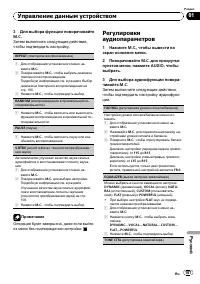
3 Для выбора функции поворачивайте M.C. Затем выполните следующие действия , чтобы подтвердить настройку . REPEAT ( повторное воспроизведение ) 1 Для отображения установочного меню на - жмите M.C. 2 Поворачивайте M.C. , чтобы выбрать диапазон повторного воспроизведения . Подробную информацию см . в ...
Page 108 - Начальные настройки; SRC
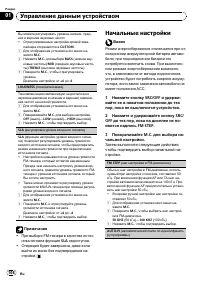
Вы можете регулировать уровень нижних , сред - них и верхних звуковых частот . ! Отрегулированные настройки кривой эква - лайзера сохраняются в CUSTOM . 1 Для отображения установочного меню на - жмите M.C. 2 Нажмите M.C. для выбора BASS ( нижние зву - ковые частоты )/ MID ( средние звуковые часто - ...
Page 109 - AUX
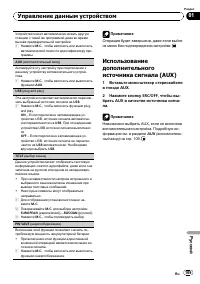
Устройство может автоматически искать другуюстанцию с такой же программой даже во времявызова предварительной настройки . 1 Нажмите M.C. , чтобы включить или выключить автоматический поиск по идентификатору про - граммы . AUX ( вспомогательный вход ) Активируйте эту настройку при подключении кданном...
Page 110 - Сообщения об ошибках; Прежде чем обратиться к торговому пред; Встроенный проигрыватель компакт; Дополнительная информация
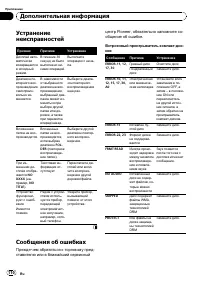
Устранениенеисправностей Признак Причина Устранение Дисплей авто - матическивозвращаетсяв исходныйрежим . В течение 30 секунд не быловыполнено ни - каких операций . Выполнитеоперацию с нача - ла . Диапазон по - вторного вос - произведениясамопроиз - вольно из - меняется . В зависимостиот выбранногод...
Page 113 - Диск
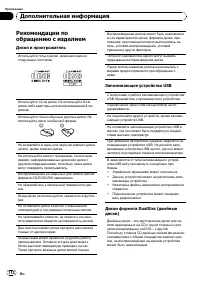
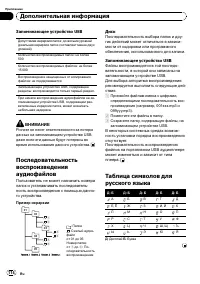
Частая загрузка и извлечение двойного дискаможет привести к появлению царапин на диске . Серьезные царапины могут создать проблемыпри воспроизведении диска на данном ус - тройстве . В некоторых случаях двойной диск может застревать в щели загрузки дисков , из - за чего его становится невозможно извл...
Page 114 - Pioneer
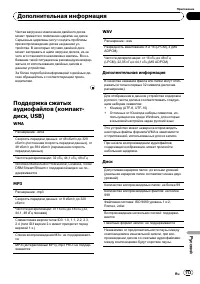
Запоминающее устройство USB Допустимая иерархия папок : до восьми уровней ( реальная иерархия папок составляет менее двух уровней ) Количество воспроизводимых папок : не более 500 Количество воспроизводимых файлов : не более 15 000 Воспроизведение защищенных от копированияфайлов : не поддерживается ...
Page 115 - Технические характеристики; Общие; Аудио
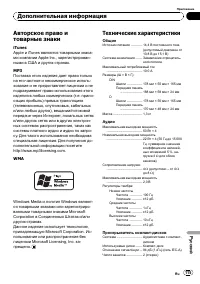
Авторское право итоварные знаки iTunes Apple и iTunes являются товарными знака - ми компании Apple Inc., зарегистрирован - ными в США и других странах . MP3 Поставка этого изделия дает право толькона его частное и некоммерческое исполь - зование и не предоставляет лицензии и неподразумевает право ис...







 Pioneer DEH-1510 User Manual
 Pioneer DEH-1600UB (UBA) (UBB) (UBG) User Manual
 Pioneer DEH-1900UB Manual
 Pioneer DEH-2050MPG Manual
 Pioneer DEH-2300UB (UBB) User Manual
 Pioneer DEH-2400UB User Manual
 Pioneer DEH-2500UI Manual
 Pioneer DEH-2600UI User Manual
 Pioneer DEH-3000MP Manual
 Pioneer DEH-3050UB Manual
 Pioneer DEH-3200UB Manual