Philips S10A/05 - Quick Guide
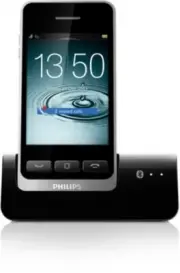
Philips S10A/05 – Quick Guide, read for free online in PDF format. We hope this helps you resolve any issues you may have. If you have further questions, please contact us through the contact form.


Table of Contents:
- Page 2 – Get star ted
- Page 3 – Over view
- Page 4 – Bluetooth
- Page 5 – Enjoy
S10
S10A
Register your product and get support at
www.philips.com/welcome
Quick star t guide
"Loading the manual" means you need to wait until the file loads and becomes available for online reading. Some manuals are very large, and the time they take to appear depends on your internet speed.
Was this manual helpful?
About this manual
- Brand
- Philips
- Model
- S10A/05
- Document type
- Quick Guide
- Language(s)
- English
- Pages
- 6
- File size
- 885.5 KB
- Format
Summary
1 Get star ted Connect the base Charge your phone Charge 6 hours 1 2 Configure your phone 1 Press until you see the Philips wordmark. 2 Set countr y and language. 3 Set date and time. > 84% 68% - 84% 52% - 68% 36% - 52% 20% - 36% < 20% Flashing: low batter y Scrolling: charging in progress
2 Over view + / – 1 2 3 Center home screen Main menu screen Dial pad Enter the center home screen in standby mode. • Make and receive calls. • Show the dial pad. • End a call. + / – Adjust the volume during a call. Center home screen a Notifications/date and time b Top 3 contacts c Favorite applicat...
3 Bluetooth Pair your S10/S10A with your mobile phones Your S10/S10A features MobileLink technology to: • receive and make both landline and mobile calls • download your mobile phone contacts To use MobileLink first pair your mobile phone to your S10/S10A using Bluetooth: 1 Make sure Bluetooth is ac...


