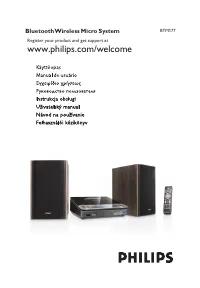
Page 2 - Safety; Important Safety Instructions
English 1 Important Safety Important Safety Instructions a Read these instructions. b Keep these instructions. c Heed all warnings. d Follow all instructions. e Do not use this apparatus near water. f Clean only with dry cloth. g Do not block any ventilation openings. Install in accordance with the ...
Page 5 - Notice; Recycling
Notice This product complies with the radio inter ference requirements of the European Community. Any changes or modifications made to this device that are not expressly approved by Philips Consumer Lifestyle may void the user’s authority to operate the equipment. Recycling Your product is designed ...
Page 7 - Your CD Soundmachine; Introduction
2 Your CD Soundmachine Introduction With this CD Soundmachine, you can: play audio discs • listen to FM/MW radio • enjoy music from iPod and other ex ternal devices • program the play sequence of tracks • Dynamic Bass Boost (DBB) helps you to maximizes music enjoyment. What’s in the box Check and id...

Page 8 - Overview of the main unit
Overview of the main unit a LIFT-OPEN Open/close the disc compar tment. • b Source selector Select a source: CD, iPod, or tuner. • Turn off the unit. • c MP3 LINK Jack for an ex ternal audio device. • d • Play track /twracks randomly. Play track /tracks repeatedly. • C D S O U N D M A C H I N E A Z ...
Page 10 - Get started; Install batteries
3 Get started Caution Use of controls or adjustments or per formance of procedures • other than herein may result in hazardous radiation exposure or other unsafe operation. Always follow the instructions in this chapter in sequence. If you contact Philips, you will be asked for the model and serial ...
Page 11 - Connect power
3 Close the batter y compar tment. Connect power Warning Risk of product damage! Ensure that the power supply voltage • corresponds to the voltage printed on the back or the underside of the apparatus. Risk of electric shock! When you disconnect the AC power, always • pull the plug from the socket. ...
Page 12 - Turn on; Turn off
1 Connect the power cord to: the AC MAINS jack on the unit • the power supply socket. • Tip To switch the apparatus off completely, disconnect the power cord • from the power supply socket. Note To save energy: after use, turn off the apparatus. • Turn on 1 Push the source selector to CD , iPod , or...
Page 13 - Play; Play disc; Play from iPod; Compatible iPod
4 Play Play disc 1 Push the source selector to CD . 2 Lift to open the disc compar tment. 3 Inser t a disc with the printed side facing up, then close the disc compar tment. 4 Press to star t play. • To pause/resume play, press . To stop play, press • . To select another track, press • / . To search...
Page 14 - Play an iPod player
Play an iPod player 1 Lift to open the dock for iPod. 2 Place the iPod player in the dock. 3 Push the source selector to iPod. To pause/resume play, press • . To skip to a track, press • / . To search during play, press and hold • / , then release to resume normal play.
Page 15 - Charge the iPod; Listen to the radio; Tune to a radio station; Listen to an external device
Charge the iPod When iPod , TUNER , or MP3 LINK source is selected, the docked iPod begins to charge. Listen to the radio Tune to a radio station 1 Push the source selector to TUNER. 2 Push the band selector to FM or MW. 3 Turn TUNING to tune to a station. Tip Position the antenna as far as possible...
Page 16 - Play options; Adjust volume
5 Play options Adjust volume 1 During play, turn VOLUME to increase/decrease the volume level. Enhance bass 1 Press DBB repeatedly to turn on/off dynamic bass enhancement. » When DBB is activated, the DBB indicator turns blue. Select play modes Repeat 1 Press to play the current track or all tracks ...
Page 17 - Product information; Specifications; Disc
3 Repeat steps 2 to 3 to program more tracks. 4 Press to play the programmed tracks. During play, » [PROG] (program) is displayed. To erase the program, press • . To review the program, in the stop position, press • PROGRAM . 6 Product information Note • Product information is subject to change with...
Page 18 - Maintenance
Tuner Tuning Range FM: 87.5 - 108MHz; MW: 530 - 1600kHz Total Harmonic Distor tion <3% Signal to Noise Ratio >50 dB General Power supply AC: 220 - 240V, 50/60 Hz DC: 9V, 1.5 x 6 R14/UM2 Operation Power Consumption 15 W Standby Power Consumption < 1 W Dimensions - Main Unit (W x H x D) 297 x...
Page 19 - Troubleshooting
Clean the disc lens After prolonged use, dir t or dust may accumulate at the disc • lens. To ensure good play quality, clean the disc lens with Philips CD lens cleaner or any commercially available cleaner. Follow the instructions supplied with cleaner. 7 Troubleshooting Warning Never remove the cas...