Page 2 - Contents; Important
Contents 1 Important 5 Safety 5 Notice 7 2 Your DAB clock radio 9 Introduction 9 What’s in the box 9 Over view of the main unit 10 3 Get started 13 Connect power 13 Set clock 14 Turn radio on/off 15 4 Listen to Digital Audio Broadcasts (DAB) 16 Scan DAB radio stations automatically 16 Tune to a DAB ...
Page 3 - Troubleshooting
4 EN 5 Listen to FM radio 21 Tune to a radio station 21 Scan for FM radio stations 21 Store favorite FM radio stations in memor y 22 Listen to a preset FM radio station 22 Display RDS information 22 Select FM radio searching scope 23 6 Adjust settings 24 Adjust time setting 25 Select backlight setti...
Page 4 - Safety; Important safety instructions
5 EN 1 Important Safety Important safety instructions a The apparatus shall not be exposed to dripping or splashing. b Do not place any sources of danger on the apparatus (e.g. liquid filled objects, lighted candles). c Never insert objects into the ventilation slots or other openings on the apparat...
Page 6 - Notice; Recycling
7 EN Notice This product complies with the radio interference requirements of the European Community. Recycling Your product is designed and manufactured with high quality materials and components, which can be recycled and reused. When you see the crossed-out wheel bin symbol attached to a product,...
Page 8 - Introduction
9 EN 2 Your DAB clock radio Congratulations on your purchase, and welcome to Philips! To fully benefit from the suppor t that Philips offers, register your product at www.philips.com/welcome. Introduction With this unit, you can: listen to either digital radio (DAB) or analog FM radio • know the tim...
Page 9 - Overview of the main unit
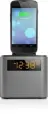
10 EN Overview of the main unit a BACK Return to previous menu. • Cancel a selection. • b INFO/MENU Access DAB/FM menu. • Display DAB/RDS information. • c DBB Turn on or off dynamic bass enhancement. • abcde m n o l k j i h g f AJB3552_05_UM_V1.1.indd 10 6/11/2010 10:34:34 AM
Page 12 - Get started; Connect power
13 EN 3 Get started If you contact Philips, you will be asked for the model and serial number of this apparatus. The model number and serial number are on the bottom of the apparatus. Write the numbers here: Model No. __________________________ Serial No. ___________________________ Connect power Ca...
Page 13 - Set clock
14 EN 1 Connect the AC adaptor to the DC socket on the apparatus first and then to the power socket. Set clock 1 In standby mode, rotate SET ALARM/CLOCK/SET TIME to the SET TIME position. The hour and minute digits begin to blink. » 2 Rotate HOUR to set the hour. 3 Rotate MINUTE to set the minute. 4...
Page 15 - Scan DAB radio stations automatically
16 EN 4 Listen to Digital Audio Broadcasts (DAB) Digital Audio Broadcasting (DAB), is a way of broadcasting radio digitally through a network of transmitters. It provides you with more choice, better sound quality, and more information. 1 Press SOURCE repeatedly to select DAB . The unit automaticall...
Page 17 - Listen to a preset DAB radio station; Show DAB information
18 EN 3 Press / to select a number: 1- 20. 4 Press SELECT to confirm. 5 Repeat steps 1-4 to store other stations. Note To remove a pre-stored DAB radio station, store another station • in its place. Listen to a preset DAB radio station 1 Press / to select a preset DAB radio channel. 2 Press SELECT t...
Page 20 - Listen to FM radio; Tune to a radio station; Scan for FM radio stations
21 EN 5 Listen to FM radio Tune to a radio station Tip Position the antenna as far as possible from T V, VCR or other • radiation source. For optimal reception, fully ex tend and adjust the position of • the antenna. 1 Press SOURCE repeatedly to select FM tuner. 2 Press and hold or . The radio tunes...
Page 21 - Listen to a preset FM radio station
22 EN Store favorite FM radio stations in memory 1 Tune to a FM radio station. 2 Press AUTO SCAN . The preset channel number is displayed. » 3 Press / to select a channel: 1-20. 4 Press SELECT . The selected FM radio station is saved in the selected » channel. 5 Repeat steps 1-4 to store other stati...
Page 22 - Select FM radio searching scope
23 EN Select FM radio searching scope Before you star t to search for FM radio stations, you can select searching scope. 1 Press INFO / MENU for over 3 seconds. 2 Press or until [Scan setting] is displayed, then press SELECT . 3 Press or to select an option: • [Strong stations only] : Only stations ...
Page 23 - Adjust settings
24 EN 6 Adjust settings 1 In DAB or FM mode, press INFO / MENU for over 3 seconds to display system menu. 2 Press / repeatedly until [System] is displayed. 3 Press SELECT to confirm. 4 Press / repeatedly to select an option. 5 Press SELECT to confirm. 6 Press BACK to exit. [Time] [Set 12/24 hour] Se...
Page 24 - Adjust time setting
25 EN Adjust time setting 1 Enter system setting menu. 2 Press / repeated until [Time] is displayed, then press SELECT . 3 Press / to select an option, then press SELECT to confirm. Options Sub-menu Description [Set 12/24 hour] [Set 12 hour] Time is displayed in 12-hour mode. [Set 24 hour] Time is d...
Page 25 - Select backlight settings
26 EN Select backlight settings 1 Enter system setting menu. 2 Press / repeated until [Backlight] is displayed, then press SELECT . 3 Press / to select an option, then press SELECT to confirm. Options Sub-menu Description [Time out] [On] The backlight is always on. [10 sec] The backlight turns off 1...
Page 26 - Set alarm timer; Adjust alarm setting
27 EN Set alarm timer 1 Ensure that you have set the clock correctly. 2 In standby mode, rotate SET ALARM/CLOCK/SET TIME to the SET ALARM position. The hour and minute digits begin to blink. » 3 Rotate HOUR to set the hour. 4 Rotate MINUTE to set the minute. 5 Rotate the SET ALARM/CLOCK/SET TIME to ...
Page 28 - Activate or deactivate the alarm timer; Repeat alarm
29 EN Activate or deactivate the alarm timer 1 Press ALARM ON/OFF repeatedly to activate or deactivate the alarm timer. » [Alarm On] or [Alarm Off] is displayed briefly. Repeat alarm 1 When alarm sounds, press REPEAT ALARM • SELECT repeatedly to select snooze inter val: • [Snooze 5 minutes] : The al...
Page 29 - Stop alarm sound; Set the sleep timer; Enhance bass
30 EN Stop alarm sound 1 When the alarm sounds, press ALARM ON/OFF . The alarm stops but the alarm settings remain. » Set the sleep timer This unit can switch to standby automatically after a period. 1 Press SLEEP repeatedly to select time period: • [15 minutes] • [30 minutes] • [45 minutes] • [60 m...
Page 30 - Amplifier; Tuner
31 EN 7 Product information Note Product information is subject to change without prior notice. • Specifications Amplifier Rated Output Power 1.5 W RMS Tuner Tuning Range FM: 87.5 - 108MHz DAB: 174.92 - 239.20 MHz Tuning grid (FM) 50 KHz Sensitivity - Mono, 26dB S/N Ratio < 22 dBf Search Selectiv...
Page 31 - General information
32 EN Signal to Noise Ratio >55 dB Number of presets 20 (FM) 20 (DAB) General information AC/DC adaptor (Input) 100 ~ 240 V~, 50/60 H, 0.5A (Output) 5V, 1.0A (Brand name) Philips (Model number) AS100-050-AI100 Operation Power Consumption 2 W Standby Power Consumption < 1 W Dimensions 172 x 92 ...