Philips 65PFL5604/F7 - User Manual
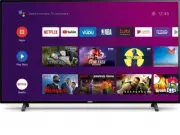
Philips 65PFL5604/F7 – User Manual, read for free online in PDF format. We hope this helps you resolve any issues you may have. If you have further questions, please contact us through the contact form.


Table of Contents:
- Page 2 – Contents
- Page 3 – Know these; safety; symbols; RISK OF ELECTRIC SHOCK; CAUTION; to get the most benefits from your purchase.; *Product safety notification; PROPER TELEVISION PLACEMENT MATTERS; THE CONSUMER ELECTRONICS INDUSTRY CARES
- Page 4 – Important safety instructions; Note to the CATV system installer:
- Page 5 – Notice
- Page 8 – Getting started; Features; Symbols used in this user manual; Digital TV operation
- Page 9 – Unpacking
- Page 10 – Installing the stands
- Page 12 – Remote
- Page 14 – Plugging in the AC power cord
- Page 15 – Selecting your connection quality; HDMI - Highest quality; Connecting your devices; HDMI digital connection
- Page 17 – Connecting the TV to the internet using a wireless LAN; PC connection
- Page 18 – Use your TV; Adjusting volume; Switching channels
- Page 19 – Access the Home menu; Guide to Home menu
- Page 20 – Microphone; Picture format
- Page 21 – Using options menu
- Page 22 – Channel
- Page 24 – Parental Controls; Setting TV and film ratings
- Page 25 – Canadian English or Canadian French ratings; Inputs Blocked; Multi Audio
- Page 26 – Apps
- Page 28 – Inputs; HDMI EDID Version; Power; Sleep Timer
- Page 32 – Captions; Audio Description
- Page 33 – Text to speech; Accessibility shortcut; TalkBack; Reset
- Page 34 – Useful tips; FAQ
- Page 35 – Troubleshooting tips
- Page 37 – Information; Glossary; Maintenance
- Page 38 – Specifications
- Page 39 – Warranty; Limited warranty
- Page 40 – License
- Page 42 – Televisions; Register your product and get suppor t at
- Page 52 – Installing the remote control batteries
- Page 53 – Remote control
- Page 54 – Control panel; Terminals
- Page 61 – Mic
- Page 66 – Change pin; Multi audio
- Page 67 – Picture; Sound
- Page 68 – Screen saver
- Page 70 – Preferences
- Page 71 – Accessibility
- Page 72 – Add accessory
- Page 73 – Security & restrictions; Unknown sources; Google account
Televisions
5604 series
65PFL5604
EN
User manual
FR
Manuel d'utilisation
Register your product and get suppor t at
www.philips.com/support
EN
For further assistance, please call the customer support in your
country or check the Philips website for chat support.
•
FR
•
EN
Check the model name of the rating label on the back of your
TV to confirm if the TV is
65PFL5604/F7 A
or
65PFL5604/F7
:
•
65PFL5604/F7
- Please start to read from
p.42
•
65PFL5604/F7 A
- Please start to read from
next page
FR
Vérifiez le nom du modèle de l'étiquette de classification à
l'arrière de votre téléviseur pour confirmer si le téléviseur est
65PFL5604/F7 A
ou
65PFL5604/F7
:
•
65PFL5604/F7 A
- Veuillez commencer a lire a partir de la
page
suivante
•
65PFL5604/F7
- Veuillez commencer a lire a partir de la
p.42
To
obtain
assistance,
contact
Philips
customer
care
center;
In
the
U.S.A.,
Canada,
Puerto
Rico,
or
the
U.S.
Virgin
Islands
1
833
978
3323
Pour
plus
de
l'aide,
s'il
vous
plaît
contactez
le
service
clientèle
de
votre
pays
ou
consultez
le
site
Web
de
Philips
pour
obtenir
une
assistance
par
chat.
Pour
obtenir
de
l'aide,
communiquez
avec
le
centre
de
service
à
la
clientèle
Philips
au;
Dans
le
États-Unis,
au
Canada,
à
Puerto
Rico
ou
aux
Îles
Vierges
américaines;
1
833
978
3323
"Loading the manual" means you need to wait until the file loads and becomes available for online reading. Some manuals are very large, and the time they take to appear depends on your internet speed.
Was this manual helpful?
About this manual
- Brand
- Philips
- Model
- 65PFL5604/F7
- Document type
- User Manual
- Language(s)
- English
- Pages
- 81
- File size
- 14.3 MB
- Format
Other Manuals for Philips 65PFL5604/F7
Summary
Contents 1 Notice .................................................................................................................. 5 2 Getting started ...................................................................................... 8 Features 8 Included accessories 8 Symbols used in this use...
Know these safety symbols The lightning flash with arrowhead symbol, within an equilateral triangle, is intended to alert the user to the presence of uninsulated “dangerous voltage” within the apparatus's enclosure that may be of sufficient magnitude to constitute a risk of electric shock to persons...
Important safety instructions Read these instructions.Keep these instructions.Heed all warnings.Follow all instructions.Do not use this apparatus near water.Clean only with dry cloth.Do not block any ventilation openings. Install in accordance with the manufacturer's instructions.Do not install near...
Ask a question
Related manuals
Popular Philips Other


More Philips Other models
 Philips 65OLED937/12 User Manual
 Philips 65OLED959/12 User Manual
 Philips 65OLED974/F7 User Manual
 Philips 65PFL4864/F7 User Manual
 Philips 65PFL5504/F7 User Manual
 Philips 65PFL5602/F7 User Manual
 Philips 65PFL9708S/12 User Manual
 Philips 65PFS6659/12 User Manual
 Philips 65PFS7559/12 Quick Guide
 Philips 65PML8709/12 User Manual
 Philips 65PML9008/12 User Manual
 Philips 65PML9009/12 User Manual