Philips 65PFL5604/F7 - Quick Guide
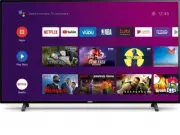
This user manual covers the essential setup, operation, and troubleshooting for Philips Android TV models like the 5704, 5604, and 5504 series. The guide includes instructions on configuring Google accounts, connecting to networks (wired/wireless), navigating the home screen, using Live TV with antennas or USB inputs, and managing external devices such as Chromecast or Bluetooth accessories. It also addresses key features like Google Assistant activation, parental controls, and remote control functionality while providing troubleshooting for common issues–such as connectivity delays, sound problems, or remote malfunctions–to ensure a smooth viewing experience.


Table of Contents:
- Page 1 – Product Identification and OS Version Check
- Page 2 – Introduction to Android O Quick Start Guide
- Page 3 – Remote Control Operation and Viewing Setup
- Page 4 – Android TV Setup and Network Configuration
- Page 5 – Android TV Navigation and Application Management
- Page 6 – Live TV Feature Operation
- Page 7 – Google Assistant Activation and Safety Settings
- Page 8 – External Device Connectivity
- Page 9 – Television Troubleshooting Guide
- Page 10 – System Troubleshooting Categories and Support
- Page 11 – Parental Controls Configuration
- Page 12 – Television Technical Specifications
- Page 13 – Product Licensing and Warrantor Information
- Page 14 – Android P Quick Start Guide
- Page 15 – Remote Control Functions and Viewing Distances
- Page 16 – Android TV Setup and Network Configuration
- Page 17 – Android TV Home Screen Navigation
- Page 18 – Live TV and Antenna Feature Use
- Page 19 – Google Assistant and SafeSearch Configuration
- Page 20 – External Device Connection Procedures
- Page 21 – Comprehensive Television Troubleshooting
- Page 22 – System Troubleshooting Categories and Support
- Page 23 – Detailed Parental Control Setup
- Page 24 – Television Model Specifications
- Page 25 – Trademarks, Copyright, and Compliance
- Page 26 – Manual Access and Warrantor Information
Quick start guide
Depending on your TV, please see below to determine which QSG you will need to see.
There are two Android OS versions for this model. Please follow below to get started with QSG.
1.
On the home menu of your Android TV, select
Settings
in the upper right corner of the screen,
or press
y
(OPTIONS)
on the remote.
2.
Select
About
or
Device Preferences
>
About
3.
Under
Version
:
If version is Android O (8.x), please start from
If version is Android P (9.x), please start from
Televisions
5704 series
5604 series
5504 series
"Loading the manual" means you need to wait until the file loads and becomes available for online reading. Some manuals are very large, and the time they take to appear depends on your internet speed.
Was this manual helpful?
Helpful for 3 of 3 readers
About this manual
- Brand
- Philips
- Model
- 65PFL5604/F7
- Document type
- Quick Guide
- Language(s)
- English
- Pages
- 26
- File size
- 1.9 MB
- Format
Other Manuals for Philips 65PFL5604/F7
Summary
Instructions for determining the Android OS version (Android O or P) by accessing the Settings menu to locate the appropriate starting page in the guide.
Initial guidance for models running Android O, including navigation notes and customer support contact information.
Instructions for installing remote batteries and detailing the functions of all remote buttons, along with recommended viewing distances and angles for the television.
Ask a question
Related manuals
Popular Philips Other


More Philips Other models
 Philips 65OLED937/12 Quick Guide
 Philips 65OLED959/12 Quick Guide
 Philips 65OLED974/F7 Quick Guide
 Philips 65PFL4864/F7 Quick Guide
 Philips 65PFL5504/F7 Quick Guide
 Philips 65PFL5602/F7 Quick Guide
 Philips 65PFL9708S/12 Quick Guide
 Philips 65PFS6659/12 Quick Guide
 Philips 65PFS7559/12 Quick Guide
 Philips 65PML8709/12 Quick Guide
 Philips 65PML9008/12 Quick Guide
 Philips 65PML9009/12 Quick Guide