Page 2 - Contents
Contents 1 Notice .................................................................................................................. 5 2 Getting started ...................................................................................... 8 Features 8 Included accessories 8 Symbols used in this use...
Page 3 - Know these; safety; symbols; RISK OF ELECTRIC SHOCK; CAUTION; to get the most benefits from your purchase.; *Product safety notification; PROPER TELEVISION PLACEMENT MATTERS; THE CONSUMER ELECTRONICS INDUSTRY CARES
Know these safety symbols The lightning flash with arrowhead symbol, within an equilateral triangle, is intended to alert the user to the presence of uninsulated “dangerous voltage” within the apparatus’s enclosure that may be of sufficient magnitude to constitute a risk of electric shock to persons...
Page 4 - Important safety instructions; Note to the CATV system installer:
Important safety instructions Read these instructions.Keep these instructions.Heed all warnings.Follow all instructions.Do not use this apparatus near water.Clean only with dry cloth.Do not block any ventilation openings. Install in accordance with the manufacturer’s instructions.Do not install near...
Page 5 - Notice
1 Notice Trademarks are the property of Koninklijke Philips N.V. or theirrespective owners.Funai Corporation reserves the right to change products at any timewithout being obliged to adjust earlier supplies accordingly.The material in this Owner's manual is believed adequate for theintended use of t...
Page 8 - Getting started; Features; Included accessories; Symbols used in this user manual; Digital TV operation
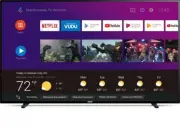
2 Getting started Features ● Google Assistant on Android TV Android TV brings a world of content to your biggest screen. With the GoogleAssistant built in, you can quickly access entertainment, get answers, andcontrol devices around your home. Find the latest blockbuster, check thescore of the big g...
Page 9 - Unpacking
Unpacking It is recommended that two or more people remove the TV set fromthe box. Be careful not to injure your fingers and keep children awayduring assembly. 1 Open the top flaps of the box. 2 Remove all accessories. Caution(s) ● DO NOT take the TV set out of the box yet. 3 Remove the packing join...
Page 12 - Remote control
Remote control B (POWER) Turns the TV on and off of standby. VUDU Access directly to VUDU. 1 (INFO) Displays input, resolution, and HDR information. 0 (Google Assistant) Activates your personal Google Assistant. y (OPTIONS) Displays a list of menu options applicable to the active screen. OK Press to...
Page 13 - Control panel; Terminals
Control panel f c d e a b a Remote control sensor Receives IR signal from remote control. b CH + / – Selects a channel. c B (POWER) Turns the TV on or switches the TV into standby mode. d 2 (MUTE) Turns the sound on and off. e w (INPUTS) Selects connected devices. f VOL + / – Adjusts the volume. VOL...
Page 14 - ray DiscTM / DVD recorder via composite connectors; Plugging in the AC power cord
Connecting antenna or cable / satellite /IPTV set-top box Be sure your antenna or another device is connected properly beforeplugging in the AC power cord. If connecting to an antenna through an RF cable Any DTV programs that are broadcast in your area can be received forfree through an antenna conn...
Page 15 - Selecting your connection quality; HDMI - Highest quality; Connecting your devices; HDMI digital connection
No included cables are used with these connections: ● Please purchase the necessary cables at your local store. Before you connect the AC power cord: Be sure other devices are connected properly before plugging in theAC power cord. Selecting your connection quality HDMI - Highest quality Supports hi...
Page 16 - HDMI EDID Version; Composite analog video connection
HDMI-ARC connection HDMI-ARC allows you to use HDMI control to output TV audio directlyto a connected audio device, without the need for an additional digitalaudio cable. HDMI cable Digital home theater amplifier that supports HDMI-ARC HDMI 2 IN only OUT Note(s) ● The HDMI 2 connector is HDMI Audio ...
Page 17 - PC connection
Connecting the TV to the internet using a wireless LAN Internet LAN WLAN Ethernetcable Network provisioning equipment Broadband router Note(s) ● After you make the wireless connection, set up the necessary networksettings. Network L p. 22 ● Use a wireless LAN Access Point (AP) (e.g. broadband wirele...
Page 18 - Use your TV; Adjusting volume; Switching channels
3 Use your TV Switching on your TV and putting it instandby mode TV Turns the TV on and off of standby. ● Press B (POWER) on the TV or the remote control. Note(s) ● Energy consumption contributes to air and water pollution. When the ACpower cord is plugged in, your TV consumes energy with a very low...
Page 19 - Guide to Home menu; Apps; Mic; TV screen information
Access the Home menu1 Press x (HOME) . Guide to Home menu From the Android TV home screen, you can easily access movies, TVshows, music, apps, input devices, settings, and more.To go back to the home screen at any time, press x (HOME) on your remote control. a e f h g c b d a Google Assistant : Acti...
Page 20 - Using options menu
Using options menu You can access to some TV settings directly by using y (OPTIONS) . 1 Press y (OPTIONS) to display options menu, then press OK . 2 Use H I J K to select a desired setting, then press OK . Picture style Following settings can be configured. ¡ Standard ¡ Natural ¡ Vivid ¡ Sports ¡ Mo...
Page 23 - Setting TV and film ratings; Canadian English or Canadian French ratings
Setting TV and film ratings Film ratings lock is the rating system created by MPAA. TV ratings lockhas controlled access to individual programs based on their ageratings and content rating. 3 Use H I to select Program restrictions , then press OK . 4 Use H I to select Ratings , then press OK repeate...
Page 24 - Inputs
Change pin1 Use H I to select Change pin , then press OK . 2 Use H I to enter the current 4-digit PIN code. 3 Use H I to enter the new 4-digit PIN code. ● Enter PIN code again to confirm. Caution(s) ● If you have forgotten the current 4-digit PIN code, you can reset the codeby performing Factory dat...
Page 25 - Picture
Picture ¡ Picture style 4:3 Displays a 4:3 picture at its original size.Sidebars appear on both edges of the screen. Wide screen Displays a picture that is stretched out ofproportion to fill the screen. Full Displays a scaled 16:9 picture. Bars appear on boththe upper and lower portions of the scree...
Page 26 - Screen saver
This selects sound modes for more spatial or surround soundreproduction. Advanced settings Dialog enhancement Off To set Dialog enhancement tooff On To set Dialog enhancement toon Bass enhancement Off To set Bass enhancement to off On To set Bass enhancement to on Surround sound Off To set Surround ...
Page 27 - About
Power1 Press x (HOME) and use H I J K to select Settings then press OK . 2 Use H I to select Power , then press OK . 3 Adjust the following items. Sleep time ¡ Off ¡ 10 minutes ¡ 20 minutes ¡ 30 minutes ¡ 60 minutes ¡ 90 minutes ¡ 120 minutes ¡ 180 minutes ¡ 240 minutes Picture off Select Picture of...
Page 28 - Preferences
Preferences Date & time Automatic date & time Use network-provided time or off If it is set to off, please manually set the date and time. Set time zone Select your time zone Use 24-hour format Set the time to display in a 12 or 24-hour format Language You can set the language for the on-scr...
Page 30 - Add accessory
Note(s) ● Caption service that you can switch differs depending on the broadcastdescription. ● Closed captioning service may not be controlled by this unit’s menu optionsif you are watching television through an external cable or satellite set-topbox. In which case you will need to use the menu opti...
Page 31 - Security & restrictions; Unknown sources; Google account
Security & restrictions Unknown sources Allow installation of apps from sources other than the play store. Verify apps Disallow or warn before installation of apps that may cause harm. Restricted Profile Create restricted profile To set up the restricted profile. 1 Press x (HOME) and use H I J K...
Page 32 - Useful tips; FAQ
5 Useful tips FAQ Question Answer My remote control does not work.What should I do? ● Check the antenna or cable connection to the main unit. ● Check the batteries on the remote control. ● Check if there is an obstacle between the infrared sensor window and the remote control. ● Test the IR signal o...
Page 33 - Troubleshooting tips
Troubleshooting tips If the unit does not perform properly when operated as instructed in this manual, Please check the following Troubleshooting tips and all connections once before calling for service. Power No power ● Make sure the AC power cord is plugged in. ● Make sure that the AC outlet suppl...
Page 35 - Information; Glossary; Maintenance
6 Information Glossary Analog TV (NTSC) Acronym that stands for National Television Systems Committee and thename of analog broadcasting standards.Off the air analog TV signals are no longer being sent by majorbroadcasting stations in the USA. ARC (Audio Return Channel) (HDMI 2 only) HDMI-ARC allows...
Page 36 - Specifications
7 Specifications Model # 65PFL5504 PictureType UHD (Ultra HD) (3840 x 2160 pixels 60Hz) Diagonal screen size / Aspect ratio 64.5”/ 16:9 Viewing angles 178° (V) by 178° (H) Built-in digital / analog tuner ATSC (digital) / NTSC (analog) SoundMono / Stereo Mono, Stereo Power output (RMS watts) 10W x 2 ...
Page 37 - Warranty; Limited warranty
8 Warranty This warranty gives you specific legal rights. You may have other rights which vary from state/province to state/province. Funai Service Corporation, 2425 Spiegel Drive, Groveport, OH 43125, USA Limited warranty one (1) year Warranty coverage : This warranty obligation is limited to the t...
Page 38 - License
License Funai Corporation, Inc. hereby offers to deliver, upon request, a copyof the complete corresponding source code for the copyrighted opensource code packages, on an “AS IS” basis, used in this product forwhich such offer is requested by the respective licenses. This offer isvalid up to three ...