Page 2 - Contents
1 1.1 1.2 1.3 1.4 1.5 1.6 1.7 1.8 1.9 1.10 1.11 2 2.1 2.2 2.3 2.4 2.5 2.6 2.7 2.8 2.9 3 3.1 3.2 3.3 3.4 3.5 3.6 3.7 3.8 3.9 3.10 3.11 4 4.1 4.2 4.3 4.4 4.5 5 5.1 5.2 5.3 5.4 5.5 6 6.1 6.2 6.3 6.4 6.5 6.6 6.7 7 Contents Tour 3 Ultra HD TV 3 Smart TV 3 App gallery 3 Rental videos 3 Online TV 4 Social ...
Page 3 - Tour; Ultra HD TV
1 Tour 1.1 Ultra HD TV This TV has an Ultra HD display. Its resolution is four times as much as normal HD displays. Ultra HD means 8 million pixels for the most refined and lifelike picture on TV. On top, the new Ultra Pixel HD Engine converts continuously any incoming TV signal into Ultra HD resolu...
Page 6 - Setting up; TV stand and wall mounting; Tips on placement
2 Setting up 2.1 TV stand and wall mounting TV Stand You can find the mounting instructions of the TV stand in the Quick Start Guide that came with the TV. In case you lost this guide, you can download it from www.philips.com . Use the product type number of the TV to look for the Quick Start Guide ...
Page 9 - Connect devices
To receive multimedia files from smartphones or tablets, set the DMR to On . Wi-Fi Miracast For more information on Wi-Fi Miracast, press * List and look up Wi-Fi Miracast™ . Wi-Fi Miracast connections For more information on Wi-Fi Miracast, press * List and look up Wi-Fi Miracast™ . Wi-Fi smart scr...
Page 18 - Setup menu
1 - Press h , select S Setup and press OK . 2 - Select TV settings > Picture > Game or computer and press OK . 3 - Select Game (for gaming) or select Off (for watching a movie) and press OK . 4 - Press b , repeatedly if necessary, to close the menu. Remember to set the Game or computer setting...
Page 21 - TV; Switch on; Remote control
3 TV 3.1 Switch on Switch on and off Make sure you plugged in the mains power on the back of the TV before you switch on the TV. If the red indicator light is off, press the small key A on the right side of the back of the TV to put the TV in standby - the red indicator will light up. With the TV in...
Page 25 - TV channels
Pairing again You can pair another remote control with this TV. The method to pair a remote control is different for a remote control already paired with another TV compared with a remote control that is not paired yet. • The remote control is paired with another TV To pair, hold the Remote control ...
Page 33 - TV guide
2 - Select TV settings and select General settings > HbbTV and press OK . 3 - Select On and press OK . 4 - Press b , repeatedly if necessary, to close the menu. If you want to avoid access to HbbTV pages on a specific channel, you can block the HbbTV pages for this channel only. 1 - Tune to the c...
Page 34 - Switch to devices
To search for programmes by genre, press o OPTIONS and select Search by genre . Select a genre and press OK . A list with the found programmes appears. Recordings From the TV guide, you can instantly record or schedule a recording of a TV programme. To store the recordings, connect a USB Hard Drive ...
Page 35 - Subtitles and languages
The device should be connected with an HDMI cable and both TV and device must have HDMI CEC switched on. Home Theatre System You can switch on your Home Theatre System to listen to an audio disc or a radio channel and leave the TV in standby. To only switch on the HTS, with the TV in standby, press ...
Page 36 - Timers and clock; Picture settings
Original language If the digital channel holds the original language of a programme or movie, you can set the TV to automatically switch to that audio language. Set Original language to On to watch a dubbed movie in its original language (if the original language is available). To set Original langu...
Page 40 - Sound settings
To set the TV to Shop location . . . 1 - Press h , select S Setup and press OK . 2 - Select TV settings > General settings > Location and press OK . 3 - Select Shop and press OK . 4 - Press b , repeatedly if necessary, to close the menu. ISF Calibration Get the most out of your HD TV display w...
Page 43 - Universal access
Static colour With Static , you can set the static Ambilight colour. You can create a colour yourself or select one of the two white light presets. The Ambilight mode must be set to Static before you can create a static colour. To create a colour yourself . . . 1 - Press h , select S Setup and press...
Page 45 - Satellite channels; Watching satellite channels
4 Satellite channels 4.1 Watching satellite channels To watch satellite channels, press h , select Satellite and press OK . The TV tunes to the satellite channel you last watched. Change channel To change channels, press CH+ or CH- . The TV will tune to the next channel in the selected channel list....
Page 46 - Lock satellite channels
There are two favourite lists, one for TV channels and one for satellite channels. Set up your favourites list To compose a list of your favourite channels . . . 1 - While watching a channel, press L LIST to open the channel list. 2 - In the menu bar, select t for TV or Ò for satellite channels. 3 -...
Page 47 - Satellite installation
Forgotten your Child lock code? If you forgot your code, you can override the current code and enter a new code. 1 - Press h , select S Setup and press OK . 2 - Select Satellite settings > Child lock > Change code and press OK . 3 - Enter the overriding code 8888 . 4 - Now enter a new Child lo...
Page 52 - Watch 3D
5 3D 5.1 What you need This is an Easy 3D TV. To watch 3D you need to : • tune to a TV channel that broadcasts programmes in 3D • rent a movie in 3D from an online video store with Smart TV • watch a movie in 3D from a 3D Blu-ray Disc, a USB device or computer You can view photos in Ultra HD resolut...
Page 53 - Health warning
• avoid fluorescent lighting (such as TL lighting or certain energy saving light bulbs which operate on a low frequency) and direct sunlight as they may interfere with the 3D experience. 5.5 Health warning • Watching 3D is not recommended for children under the age of six. • If you or your family ha...
Page 54 - Smart TV; Home menu
6 Smart TV 6.1 Home menu From the Home menu, you can start any activity you can do with the TV. Open the Home menu to start watching TV or start watching a disc on your Home Theatre System. Also in the Home menu, you can open Smart TV to surf the Internet, start Skype or open Help if you need inform...
Page 56 - Videos, photos or music
To return to the Smart TV start page, press L LIST or b . Add an App to your list In the App gallery, select the App icon and press OK . Select Add and press OK . Alternatively, select Add and move to add it and immediately position the App where you want it in your list. Start an App To start an Ap...
Page 59 - Multi room
2 - On the device, open an application such as Wi-Fi Miracast, Wi-Fi Direct™, Intel®Wireless Display* or similar and start scanning for other Miracast devices. 3 - In the list of found devices, select the TV and connect. 4 - On the TV, agree to the request to connect to the TV. You might be asked to...
Page 60 - Pause TV
To switch on Switch on with Wi-Fi , press h , select S Setup and press OK . Select Network settings > Switch on with Wi-Fi and select On and press OK . If all conditions on both TVs are met, you can use Multi room. Using Multi room First time use When you start Multi room for the first time, swit...
Page 61 - Recording
• You can buffer the digital (DVB) subtitles of a channel. You cannot buffer subtitles that come from Text services. To check if digital (DVB) subtitles are available, tune to the TV channel and press o OPTIONS , select L Options in the menu bar and select Subtitle language to open the list of Subti...
Page 62 - MyRemote App
In the list, select the recording and press x (Play) to start the playback. You can use the ‹ (Forward), ! (Rewind), p (Pause) or q (Stop) keys on the remote control. Expired recording Broadcasters can limit the number of days a recording can be viewed. A recording in the list can show the number of...
Page 67 - Skype; Start Skype
7 Skype 7.1 What is Skype? With Skype™ you can make video calls on your TV for free. You can call and see your friends from anywhere in the world. Talk to your friends while watching them on the big screen of your TV. To make a video call on Skype, you need the separately sold Philips PTA317 TV came...
Page 68 - Contacts
You can edit or complete your Skype profile on your computer. Start Skype on your computer, sign in with your Skype Name and Password and open your Skype profile. You can change your profile picture, add a mood message or set the privacy settings. No emergency calls No emergency calls - Skype is not...
Page 69 - Calling on Skype
Block a contact You can block any Skype user from finding you online. A blocked contact will be unable to contact you with Skype. A blocked contact will not be notified, you will always appear to be offline in the contact list of the blocked contact. On the ! Contacts page, select a contact and pres...
Page 70 - Skype Credit
Skype during rental movies and Pause TV While you are watching a rental movie from a broadcaster or video store, or using Pause TV, accepting a Skype call will interrupt the movie or paused programme. To resume watching the rental movie, you need to go back to the video store or broadcast service. S...
Page 71 - Sign out
Navigate to the menu bar and select S Settings to open the Settings page. Select Online status and then select the online status you want your contacts to see when you are online and press OK . Ringtone volume You can adjust the Skype ringtone volume. Navigate to the menu bar and select S Settings t...
Page 72 - Games; Play a game
8 Games 8.1 Play a game With a game console connected to the TV, you can play games on TV. Start a game Switch on the game console and press h , select the icon you have set for your game console (e.g. Game or Player) and press OK to view the game. Ideal game setting For some games, where speed and ...
Page 73 - TV Specifications; Environmental
9 TV Specifications 9.1 Environmental Saving energy Energy saving bundles the TV settings that help the environment. While you are watching TV channels, press * to open Eco settings . Active settings are marked with a fi . Press * again to close. Energy saving This Smart picture setting sets the pic...
Page 74 - Sound
9.2 Power Product specifications are subject to change without notice. For more specification details of this product, see www.philips.com/support Power • Mains power : AC 220-240V +/-10% • Ambient temperature : 5°C to 35°C • Standby power consumption : < 0.1W • Power saving features : Light sens...
Page 76 - TV Software; Software version; Open source software
10 TV Software 10.1 Software version To view the current TV software version, press h , select S Setup and press OK . Select Software settings and press OK . Select Current software info and see Version: . . . . 10.2 Software update Software update from Internet If the TV is connected to the Interne...
Page 77 - Support; Register
11 Support 11.1 Register Register your TV and enjoy a range of benefits including full support (including downloads), privileged access to information about new products, exclusive offers and discounts, the chance to win prizes and even participate in special surveys about new releases. Go to www.ph...
Page 78 - Copyrights and licences
12 Copyrights and licences 12.1 HDMI HDMI® The terms HDMI and HDMI High-Definition Multimedia Interface, and the HDMI Logo are trademarks or registered trademarks of HDMI Licensing LLC in the United States and other countries. 12.2 Dolby Dolby® Manufactured under license from Dolby Laboratories. Dol...
Page 79 - MHEG software
12.8 Wi-Fi Alliance Wi-Fi® , the Wi-Fi CERTIFIED logo, the Wi-Fi logo are registered trademarks of the Wi-Fi Alliance. Wi-Fi CERTIFIED Miracast™ , Miracast™ are trademarks of the Wi-Fi Alliance. 12.9 MHEG software The copyright in MHEG software ("the Software") comprised in this television (...
Page 80 - Index
Index 3 3D glasses, type 52 3D glasses, use 52 3D, 2D to 3D 52 3D, cleaning glasses 52 3D, health warning 53 3D, optimal viewing 52 A Active control 19 Ambilight, brightness 42 Ambilight, dynamic speed 42 Ambilight, ISF 43 Ambilight, mode 42 Ambilight, on or off 42 Ambilight, static colour 43 Ambili...
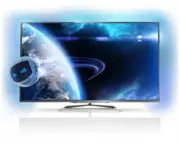


 Philips 65OLED959/12 User Manual
 Philips 65OLED974/F7 User Manual
 Philips 65PFL4864/F7 User Manual
 Philips 65PFL5504/F7 User Manual
 Philips 65PFL5602/F7 User Manual
 Philips 65PFL5604/F7 User Manual
 Philips 65PFS6659/12 User Manual
 Philips 65PFS7559/12 Quick Guide
 Philips 65PML8709/12 User Manual
 Philips 65PML9008/12 User Manual
 Philips 65PML9009/12 User Manual
 Philips 65PML9019/12 User Manual