Philips 24M1N3200VS/00 - User Manual
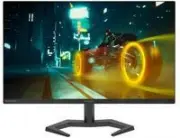
Philips 24M1N3200VS/00 Monitor – User Manual, read for free online in PDF format. We hope this helps you resolve any issues you may have. If you have further questions, please contact us through the contact form.


Table of Contents:
- Page 2 – Table of Contents; Safety precautions and; Technical Specifications; Philips’ Flat Panel Monitors Pixel
- Page 3 – Warnings
- Page 5 – Notational Descriptions
- Page 6 – locations for dropping off such waste
- Page 7 – monitor; Package contents; *Different according to region
- Page 8 – Operating the monitor; Confirm the OSD adjustment.
- Page 9 – work your way around the different; screen flickering. It is recommended
- Page 10 – Physical Function
- Page 11 – * Display design may differ from those
- Page 12 – Image Optimization; optimize display for different types
- Page 14 – Compatible
- Page 15 – Premium; update at different rates. Sometimes; Operating system
- Page 16 – Technical Specifications; Connectivity
- Page 22 – Philips’ Flat Panel Monitors; in flat panel m; subpixel; Pixels and Sub pixels
- Page 26 – FAQs; Common Problems
Register your product and get support at www.philips.com/welcome
EN
User manual
1
Customer care and warranty
Troubleshooting and FAQs
24M1N3200Z
24M1N3200V
24M1N3200ZS
24M1N3200ZA
24M1N3200VS
24M1N3200VA
24M1N3200VL
"Loading the manual" means you need to wait until the file loads and becomes available for online reading. Some manuals are very large, and the time they take to appear depends on your internet speed.
Other Manuals for Philips 24M1N3200VS/00
Summary
Table of Contents 1. Important ...................................... 1 1.1 Safety precautions and maintenance ..................................1 1.2 Notational Descriptions ..............3 1.3 Disposal of product and packing material ............................................4 2. Setting up the ...
1 1. Important This electronic user’s guide is intended for anyone who uses the Philips monitor. Take time to read this user manual before you use your monitor. It contains important information and notes regarding operating your monitor.The Philips guarantee applies provided the product is handled ...
3 known as “after-imaging” or “ghost imaging”, on your screen. • “Burn-in”, “after-imaging”, or “ghost imaging” is a well-known phenomenon in LCD panel technology. In most cases, the “burn- in” or “after-imaging” or “ghost imaging” will disappear gradually over a period of time after the power has b...