Page 2 - Table of Contents; Safety precautions and; Technical Specifications; Philips’ Flat Panel Monitors Pixel
Table of Contents 1. Important ...................................... 1 1.1 Safety precautions and maintenance ..................................1 1.2 Notational Descriptions ..............3 1.3 Disposal of product and packing material ............................................4 2. Setting up the ...
Page 3 - Warnings
1 1. Important This electronic user’s guide is intended for anyone who uses the Philips monitor. Take time to read this user manual before you use your monitor. It contains important information and notes regarding operating your monitor.The Philips guarantee applies provided the product is handled ...
Page 5 - Notational Descriptions
3 known as “after-imaging” or “ghost imaging”, on your screen. • “Burn-in”, “after-imaging”, or “ghost imaging” is a well-known phenomenon in LCD panel technology. In most cases, the “burn- in” or “after-imaging” or “ghost imaging” will disappear gradually over a period of time after the power has b...
Page 6 - locations for dropping off such waste
4 1.3 Disposal of product and packing material Waste Electrical and Electronic Equipment-WEEE This marking on the product or on its packaging illustrates that, under European Directive 2012/19/EU governing used electrical and electronic appliances, this product may not be disposed of with normal hou...
Page 7 - monitor; Package contents; *Different according to region
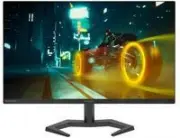
5 2. Setting up the monitor 2.1 Installation 1 Package contents 24M1N3200ZS 24M1N3200VS 24M1N3200VL *Earphone-Hang 24M1N3200Z 24M1N3200V 24M1N3200ZA 24M1N3200VA *DP *HDMI AC/DC Adapter 24M1N3200VA 24M1N3200VL 24M1N3200ZA 24M1N3200VS 24M1N3200Z 24M1N3200V 24M1N3200ZS Quick start Register your product...
Page 8 - Operating the monitor; Confirm the OSD adjustment.
6 3 Connecting to your PC 1 2 3 Earphone-Hang 6 5 4 1 AC/DC power input 2 HDMI 1 input 3 HDMI 2 input 4 DisplayPort input 5 Audio out 6 Kensington anti-theft lock Connect to PC1. Connect the power cord to the back of the monitor firmly. 2. Turn off your computer and unplug its power cable. 3. Connec...
Page 9 - work your way around the different; screen flickering. It is recommended
7 2 Description of the On Screen Display What is On-Screen Display (OSD)?On-Screen Display (OSD) is a feature in all Philips LCD monitors. It allows an end user to adjust screen performance or select functions of the monitors directly through an on-screen instruction window. A user friendly on scree...
Page 10 - Physical Function
8 Both technologies are used to match the refresh rate of the monitor to the graphic cards. Providing the smoothest gaming experience by reducing or eliminating judder, tear- ing, and stuttering. Enabling Adaptive-Sync from the On-Screen Display menu will automatically activate the appro- priate tec...
Page 11 - * Display design may differ from those
9 2.3 Remove the Base Assembly for VESA Mounting Before you start disassembling the monitor base, please follow the instructions below to avoid any possible damage or injury.1. Place the monitor face down on soft and smooth surface taking care to avoid scratching or damaging the screen. 24M1N3200ZS/...
Page 12 - Image Optimization; optimize display for different types
10 3. Image Optimization 3.1 SmartImage What is it? SmartImage provides presets that optimize display for different types of content, dynamically adjusting brightness, contrast, color and sharpness in real time. Whether you're working with text applications, displaying images or watching a video, Ph...
Page 14 - Compatible
12 4. NVIDIA® G-SYNC® Compatible (24M1N3200ZA) When playing intense games with high refresh rates, screen tearing may appear without optimal graphics synchronization. Certified as NVIDIA® G-SYNC® Compatible, variable refresh rate (VRR) reducing screen tearing and syncing your monitor’s refresh rate ...
Page 15 - Premium; update at different rates. Sometimes; Operating system
13 5. AMD FreeSync TM Premium PC gaming has long been an imperfect experience because GPUs and monitors update at different rates. Sometimes a GPU can render many new pictures during a single update of the monitor, and the monitor will show pieces of each picture as a single image. This is called “t...
Page 16 - Technical Specifications; Connectivity
14 6. Technical Specifications Picture/Display Monitor Panel Type 24M1N3200Z/24M1N3200ZA/24M1N3200ZS: IPS Technology 24M1N3200V/24M1N3200VL/24M1N3200VA/ 24M1N3200VS: VA Backlight W-LED Panel Size 23.8" W (60.5 cm) Aspect Ratio 16:9 Pixel Pitch 0.2745 (H) mm x 0.2745 (V) mm Contrast Ratio (typ.) ...
Page 22 - Philips’ Flat Panel Monitors; in flat panel m; subpixel; Pixels and Sub pixels
20 8. Customer care and warranty 8.1 Philips’ Flat Panel Monitors Pixel Defect Policy Philips strives to deliver the highest quality products. We use some of the industry's most advanced manufacturing processes and practice stringent quality control. However, pixel or sub pixel defects on the TFT Mo...
Page 26 - FAQs; Common Problems
24 9. Troubleshooting & FAQs 9.1 Troubleshooting This page deals with problems that can be corrected by a user. If the problem still persists after you have tried these solutions, contact Philips customer service representative. Common Problems No Picture (Power LED not lit) • Make sure the powe...