Page 2 - • Safety Precautions and Maintenance; Safety and Troubleshooting Information; Safety precautions and maintenance; Do not block the ventilation holes on the cabinet.
Safety and Troubleshooting Information • Safety Precautions and Maintenance • FAQs • Troubleshooting • Regulatory Information • Other Related Information Safety and Troubleshooting Information Safety precautions and maintenance WARNING: Use of controls, adjustments or procedures other than those spe...
Page 3 - Do not leave your monitor in a car/trunk under direct sun light.
Safety and Troubleshooting Information Service: ● The casing cover should be opened only by qualified service personnel. ● If there is any need for any document for repair or integration, please contact with your local service center. (please refer to the chapter of "Consumer Information Center&...
Page 4 - General FAQs; Turn on your monitor and then turn on your PC.; What does 'refresh rate' mean in connection with an LCD monitor?
FAQs (Frequently Asked Questions) • Safety and Troubleshooting • General FAQs • Screen Adjustments • Compatibility with Other Peripherals • LCD Panel Technology • Ergonomics, Ecology and Safety Standards • Troubleshooting • Regulatory Information • Other Related Information FAQs (Frequently Asked Qu...
Page 6 - is not subject to any excessive shocks or scratches.; How should I clean the LCD surface?; RETURN TO TOP OF THE PAGE; Screen Adjustments
FAQs (Frequently Asked Questions) A: A protective coating is applied to the surface of the LCD, which is durable to a certain extent (approximately up to the hardness of a 2H pencil). In general, it is recommended that the panel surface is not subject to any excessive shocks or scratches. Q: How sho...
Page 7 - How do LCDs compare to CRTs in terms of radiation?; Compatibility with other Peripherals; LCD Panel Technology; What is a Liquid Crystal Display?; principle of blocking light rather than emitting it.; What differentiates passive matrix LCDs from active matrix LCDs?
FAQs (Frequently Asked Questions) Q: How do LCDs compare to CRTs in terms of radiation? A: Because LCDs do not use an electron gun, they do not generate the same amount of radiation at the screen surface. RETURN TO TOP OF THE PAGE Compatibility with other Peripherals Q: Are Philips LCD monitors Plug...
Page 8 - What are the advantages of TFT LCD compared with CRT?; use the scanning method.; Why is vertical frequency of 60Hz optimal for an LCD monitor?; frequency for this monitor is 60Hz.; What kind of wide-angle technology is available? How does it work?
FAQs (Frequently Asked Questions) Q: What are the advantages of TFT LCD compared with CRT? A: In a CRT monitor, a gun shoots electrons and general light by colliding polarized electrons on fluorescent glass. Therefore, CRT monitors basically operate with an analog RGB signal. A TFT LCD monitor is a ...
Page 10 - Troubleshooting; Common Problems; Having this problem; Imaging Problems
Troubleshooting • Safety and Troubleshooting • FAQs • Common Problems • Imaging Problems • Regulatory Information • Other Related Information Troubleshooting This page deals with problems that can be corrected by a user. If the problem still persists after you have tried these solutions, contact Phi...
Page 11 - Vertical flicker appears; Consumer Information Centers
Troubleshooting Vertical flicker appears ● Press the Auto button. ● Eliminate the vertical bars using the Phase/Clock of More Settings in OSD Main Controls. Horizontal flicker appears ● Press the Auto button. ● Eliminate the vertical bars using the Phase/Clock of More Settings in OSD Main Controls. ...
Page 12 - Regulatory Information; Recycling Information for Customers
Regulatory Information • Recycling Information for Customers • Waste Electrical and Electronic Equipment- WEEE • CE Declaration of Conformity • Energy Star Declaration • Federal Communications Commission (FCC) Notice (U.S. Only) • FCC Declaration of Conformity • Commission Federale de la Communicati...
Page 13 - Waste Electrical and Electronic Equipment-WEEE; Energy Star Declaration
Regulatory Information Waste Electrical and Electronic Equipment-WEEE Attention users in European Union private households This marking on the product or on its packaging illustrates that, under European Directive 2002/96/EG governing used electrical and electronic appliances, this product may not b...
Page 14 - FCC Declaration of Conformity
Regulatory Information This equipment has been tested and found to comply with the limits for a Class B digital device, pursuant to Part 15 of the FCC Rules. These limits are designed to provide reasonable protection against harmful interference in a residential installation. This equipment generate...
Page 15 - Commission Federale de la Communication (FCC Declaration); EN 55022 Compliance (Czech Republic Only); Polish Center for Testing and Certification Notice
Regulatory Information Commission Federale de la Communication (FCC Declaration) Cet équipement a été testé et déclaré conforme auxlimites des appareils numériques de class B,aux termes de l'article 15 Des règles de la FCC. Ces limites sont conçues de façon à fourir une protection raisonnable contre...
Page 16 - North Europe (Nordic Countries) Information
Regulatory Information be located near the equipment and easily accessible. A protection mark "B" confirms that the equipment is in compliance with the protection usage requirements of standards PN-93/ T-42107 and PN-89/E-06251. RETURN TO TOP OF THE PAGE North Europe (Nordic Countries) Infor...
Page 18 - Information for UK only
Regulatory Information RETURN TO TOP OF THE PAGE End-of-Life Disposal Your new monitor contains materials that can be recycled and reused. Specialized companies can recycle your product to increase the amount of reusable materials and to minimize the amount to be disposed of. Please find out about t...
Page 19 - China RoHS
Regulatory Information GREEN & YELLOW - "GROUND" ("G") 1. The GREEN AND YELLOW wire must be connected to the terminal in the plug which is marked with the letter "G" or by the Ground symbol or coloured GREEN or GREEN AND YELLOW. 2. The BLUE wire must be connected to the t...
Page 21 - Other Related Information; For units set at 115 V :
Other Related Information • Safety and Troubleshooting • FAQs • Troubleshooting • Regulatory Information • Information for Users in the U.S • Information for Users Outside the U.S Other Related Information Information for Users in the U. S. For units set at 115 V : Use a UL Listed Cord Set consistin...
Page 22 - About This Manual; About This Guide; Notational Descriptions; Notes, Cautions and Warnings
About This Manual • About This Guide • Notational Descriptions About This Manual About This Guide This electronic user's guide is intended for anyone who uses the Philips LCD Monitor. It describes the LCD monitor's features, setup, operation and other important information. Its contents are identica...
Page 24 - Product Information; Technical Specifications*
Product Information • Lead-free Product • Technical Specifications• Resolution & Preset Modes• Philips Pixel Defect Policy• Automatic Power Saving• Physical Specification• Pin Assignment• Product Views• Physical Function Product Information Lead-free Product Philips eliminated toxic substances l...
Page 25 - VIDEO; * This data is subject to change without notice.; Resolution & Preset Modes
Product Information VIDEO • Video dot rate 140 MHz • Input impedance - Video 75 ohm - Sync 2.2K ohm • Input signal levels 0.7 Vpp • Sync input signal Separate sync Composite sync Sync on green • Sync polarities Positive and negative * This data is subject to change without notice. RETURN TO TOP OF T...
Page 26 - 0 factory preset modes:; Resolution; Automatic Power Saving; Power Management Definition
Product Information 1366x768 at 60Hz(digital input) 10 factory preset modes: H. freq (kHz) Resolution V. freq (Hz) 31.47 720*400 70.09 31.47 640*480 59.94 37.50 640*480 75.00 37.88 800*600 60.32 46.88 800*600 75.00 48.36 1024*768 60.00 60.02 1024*768 75.03 63.89 1280*1024 60.02 79.98 1280*1024 75.03...
Page 27 - Physical Specifications; Pin Assignment; Assignment
Product Information This monitor is E NERGY S TAR ® compliant. A s an E NERGY S TAR ® P artner, PHILIPS has determined that this product meets the E NERGY S TAR ® guidelines for energy efficiency. RETURN TO TOP OF THE PAGE Physical Specifications • Tilt -5° ~ 20° • Power supply 100 ~ 240 VAC, 50/60 ...
Page 28 - Red video ground; Product Views; Front View Product Description; Physical Function
Product Information 4 Sense (GND) 12 Serial data line (SDA) 5 Cable detect (GND) 13 H. Sync / H+V. Sync 6 Red video ground 14 V. Sync 7 Green video ground 15 Data clock line (SCL) 8 Blue video ground RETURN TO TOP OF THE PAGE Product Views Follow the links to see various views of the monitor and its...
Page 30 - Philips Pixel Defect Policy; Philips' Flat Panel Monitors Pixel Defect Policy; Pixels and Sub pixels; Types of Pixel Defects
Philips Pixel Defect Policy • Product Features • Technical Specifications • Resolution & Preset Modes • Automatic Power Saving • Physical Specification • Pin Assignment • Product Views Philips Pixel Defect Policy Philips' Flat Panel Monitors Pixel Defect Policy Philips strives to deliver the hig...
Page 31 - Proximity of Pixel Defects
Philips Pixel Defect Policy One lit red, green or blue sub pixel Two adjacent lit sub pixels: - Red + Blue = Purple - Red + Green = Yellow - Green + Blue = Cyan (Light Blue) Three adjacent lit sub pixels (one white pixel) A red or blue bright dot must be more than 50 percent brighter than neighborin...
Page 33 - • Front View Produt Description; Installing Your LCD Monitor; To switch monitor's power On and Off; AUTO; Return to previous OSD level.
Installing Your LCD Monitor • Front View Produt Description • Connecting to Your PC • The Base • Getting Started • Optimizing Performance Installing Your LCD Monitor Front View Product Description 1 To switch monitor's power On and Off 2 MENU / OK To access OSD menu/ Confirm 3 / To adjust brightness...
Page 34 - Rear View; Kensington anti-thief lock; Optimizing Performance
Installing Your LCD Monitor Rear View 1 Kensington anti-thief lock 2 AC power input 3 VGA input 4 DVI input 5 PC Audio input RETURN TO TOP OF THE PAGE Optimizing Performance ● For best performance, ensure that your display settings are set at 1366 x 768, 60Hz. Note: You can check the current display...
Page 36 - Connecting to Your PC; Accessory Pack; Unpack all the parts.; Power cord
Connecting to Your PC • Front View Product Description • Accessory Pack • Connecting to Your PC • Getting Started • Optimizing Performance • The base Connecting to Your PC Accessory Pack Unpack all the parts. Power cord VGA cable EDFU pack RETURN TO TOP OF THE PAGE file:///E|/CD/lcd/manual/ENGLISH/1...
Page 37 - Connect the power cord to the back of the monitor firmly.
Connecting to Your PC Connecting to Your PC 1) Connect the power cord to the back of the monitor firmly. PC Audio input (available for selective models) PC Audio input (available for selective models) 2) Connect to PC (a) Turn off your computer and unplug its power cable. (b) Connect the monitor sig...
Page 39 - The Base; Remove the Base; for VESA standard mounting applications
The Base • Front View Product Description • Accessory Pack • Connecting to your PC • Getting Started • Optimizing Performance • Remove the Base The Base Remove the Base Condition: ● for VESA standard mounting applications Remove the 3 screws and then remove the base from the LCD monitor. Note: This ...
Page 41 - Your LCD Monitor; • Front View Product Description; Getting Started; Getting Started; For Windows® 95; Start Windows® 95; For Windows® 98; Start Windows® 98
Getting Started Your LCD Monitor : • Front View Product Description • Setting Up and Connecting Your Monitor • Getting Started • Optimizing Performance Getting Started Getting Started Use the information file ( .inf) for Windows® 95/98/2000/Me/XP/Vista or later The built-in VESA DDC2B feature in Phi...
Page 42 - For Windows® Me; Start Windows® Me; For Windows® XP; Start Windows® XP
Getting Started 5. Select 'Monitor' - If the 'Properties' button is inactive, it means your monitor is properly configured. Please stop installation. - If the 'Properties' button is active. Click on 'Properties' button. Please follow the steps given below. 6. Click on 'Driver' and then click on 'Upd...
Page 43 - For Windows® Vista; Start Windows® Vista
Getting Started For Windows® Vista 1. Start Windows® Vista 2. Click the Start button; select and click on 'Control Panel'. 3. Select and click on 'Hardware and Sound' 4. Choose 'Device Manager' and Click on 'Update device drivers'. 5. Select 'Monitor' and then right click on 'Generic PnP Monitor'. 6...
Page 44 - Description of the On Screen Display; Basic and simple instruction on the control keys.
On-Screen Display • Description of the On-Screen Display • The OSD Tree On-Screen Display Description of the On Screen Display What is the On-Screen Display? This is a feature in all Philips LCD monitors. It allows an end user to adjust screen performance of the monitors directly through an on-scree...
Page 45 - The OSD Tree; work your way around the different adjustments later on.
On-Screen Display The OSD Tree Below is an overall view of the structure of the On-Screen Display. You can use this as a reference when you want to work your way around the different adjustments later on. file:///E|/CD/lcd/manual/ENGLISH/192E1/osd/osddesc.htm(第 2/3 页)2009-3-13 20:47:00
Page 47 - Customer Care & Warranty
Customer Care & Warranty Customer Care & Warranty PLEASE SELECT YOUR COUNTRY/AREA TO REVIEW DETAILS OF YOUR WARRANTY COVERAGE WESTERN EUROPE: Austria • Belgium • Denmark • France • Germany • Greece • Finland • Ireland • Italy • Luxembourg • the Netherlands • Norway • Portugal • Sweden • Swit...
Page 48 - Your Philips Warranty; Thank you for purchasing this Philips monitor.; For two years thereafter,
Your Philips Warranty Your Philips Warranty Thank you for purchasing this Philips monitor. All Philips monitors are designed and manufactured to high standards and deliver high-quality performance, ease of use and ease of installation. Should you encounter any difficulties while installing or using ...
Page 49 - Just a click away; Philips Warranty Contact Information.
Your Philips Warranty terms are valid. Just a click away In case of any problems, we advise you to read the operating instructions carefully or go to the www.philips.com/support website for additional support. Just a phone call away In order to avoid unnecessary inconvenience, we advise you to read ...
Page 50 - Philips Warranty Contact Information
Philips Warranty Contact Information Philips Warranty Contact Information Country Code Telephone number Tariff Austria +43 0810 000206 € 0.07 Belgium +32 078 250851 € 0.06 Denmark +45 3525 8761 Local call tariff Finland +358 09 2290 1908 Local call tariff France +33 082161 1658 € 0.09 Germany +49 01...
Page 51 - Your Guarantee in Central and Eastern Europe; For 2 years thereafter,
Your Guarantee in Central and Eastern Europe Your Guarantee in Central and Eastern Europe Dear Customer, Thank you for purchasing this Philips product, which has been designed and manufactured to the highest quality standards. If, unfortunately, something should go wrong with this product Philips gu...
Page 52 - our dealers or Information Centers
Your Guarantee in Central and Eastern Europe In order to avoid unnecessary inconvenience, we advise you to read the operating instructions carefully before contacting our dealers or Information Centers In case your Philips product is not working correctly or is defective, please contact your Philips...
Page 53 - Eastern Europe; BELARUS
Consumer Information Centers Consumer Information Centers Antilles • Argentina • Australia • Bangladesh • Brasil • Canada • Chile • China • Colombia • Belarus • Bulgaria • Croatia • Czech Republic • Estonia • Dubai • Hong Kong • Hungary • India • Indonesia • Korea • Latvia • Lithuania • Malaysia • M...
Page 54 - ESTONIA
Consumer Information Centers ESTONIA FUJITSU SERVICES OU Akadeemia tee 21G EE-12618 Tallinn Tel: +372 6519900 www.ee.invia.fujitsu.com HUNGARY Serware Szerviz Vizimolnár u. 2-4 HU - 1031 Budapest Tel: +36 1 2426331 Email: [email protected] www.serware.hu LATVIA ServiceNet LV Jelgavas iela 36 LV - 105...
Page 55 - SLOVAKIA
Consumer Information Centers SLOVAKIA Datalan Servisne Stredisko Puchovska 8 SK - 831 06 Bratislava Tel: +421 2 49207155 Email: [email protected] SLOVENIA PC HAND Brezovce 10 SI - 1236 Trzin Tel: +386 1 530 08 24 Email: [email protected] POLAND Zolter ul.Zytnia 1 PL - 05-500 Piaseczno Tel: +48 22 750...
Page 56 - UKRAINE; Latin America; ANTILLES
Consumer Information Centers UKRAINE Comel Shevchenko street 32 UA - 49030 Dnepropetrovsk Tel: +380 562320045 www.csp-comel.com Latin America ANTILLES Philips Antillana N.V. Kaminda A.J.E. Kusters 4 Zeelandia, P.O. box 3523-3051 Willemstad, Curacao Phone: (09)-4612799 Fax : (09)-4612772 ARGENTINA Ph...
Page 57 - COLOMBIA
Consumer Information Centers COLOMBIA Industrias Philips de Colombia S.A.-Division de Servicio CARRERA 15 Nr. 104-33 Bogota, Colombia Phone:(01)-8000 111001 (toll free) Fax : (01)-619-4300/619-4104 MEXICO Consumer Information Centre Norte 45 No.669 Col. Industrial Vallejo C.P.02300, -Mexico, D.F. Ph...
Page 58 - URUGUAY; Canada; CANADA; Pacific; AUSTRALIA
Consumer Information Centers URUGUAY Rambla O'Higgins 5303 Montevideo Uruguay Phone: (598) 619 66 66 Fax: (598) 619 77 77 Customer Desk: Phone: 0004054176 VENEZUELA Industrias Venezolanas Philips S.A. Apartado Postal 1167 Caracas 1010-A Phone: (02) 2377575 Fax : (02) 2376420 Canada CANADA Philips El...
Page 59 - NEW ZEALAND; Asia; BANGLADESH
Consumer Information Centers NEW ZEALAND Philips New Zealand Ltd. Consumer Help Desk 2 Wagener Place, Mt.Albert P.O. box 1041 Auckland Phone: 0800 477 999 (toll free) Fax : 0800 288 588 Asia BANGLADESH Philips Service Centre 100 Kazi Nazrul Islam Avenue Kawran Bazar C/A Dhaka-1215 Phone: (02)-812909...
Page 60 - INDIA
Consumer Information Centers INDIA Phone: 91-20-712 2048 ext: 2765 Fax: 91-20-712 1558 BOMBAY Philips India Customer Relation Centre Bandbox House 254-D Dr. A Besant Road, Worli Bombay 400 025 CALCUTTA Customer Relation Centre 7 justice Chandra Madhab Road Calcutta 700 020 MADRAS Customer Relation C...
Page 61 - KOREA
Consumer Information Centers KOREA Philips Consumer Service Jeong An Bldg. 112-2 Banpo-dong, Seocho-Ku Seoul, Korea Customer Careline: 080-600-6600 Phone: (02) 709-1200 Fax : (02) 595-9688 MALAYSIA After Market Solutions Sdn Bhd, Philips Authorised Service Center, Lot 6, Jalan 225, Section 51A, 4610...
Page 62 - SINGAPORE; Africa; MOROCCO
Consumer Information Centers SINGAPORE Accord Customer Care Solutions Ltd Authorized Philips Service Center Consumer Service 620A Lorong 1 Toa Rayoh Singapore 319762 Tel: +65 6882 3999 Fax: +65 6250 8037 TAIWAN Philips Taiwan Ltd. Consumer Information Centre 13F, No. 3-1 Yuan Qu St., Nan Gang Dist.,...
Page 63 - SOUTH AFRICA; Middle East; DUBAI
Consumer Information Centers SOUTH AFRICA PHILIPS SA (PTY) LTD Customer Care Center 195 Main Road Martindale, Johannesburg P.O. box 58088 Newville 2114 Telephone: +27 (0) 11 471 5194 Fax: +27 (0) 11 471 5123 E-mail: [email protected] Middle East DUBAI Philips Middle East B.V. Consumer Info...
Page 64 - Your International Guarantee; purchase and does not affect your statutory rights as a customer.
International Guarantee Your International Guarantee Dear Customer, Thank you for purchasing this Philips product which has been designed and manufactured to the highest quality standards. If, unfortunately, something should go wrong with this product Philips guarantees free of charge labor and repl...
Page 65 - Warranty coverage begins the day you buy your product.
United States Guarantee Your Philips F1rst Choice Warranty(USA) Thank you for purchasing this Philips monitor. All Philips monitors are designed and manufactured to high standards and deliver high-quality performance, ease of use and ease of installation. Should you encounter any difficulties while ...
Page 66 - installation or repair of antenna systems outside of the product.; Where IS SERVICE AVAILABLE?; or
United States Guarantee ● labor charges for installation or setup of the product, adjustment of customer controls on the product, and installation or repair of antenna systems outside of the product. ● product repair and/or part replacement because of misuse, accident, unauthorized repair or other c...
Page 68 - Just a phone call away; contact phone numbers.
United States Guarantee Just a phone call away Philips’ customer help desks are located worldwide. Within the U.S. you can contact Philips customer care Monday- Friday from 8:00 AM-9:00 PM Eastern Time (ET) and on Saturdays from 10:00 AM-5:00 PM ET hrs by using one of the contact phone numbers. For ...
Page 69 - Glossary; H I
Glossary Glossary A B C D E F G H I J K L M N O P Q R S T U V W X Y Z A Active matrix This is a kind of liquid crystal display structure in which switching transistors are attached to each pixel to control the on/ off voltage. It produces a brighter and sharper display with a broader viewing angle t...
Page 70 - using Light Emitting Diodes (LED) are still under development.
Glossary The light source for a transmissive LCD. There are two techniques used in nowaday LCD designs. Most TFT LCD panels use CCFLs (cold cathode fluorescent light) and a diffuser panel directly behind the liquid crystal layer. New technology using Light Emitting Diodes (LED) are still under devel...
Page 72 - Gamma; signal, the exponent of which is called gamma.; Grayscale; monitor can display at most 2; Hue; LCD layer rather than vertical to it.
Glossary RETURN TO TOP OF THE PAGE G Gamma Screen luminance as a function of video voltage approximately follows a mathematical power function of the input video signal, the exponent of which is called gamma. Grayscale An achromatic scale ranging from black through a series of successively lighter g...
Page 73 - Liquid crystal; Nit
Glossary L LCD (liquid crystal display) A display composed of liquid crystal suspended between two transparent sheets. The display is composed thousands of pixels which can be turned on or off with electrical stimulation. Thus, colorful images/texts can be generated. Liquid crystal The compound foun...
Page 74 - in order to allow the light to pass through or not.; Refresh rate; per second. A rate of 60 Hz is equal to 60 tomes per second.; sRGB; colors shown on your screen.
Glossary A light filter which only allows light waves of a certain rotation through. Polarized material with perpendicular filtering is used in LCDs to enclose the liquid crystal. The liquid crystal is then used as the medium which twists the light waves 90° in order to allow the light to pass throu...
Page 75 - pixel on an active matrix LCD.; USB or Universal Serial Bus; A smart plug for PC peripherals.
Glossary pixel on an active matrix LCD. U USB or Universal Serial Bus A smart plug for PC peripherals. USB automatically determines resources (like driver software and bus bandwidth) required by peripherals. USB makes necessary resources available without user intervention. ● USB eliminates "cas...
Page 76 - Downstream; Vertical refresh rate
Glossary refer to a collection of hardware components that perform a particular function, such as a Universal Serial Bus interface device. At an even higher level, device may refer to the function performed by an entity attached to the Universal Serial Bus; for example, a data/FAX modem device. Devi...
Page 78 - Installing your LCD monitor driver; Download and Print; Installing Your LCD monitor driver; System requirements:; Only the English; Download instructions:; To download the file:; Download
Download and Print • Installing your LCD monitor driver • Download and Printing Instructions Download and Print Installing Your LCD monitor driver System requirements: ● PC running Windows 95, Windows® 98, Windows® 2000 , Windows® Me, Windows® XP, Windows® Vista or later ● Find your driver ".inf...
Page 79 - Printing instructions:
Download and Print Printing instructions: To print the manual: With the manual file open, follow your printer's instructions and print the pages you need. RETURN TO TOP OF THE PAGE file:///E|/CD/lcd/manual/ENGLISH/download/download.htm(第 2/2 页)2009-3-13 20:47:35


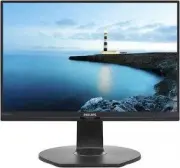 Philips 221B7QPJEB/00
User Manual
Philips 221B7QPJEB/00
User Manual
 Philips 221B8LJEB/00
User Manual
Philips 221B8LJEB/00
User Manual
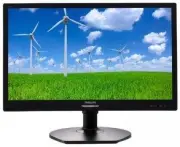 Philips 221S6LCB/00
User Manual
Philips 221S6LCB/00
User Manual
 Philips 221S6QYMB/00
User Manual
Philips 221S6QYMB/00
User Manual
 Philips 221S8LDAB/00
User Manual
Philips 221S8LDAB/00
User Manual
 Philips 222B9T/00
User Manual
Philips 222B9T/00
User Manual
 Philips 223S7EJMB/00
User Manual
Philips 223S7EJMB/00
User Manual
 Philips 223V5LHSB/01
User Manual
Philips 223V5LHSB/01
User Manual
 Philips 223V5LHSB2/00
User Manual
Philips 223V5LHSB2/00
User Manual
 Philips 223V5LSB/00
User Manual
Philips 223V5LSB/00
User Manual
 Philips 226E9QHAB/00
User Manual
Philips 226E9QHAB/00
User Manual