Page 2 - Table of Contents; Safety precautions and
Table of Contents 1. Important ....................................... 1 1.1 Safety precautions and maintenance .................................. 1 1.2 Notational Descriptions ............. 31.3 Disposal of product and packing material ........................................... 4 2. Setting up the...
Page 3 - Warnings
1 1. Important 1. Important This electronic user’s guide is intended for anyone who uses the Philips monitor. Take time to read this user's manual before you use your monitor. It contains important information and notes regarding the operation of your monitor. The Philips guarantee applies provided ...
Page 4 - Maintenance
2 1. Important • Do not knock or drop the monitor during operation or transportation. • Excessive usage of monitor can cause eye discomfort, it’s better to take shorter breaks more often at your workstation than longer breaks and less often; for example a 5-10 minute break after 50-60-minute continu...
Page 5 - Notational Descriptions; Notes, Cautions and Warnings
3 1. Important static images over an extended period may cause “burn in”, also known as “after-imaging” or “ghost imaging”, on your screen. • “Burn-in”, “after-imaging”, or “ghost imaging” is a well-known phenomenon in LCD panel technology. In most cases, the “burned in” or “after-imaging” or “ghost...
Page 7 - Setting up the monitor; monitor; Package contents; Start; Note
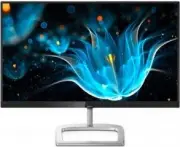
5 2. Setting up the monitor 2. Setting up the monitor 2.1 Installation Package contents Register your product and get support at www.philips.com/welcome Quick Start E Line 226E9 * VGA * HDMI * DVI * Audio cable AC/DC Adapter * Different according to region. Note Use only the AC/DC adapter model: 226...
Page 8 - Connecting to your PC
6 2. Setting up the monitor Connecting to your PC 226E9QHA: 1 5 6 4 2 2 1 4 5 3 3 1 AC/DC power input 2 Earphone jack 3 Audio input 4 VGA input 5 HDMI input 6 Kensington anti-theft lock 226E9QDS: 1 6 2 3 1 3 5 4 5 4 2 1 AC/DC power input 2 HDMI Audio out 3 VGA input 4 DVI input 5 HDMI input 6 Kensin...
Page 9 - Operating the monitor; Front view product description
7 2. Setting up the monitor 2.2 Operating the monitor Front view product description Press to switch power on. Press more than 3 seconds to switch power off.Access the OSD menu. Confirm the OSD adjustment.226E9QDS/226E9QS: Adjust the brightness level.226E9QHA: Adjust the speaker volume. Adjust the O...
Page 10 - The OSD Menu; Resolution notification
8 2. Setting up the monitor The OSD Menu Below is an overall view of the structure of the On-Screen Display. You can use this as a reference when you want to work your way around the different adjustments later on. Main menu Sub menu Picture OSD Settings Setup Language Color Input Picture FormatBrig...
Page 11 - Remove the Base Assembly; Use your fingers to loosen the
9 2. Setting up the monitor 2.3 Remove the Base Assembly for VESA Mounting Before you start disassembling the monitor base, please follow the instructions below to avoid any possible damage or injury. 1. Place the monitor face down on a smooth surface. Pay attention not to scratch or damage the scre...
Page 12 - How to ena; Image Optimization
10 3. Image Optimization How to ena ble SmartImage? 226E9QDS/226E9QHA: 1. Toggle to the left to launch the SmartImage on screen display. 2. Toggle to the up or down to select between FPS, Racing, RTS, Gamer 1, Gamer 2, LowBlue Mode and Off. 3. The SmartImage on screen display will remain on screen f...
Page 14 - LowBlue Mode
12 3. Image Optimization • LowBlue Mode: LowBlue Mode for easy on-the-eyes productivity Studies have shown that just as ultra-violet rays can cause eye damage, shortwave length blue light rays from LED displays can cause eye damage and affect vision over time. Developed for wellbeing, Philips LowBlu...
Page 16 - Technical Specifications; Connectivity
14 5. Technical Specifications 5. Technical Specifications Picture/Display Monitor Panel Type IPS technology Backlight W-LED system Panel Size 21.5” W (54.6cm) Pixel Pitch 0.248 x 0.248 mm SmartContrast 20,000,000:1 Optimum Resolution 1920x1080 @ 60Hz Viewing Angle 178° (H) / 178° (V) @ C/R > 10 ...
Page 17 - Power
15 5. Technical Specifications 226E9QDS Power Consumption AC Input Voltage at 100VAC , 50Hz AC Input Voltage at 115VAC , 60Hz AC Input Voltage at 230VAC , 50Hz Normal Operation 20.95 W (typ.) 21.05 W (typ.) 21.15 W (typ.) Sleep (Standby mode) <0.5 W (typ.) <0.5 W (typ.) <0.5 W (typ.) Off mo...
Page 19 - Environmental
17 5. Technical Specifications Temperature range (Non-operation) -20°C to 60°C Relative humidity(Non-operation) 10% to 90% Atmospheric pressure(Non-operation) 500 to 1060hPa Environmental ROHS YES Packaging 100% recyclable Specific Substances 100% PVC BFR free housing Cabinet Color White/Black Finis...
Page 20 - Maximum Resolution
18 5. Technical Specifications 5.1 Resolution & Preset Modes Maximum Resolution 1920x1080@60Hz (VGA/DVI) 1920x1080@75Hz (HDMI) Recommended Resolution 1920x1080@60Hz H. freq (kHz) Resolution V. freq (Hz) 31.47 720x400 70.09 31.47 640x480 59.94 35.00 640x480 66.67 37.86 640x480 72.81 37.50 640x480...
Page 22 - Customer care and warranty; Customer care and; Philips’ Flat Panel Monitors; subpixel; Pixels and Sub pixels
20 7. Customer care and warranty 7. Customer care and warranty 7.1 Philips’ Flat Panel Monitors Pixel Defect Policy Philips strives to deliver the highest quality products. We use some of the industry's most advanced manufacturing processes and practice stringent quality control. However, pixel or s...
Page 25 - Philips Customer Care Center number listed below.
23 7. Customer care and warranty 7.2 Customer Care & Warranty For warranty coverage information and additional support requirements valid for your region, please visit www.philips.com/support website for details or contact your local Philips Customer Care Center. For Warranty Period please refer...
Page 26 - FAQs; Common Problems
24 8. Troubleshooting & FAQs 8. Troubleshooting & FAQs 8.1 Troubleshooting This page deals with problems that can be corrected by a user. If the problem still persists after you have tried these solutions, contact Philips customer service representative. Common Problems No Picture (Power LED...
Page 30 - Q14: Where can I find Important
28 Q14: Where can I find Important Information manual mentioned in EDFU? Ans.: Important Information manual can be download on the Philips website support page.