Page 2 - Contents; Be Sure to Read
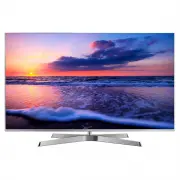
English 2 ● For information about the trademarks, refer to [eHELP] (Search by Purpose > Read first > Before use > Licence). The illustration for TH-58EX780A is used in this manual unless otherwise mentioned. Illustrations shown may be different between models and countries. Contents Be Sure...
Page 3 - Safety Precautions; Mains plug and lead; Important Notice
English 3 Safety Precautions To help avoid risk of electrical shock, fire, damage or injury, please follow the warnings and cautions below: ■ Mains plug and lead Warning If you detect anything unusual, immediately remove the mains plug. ● This TV is designed to operate on AC 220-240 V, 50 / 60 Hz. ●...
Page 4 - Suffocation / Choking Hazard; Pedestal; Radio waves; Take care; Important information
English 4 ● Do not expose the TV to direct sunlight and other sources of heat. To prevent the spread of fire, keep candles or other open flames away from this product at all times ■ Suffocation / Choking Hazard Warning ● The packaging of this product may cause suffocation, and some of the parts are ...
Page 6 - Accessories; Standard accessories; Viewing 3D Images
English 6 Accessories Standard accessories Remote Control (p. 23) ● N2QAYB001119 or N2QAYB001133 Pedestal 50-inch model 58-inch model 65-inch model (p. 7) 75-inch model (p. 14) Cable clamp (p. 20) 50-inch model 58-inch model 65-inch model Cable tie (3) (p. 20) 75-inch model Cable tie (4) (p. 20) 50-...
Page 7 - Optional accessories
English 7 Support bracket Base Cover 50-inch model 58-inch model 65-inch model Wood screw Fall-prevention parts 50-inch model 58-inch model (p. 11) 65-inch model (p. 14) 75-inch model (p. 16) ● The fall-prevention band is fixed to the pedestal with tapes. ● Accessories may not be placed all together...
Page 8 - Preparations; Assembling the pedestal
English 8 Preparations Take out the pedestal and the TV from the packing case and put the TV onto a work table with the screen panel down on the clean and soft cloth (blanket, etc.) ● Use a flat and firm table bigger than the TV. ● Do not hold the screen panel part. ● Make sure not to scratch or bre...
Page 11 - To change the height
English 11 Assembling the pedestal 65-inch model ● Do not remove the tapes fixing the fall-prevention band until the installation is completed. A C 1 ■ To change the height Be sure to perform the following procedures when you change the height after assembling the pedestal. 1 Remove the cover . 2 Re...
Page 14 - When using the wall-hanging bracket; Assembling / Removing the pedestal; Preventing the TV from falling over; Removing the pedestal
English 14 50-inch model 58-inch model ■ When using the wall-hanging bracket In addition to removing the pedestal, removing the following back bracket is needed. 9 Remove the assembly screws / from the back bracket . 10 Remove the back bracket . 11 Remove the assembly screws . K I J 1 L 2 Assembling...
Page 16 - Connections
English 16 ■ Preventing the TV from falling over It is recommended to secure the pedestal to a furniture as shown to prevent the TV from falling over. ● This information is designed to reduce the risk of injuries caused by the TV falling over. However, no measure can guarantee protection in all case...
Page 17 - Terminals; Basic connections; Mains lead
English 17 Terminals Australia 1 2 3 4 5 6 7 9 8 New Zealand 1 2 3 4 5 6 7 9 8 1 Headphone jack (p. 19) 2 HDMI1 - 3 (p. 18, 19) 3 USB 1 port 4 Aerial terminal (p. 17) Satellite terminal (p. 17) New Zealand 5 AV IN (COMPONENT / VIDEO) (p. 19) 6 ETHERNET terminal (p. 18) 7 DIGITAL AUDIO OUT 8 HDMI4 9 ...
Page 18 - AV devices; Set top box; Network; Wired connection
English 18 AV devices ■ DVD Recorder / Blu-ray Recorder, etc. TV RF cable HDMI cable DVD Recorder / Blu-ray Recorder, etc. Aerial ■ Set top box TV HDMI cable Set top box Network A broadband network environment is required to be able to use internet services. ● If you do not have any broadband networ...
Page 19 - Other connections; DVD Player
English 19 Other connections ■ DVD Player (COMPONENT equipment) TV (Viewing) (Listening) DVD Player ■ Camcorder / Game equipment (VIDEO equipment) TV (Viewing) (Listening) Camcorder / Game equipment ■ Amplifier (listening with external speakers) ● Use HDMI2 to connect the TV to an amplifier which ha...
Page 20 - Cable arrangement; Fixing the mains lead using the cable clamp; Fixing the cables using the cable tie
English 20 Cable arrangement Fix the cables using the cable clamp, cable tie, etc. and then attach the cable cover / terminal cover to the TV. ■ Fixing the mains lead using the cable clamp 50-inch model 58-inch model 65-inch model 75-inch model Attach the cable clamp Insert the cable clamp in a hole...
Page 21 - Fixing the cables using the cable band
English 21 75-inch model Attach the cable tie Insert the cable tie in a hole Hole Bundle the cables Hooks Set the tip in the hooks To loosen: Knob Keep pushing the knob To remove from the TV: Keep pushing both side snaps Snaps 50-inch model 58-inch model ■ Fixing the cables using the cable band Atta...
Page 22 - Attaching the cable cover / terminal cover
English 22 ■ Attaching the cable cover / terminal cover ● Do not apply load to the cable cover / terminal cover. ● Be careful not to nip the cables between the TV and the cable cover / terminal cover. ● When using USB 2 port, USB 3 port or HDMI4 terminal, you cannot attach the cable cover. Keep the ...
Page 23 - Identifying Controls; Remote Control
English 23 7 OK ● Confirms selections and choices. ● Press after selecting channel positions to quickly change channel. ● Displays channel list. 8 [Option Menu] ● Easy optional setting for viewing, sound, etc. 9 Coloured buttons (red-green-yellow-blue) ● Used for the selection, navigation and operat...
Page 24 - Indicator / Control panel; Installing / Removing batteries
English 24 Indicator / Control panel ● When pressing 4, 5, 6 buttons, the control panel guide appears on the right side of the screen for 3 seconds to highlight which button has been pressed. 5 6 7 1 2 3 4 Rear side of the TV 1 Remote control signal receiver ● Do not place any objects between the TV...
Page 25 - Plug the TV into a live mains socket; How to use the remote control
English 25 Tick the TV signal mode to tune, and then select [Start Auto Tuning] : tune (search for the available channels) : skip tuning Select your region (Satellite) New Zealand Auto Tuning is now complete and the TV is ready for viewing. If tuning has failed check the Satellite cable, RF cable, a...
Page 26 - How to Use eHELP; Select the menu; Watching TV; Turn power on
English 26 How to Use eHELP [eHELP] is the detailed operating instructions built into the TV, and gives a more detailed explanation for a better understanding of the operation of each feature. 1 Display [eHELP] or [Help] [eHELP] ● If the [eHELP] has been accessed previously since the TV was turned o...
Page 27 - Viewing 3D images; To view the 3D images; D-supported broadcast; D images converted to 3D; Turn the 3D Eyewear on and put it on
English 27 Viewing 3D images You can enjoy viewing 3D images of content or programmes supporting 3D effects by wearing the 3D Eyewear (optional). ● The 3D Eyewear must be worn to view 3D images. ● When using the 3D Eyewear, please also read the manual of the 3D Eyewear. ● This TV supports [Frame Seq...
Page 29 - FAQs
English 29 Parts of the TV become hot ● Parts of the TV may become hot. These temperature rises do not pose any problems in terms of performance or quality. When pushed with a finger, the display panel moves slightly and makes a noise ● There is a little gap around the panel to prevent damage to the...
Page 30 - Specifications; TV; Maintenance; Mains plug
English 30 Specifications ■ TV Model No. 50-inch model : TH-50EX780Z 58-inch model : TH-58EX780A, TH-58EX780Z 65-inch model : TH-65EX780A, TH-65EX780Z 75-inch model : TH-75EX780A, TH-75EX780Z Dimensions (W × H × D) 50-inch model With Pedestal (listed in order of height) 1 115 mm × 997 mm × 348 mm 1 ...
Page 35 - Panasonic; Panasonic Australia Pty. Limited; Warranty
Australia 1. The product is warranted for 12 months from the date of purchase. Subject to the conditions of this warranty Panasonic or its Authorised Service Centre will perform necessary service on the product without charge for parts or labour, if in the opinion of Panasonic, the product is found ...
Page 36 - Customer’s Record; WARRANTY - New Zealand only; Distributed in New Zealand by Panasonic New Zealand Limited; NEW ZEALAND
Information on Disposal in other Countries outside the European Union This symbol is only valid in the European Union. If you wish to discard this product, please contact your local authorities or dealer and ask for the correct method of disposal. Customer’s Record The model number and serial number...