Panasonic SC-PM500GN-K - User Manual
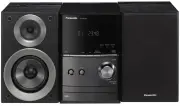
Panasonic SC-PM500GN-K Sound System – User Manual, read for free online in PDF format. We hope this helps you resolve any issues you may have. If you have further questions, please contact us through the contact form.


Panasonic Corporation
Web Site:
http://panasonic.net
Operating Instructions
CD Stereo System
Model No.
SC-PM500
SUPPLIED ACCESSORIES
Please check and identify the supplied accessories.
1 x AC mains lead
1 x AM loop antenna
1 x FM indoor antenna
1 x Remote control
battery
1 x Remote control
(N2QAYB000640)
Dear Customer
Thank you for purchasing this system.
For optimum performance and safety, read
these instructions fully before you connect,
operate or adjust this system.
Keep this manual for future reference.
These operating instructions are applicable
to the following system.
System
SC-PM500
Main unit
SA-PM500
Speakers
SB-PM500
Your system and the illustrations can look
differently.
Do the procedures with the remote
control. You can also use the buttons on
the main unit if they are the same.
CAUTION!
THIS PRODUCT UTILIZES A LASER.
USE OF CONTROLS OR ADJUSTMENTS
OR PERFORMANCE OF PROCEDURES
OTHER THAN THOSE SPECIFIED HEREIN
MAY RESULT IN HAZARDOUS RADIATION
EXPOSURE.
DO NOT OPEN COVERS AND DO NOT REPAIR
YOURSELF. REFER SERVICING TO QUALIFIED
PERSONNEL.
The socket outlet shall be installed near the
equipment and easily accessible.
The mains plug of the power supply cord shall
remain readily operable.
To completely disconnect this apparatus from the
AC Mains, disconnect the power supply cord plug
from AC receptacle.
This product may receive radio interference
caused by mobile telephones during use. If
such interference is apparent, please increase
separation between the product and the mobile
telephone.
THIS UNIT IS INTENDED FOR USE IN
MODERATE CLIMATES.
WARNING:
TO REDUCE THE RISK OF FIRE, ELECTRIC
SHOCK OR PRODUCT DAMAGE,
•
DO NOT EXPOSE THIS APPARATUS TO
RAIN, MOISTURE, DRIPPING OR SPLASHING
AND THAT NO OBJECTS FILLED WITH
LIQUIDS, SUCH AS VASES, SHALL BE
PLACED ON THE APPARATUS.
•
USE ONLY THE RECOMMENDED
ACCESSORIES.
•
DO NOT REMOVE THE COVER (OR BACK);
THERE ARE NO USER SERVICEABLE PARTS
INSIDE. REFER SERVICING TO QUALIFIED
SERVICE PERSONNEL.
CAUTION!
•
DO NOT INSTALL OR PLACE THIS UNIT IN
A BOOKCASE, BUILT-IN CABINET OR IN
ANOTHER CONFINED SPACE. ENSURE
THE UNIT IS WELL VENTILATED. TO
PREVENT RISK OF ELECTRIC SHOCK OR
FIRE HAZARD DUE TO OVERHEATING,
ENSURE THAT CURTAINS AND ANY OTHER
MATERIALS DO NOT OBSTRUCT THE
VENTILATION VENTS.
•
DO NOT OBSTRUCT THE UNIT’S
VENTILATION OPENINGS WITH
NEWSPAPERS, TABLECLOTHS, CURTAINS,
AND SIMILAR ITEMS.
•
DO NOT PLACE SOURCES OF NAKED
FLAMES, SUCH AS LIGHTED CANDLES, ON
THE UNIT.
•
DISPOSE OF BATTERIES IN AN
ENVIRONMENTALLY FRIENDLY MANNER.
Inside of product
Back of product
Placement
Set the system up on an even surface away from direct sunlight, high temperatures, high humidity, and
excessive vibration. These conditions can damage the cabinet and other components, thereby shortening
the service life of the system.
Place it at least 15 cm away from wall surfaces to avoid distortion and unwanted acoustical effects.
Do not place heavy items on the system.
Voltage
Do not use high voltage power sources. This can overload the system and cause a fire.
Do not use a DC power source. Check the source carefully when setting the system up on a ship or other
place where DC is used.
AC mains lead protection
Ensure the AC mains lead is connected correctly and not damaged. Poor connection and lead damage
can cause fire or electric shock. Do not pull, bend, or place heavy items on the lead.
Grasp the plug firmly when unplugging the lead. Pulling the AC mains lead can cause electric shock.
Do not handle the plug with wet hands. This can cause electric shock.
Foreign matter
Do not let metal objects fall inside the system. This can cause electric shock or malfunction.
Do not let liquids get into the system. This can cause electric shock or malfunction. If this occurs,
immediately disconnect the system from the power supply and contact your dealer.
Do not spray insecticides onto or into the system. They contain flammable gases which can ignite if
sprayed into the system.
Service
Do not attempt to repair this system by yourself. If sound is interrupted, indicators fail to light, smoke
appears, or any other problem that is not covered in these instructions occurs, disconnect the AC mains
lead and contact your dealer or an authorised service centre. Electric shock or damage to the system can
occur if the system is repaired, disassembled or reconstructed by unqualified persons.
Extend operating life by disconnecting the system from the power source if it is not to be used for a long
time.
SAFETY PRECAUTIONS
Conserving power
The system consumes approximately 0.2 W when it
is in standby mode. Disconnect the power supply if
you do not use the system.
Some settings will be lost after you disconnect the
system. You have to set them again.
2
3
B
4
(6
:
)
(6
:
)
A
A
1
B
To household
mains socket
Red
Black
Click!
1
Connect the speakers.
Be careful not to cross
(short-circuit) or reverse
the polarity of the speaker
wires as doing so may
damage the speakers.
2
Connect the FM indoor antenna.
Place the antenna where reception is best.
3
Connect the AM loop antenna.
4
Connect the AC mains lead.
Use the included AC mains lead with this system
only.
Do not use an AC mains lead from other
equipment.
MAINTENANCE
Amplifier section
RMS output power stereo mode
Front Ch (both ch driven)
20 W per channel (6 ), 1 kHz, 10% THD
Total RMS stereo mode power
40 W
FM/AM tuner, terminals section
Preset station
FM 30 stations
AM 15 stations
Frequency modulation (FM)
Frequency
range
87.50 MHz to 108.00 MHz (50 kHz step)
Antenna
terminals
75 (unbalanced)
Amplitude modulation (AM)
Frequency
range
522 kHz to 1629 kHz (9 kHz step)
520 kHz to 1630 kHz (10 kHz step)
Headphones jack
Terminal
Stereo, 3.5 mm jack
Disc section
Disc played (8 cm or 12 cm)
CD, CD-R/RW (CD-DA, MP3 formatted disc)
MPEG-1 Layer 3, MPEG-2 Layer 3
Pick up
Wavelength
790 nm (CD)
Laser power
CLASS 1 (CD)
Audio output (Disc)
Number of channels
2 ch (FL, FR)
FL = Front left channel
FR = Front right channel
USB section
USB port
USB standard
USB 2.0 full speed
Media file format support
MP3 ( .mp3)
USB device file system FAT 12, FAT 16, FAT 32
USB port power
500 mA (max)
Speaker section
Type
2 way, 2 speaker system (bass reflex)
Speaker unit(s)
Woofer
10 cm cone type
Tweeter
6 cm cone type
Impedance
6
Output sound pressure
80.5 dB/W (1 m)
Frequency range
52 Hz to 31 kHz (–16 dB)
74 Hz to 27 kHz (–10 dB)
Dimensions (W x H x D)
145 mm x 224 mm x 197 mm
Mass
1.9
k
g
General
Power supply
AC 220 to 240 V, 50 Hz
Power consumption
19
W
Dimensions (W x H x D)
153 mm x 224 mm x 232 mm
Mass
1.7
k
g
Operating temperature range
0°C to +40°C
Operating humidity range
35% to 80% RH (no condensation)
Power consumption in standby mode
0.2 W (approximate)
Note:
1) Specifications are subject to change without
notice.
Mass and dimensions are approximate.
2) Total harmonic distortion is measured by the
digital spectrum analyzer.
SPECIFICATIONS
To clean this system, wipe with a soft, dry cloth.
• Never use alcohol, paint thinner or benzine to clean this system.
• Before using chemically treated cloth, read the instructions that came with the cloth carefully.
“Made for iPod” and “Made for iPhone” mean that an electronic accessory has been designed to connect
specifically to iPod, or iPhone, respectively, and has been certified by the developer to meet Apple
performance standards.
Apple is not responsible for the operation of this device or its compliance with safety and regulatory
standards.
Please note that the use of this accessory with iPod, or iPhone may affect wireless performance.
iPhone, iPod, iPod classic, iPod nano, and iPod touch are trademarks of Apple Inc., registered in the U.S.
and other countries.
MPEG Layer-3 audio coding technology licensed from Fraunhofer IIS and Thomson.
– If you see this symbol –
Information on Disposal in other Countries outside the European Union
This symbol is only valid in the European Union.
If you wish to discard this product, please contact your local authorities or dealer and ask for
the correct method of disposal.
3
MAKING THE CONNECTIONS
R6/LR6, AA
Use alkaline or manganese battery.
Install the battery so that the poles (+ and –) align
with those in the remote control.
Point the remote control at the remote control
sensor, away from obstacles, at a maximum range
of 7 m directly in front of the main unit.
CAUTION!
• Do not break open or short-circuit the battery.
• Do not charge the alkaline or manganese battery.
• Do not use the battery if the cover has peeled off.
• Do not heat or expose to flame.
• Do not leave the battery(ies) in an automobile
exposed to direct sunlight for a long period of time
with doors and windows closed.
• Mishandling of battery can cause electrolyte
leakage, which can cause a fire.
• Remove the battery if you do not use the remote
control for a long period of time. Keep in a cool,
dark area.
1
PREPARING THE REMOTE CONTROL
4
OVERVIEW OF CONTROLS
RADIO
EXT-IN
SOUND
PRESET EQ
D.BASS
DISPLAY
DIMMER
SLEEP
PLAY
AUTO OFF
A
B
C
D
E
G
F
H
J
I
K
L
N
M
O
P
U
V
T
A
E
D
Q
R
W
S
F
E
K
Top view
Refer to the numbers in parentheses for chapter
references.
A
Standby/on switch [
`
],
[
1
]
(8, 12)
Press to switch the unit from on to standby mode
or vice versa. In standby mode, the unit is still
consuming a small amount of power.
B
Numeric buttons [1 to 9, 0,
≧
10]
To select a 2-digit number
Example: 16: [
≧
10]
→
[1]
→
[6]
C
Delete a programmed track (5)
D
Select source
[iPod]
: Select iPod (6)
[CD]
: Select disc (5)
[RADIO, EXT-IN] / [RADIO, EXT-IN(USB)]
:
Select radio or USB (7, 10)
E
Basic operation
[
4
/
9
]
: Playback or pause operation
[
8
]
: Stop playback
[
2
], [
6
]
: Skip track
Select preset radio station
[
3
], [
5
]
: Search track
Tune in to the radio station
[
2
/
3
], [
5
/
6
]
: Skip and search track
Select preset radio station
F
Select the sound effects (9)
G
Select the iPod menu item (6)
H
View the information shown on the display panel
Decrease the brightness of the display panel
Press and hold the button to use this function.
To cancel, press and hold the button again.
I
Set the sleep timer (8)
Set the clock and timer (8)
J
Set the program function (5, 7)
K
Adjust the volume of the system
L
Mute the sound of the system
Press the button again to cancel.
“MUTE” is also cancelled when you adjust
the volume or when you switch off the
system.
M
Set the play menu item (5)
N
Set the radio menu item (7)
O
[
R
,
T
]
: Skip album
Adjust clock setting
[
Y
,
U
]
: Select the item in the menu
[OK]
: Confirm the setting
P
Automatically switch off the system
This function switches off the system (except
in radio source) if you do not use the system
for approximately 30 minutes.
To cancel, press the button again.
Q
iPod or iPhone dock (6)
R
Headphones jack ( ) (10)
S
Display panel
T
USB port (
)
U
Open or close the disc tray
V
Disc tray
W
Remote control sensor
En
RQT9545-B
L0511LL0
GN
2
PLACEMENT OF SPEAKERS
The right and left speakers are the same.
Use only the supplied speakers.
The combination of the main unit and speakers
give the best sound.
You can cause damage to the system and
decrease the sound quality if you use other
speakers.
Note:
• Keep your speakers more than 10 mm from the
main unit for ventilation.
• Put the speakers on a flat safe surface.
• These speakers do not have magnetic shielding.
Do not put them near TVs, PCs or other
equipment easily influenced by magnetism.
• When you play at high levels for a long period, it
can cause damage to the system and decrease
the life of the system.
• Decrease the volume in these conditions to
prevent damage:
– When you play distorted sound.
– When you adjust the sound quality.
• To prevent damage to the speakers, do not
touch the speaker cones if you remove the nets.
CAUTION!
•
Use the speakers only with the recommended system. If not, you can cause damage to the
amplifier and speakers and can cause a fire. Consult an approved service personnel if damage
occurs or if there is a sudden apparent change in performance.
•
Do the procedures included in these instructions when you attach the speakers.
CAUTION!
Danger of explosion if battery is incorrectly replaced. Replace only with the same or equivalent
type recommended by the manufacturer. Dispose of used batteries according to the manufacturer’s
instructions.
PM500_GN_gb.indd 1
PM500_GN_gb.indd 1
5/13/2011 8:58:07 AM
5/13/2011 8:58:07 AM
"Loading the manual" means you need to wait until the file loads and becomes available for online reading. Some manuals are very large, and the time they take to appear depends on your internet speed.