Panasonic RR-QR170 - Manual

Panasonic RR-QR170 Voice Recorder – Manual, read for free online in PDF format. We hope this helps you resolve any issues you may have. If you have further questions, please contact us through the contact form.


Use numbers indicated when asking for replacement parts. (Product numbers correct as of
November 2005. These may be subject to change.)
∑
1 USB cable . . . . . . . . . . . . . . . . . . . . . . . . . . . . . . . . .(K1HA09BD0001)
∑
2 CD-ROM (Voice Editing Ver.1.0 Premium Edition)
Before use
Hint
2
Recorded contents
are stored in folders
●
The unit returns to standby if there is no operation
after 10 seconds have elapsed.
●
Press [
∫
] to stop the operation midway/cancel the setting.
ERASE
FOLDER/
MENU
R
EC
M
O
D
E
M
EETING
DICT
AT
ION
VO
L
R
EC
/ST
O
P
Folder/Menu
Play/enter [
1
], stop [
∫
],
fast forward, rewind/select
[
: 9
]
Erase
Recording/stop
Meeting/Dictation
Volume (
i
,
j
)
Recording
mode
MIC
HOLD
(
)
PLUG IN
POWER
Hold
Hint
1
Release hold
before operation
For MEETING
●
A maximum of 99 files can
be stored in each folder.
Folder
File
●
There is no power button.
HOLD
FOLDER/
MENU
1
Meeting
recording
Each time
you press
Each tim
you pres
(Dictation folder is set)
Recording
Dictation
recording
MEETING
FOLDER/
MENU
Select meeting or
dictation recording
2
Select the
folder
3
Select th
recordin
REC MODE
FQ
SP
B
C D
REC
DATE
REMAIN
AM PMH
MM
DS
HQ
A
FQ
SP
B
C D
REC
DATE
REMAIN
AM PMH
MM
DS
HQ
A
A
↓
B
↓
C
↓
D
←
HQ
↓
FQ
↓
SP
←
DICT
AT
ION
MEETING
DICT
AT
ION
(HQ mode is set)
When dictation recording, the following setti
SP
A B
C D
REC
DATE
REMAIN
SP
A B
C D
REC
DATE
REMAIN
Folder
Dictation folder
Recoding mode
(
)
1
Playing
Playing/Erasing
Erasing
Select the
folder
2
Select file or folde
HQ
FQ
SP
A
B
C D
REC
DATE
REMAIN
Use
[
]
to select
ERASE
Press
and
hold
Press
and
hold
Press
and
hold
HQ
FQ
SP
A
C D
REC
DATE
REMAIN
AM PMH
MM
DS
B
∫
Selected
∫
All files
in a folde
∫
All folder
You cannot restore files
you erase.
After selecting, informati
at the time of recording i
displayed.
The dictation
folder is selected
∫
A
–
D folder
∫
A
–
D folder
A
↓
B
↓
C
↓
D
←
∫
Dictation folder
1
Organizing
FOLDER/
MENU
Play a file
2
Enter the
move mode
3
Sele
the
FQ
SP
A
C
REC
DATE
B
Play the file you
want to move
FQ
SP
C
REC
DATE
REMAIN
A
Move
1
FOLDER/
MENU
FOLDER/
MENU
2
Enter the
menu mode
3
Selec
FQ
SP
A B
C D
MEETING
DICT
ATION
File lock
Destination
folder
Number of files in
destination folder
Preparation
2
Setting the time
1
Enter the
menu
mode
Select
“yEAr”
¥
When the year is flashing (e.g. 2006), begin from step 3.
The clock has a monthly accuracy of
i
/
j
60 seconds at room temperature.
When replacing the batteries, the clock stops and restarts when you reinsert them and close the battery cover.
Use [
] to select
Use [
] to select
Use [
] to select
Use [
] to select
Use [
] to select
∫
Month
/day
∫
Time
display
(12/24H)
∫
Year
∫
Time
Flashes until the time is set.
AM
FOLDER/
MENU
FQ
SP
A B
C D
REC
DATE
REMAIN
AM PMH
MM
DS
C D
REC
DATE
REMAIN
AM PMH
MM
DS
C D
REC
DATE
REMAIN
AM PMH
M
D
S
M
C D
REC
DATE
REMAIN
AM PMH
MM
DS
C D
REC
DATE
REMAIN
AM PMH
MM
DS
SP
A B
C D
REC
DATE
REMAIN
AM PMH
MM
DS
2
Set the
time
3
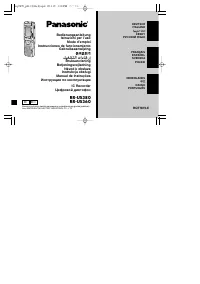
Dear customer
Thank you for purchasing this product. For optimum performance and safety, please read these
instructions carefully.
Operating Instructions
IC Recorder
Model No.
RR-US395
RR-QR180
RR-QR170
Before connecting, operating or adjusting this product, please read the instructions completely.
Please keep this manual for future reference.
E
p
RQT8530-B
F1105TH0
For DICTATION
(
)
File number
E.g.: Microphone sensitivity
¥
A menu is displayed.
Press
and
hold
∫
Dictation folder
Select the
folder
1
2
Use
[
Use
[
Use
[
(ENTER)
[
]
(ENTER)
[
]
(ENTER)
[
]
(ENTER)
[
]
(ENTER)
[
]
Supplied accessories
HQ
FQ
SP
A
B
C D
REC
DATE
Matsushita Electric Industrial Co., Ltd.
Web Site:
http://www.panasonic.co.jp/global/
Preparation
1
Inserting batteries
The battery indicator (displayed during operation)
1
2
¥
Replace the batteries within 30 seconds
to preserve the settings.
Recordings remain intact.
AAA, LR03 battery (not included)
Full
Empty
Replace the batteries
¥
If rechargeable batteries are to be used, rechargeable batteries
manufactured by Panasonic are recommended.
(Rechargeable batteries may not last as long as regular batteries.)
For the United Kingdom and Republic of Ireland
∫
Sales and Support Information
Customer Care Centre
¥
For customers within the UK: 08705 357357
¥
For customers within the Republic of Ireland : 01 289 8333
¥
Visit our website for product information
¥
E-mail: [email protected]
Technical Support for AV Software (
only)
¥
For UK, ROI: 08701 505610
Direct Sales at Panasonic UK
¥
Order accessory and consumable items for your product with ease and confidence by phoning our Customer
Care Centre Monday – Thursday 9:00am – 5:30pm, Friday 9:30am – 5:30pm (Excluding public holidays).
¥
Or go on line through our Internet Accessory ordering application
at www.panasonic.co.uk.
¥
Most major credit and debit cards accepted.
¥
All enquiries transactions and distribution facilities are provided directly by Panasonic UK Ltd.
¥
It couldn't be simpler!
¥
Also available through our Internet is direct shopping for a wide range of finished products, take a browse on our
website for further details.
RR-US395
RR-US395
"Loading the manual" means you need to wait until the file loads and becomes available for online reading. Some manuals are very large, and the time they take to appear depends on your internet speed.
Was this manual helpful?
About this manual
- Brand
- Panasonic
- Model
- RR-QR170
- Document type
- Manual
- Category
- Voice Recorder
- Language(s)
- English
- Pages
- 4
- File size
- 1.1 MB
- Format
Ask a question
Related manuals
More Panasonic Voice Recorders models
Other Panasonic appliances
 Panasonic 2 Manual
 Panasonic 2SB1218A Manual
 Panasonic 2SD1819A Manual
 Panasonic 3.0 Manual
 Panasonic 3CCD Manual
 Panasonic 7 Manual
 Panasonic 12-808 Manual
 Panasonic 32J330E User Manual
 Panasonic 35 Manual
 Panasonic 42HD Manual
 Panasonic 42HL57 Manual
 Panasonic 470 Manual
 Panasonic 650w Manual
- Panasonic 700 Manual
 Panasonic 850 Manual
 Panasonic 970 Manual
 Panasonic 990 Manual