Page 2 - IMPORTANT SAFETY NOTICE; Dear Panasonic Customer:; Preparation
2-E NGLISH IMPORTANT SAFETY NOTICE WARNING: To prevent damage which may result in fire or shock hazard, do not expose this appliance to rain or moisture. Machine Noise Information Ordinance 3. GSGV, January 18, 1991: Thesound pressure level at the operator position is equal or less than 70 dB(A) acc...
Page 3 - Precautions with regard to safety; WARNING; Contents
E NGLISH -5 Preparation Precautions with regard to safety WARNING If a problem occurs (such as no image or no sound) or if you noticesmoke or a strange smell coming from the projector, turn off the powerand disconnect the mains lead from the mains socket. B Do not continue to use the projector in su...
Page 4 - Caution
E NGLISH -7 Preparation 6-E NGLISH Do not look into the lens while the projector is being used. B Strong light is emitted from the projector’s lens. If you look directly into thislight, it can hurt and damage your eyes. B Be especially careful not to let young children look into the lens. Inaddition...
Page 5 - Accessories
E NGLISH -9 Preparation 8-E NGLISH When inserting the batteries, make sure the polarities (+ and -) arecorrect. B If the batteries are inserted incorrectly, they may explode or leak, and fire,injury or contamination of the battery compartment and surrounding areamay result. Use only the specified ba...
Page 6 - Notes on use; Before use; Cautions when moving the projector
E NGLISH -11 Preparation 10-E NGLISH Notes on use In order to get the best picture quality Draw curtains or blinds over any windows and turn off anyfluorescent lights near the screen to prevent outside light orlight from indoor lamps from shining onto the screen. Do not touch the surfaces of the len...
Page 7 - Projector; Location and function of each part
Projector <Top, right and front> E NGLISH -13 Preparation 12-E NGLISH # Security lock This can be used to connect acommercially-available theft-prevention cable (manufacturedby Kensington). This security lockis compatible with the MicrosaverSecurity System from Kensington. Contact details fort...
Page 8 - Projector control panel
E NGLISH -15 Preparation # RGB INPUT indicator (page 26)This indicator shows whether asignal is being input to the RGBinput connectors (RGB 1 IN/RGB2 IN). When an input signal isdetected, the indicator illuminates. $ LAMP indicator (page 53)This indicator illuminates when itis time to replace the la...
Page 9 - Wireless card; Inserting the wireless card; Connector panel
E NGLISH -17 Preparation 16-E NGLISH (PT-L735NTE only) Wireless card SD memory card $ % # LOCK ' & Front Back # Connector This connector is for connectingthe wireless card to theprojector’s card slot. Be carefulnot to touch the connector. $ Wireless card power indicator Illuminates when the wire...
Page 10 - Getting; Projector position; Projection distances
E NGLISH -19 Getting s tar ted 18-E NGLISH Projector position H1 L L SH SW 16 (-5/8) L: Projection distance SH: Image heightSW: Image widthH1: Distance from centre of lens to bottom edgeof projected image Top edge of screen Screen Bottom edge of screen Screen Projection distances NOTE: B The dimensi...
Page 11 - Example of connecting to computer; Connections; Notes on connections; Example of connecting to video equipments
E NGLISH -21 Getting s tar ted 20E NGLISH Example of connecting to computer NOTE: B It is better to shut down the computer before turning off the MAINPOWER switch of the projector. B Do not input the signal to the RGB2 IN/RGB1 OUT connector when theRGB2 SELECT item in the OPTION menu is set to “OUTP...
Page 12 - Basic; Operating range; Preparation for the remote control unit; Press the POWER button.
E NGLISH -23 Basic O peration 22-E NGLISH Operating range If the remote control unit is held so that it is facing directly in front of theremote control signal receptors on the front or rear of the projector, theoperating range is within approximately 7 m (23´) from the surfaces of thereceptors. Fur...
Page 13 - VIDEO; Turning off the power; Direct power off function
E NGLISH -25 Basic O peration 24-E NGLISH Press the input select button to select theinput signal. B A picture will be projected in accordance with the selected input signal. Follow the procedure below when you set the projector up first, and whenyou change the setup place. Press the AUTO SETUP butt...
Page 14 - Useful
E NGLISH -27 26-E NGLISH Power indicator Power indicator status Red Illuminated The projector is in standby mode and image projectionis possible by pressing the POWER button. A picture is being projected.The lamp is cooling down after the power is turnedoff. (The cooling fan is operating.)The projec...
Page 16 - Useful functions of the remote control unit; Laser beam pointer; Warning
E NGLISH -31 Useful functions 30-E NGLISH Useful functions of the remote control unit Laser beam pointer The laser beam emitted from the remote control can be used as a pointer bypointing forward to the screen.While the LASER button is being pressed, the laser beam is being emittedand the operating ...
Page 17 - Adjustments; Menu screens
E NGLISH -33 Adjustments and settings 32-E NGLISH 32 32 32 32 32 PICTURE PICTURE MODE CONTRAST BRIGHT SHARPNESS COLOR TEMP. WHITE BALANCE R WHITE BALANCE G WHITE BALANCE B STANDARD SELECT:[^][@] ADJUST:[{][}] ENTER:[ENTER] ESC:[MENU] STANDARD STANDARD 6 PICTURE menu (page 37) When an RGB signal is b...
Page 18 - Menu operation guide
E NGLISH -35 Adjustments and settings 34-E NGLISH # Press the MENU button. The menu screen will be displayed. $ Press the I I or H H arrow buttons to select a menu. The selected menu screen will then be displayed.(Example: POSITION menu) % Press the G G arrow button to accept the selection. You can ...
Page 19 - Adjusting the picture; NATURAL; PICTURE MODE
E NGLISH -37 Adjustments and settings 36-E NGLISH & Select an item pressing the F F or G G buttons. A For the value adjusting items Press the ENTER button todisplay an individual adjustmentscreen. Press the I or H buttons to adjust the setting.You can also adjust the bar-scaleitems pressing the ...
Page 20 - CONTRAST
E NGLISH -39 Adjustments and settings 38-E NGLISH CONTRAST This adjusts the contrast of thepicture. Press the H button to make the picture brighter, and press the I button to make the picture darker. (Adjust the BRIGHT settingfirst if required before adjusting theCONTRAST setting.) BRIGHT This adjus...
Page 21 - Adjusting the position
E NGLISH -41 Adjustments and settings 40-E NGLISH Select the item pressing the F or G buttons on the remote control unit orthe projector.Press the I or H buttons, to adjust the alternative items. For thenumerically adjustable items, pressthe ENTER button to display anindividual screen, and press the...
Page 22 - RESIZING; ASPECT; AUTO
E NGLISH -43 Adjustments and settings 42-E NGLISH RESIZING This should normally be set to “ON”.(This setting is only for signalswhich have lower resolutions thanthe LCD panels. Refer to page 62for details.) ON The pixel resolution of the inputsignal is converted to the sameresolution as the LCD pane...
Page 23 - Option settings
44-E NGLISH E NGLISH -45 Adjustments and settings Use the F and G buttons on the projector or remote control unit toselect an item, then press the I or H buttons to change the setting. OSD ON The current input name is displayedin the top-right corner of the screenwhen the input signal is changed. OF...
Page 25 - Setting up the SECURITY function; Network setup; SD card setup
E NGLISH -49 Adjustments and settings Setting up the SECURITY function This projector is equipped with a security function. A password input screencan be displayed, or a company URL can be set up and displayed at thebottom of the projected image. A logo also can be displayed before projection. Use t...
Page 26 - CHANGE TEXT
E NGLISH -51 Adjustments and settings 50-E NGLISH CHANGE TEXT The setup letters which will bedisplayed when TEXT DISPLAY isset to “ON” can be changed.Press the ENTER button to displaythe CHANGE TEXT screen. # Use the F , G , I and H buttons to select the characters, thenpress the ENTER button. (You ...
Page 27 - Care
E NGLISH -53 Care and m aintenance 52-E NGLISH Remedy Problem Indicator display Flashing (red) It is nearly time toreplace the lampunit. Illuminated (red) An abnormality has been detected in the lampcircuit. B Does “REPLACELAMP” appear onthe screen afterthe projector isturned on? B This occurs whent...
Page 28 - Replacing the lamp unit; Cleaning and replacing the air filter
E NGLISH -55 Care and m aintenance 54-E NGLISH Replacing the lamp unit Warning When replacing the lamp, allow itto cool for at least one hourbefore handling it. B The lamp cover gets very hot,and contact with it can causeburns. Notes on replacing the lampunit B The light generating lamp ismade of gl...
Page 29 - Lamp unit replacement procedure
E NGLISH -57 Care and m aintenance 56-E NGLISH + Select the “LAMP RUN TIME”by pressing the F or G buttons. , Press and hold the ENTERbutton for approximately 3seconds. The “LAMP TIME RESET” will bedisplayed. - Select “OK” by pressing the I I or H H buttons and press the ENTER button. . Turn off the ...
Page 30 - Before calling for service; Cleaning and maintenance
E NGLISH -59 Care and m aintenance 58-E NGLISH The picture doesnot displaycorrectly. Picture fromcomputer doesnot appear. Problem Possible cause B The signal format (TV system) may not be setcorrectly. B There may be a problem with the video tape orother signal source. B A signal which is not compat...
Page 31 - Other; Specifications
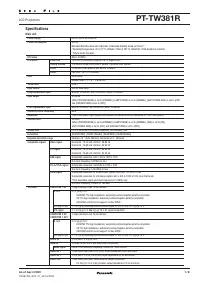
E NGLISH -61 Other s During RGB input/output: R.G.B.: 0.7 V [p-p], 75 Ω G.SYNC: 1.0 V [p-p], 75 Ω HD/SYNC: TTL, automatic plus/minus polaritycompatible VD: TTL, automatic plus/minus polaritycompatible AUDIO IN (for RGB): Single-line 0.5 V [rms] M3 jack (StereoMINI) VIDEO IN: Single-line, RCA pin jac...
Page 32 - Appendix; List of compatible signals; Connector pin wiring
E NGLISH -63 Other s 62-E NGLISH Appendix *1 The “i” appearing after the resolution indicates an interlaced signal.*2 The following symbols are used to indicate picture quality. AA Maximum picture quality can be obtained.A Signals are converted by the image processing circuit before picture is proje...
Page 33 - Control commands; Using the SERIAL connector; Connection
E NGLISH -65 Other s 64-E NGLISH Control commands The commands which the personal computer can use to control the projectorare shown in the following table. Command Control Contents Remarks In standby mode, all commands other thanthe PON command are ignored. B The PON command is ignored duringlamp O...
Page 34 - Trademark acknowledgements; Dimensions; LCD Projector; Operating Instructions; Commercial Use
66-E NGLISH These Operating Instructions are printed on recycled paper. Trademark acknowledgements B The SD logo is a trademark. B Windows is a trademark or registered trademark of Microsoft Corporationin the United States of America and other countries. B VGA and XGA are trademarks of International...