Page 2 - Before Initial Use; For your future reference; Attach your purchase receipt here.
Before Initial Use 2 For your future reference Serial No. Date of purchase (found on the bottom of the unit) Name and address of dealer Please read IMPORTANT SAFETYINSTRUCTIONS on page 39 before use.Read and understand all instructions. Thank you for purchasing your new Panasonic integratedtelephone...
Page 3 - Accessories
3 For assistance, please visit http://shop.panasonic.com/support Accessories (included) For extra orders, call 1-800-332-5368. ∑ Handset (p. 10)Order No. PQJXC0102Z one ∑ 4-Wire Telephone Line Cord with Green Plugs (p. 10, 11, 12) one ∑ Wall Mounting Adaptor (p. 17)Order No. PQKL10035Z2 one ∑ Handse...
Page 4 - Location of Controls; Contents; Preparation
4 Location of Controls . . . . . . . . . . . . . . . . . . . . . . . . . . . . . . . . . 1 6 Display . . . . . . . . . . . . . . . . . . . . . . . . . . . . . . . . . . . . . . . . . . . . 1 8 Settings . . . . . . . . . . . . . . . . . . . . . . . . . . . . . . . . . . . . . . . . . . . . 1 9 Instal...
Page 5 - Special Features; Optional Headset
Special Features . . . . . . . . . . . . . . . . . . . . . . . . . . . . . . . . . . . . . 28 For Call Waiting Service Users . . . . . . . . . . . . . . . . . . . . . . . . . 28Temporary Tone Dialing (For Rotary or Pulse Service Users) . . . . . . . . . . . . . . . . . . . 28 How to Use the PAUSE Bu...
Page 6 - VOLUME
6 Location of Controls 1 2 3 4 5 6 7 8 9 0 ABC DEF GHI JKL MNO PQRS TUV PROGRAM LINE 1 HOLD EMERGENCY LOWER M UTE TIME PROG. DIAL LO CK 1 AUTO / LOWER 2 DIAL LOCK LINE 2 /DATA PAUSE REDIAL FLASH TONE VOLUME MUTE HEADSET MIC 2 L I N E CONF S P-PHO NE RINGER Selectors (p. 16) (DIAL\LOCK) Button (p. 32...
Page 8 - Display
8 Display : In the standby mode, the display shows the current time. (Ex. 12:00AM) : During a conversation, the call duration is displayed. (Ex. 2 hours, 14 minutes, 30 seconds) : (FLASH) was pressed. : (PAUSE) was pressed while storing phone numbers. : ($) was pressed while dialing. : (#) was press...
Page 9 - Settings; Installing the Batteries
For assistance, please visit http://shop.panasonic.com/support 9 Preparation 1 Press down in the direction of thearrow and open the cover. 2 Install the batteries in the properorder as shown, matching thecorrect polarity. 3 Close the battery cover. Settings “ ≥ Batteries are not included in the unit...
Page 10 - To connect a two-line telephone jack; Connecting the Telephone Line Cord; Connecting the Handset
To connect a two-line telephone jack Connecting the Telephone Line Cord Connect the telephone line cord(s) to the unit as follows. LINE1/2 LINE2/DATA 4-Wire TelephoneLine Cord with GREEN Plugs GREEN Plug Two-Line Telephone Jack (RJ14C) “ Settings 10 Connecting the Handset Connect the handset as show...
Page 11 - To connect two single-line telephone jacks; If you use the unit only as a single-line telephone
11 Preparation For assistance, please visit http://shop.panasonic.com/support To connect two single-line telephone jacks 4-Wire TelephoneLine Cord with GREEN Plugs 2-Wire TelephoneLine Cord with TRANSPARENTPlugs LINE 1 LINE 2 GREEN Plug TRANSPARENT Plug LINE1/2 LINE2/DATA Single-Line Telephone Jacks...
Page 12 - Connecting a Communication Device
12 “ Settings ComputerModemFaxAnswering machine LINE1/2 LINE2/DATA GREENPlug TRANSPARENTPlug 4-Wire TelephoneLine Cord with GREEN Plugs 2-Wire Telephone Line Cordwith TRANSPARENT Plugs Two-LineTelephone Jack(RJ14C) Connecting a Communication Device After connecting the telephone line cord to a two-l...
Page 13 - Programming Summary; To set the call restriction,
13 Preparation For assistance, please visit http://shop.panasonic.com/support “ Programming Summary You can program the following functions. The display shows theprogramming instructions. See the corresponding pages for functiondetails. Press (MUTE) . Press (PROGRAM) to store the setting. Press (PRO...
Page 14 - Dialing Mode
“ Settings 14 Dialing Mode You can select the dialing mode by programming. If you have touch toneservice, set to “Tone”. If rotary or pulse service is used, set to “Pulse”.Your phone comes from the factory set to “Tone”. 1 Press (PROGRAM) . 2 Press (MUTE) . 3 Press (3) . ≥ The current setting is dis...
Page 15 - Time Adjustment
Time Adjustment You can select AM/PM or military time by programming. 1 Press (PROGRAM) . 2 Press (MUTE) . 3 Press (6) . 4 Enter the current time (hour andminute) using a 4-digit number.(Ex. To set 9:30, enter “0930”.) 5 Press (#) to select AM, PM or military time.(Ex. You select PM.) ≥ Each time yo...
Page 16 - LCD Contrast; Ringer Volume
“ Settings 16 LCD Contrast You can select the LCD contrast level from 1 to 4 by programming. Yourphone comes from the factory set to 3. 1 Press (PROGRAM) . 2 Press (MUTE) . 3 Press (7) . ≥ The current setting is displayed. 4 Press (1) to (4) . ≥ Each time you press a button, the levelwill change on ...
Page 17 - Wall Mounting; so the tab holds the handset
17 Preparation For assistance, please visit http://shop.panasonic.com/support To temporarily set thehandset down during aconversation, place it asshown here. Wall Mounting The unit can be mounted on a wall phone plate. 1 Pull down the handset hook until itlocks, so the tab holds the handset . 2 Tuck...
Page 18 - Making Calls
18 Using the handset 1 Press (LINE1) or (LINE2/DATA) to select a telephone line. 2 Lift the handset. ≥ The line indicator lights red. 3 Dial a phone number. ≥ The dialed number isdisplayed. ≥ After a few seconds, thedisplay will show the length ofthe call. ≥ If you misdial, hang up andstart again fr...
Page 19 - Basic Operation; During speakerphone operation; To redial the last number dialed; What the line indicator means
19 Basic Operation For assistance, please visit http://shop.panasonic.com/support During speakerphone operation For best performance, please note the following: ≥ Talk alternately with the other party in a quiet room. ≥ If the other party has difficulty hearing you, press VOLUME (_) to decrease the ...
Page 20 - Using the handset; Using the speakerphone; Answering Calls
20 While a call is being received, the unit rings and the called line indicatorflashes red. Using the handset 1 Press the line button whoseindicator is flashing. 2 Lift the handset. ≥ The line indicator lights red. 3 To hang up, place thehandset on the cradle. ≥ The indicator light goes out. Using t...
Page 21 - Using the Other Line During a Conversation; Ex: If you are using LINE1; Advanced Operation
21 For assistance, please visit http://shop.panasonic.com/support Using the Other Line During a Conversation During a conversation, if the other line indicator flashes red, an incomingcall is being received on the line. You can answer the second call whileholding the first call. You can also make a ...
Page 22 - Conference Call; Ex: If you are using LINE 1; During a conference call:
22 Conference Call While having a conversation on one line, you can make or answer asecond call on the other line and then combine both calls together tomake a conference call. Ex: If you are using LINE 1 1 Press (HOLD) to put the first call (LINE1) on hold. ≥ The LINE 1 indicator lightsgreen. ≥ If ...
Page 23 - Storing Phone Numbers; Speed Dialer
Advanced Operation 23 For assistance, please visit http://shop.panasonic.com/support Storing Phone Numbers You can store up to 10 phone numbers in memory. The dialing buttons( (0) to (9) ) function as memory stations. Do not press any memory stations before storing to prevent misoperation. 1 Press (...
Page 24 - To erase a stored number; Dialing a Stored Number
“ Speed Dialer 24 To erase a stored number 1 Press (PROGRAM) . 2 Press (AUTO/LOWER) . 3 Press a memory station number ( (0) to (9) ) for the phone number to be erased. ≥ A long beep sounds. ≥ The unit will return to the standby mode. Dialing a Stored Number 1 Press (LINE1) or (LINE2/DATA) to select ...
Page 25 - To store in an UPPER memory location
Advanced Operation 25 For assistance, please visit http://shop.panasonic.com/support Storing Phone Numbers You can store up to 20 phone numbers in the one-touch auto dial buttons(10 numbers in UPPER memory locations, 10 numbers in LOWERmemory locations). To store in an UPPER memory location It is re...
Page 26 - To store in a LOWER memory location
26 “ One-Touch Dialer To store in a LOWER memory location 1 Press (PROGRAM) . 2 Enter a phone number, up to 22 digits. ≥ If you enter a wrong number, press (PROGRAM) and start again from step 1. 3 Press (AUTO/LOWER) . 4 Press one of the one-touch auto dialbuttons. ≥ A long beep sounds. ≥ The unit wi...
Page 27 - From an UPPER memory location:; OR; Memory card
Advanced Operation 27 For assistance, please visit http://shop.panasonic.com/support Dialing a Stored Number From an UPPER memory location: 1 Press (LINE1) or (LINE2/DATA) to select a telephone line. 2 Lift the handset or press (SP-PHONE/HEADSET) . 3 Press the required one-touch auto dial button. ≥ ...
Page 28 - For Call Waiting Service Users; Temporary Tone Dialing
28 Special Features For Call Waiting Service Users Press (FLASH) if you hear a call-waiting tone while talking. ≥ The first call is put on hold and you can answer the second call. ≥ “ ” is displayed. ≥ To return to the first caller, press (FLASH) again. ≥ If this function does not operate properly, ...
Page 29 - Muting Your Conversation
Advanced Operation 29 For assistance, please visit http://shop.panasonic.com/support “ How to Use the PAUSE Button (For Analog PBX Line/Long Distance Service Users) We recommend you press (PAUSE) if a pause is required for dialing with a PBX or to access a long distance service. Ex. Line access numb...
Page 30 - FLASH Button; Selecting the flash time
“ Special Features 30 FLASH Button Pressing (FLASH) allows you to use special features of your host PBX such as transferring an extension call or accessing special telephoneservices (optional) such as call waiting. Selecting the flash time The flash time depends on your telephone exchange or host PB...
Page 31 - PIN Code
Advanced Operation 31 For assistance, please visit http://shop.panasonic.com/support “ PIN Code A 4-digit PIN Code (Personal Identification Number) preventsunauthorized persons from using your unit. The PIN Code is required forthe dial lock and call restriction to be set or canceled. The factory pre...
Page 32 - To cancel the dial lock; To set the dial lock; Dial Lock
32 “ Special Features To cancel the dial lock Follow steps 1 through 3 above again. ≥ “ ” will disappear, and the unit will return to the standby mode. You can use the following features while the dialing buttons are locked. ≥ Dialing a number you programmed into the memory of the EMERGENCYbutton (p...
Page 33 - Call Restriction; To set the call restriction
Advanced Operation 33 For assistance, please visit http://shop.panasonic.com/support “ When dialing a phone number with the restricted leading digit(s), the dialednumber will flash on the display, but not dialed out. Call Restriction You can prevent the unit from dialing phone numbers beginning with...
Page 34 - To cancel the call restriction; Connecting an Optional Headset to the Unit
34 “ Special Features To cancel the call restriction Follow steps 1 through 5 on page 33. In step 6 on page 33, press ($) to cancel call restriction (“– –” is displayed) and press (PROGRAM) . ≥ A long beep will sound and the unit will return to the standby mode. Optional Headset Plugging an optional...
Page 35 - Useful Information; Making/Answering Calls; Make sure to install the batteries.
35 For assistance, please visit http://shop.panasonic.com/support Useful Information Making/Answering Calls Make sure to install the batteries. 1 Press the line button to select the telephone line. 2 Press (SP-PHONE/HEADSET) to make or answer a call. ≥ The line indicator lights red and SP-PHONE/HEAD...
Page 36 - Battery Replacement
36 Battery Replacement If “ ” flashes, the battery power is low. Install new batteries. Replace the batteries within 1 minute to keep the programmed settings. But theprogrammed time setting will be cleared. Battery Precautions: The batteries should be used correctly, otherwise the unit may be damage...
Page 37 - Troubleshooting; Problem; Remedy
For assistance, please visit http://shop.panasonic.com/support 37 Useful Information Troubleshooting “ Problem The unit does not work. The unit does not ring. The line indicators do notwork properly. You cannot dial. The other party suddenlycannot hear your voiceduring a conversation. You cannot pro...
Page 39 - Important Safety Instructions; SAVE THESE INSTRUCTIONS
39 Useful Information For assistance, please visit http://shop.panasonic.com/support Important Safety Instructions “ When using this unit, basic safety precautions should always be followedto reduce the risk of fire, electric shock, or personal injury. 1 1. Read and understand all instructions. 1 2....
Page 41 - FCC and Other Information
FCC and Other Information “ 41 Useful Information For assistance, please visit http://shop.panasonic.com/support If requested by the telephone company, inform them as follows:Registration No. . . . . . . . . . . . . . . . . . . . . . . . . .(found on the bottom of the unit)Ringer Equivalence . . . ....
Page 44 - Index
Index 44 A Accessories . . . . . . . . . . . . . . . . 3Answering calls. . . . . . . . . . . . . 20 B Battery, Installing . . . . . . . . . . . . 9Battery life . . . . . . . . . . . . . . . . . 9Battery replacement . . . . . . . . . 36 C Call on hold . . . . . . . . . . . . 19, 21Call Restriction . ...
Page 45 - Customer services; Shop; for all your Panasonic gear; Customer Services Directory
4 5 Useful Information For assistance, please visit http://shop.panasonic.com/support Customer services Shop Accessories! for all your Panasonic gear Go to hp://shop.panasonic.com/support Get everything you need to get the most out of your Panasonic products Accessories & Parts for your Camera, ...
Page 46 - Lim; Panasonic Products Limited Warranty
46 Lim i ted Warranty (ONLY FOR U.S.A.) Labor One (1) Year Parts One (1) Year Panasonic Products Limited Warranty Limited Warranty Coverage (For USA Only) If your product does not work properly because of a defect in materials or workmanship, Panasonic Corporation of North America (referred to as “t...


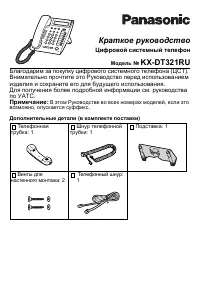 Panasonic KX-DT321 Manual
 Panasonic KX-NT700 Manual
 Panasonic KX-T2365 Manual
 Panasonic KX-T2470 Manual
 Panasonic KX-T7630 Manual
 Panasonic KX-T7710 Manual
 Panasonic KX-T7735 Manual
 Panasonic KX-TCD815RU / KX-TCD825RU User Manual
 Panasonic KX-TG6541 Manual
 Panasonic KX-TG6611 / KX-TG6621 User Manual
 Panasonic KX-TG9542B User Manual
 Panasonic KX-TG9582B User Manual
 Panasonic KX-TGA950B User Manual
 Panasonic KX-TGF573S User Manual
 Panasonic KX-TGM430B User Manual
 Panasonic KX-TS2368RUW Manual


