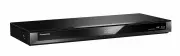
Page 2 - Safety precautions
SQT1112 2 Unit • To reduce the risk of fire, electric shock or product damage,- Do not expose this unit to rain, moisture, dripping or splashing. - Do not place objects filled with liquids, such as vases, on this unit. - Use only the recommended accessories.- Do not remove covers.- Do not repair thi...
Page 3 - Supplied accessories; Remote control
SQT1112 3 Batteries • Danger of explosion if battery is incorrectly replaced. Replace only with the type recommended by the manufacturer. • Mishandling of batteries can cause electrolyte leakage and may cause a fire.- Do not mix old and new batteries or different types at the same time. - Do not hea...
Page 4 - Table of contents
SQT1112 4 Table of contents Safety precautions . . . . . . . . . . . . . . . . . . . . 2 Supplied accessories . . . . . . . . . . . . . . . . . . 3 Getting started Unit care . . . . . . . . . . . . . . . . . . . . . . . . . . . . . 5 Main unit . . . . . . . . . . . . . . . . . . . . . . . . . . . . ...
Page 5 - Unit care
Gettin g started SQT1112 5 Unit care • The HDD is a high precision recording instrument and is easily susceptible to damage. Therefore, be careful of the following points while the unit is turned on, especially during operation, otherwise the HDD and the recorded content may be damaged:- Do not subj...
Page 6 - Main unit; Front; Inserting or removing media
Gettin g started SQT1112 6 Main unit • While writing to/reading from the media, do not switch the unit to standby mode or remove the media. Such action may result in loss of the media contents. • When inserting the media, ensure that it is facing the right way up. • The USB port on the front side do...
Page 7 - Display
Gettin g started SQT1112 7 Class II equipment (The construction of the product is double-insulated.) Display 1 Drive (HDD, BD or SD) indicator 2 Main display section indicator• Messages and other information are displayed. ( > 76) 3 Timer recording indicator• This indicator li...
Page 8 - Remote Control
Gettin g started SQT1112 8 Remote Control Instructions for operations are generally described using the remote control. GUIDE CH CH PAGE AV INPUT TV OK VOL RETURN OPTION DELETE AUDIO REC TEXT STTL -10s +60s INTERNET REWIND LIVE TV 0 2 abc 5 jkl 8 tuv 1 4 ghi 7 qrs p 3 def 6 mno 9 xyz w FU NCT ION M ...
Page 9 - Connection; Basic connections; • Connect only after all other
Gettin g started SQT1112 9 Connection • Keep the RF coaxial cables as far away as possible from other cables. 3D programmes or 4K images can be played back when this unit is connected to a 3D or 4K compatible terminal of a 3D or 4K compatible TV. • Before connection, turn off all equipment and read ...
Page 10 - Amplifier/receiver connections; HDMI terminal; Network connection; LAN cable connection
Gettin g started SQT1112 10 • When using a TV or an amplifier/receiver that does not display “ARC” on the HDMI terminal, it is necessary to connect the TV and the amplifier/receiver with a digital audio cable to enjoy the TV audio on the amplifier/receiver. • When you do not want the audio to be out...
Page 11 - Settings; • Perform the setting if you cannot operate the TV; Manufacturer and Code No.; TV operation buttons; Easy Setting
Gettin g started SQT1112 11 Settings The TV can be operated from the TV operation buttons of the remote control. • Perform the setting if you cannot operate the TV with the TV operation buttons. While pressing [TV Í ], enter the code with the number buttons. Manufacturer and Code No. • If your TV br...
Page 12 - To stop partway; • If your wireless connection is encrypted, please; Search for wireless network:; will not be displayed. Enter
Gettin g started SQT1112 12 To stop partway Press [RETURN ]. To restart setup ( > 62, Auto Setup) • If tuning is cancelled partway through, it may not be possible to receive the channels. Restart setup again. Eas y Network Se tting After completing “Easy Setting”, you can continue with “Easy Netw...
Page 13 - To restart Easy Network Setting; To redo settings individually; Select “Basic Settings” in “Setup”, then press
Gettin g started SQT1112 13 To restart Easy Network Setting 1 Press [FUNCTION MENU]. ( > 19) 2 Select “Basic Settings” in “Setup”, then press [OK]. 3 Select “Easy Network Setting” in “Network”, then press [OK]. To redo settings individually If “Easy Network Setting” did not work properly or when ...
Page 14 - HDD and media information; Recordable/playable contents; • Video
Gettin g started SQT1112 14 HDD and media information For more details, refer also to the specifications. ( > 77) ( – : Impossible) Recordable/playable contents Media type Standard symbol Playable contents Recordable contents Built-in hard disk drive (HDD) [HDD] • Video• AVCHD/AVCHD 3D• MKV• MP4•...
Page 15 - • Music
Gettin g started SQT1112 15 ( – : Impossible) • With certain recording states and folder structures, the play order may differ or playback may not be possible.• It may not be possible to play the above media in some cases due to the type of media, the condition of the recording, the recording method...
Page 17 - Notes
Gettin g started SQT1112 17 § 1 The SD quality programme cannot be converted to HD quality. § 2 [For_New_Zealand] § 3 You cannot select during play whether it activates or deactivates. § 4 You cannot select during play whether it appears or disappears. Approximate recording times Refer to “Recording...
Page 18 - DO
Gettin g started SQT1112 18 Notes for the disc • Region management information The unit can play back BD-Video/DVD-Video discs of the following regions codes, including “ALL”: e.g., BD-Video DVD-Video • Disc recorded on another device • It may be necessary to finalise the disc or close the session o...
Page 19 - • You can change the unit’s settings of Digital
Gettin g started SQT1112 19 FUNCTION MENU screen You can easily access the desired functions, such as playback, timer recording, the unit’s settings etc. via the FUNCTION MENU. 1 Press [FUNCTION MENU]. 2 Select the item, then press [OK]. TV Guide Home Network Copy Video Setup Timer Recording Content...
Page 20 - Watching broadcasts; W X
Watching broa dcasts SQT1112 20 Watching broadcasts To switch to the channel you have previously watched Press [LAST VIEW ]. • This function will work only for the channels you have watched for more than 10 seconds. If you have set a ratings level ( > 63, Child Lock ( Parental Rating )), you may ...
Page 21 - the programme every time it is pressed.; Using TV Guide system
Watching broa dcasts SQT1112 21 Press [AUDIO].• Audio will switch according to the contents of the programme every time it is pressed. You can switch the aspect ratio of the screen mode. ( > 61) To use the data service function (Catch Up Service), connect to a network and set up the network setti...
Page 22 - Using Channel List; XXXXXXX
Watching broa dcasts SQT1112 22 You can select from the list of channel names. 1 Press [OK]. 2 Select the channel, then press [OK]. To edit the channel list Refer to “Channel List”. ( > 62) This unit temporarily saves a live TV programme you are watching with this unit’s tuner on HDD. REWIND LIVE...
Page 23 - Recording; To cancel a conversion (; To set the recording time
Recording SQT1112 23 Recording TV programmes • If a timer recording reaches its start time when all tuners are being used for recording, the recording (OTR) of one of the programmes terminates. • Teletext will not be recorded.• Following contents or media cannot be played back while recording.- vide...
Page 24 - If the following screen appears; While recording, perform steps 1–3 on page 23.; Operation during Recording; Following screen appears; Recording programme not displayed on the TV
Recording SQT1112 24 Press [STATUS ]. e.g., While recording two programmes simultaneously Press [ ∫ ]. When recording one programme: If the following screen appears Select “Yes”, then press [OK]. After displaying the recording programme, press [ ; ]. • Press again to restart recording. (A title is n...
Page 25 - Timer recording; To use TV Guide system (
Recording SQT1112 25 Timer recording To use TV Guide system ( > 21) Operation during Recording ( > 24) To edit the timer programme ( > 28) Select “Single Timer Rec.” or “Series Timer Rec.” ( > 26), then press [OK]. • The overlapped programmes are displayed with if their repeat programmes...
Page 26 - On the TV Guide screen:
Recording SQT1112 26 1 On the TV Guide screen: Press [OPTION]. 2 Select the item, then press [OK]. Keyword Search Displays programmes including the input keyword.• Refer to “Entering text”. ( > 61) Prog.Type Search Displays programmes of the selected type.If, for example, you select “Arts/Culture...
Page 27 - Channel; Timer recording options; Notes on timer recording
Recording SQT1112 27 Select the items and change the settings. Channel You can select Category with the red button. Day/Date You can select “Date” or “Weekly” by pressing the green button. Auto Renewal Recording (Only daily/weekly/series timer recording)The unit will record the new programme over th...
Page 28 - To edit a timer programme; Screen icons
Recording SQT1112 28 2 Select the programme, then perform the operations. To edit a timer programme 1 Press [OK].2 Change the timer recording options. • Refer to “Timer recording options”. ( > 27) 3 Press [OK]. To exit the timer recording list Press [EXIT ]. • Programmes to be recorded with Keywo...
Page 31 - Playing titles; “For recorded titles (; Video Menu screen; Programme type
Playing back video SQT1112 31 Playing titles on the HDD AVCHD tab [USB_HDD] When connecting registered USB HDD, “USB HDD” tab and registration number appears.Select “USB HDD” tab. § § “For recorded titles ( > 17)” only 1 Press [FUNCTION MENU]. 2 Select “Contents on HDD”, then press [OK]. e.g., 3 ...
Page 33 - Playing Keyword Recording titles
Playing back video SQT1112 33 1 Select the title or the group, then press the yellow button.• A check mark is displayed. Repeat this step. • Press the yellow button again to cancel. 2 Press [OPTION]. 3 Select the item, then press [OK]. Create Group: Selected titles are bundled to form a group. Relea...
Page 34 - Video list screen; Menu screen
Playing back video SQT1112 34 e.g., • When the following conditions are met, videos are played back in 4K regardless of the image quality:- When this unit is connected to a TV that is 4K and 24p/25p compatible - When “HDMI Video Format” is set to “Automatic” ( > 66) - When “24p / 25p Conversion” ...
Page 35 - While stopped; Notes for BD-Live discs
Playing back video SQT1112 35 If the menu screen is not displayed, display it by performing the following operation. 1 While stopped Press [FUNCTION MENU]. 2 Select “Media”, then press [OK].3 Select the media, then press [OK]. e.g., About screen icons Refer to “Screen icons”. ( > 34) Showing Info...
Page 36 - Operation during play; • Press again to return to normal speed.; General operations
Playing back video SQT1112 36 Operation during play • Discs continue to rotate while menus are displayed. Press [ ∫ ] when you have finished playback to protect the unit’s motor, your TV screen, etc. Press [STATUS ] twice. Press [ ∫ ]. Resume play function Press [ 1 a 1.3] to restart from the stoppe...
Page 37 - recorded every time it is pressed.; D video playback
Playing back video SQT1112 37 Skip forward 1 minute: Press [+60s]. Skip backward 10 seconds: Press [-10s]. • Depending on the content that you play back, this function is not available. • [For_New_Zealand] This function does not work for titles containing recorded broadcasts. [BD-V] [DVD-V] 1 Press ...
Page 38 - Keep original picture format.
Playing back video SQT1112 38 Change this setting when the screen is not correctly displayed for 3D compatible programmes. Graphic Display Level Adjust the 3D position for the playback menu or message screen etc. • Please refrain from viewing 3D images if you do not feel well or are experiencing vis...
Page 39 - Playback menu
Playing back video SQT1112 39 Playback menu A variety of playback operations and settings can be performed from this menu.Available options differ depending on the playing contents and the condition of the unit. 2 Select the menu, then press [OK]. 3 Select the item, then press [OK]. 4 Change the set...
Page 40 - Select the picture quality mode during play.
Playing back video SQT1112 40 • The menu is not displayed when playing photos. Display language list Picture Settings Picture Type Select the picture quality mode during play. Sharpness AdjustmentNoise ReductionLuminance/Colour AdjustmentBandwidth Limitation Adjusts the bandwidth limitations. 24p / ...
Page 41 - Deleting/Editing titles; Multiple selection; • Press the yellow button again to cancel.; Deleting recorded titles; Deleting during play; Editing recorded titles; Entering title name
Edit ing video SQT1112 41 Deleting/Editing titles Once deleted, divided or partially deleted, content cannot be restored to its original state. Make certain before proceeding. § § “For recorded titles ( > 17)” only 1 On the Video Menu screen:Select the title. 2 Press [DELETE]. 3 Select “Delete”, ...
Page 42 - Subtitle will not be recorded.; switched to standby mode.
Edit ing video SQT1112 42 1 Select “Divide Title” in “Edit”, then press [OK]. 2 Press [OK] at the point to divide the title.• You can find the desired point by using play, search, etc. ( > 36) 3 Select “Continue”, then press [OK]. 4 Select “Divide”, then press [OK]. To confirm the division point ...
Page 43 - To cancel a “During standby” conversion; Deleting video files on the HDD
Edit ing video SQT1112 43 To confirm whether the conversion is completed Press [VIDEO MENU]. When “ ±± > ±± (Recording mode for conversion)” is displayed, the conversion has not finished. To cancel a “During standby” conversion After performing steps 1–2 ( > 41, Editing recorded titles)1 Selec...
Page 44 - Copying titles
Copying vide o SQT1112 44 Copying titles To register the external HDD (USB HDD) ( > 57) To copy video files ( > 45) 1 Select “No”, then press [OK] in step 6 ( > left). 2 Select the title, then press the yellow button.Repeat this step to select titles. 3 Press the blue button. 4 Go to step 6...
Page 45 - About other screen icons; Press the blue button.; To stop copying; Press and hold [RETURN; About the screen icons; Copying titles with copying list; Titles that cannot be copied; Copying video files; • Multiple selection (
Copying vide o SQT1112 45 1 Press [FUNCTION MENU]. 2 Select “Copy Video”, then press [OK]. Cancel All: To cancel all registered copying settings and lists 3 Make the copying settings. (Copy Direction etc.) 4 Select “Start Copying”, then press [OK]. 5 Select “Yes”, then press [OK]. • Titles in the gr...
Page 46 - Playing photos; Photo play option
Photo and Music SQT1112 46 Photo § 1 § 2 § 3 § 1 “For data files ( > 17)” only (JPEG, MPO) § 2 [BD-RE] only § 3 [DVD-R] [+R] only 2 Select the folder, then press [OK].• Photo menu screen appears. ( > 47) 3 Select the photo, then press [OK].• Press [ 2 , 1 ] to display the previous or next phot...
Page 47 - Photos imported to the HDD (; Photo Menu screen; Photo protected; Tab; Slideshow settings
Photo and Music SQT1112 47 e.g., [HDD] Photos imported to the HDD ( > 48) are managed using folders.Folders and photos can be edited by pressing [OPTION]. ( > 48) To select the tab Press [ 2 , 1 ]. To start Slideshow Refer to “Slideshow settings”. ( > right) [HDD] To display or exit the Cal...
Page 48 - Editing photos
Photo and Music SQT1112 48 [HDD] [SD] 2 Press [OPTION].• Selectable items will change depending on the media and the type of file. 3 Select the item, then press [OK]. To stop copying Press and hold [RETURN ] for 3 seconds. • The name of the copied photos will be changed. Editing photos 1 On the Phot...
Page 49 - Music; only; Copying automatically; Playing music file on the media
Photo and Music SQT1112 49 Newly added photos will automatically be copied to the HDD. 4 Once the copy is completed, select “Yes” or “No”, then press [OK]. To stop copying Press and hold [RETURN ] for 3 seconds. • Photos without shooting date will be categorised using the creation date. • The name o...
Page 50 - Playing music file on the HDD
Photo and Music SQT1112 50 [HDD] 1 Press [FUNCTION MENU]. 2 Select “Music” in “Contents on HDD”, then press [OK].The music list screen appears. 3 Go to step 3 ( > 49, Playing music file on the media). Press [ ∫ ]. Press [ ; ]. • Press [ 1 a 1.3] to restart play. Press [ 6 ] or [ 5 ]. • Press [ 1 ...
Page 51 - Enjoying; Preparation; To exit; Preparation; • Perform network connection and settings.
Network SQT1112 51 Enjoying Network Service Network Service allows you to access some specific websites supported by Panasonic, and enjoy Internet contents such as photos, videos, etc. from Network Service home screen. Preparation • Perform network connection and settings. ( > 10, 12) 1 Press [IN...
Page 52 - Smart Home; Using this unit as Server
Network SQT1112 52 Smart Home Networking (DLNA) Smart Home Networking (DLNA) allows you to watch the contents and broadcasts on Server equipment connected on the same network from Client equipment.This unit can be used both as Server and Client. Additionally, if used as Client, this unit can also be...
Page 53 - • Convenient functions can be used by pressing; • Control Panel; • Depending on the server, the contents other; Using this unit as Client; Playable contents
Network SQT1112 53 You can share videos, photos and music stored in the DLNA Certified media server. 1 Press [FUNCTION MENU]. 2 Select “DLNA Client” in “Home Network”, then press [OK].A list of equipment connected via the network is displayed.• This list can be updated by pressing the red button. 3 ...
Page 54 - Using this unit as Media Renderer; When selected “DLNA Client”:; Go to step 4 on page 53.; When selected “DLNA Server”:; Operate the Digital Media Controller.
Network SQT1112 54 This unit will work as Media Renderer, which allows you to play back the contents on DLNA Server by operating a Digital Media Controller (a smartphone, etc.). § Digital Media Controller compatible software should be installed. Following steps are necessary to use this unit as Medi...
Page 55 - Operate the Miracast compatible equipment.; To exit from Miracast; Using Miracast
Network SQT1112 55 If the corresponding device is not found even after the search is run again, select “Next” and change the connection method. Select the connection method according to the device to be connected. You can enjoy the content you are viewing on a Miracast-compatible smartphone, etc. on...
Page 56 - Copying the HD Video; • Titles displaying these marks cannot be
W ith Other Equipment SQT1112 56 Copying the HD Video (AVCHD) § “For data files ( > 17)” only e.g., Connecting to the Panasonic video camera 1 Connect the video camera or insert the media.• Make the video camera ready for data transfer.The menu screen appears. ( > 34) 2 Select “Copy Video ( AV...
Page 57 - Connect this unit with optional USB HDD.; Connecting the USB HDD
W ith Other Equipment SQT1112 57 Connect this unit with optional USB HDD. • Only one USB HDD (For recorded titles, > 17) can be connected at the same time. • Do not connect additional HDDs using a USB hub. • For details about connection method, refer to the instructions supplied with the USB HDD....
Page 58 - VIERA Link functions; performed; Power off link; • Sound may be discontinued for several seconds
Convenie nt functions SQT1112 58 VIERA Link functions What is VIERA Link? VIERA Link is a convenient function which will link the operations of this unit and a Panasonic TV (VIERA) or an amplifier/receiver. You can use this function by connecting the equipment with the HDMI cable. See the operating ...
Page 59 - Update; • From Internet; • It is displayed on the Channel Information
Convenie nt functions SQT1112 59 Software (Firmware) Update Software of this unit can be updated automatically by the following methods at the specified time.(Default setting is 3 a.m. > 70, Software Update in Standby) • From broadcasts ( [For_New_Zealand] ) Software of this unit will be updated ...
Page 60 - K Networking; Refer to “Playing titles on the media”. (; Other operations; Format SD Card; Do not disconnect the AC mains lead while formatting.
Convenie nt functions SQT1112 60 4K Networking You can save 4K videos/photos recorded with digital cameras and other 4K-compatible devices to the HDD of this unit and play them back. Compatible 4K content • MP4/MOV (4K/24p, 25p and 30p) - bit rate up to 100 Mbps- resolution up to 3840 k 2160 25p/30p...
Page 61 - • Show the “Enter Title Name” screen, etc.; To end partway; Normal output; To cancel the HOLD function; simultaneously until “X HOLD” disappears.; Entering text; umlaut mark or accent grave; HOLD function
Convenie nt functions SQT1112 61 Preparation • Show the “Enter Title Name” screen, etc. 1 Select a character, then press [OK].Repeat this step to enter other characters. 2 Press [ ∫ ] (Finish). “Writing...” appears then the screen returns to the previous screen and so on. To end partway Press [RETUR...
Page 62 - Basic Settings; Digital TV Tuning
Setup SQT1112 62 Basic Settings You can change the unit’s settings of Digital TV Tuning, Sound, Display, Connection, Network etc. in the menu. 1 Press [FUNCTION MENU]. 2 Select “Basic Settings” in “Setup”, then press [OK]. 3 Select the menu, then press [OK]. 4 Select the item, then make the setting....
Page 63 - you select “Other
Setup SQT1112 63 Child Lock ( Parental Rating ) You can restrict the viewing of channels unsuitable to children.Set a ratings level to limit broadcast viewing and playback.• PIN is required to change. ( > 20) Signal Condition You can check the quality and strength of signals.Press [CH W X ] to se...
Page 65 - Picture; • There is no effect on “Bitstream” via HDMI AV
Setup SQT1112 65 Cancellation of all USB HDD Registrations This function cancels the registrations of all the USB HDDs registered on this unit.Only do this if you are going to dispose of this unit. • Before operation, perform “USB HDD Disconnection” ( > 64) and remove the USB HDD. Picture Still M...
Page 67 - • When this unit is connected to a TV; • To set the IP address and DNS
Setup SQT1112 67 24p Output When playing BD-Video recorded in 24 frames, this unit displays each frame at 1/24 second intervals–the same interval originally shot with the film movie.• When this unit is connected to TV compatible with 4K/24p and “HDMI Video Format” is set to “Automatic”, images will ...
Page 68 - • Select “Off” when the audio is warped.
Setup SQT1112 68 Proxy Server Settings Check and set the connection to the Proxy server.• Press [OK] to show the respective setting. Network Service Settings Second Screen Browsing When this function is set to “On”, you can enjoy the content you are viewing on a Network Service application of smartp...
Page 69 - Others
Setup SQT1112 69 Registration type for remote devices • Automatic: All connected devices on the same network can access this unit. • Manual: Only registered devices can access this unit. Remote device list • To register equipment manually 1 Select the device name or the MAC Address for the device yo...
Page 71 - Troubleshooting guide; The unit does not work.; General operation; Displays
Reference SQT1112 71 Troubleshooting guide Before requesting service, make the following checks. If the problem still persists, consult your dealer for instructions.Updating to the latest software (firmware) may solve the problem. ( > 59) The unit does not work. • Check the connections. ( > 9)...
Page 72 - Screen size is wrong.; TV screen and video
Reference SQT1112 72 Screen size is wrong. • Check the “TV Aspect” or “Aspect for 4:3 Video”. ( > 66) • Adjust the aspect ratio setting on TV.• Adjust the aspect ratio setting on this unit. ( > 61) • Check “Aspect for Recording” before recording or file conversion. ( > 64) The black screen ...
Page 73 - D video is not output correctly.; Sound
Reference SQT1112 73 3D video is not output correctly. • 3D video may be output correctly by changing the following settings:- “3D Type” of “3D Settings” ( > 66) - “Signal Format” ( > 38, 3D settings during playback) • Check the settings of the connected TV.• When a non-3D compatible amplifier...
Page 74 - Audio and video momentarily pause.; The contents of the SD card cannot be read.
Reference SQT1112 74 Cannot play back. • The disc is dirty. ( > 18) • The disc is scratched or marked.• The disc may not be able to play back if it was not finalised or a Top Menu was not created on the equipment used for recording. • Refer to “Screen icons”. ( > 32) Audio and video momentaril...
Page 75 - Picture regularly breaks up on some channels.; Broadcast
Reference SQT1112 75 Picture regularly breaks up on some channels. • Adjust the reception with “Manual Tuning”. ( > 62) You cannot access this unit from DLNA compatible equipment on the network. • Check the network connection and the network settings. ( > 10, 12) • It may not be possible to co...
Page 76 - Messages on the front panel display
Reference SQT1112 76 The following messages or service numbers appear on the front panel display when something unusual is detected. Selected titles in the USB HDD are being converted.Do not disconnect the USB HDD from this unit. TV Guide data is being downloaded. • The disc is dirty. ( > 18) The...
Page 77 - Specifications
Reference SQT1112 77 Specifications Specifications are subject to change without notice. Depending on the content being recorded, the recording time may become shorter than indicated. • Recording time of DR mode may vary depending on the bit rate of broadcasting. [For_Australia] - High Definition (H...
Page 78 - Output using; PCM; Language code list
Reference SQT1112 78 The audio output differs depending on which terminals are connected to the amplifier/receiver, and the setting on this unit. ( > 65, Digital Audio Output)• The number of channels listed is the maximum possible number of output channels when connected to amplifier/receiver com...
Page 79 - Licenses
Reference SQT1112 79 Licenses “AVCHD”, “AVCHD 3D”, “AVCHD Progressive” and “AVCHD 3D/Progressive” are trademarks of Panasonic Corporation and Sony Corporation. Copyright 2004-2014 Verance Corporation. Cinavia TM is a Verance Corporation trademark. Protected by U.S. Patent 7,369,677 and worldwide pat...
Page 80 - Restriction on use of unauthorized copied content
Reference SQT1112 80 Java is a registered trademark of Oracle and/or its affiliates. Windows is a trademark or a registered trademark of Microsoft Corporation in the United States and other countries. Android is a trademark of Google Inc. This product incorporates the following software: (1) the sof...
Page 81 - Panasonic Warranty; Panasonic Australia; SHOULD BE RETAINED BY THE CUSTOMER AT ALL TIMES; Panasonic Australia Pty. Limited
Reference SQT1112 81 Limited Warranty (ONLY FOR AUSTRALIA) Panasonic Warranty 1. The product is warranted for 12 months from the date of purchase. Subject to the conditions of this warranty Panasonic or its Authorised Service Centre will perform necessary service on the product without charge for pa...
Page 82 - Index
Reference SQT1112 82 Index A Aspect . . . . . . . . . . . . . . . . . . . . . . . . . . . . 21, 61 Audio . . . . . . . . . . . . . . . . . . . . . . . . . . 21, 37, 78 Audio Description (AD) . . . . . . . . . . . . . . 21, 39 Auto Setup . . . . . . . . . . . . . . . . . . . . . . . . 11, 62 AVCHD . ...
Page 84 - Personal information handling; CLASS 1; Panasonic Corporation; © Panasonic Corporation 2016
Disposal of Old Equipment and BatteriesOnly for European Union and countries with recycle systems These symbols are only valid in the European Union and countries with recycle systems.If you wish to discard this product, please contact your local authorities or dealer and ask for the correct method ...