Panasonic CS-CU-Z60VKR - User Manual
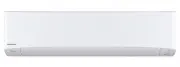
Panasonic CS-CU-Z60VKR Air Conditioner – User Manual, read for free online in PDF format. We hope this helps you resolve any issues you may have. If you have further questions, please contact us through the contact form.


Table of Contents:
- Page 2 – Quick Guide; Inserting the batteries; • Press
- Page 3 – Table of contents; Accessories; • Remote control; Basic operation; to select; Press; POWER; Select the desired; English
- Page 4 – Safety precautions; WARNING
- Page 5 – CAUTION
- Page 12 – How to use; To adjust fan speed; To adjust airfl ow direction; To switch between powerful/quiet; ECO
- Page 13 – Note; To set the timer; Set the time; To reach temperature quickly
- Page 15 – Cleaning instructions; Air fi lters; Once every 2 weeks; Indoor unit; Human activity sensor; Outdoor unit; Remove the front panel
- Page 16 – Troubleshooting; Symptom
- Page 17 – The remote control is missing or a malfunction has occurred; Repeat step 3. Press and hold the button until you hear 2 beeps, then; The indicators are too bright; • To dim or restore the unit’s indicator brightness, press; Conducting a seasonal inspection after extended non-use; prevent mould growth.; NON SERVICEABLE CRITERIAS; roubleshooting
- Page 18 – How to retrieve error codes
- Page 19 – Pb; Information
- Page 20 – Printed in Malaysia; Panasonic Corporation; © Panasonic Corporation 2019
English
Operating Instructions
Air Conditioner
Operating Instructions
Air Conditioner
Before operating the unit, please read these operating
instructions thoroughly and keep them for future reference.
The included Installation Instructions should be kept and read
by the installer before installation.
Remote control is packaged in the indoor unit and removed
by the installer before installation.
Model No.
Indoor Unit
Outdoor Unit
CS-Z20VKR
CS-Z25VKR
CS-Z35VKR
CS-Z42VKR
CS-Z50VKR
CS-Z60VKR
CS-Z71VKR
CS-Z80VKR
CU-Z20VKR
CU-Z25VKR
CU-Z35VKR
CU-Z42VKR
CU-Z50VKR
CU-Z60VKR
CU-Z71VKR
CU-Z80VKR
ACXF55-22380
"Loading the manual" means you need to wait until the file loads and becomes available for online reading. Some manuals are very large, and the time they take to appear depends on your internet speed.
Was this manual helpful?
About this manual
- Brand
- Panasonic
- Model
- CS-CU-Z60VKR
- Document type
- User Manual
- Category
- Air Conditioner
- Language(s)
- English
- Pages
- 20
- File size
- 1.2 MB
- Format
Summary
2 Provides maximum comfort and clean air with optimal energy saving methods. Use remote control within 8 m from the remote control receiver of the indoor unit. Quick Guide Inserting the batteries 1 2 3 1 Pull out the back cover of remote control. 2 Insert AAA or R03 batteries. 3 Close the cover. A C...
3 Table of contents Safety precautions ……… 4-11 How to use …………………… 12-13 To learn more ………………… 14 Cleaning instructions ……… 15 Troubleshooting ………… 16-18 Information………………… 19 Accessories • Remote control • AAA or R03 batteries × 2 • Remote control holder • Screws for remote control holder × 2 The ...
4 Safety precautions To prevent personal injury, injury to others or property damage, please comply with the following: Incorrect operation due to failure to follow instructions below may cause harm or damage, the seriousness of which is classifi ed as below:This appliances is not intended for acces...
Ask a question
Related manuals
More Panasonic Air Conditioners models


Other Panasonic appliances
 Panasonic 2 Manual
 Panasonic 2SB1218A Manual
 Panasonic 2SD1819A Manual
 Panasonic 3.0 Manual
 Panasonic 3CCD Manual
 Panasonic 7 Manual
 Panasonic 12-808 Manual
 Panasonic 32J330E User Manual
 Panasonic 35 Manual
 Panasonic 42HD Manual
 Panasonic 42HL57 Manual
 Panasonic 470 Manual
 Panasonic 650w Manual
- Panasonic 700 Manual
 Panasonic 850 Manual
 Panasonic 970 Manual