Miele CVA 7445 - Quick Guide
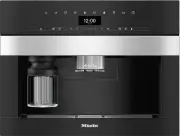
A user manual for a modern coffee-making appliance outlines essential operational and maintenance topics. The guide covers key areas like controlling the machine’s functions–including sensor-based brewing and milk-infused drinks–and preparing it for use before making beverages. It also details cleaning routines to ensure longevity, along with visual diagrams of both exterior and internal components. Performance adjustments and care instructions for different parts are included to optimize reliability and efficiency.


fold here
fold here
fold here
fold here
fold here
fold here
OPERA
TION
GUIDE T
O THE APPLIANCE / PREP
ARING FOR USE
MAKING DRINKS
Controls and indicators
6
Navigation area
To select a menu option, keep pressing the
arrow buttons
and
until the option
you want is highlighted.
To scroll more quickly through the options,
swipe your finger right or left in the area
between the arrows.
As soon as you reach a confirmable value,
message or setting, the
OK
sensor control
will light up.
Touch the
OK
sensor control to confirm
your selection.
Selecting a menu and navigating
within a menu
To select a menu, touch the relevant
sensor control, e.g. the
sensor control.
Ristretto
Cappuccino Italiano
Settings
Miele
12:00
You will then be able to start an action or
change settings in the menu. A bar on the
right-hand side of the display indicates that
further options or text are available.
The setting which is currently selected in a
list will have a tick
beside it.
Exiting a menu or cancelling an action
To exit the current menu, touch the
sensor control.
Alternatively, touch the lit orange sensor
control again to return to the drinks menu.
Entering a name
Letters and numbers are entered via the
navigation area. You can choose between
upper and lower case letters.
Tip:
It is best to select short names.
Name
A
B C D E F
Z
- To enter a character, highlight the one
you want on the bottom line. Confirm
your selection with
OK
.
- To delete a character, touch the
sensor control.
- To save the name, select the tick
and
confirm with
OK
.
a
On/Off button
b
Drink buttons
c
Display
d
sensor control
e
Profiles
sensor control
f
Maintenance
sensor control
g
Parameters
sensor control
h
OK
sensor control
i
Navigation area with arrow but-
tons
j
“Back”
sensor
k
“2 portions” sensor control
l
“DoubleShot”
sensor control
m
Optical interface (for the Miele Cus-
tomer Service Department only)
Explanation of drink symbols
Espresso
Coffee
Long coffee
Cappuccino
Latte macchiato
Caffè latte
Hot milk
Milk froth
Tea water
Operation
To operate the coffee machine, touch the
sensor controls with your finger.
Drinks menu
When the following appears in the display,
you are in the drinks menu:
Select drink
.
Select drink
Miele
12:00
You can find more drinks in the
Further
menu
(
sensor control).
Exterior view
a
On/Off button
b
Control panel
c
Door handle
d
Height-adjustable central spout
with lighting
e
Drip tray cover
f
Milk flask
1
2
3
4
5
6
Interior view
a
Bean container
b
Milk valve
c
Height-adjustable central spout
with lighting
d
Grinder setting
e
Bean container
f
Fan outlet
g
Water container
h
Drip tray with lid
i
Brew unit
j
Waste container
k
Maintenance container
l
Drip tray
Filling the water container
Open the appliance door.
Pull the water container forwards to re-
move it.
Fill the water container with fresh, cold
drinking water up to the
max.
mark.
Push the water container back into the
coffee machine and close the appliance
door.
Filling the bean containers
Only put roasted coffee beans in the bean
containers.
Open the appliance door.
Pull the bean containers out and take off
the lids.
Fill the bean containers with coffee beans
and put the lids back on the bean con-
tainers to seal them.
Push the bean containers all the way
back into the coffee machine.
Close the appliance door.
See the operating instructions for more in-
formation on the bean system.
Making a drink
Place a cup under the central spout.
Touch the sensor control for the drink
you want.
Cancelling a drink
Touch the lit orange symbol on the con-
trol panel again.
When preparing drinks with several ingredi-
ents (e.g. latte macchiato), you can cancel
each of the individual ingredients prema-
turely.
Touch
OK
when
Stop
appears in the dis-
play.
DoubleShot
Select the DoubleShot
function if you
would like a particularly strong and aromatic
coffee. In this case, more coffee beans will
be ground and brewed halfway through the
brewing process.
Touch the
sensor control while mak-
ing your coffee.
Making two portions (
sensor
control)
To fill 2 cups at the same time:
Place a cup under each of the coffee dis-
pensers in the central spout.
Touch the
sensor control while mak-
ing your drink.
Using the milk container
Milk is not cooled in the milk container.
Therefore, place the milk container in the
refrigerator if you are not going to use milk
for a while. Good milk froth can only be
made with cold milk (< 10 °C).
Fill the milk container with milk up to a
maximum of 2 cm below the rim.
Push the milk container back into the
coffee machine until it clicks into place.
You can now make drinks with milk.
Making tea
Hot water is heated to the optimum tem-
perature for different types of tea.
Touch the
sensor control to access the
menu containing the various types of tea.
Place the tea filter or the tea bag in the
tea cup.
Place the tea cup under the central
spout.
Select the type of tea you want and con-
firm your choice with
OK
.
Hot water will be dispensed into the cup.
Remove the tea filter or tea bag when the
desired brewing time has elapsed.
Tip:
You can use the
TeaTimer
function to
start a minute minder when making tea (see
the operating instructions).
Pot function
You can make several cups of coffee or tea
one after the other automatically with the
Pot function (maximum of 1 litre). This can
make up to 8 cups.
Preparing the pot
The drinks menu is displayed.
Place a sufficiently large container under
the central spout.
Select the pot function you want:
-
Coffee pot:
touch the
sensor control
and select
Coffee pot
.
-
Teapot:
touch the
drinks sensor and
select
Teapot
.
Confirm with
OK
.
Select the number of cups you want
(3 to 8).
Follow the instructions in the display.
Expert mode
The
Expert mode
function allows you to
change the portion size while the drink is
being made (
Settings
|
Expert mode
).
The setting will
not
be saved and will only
apply to the current drink.
The Expert mode function is switched off as
the factory default setting.
Changing the portion size
The portion size can only be changed
when the respective ingredient is being
processed while the drink is being made.
Dispensing
While the drink is being made, move the
indicator (small triangle) across the navig-
ation area according to the portion size
you want.
Please observe the detailed information on cleaning and care in the operating instruc-
tions. Carefully clean the coffee machine regularly.
Recommended frequency
What do I have to clean / maintain?
Daily
(at the end of the day)
- Milk container and lid
- Milk valve
- Water container
- Drip tray cover
- Drip tray and waste container
Once a week
(more often if heavily soiled)
- Central spout
- Cup rim sensor
- Interior cabinet
- Brew unit
- Drip tray
- Appliance front
Once a month
- Bean containers
As and when required /
after prompt appears in dis-
play
- Milk pipework
- Degreasing the brew unit
- Descale the appliance
Cleaning by hand or in the dishwasher
Clean the following by hand only:
The following parts are dish-
washer-safe:
- Stainless steel cover of the central
spout
- Brew unit
- Bean containers and lids
- Drip tray, lid and waste container
- Drip tray cover
- Central spout
(without stainless steel cover)
- Milk container and lid
- Cup rim sensor
- Drip tray
- Maintenance container
- Water container
Operation
Description
Preparing for use
Making drinks
Cleaning and care
fold here
fold here
fold here
fold here
fold here
fold here
en-GB
M.-Nr
. 11 202 541
CV
A 7440, CV
A 7445
"Loading the manual" means you need to wait until the file loads and becomes available for online reading. Some manuals are very large, and the time they take to appear depends on your internet speed.
Was this manual helpful?
Helpful for 4 of 4 readers
About this manual
- Brand
- Miele
- Model
- CVA 7445
- Document type
- Quick Guide
- Language(s)
- English
- Pages
- 2
- File size
- 923 KB
- Format
Other Manuals for Miele CVA 7445
Ask a question
Related manuals
Popular Miele Other
 Miele WWD380 WCS PWash&Steam&9kg User Manual
 Miele W 1614 Manual
 Miele G 5266 SCVi SFP Active Plus User Manual
 Miele Classic C1 Turbo Team PowerLine - SBAN0 User Manual
![Miele PDR 307 [EL]](https://manualsarea.com/img/product/thumbs/48/ba/fd/bafde84806e8abc8b420f34eaf8fcd6e.webp) Miele PDR 307 [EL] User Manual
Miele PDR 307 [EL] User Manual Miele F 1911 Vi Manual
![Miele PDR 908 [EL MAR 3N AC 400V 50-60Hz]](https://manualsarea.com/img/product/thumbs/48/05/b7/05b705998b251f92b271e908423e1ecb.webp) Miele PDR 908 [EL MAR 3N AC 400V 50-60Hz] Installation Manual
Miele PDR 908 [EL MAR 3N AC 400V 50-60Hz] Installation Manual Miele K 9757 iD Manual


