Master Flow MOTOR30BD - User Manual
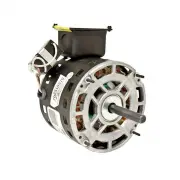
Master Flow MOTOR30BD Fan – User Manual, read for free online in PDF format. We hope this helps you resolve any issues you may have. If you have further questions, please contact us through the contact form.

REPLACING THE MOTOR
1. Remove the 4
bolts holding the
motor mount to
the fan support.
2. Remove the nuts that hold the
motor to the motor mount.
3. Loosen the set
screw and
remove the
pulley.
Install it on the
new motor.
4. Reverse the procedure to
install the new motor. Tighten
the belt as show n below .
TIGHTENING AND REPLACING
THE FAN BELT
Loosen the motor mount
bolts and adjust the belt
tension to allow 1/2" to 3/4"
of deflection w ith a light
pressure.
1. Loosen motor mounting bolts.
2. Remove the bolts from the fan bearing
mounting plate.
3. Lift the bearing mounting plate up and install
the belt around the pulley.
4. Replace the bolts holding the bearing mounting
plate and tighten.
5. Adjust belt tension and re-tighten the motor
mount.
BEARING
MOUNTING
PLATE
MOTOR MOUNT
BOLTS
BELT DRIVE MOTOR
REPLACEMENT
INSTRUCTIONS
"Loading the manual" means you need to wait until the file loads and becomes available for online reading. Some manuals are very large, and the time they take to appear depends on your internet speed.


