Master Flow 30BWHFS - User Manual
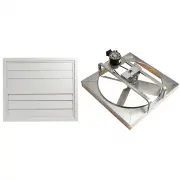
Master Flow 30BWHFS Fan – User Manual, read for free online in PDF format. We hope this helps you resolve any issues you may have. If you have further questions, please contact us through the contact form.

BWHF Wiring Diagram
●
It is recommended that a qualified electrician be engaged to perform the wiring of the fan motor switch.
●
Turn off electrical power to the circuit being used. DO NOT turn on the power to this circuit until you have
completely finished the fan installation.
●
Carefully follow the wiring diagram shown in this appendix (shown below).
●
Follow all local electrical codes to connect power and grounding wires to the fan motor. WARNING: use only
copper wire or copper clad aluminum to attach the switch to the electrical power from the house and to the
fan motor. Failure to use copper clad aluminum wire can result in an unsafe installation.
●
An electrical device box is required for mounting the switch in the wall. The box must comply with UL514 to
ensure code compliant installation. Failure to use a listed device box can result in an unsafe installation. Note:
when cutting into the wall to install the wall device box for the fan switch, be careful not to damage existing
electrical wiring or other utilities.
From Power Source:
1. White connects to the white wire from the motor.
2. Black connects to the screw on the switch as shown.
3. Green connects to the green ground screw on the switch.
From Fan Motor:
4. Red connects to the screw on the switch as shown
5. Black connects to the screw on the switch as shown
6. Green connects to the green ground screw on the switch
NOTE: Follow all Electrical Codes when installing. Remove power from the circuit before connecting wires.
295 Mckoy Rd, Burgaw, NC 28425
I
800-211-961
2
I
gaf.com/masterflow
"Loading the manual" means you need to wait until the file loads and becomes available for online reading. Some manuals are very large, and the time they take to appear depends on your internet speed.


