Page 2 - Contents
Contents 1 Appliance at a glance............................................ 3 1.1 Scope of delivery.......................................................... 3 1.2 Overview of the appliance and its equipment........ 3 1.3 SmartDevice.....................................................................
Page 3 - Scope of delivery; Appliance at a glance
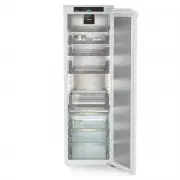
Symbol ExplanationInstructions and resultsInstructions are marked with a .Results are marked with a . VideosVideos about the appliances are available on the YouTube channels of Liebherr-Hausgeräte. These operating instructions apply to: - IRBPh 5170 1 Appliance at a glance 1.1 Scope of delivery Chec...
Page 4 - Appliance range of use; Note; General safety instructions
Downloading the SmartDevice-app: After installing and configuring the SmartDevice, you can connect your appliance to the WiFi using the SmartDevice app and the WiFi appli‐ ance function (see WiFi) . Note You cannot use the SmartDeviceBox in the following coun‐ tries: Belarus, Kazakhstan, Russia. The...
Page 6 - Switching on appliance; Inserting the components; Foods management; WARNING; Putting into operation
DANGER indicates an immediately hazardous situation which will lead to death or serious injuries if it is not avoided. WARNING indicates a hazardous situation which may lead to death or serious injuries if it is not avoided. CAUTION indicates a hazardous situation which may lead to minor or moderate...
Page 7 - Foods management
Fig. 6 Storage examples (1) Butter, eggs (4) Canned food, tins (2) Yoghurt, quark (5) Bottles, Tetra Paks (3) Foodstuffs in small jars or in small tins Note Max. load of a single drawer in the fridge compartment: 22 kgMax. load of the fridge compartment when all drawers are pulled out at the same ti...
Page 8 - Controls and displays; Saving energy
Recommended storage periods in the Fruit & Vegetable- SafeApricots at 1 °C up to 13 days Apples at 1 °C up to 80 days Pears at 1 °C up to 55 days Blackberries at 1 °C up to 3 days Dates at 1 °C up to 180 days Strawberries at 1 °C up to 7 days Figs at 1 °C up to 7 days Blueberries at 1 °C up to 9...
Page 9 - Controls
Symbol Appliance status Flashing symbolAppliance is working. Setting is made. 6.2 Control concept 6.2.1 Activating/deactivating the function You can activate/deactivate the following functions: Symbol Function SuperCool x PartyMode x HolidayMode EnergySaver x When function is on, the appliance works...
Page 10 - Turn off appliance; Temperature
u Swipe left in the display until the appliance information appears. u Press for 3 seconds. w The input menu for a numerical code appears. u Enter the numerical code 151. w The customer menu appears. u Swipe left in the display until the desired setting appears. 1 Select the value u Confirm with a s...
Page 11 - HolidayMode; SabbathMode
Temperature zone Recommended setting BioFresh (see BioFresh B-Value) Setting the temperature in the fridge compartment Fig. 13 u Set the value. (see 6.2 Control concept) . w Set temperature is shown at the bottom right of the display. Setting the temperature in the BioFreshYou can set the temperatur...
Page 12 - EnergySaver
Note This appliance has certification from the “Institute for Science and Halacha”. ( www.machonhalacha.co.il ) You can find a list of STAR-K-certified appliances at www.star-k.org/appliances . Activating SabbathMode WARNING Danger of food poisoning from spoiled food! If you have SabbathMode activat...
Page 13 - Adjustable bottle shelf; Features
Activating/deactivating settings u Activating/deactivating. (see 6.2 Control concept) Language This setting lets you choose the language of the display.Choose from the following languages: - German - English - French - Spanish - Italian - Dutch - Czech - Polish - Portuguese - Russian - Chinese Activ...
Page 15 - Adjusting the moisture levels
Inserting drawer Fig. 22 u Slide rails in. u Place drawer on rails. u Slide in drawer to the back. w Drawer latches in. 7.3 Fruit & Vegetable safe cover You can remove the compartment cover for cleaning. 7.3.1 Removing the compartment cover Ensure that the following conditions are met: q Bottle ...
Page 17 - FreshAir carbon filter; Removing the FreshAir carbon filter; Maintenance
Removing the bottle rack Fig. 33 u Lift the bottle rack up and out to remove. 7.6.4 FlexSystem Using the FlexSystemThe FlexSystem helps you store and organise your food in a clear and flexible way. It lets you clearly divide your food into fruit, vegetables or by use-by dates, for example. Fig. 34 u...
Page 18 - out systems; Defrosting the appliance; Cleaning the appliance
Fig. 39 u Insert the carbon filter as shown in the diagram Fig. 39 (1). w The carbon filter clicks into place. If the carbon filter is pointing downwards: u Push the compartment in Fig. 39 (2). w The carbon filter is now ready for use. 8.2 Disassembling / assembling pull- out systems 8.2.1 Notes on ...
Page 19 - NOTICE; Technical specifications; Customer help
8.4.3 Clean the components NOTICE Improper cleaning! Damage to the appliance. u Only use soft cleaning cloths and ph-neutral all-purpose cleaners. u Do not uses abrasive sponges or steel wool which may cause scratches. u Do not use any sharp or abrasive cleaning agents, nor any that contain sand, ch...
Page 21 - Customer Services; 0 Shutting down; Preparing appliance for disposal; Shutting down
9.4 Customer Services First check if you can fix the error yourself (see 9 Customer help) . If you can't, contact Customer Services.Please refer to the enclosed “Liebherr-Service” brochure for the address. WARNING Unprofessional repair! Injuries. u Have any repairs and action - not expressly specifi...
Page 22 - integrated fridge with BioFresh
home.liebherr.com/fridge-manuals integrated fridge with BioFresh Issue date: 20230112 Part number index: 7088357-00 Liebherr-Hausgeräte GmbH Memminger Straße 77-79 88416 Ochsenhausen Deutschland