Liebherr IKB 2664 Premium - User Manual

Liebherr IKB 2664 Premium Refrigerator – User Manual, read for free online in PDF format. We hope this helps you resolve any issues you may have. If you have further questions, please contact us through the contact form.
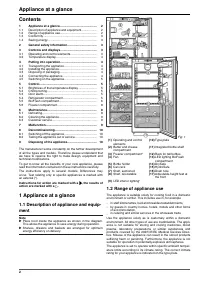
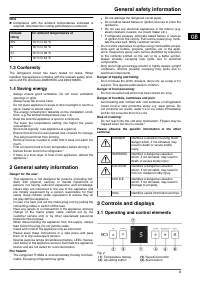
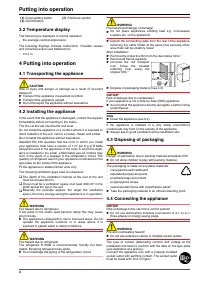
Table of Contents:
- Page 2 – Contents; ment; Range of appliance use; Appliance at a glance
- Page 3 – Operating and control elements; General safety information
- Page 4 – Temperature display; Transporting the appliance; Putting into operation
- Page 5 – Switching on the appliance; Brightness of the temperature; Control
- Page 6 – BioFresh compartment
- Page 8 – Maintenance
- Page 9 – Cleaning the appliance; Malfunction
- Page 10 – Switching off the appliance; Disposing of the appliance; Decommissioning
Operating instructions
Refrigerator with BioFresh, suited for built-in use
091210
7082448 - 03
EKB/ (S)IKB ... 6
"Loading the manual" means you need to wait until the file loads and becomes available for online reading. Some manuals are very large, and the time they take to appear depends on your internet speed.
Summary
Contents 1 Appliance at a glance............................................ 2 1.1 Description of appliance and equipment.................. 2 1.2 Range of appliance use............................................ 2 1.3 Conformity................................................................ 3 1.4 ...
Note u Compliance with the ambient temperatures indicated is required, otherwise the cooling performance is reduced. Climate rating for ambient temperatures of SN 10 °C to 32 °C N 16 °C to 32 °C ST 16 °C to 38 °C T 16 °C to 43 °C 1.3 Conformity The refrigerant circuit has been tested for leaks. When...
(3) Down setting button (7) Child lock symbol (4) On/Off button 3.2 Temperature display The following are displayed in normal operation: - the average cooling temperature The following displays indicate malfunction. Possible causes and corrective action (see Malfunction). - F0 to F5 4 Putting into o...








