LG QP5W - User Manual
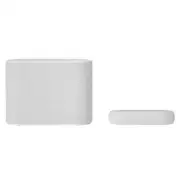
LG QP5W Sound Bar – User Manual, read for free online in PDF format. We hope this helps you resolve any issues you may have. If you have further questions, please contact us through the contact form.


Table of Contents:
- Page 2 – Sound Bar Quick Guide; Installing and using the Product; Connect the sound bar to your TV via an optical cable or an HDMI; Soundbar Quick Guide
- Page 5 – Table of Contents
- Page 6 – Connecting the Product; Connecting the wireless subwoofer automatically; Installation
- Page 8 – Connecting the wireless subwoofer manually
- Page 9 – Front; Exploring the Product
- Page 12 – Back
- Page 14 – Exploring Remote Control
- Page 16 – Connecting with an Optical Cable; Watching TV after connecting with an optical cable; Connecting to the TV
- Page 17 – When you use an LG TV; Functions controllable with an LG TV remote control
- Page 18 – Watching TV after connecting it wirelessly
- Page 19 – Connecting with an HDMI Cable; Watching TV after connecting with an HDMI cable
- Page 20 – SIMPLINK
- Page 21 – Connecting an external device via HDMI; Connecting to an External Device
- Page 23 – Connecting an external device via optical cable
- Page 24 – Connecting via Bluetooth; Please check the following first.; Using the Product as an Audio System
- Page 27 – Connecting with a Smartphone via LG Sound Bar app; Installing the app; Downloading with a QR code
- Page 28 – Downloading from the Google Play or App Store
- Page 29 – Connecting to a USB Storage Device; Connecting the product to a USB storage device
- Page 30 – USB storage devices supported; Playable file specifications
- Page 31 – Voice feedback function
- Page 32 – Safety and Regulatory; CAUTION; Safety Precautions
- Page 35 – Troubleshooting; General Errors; Before Reporting Product Malfunction
- Page 37 – Appendix
- Page 39 – Registered Trademarks and Licenses
- Page 40 – When shipping the Product; Cleaning the product
2110_Rev02
www.lg.com
Copyright © 2021 LG Electronics Inc. All Rights Reserved.
OWNER’S MANUAL
WIRELESS
SOUND BAR
Please read this manual carefully before operating your set and retain it for future
reference.
Model
QP5W (QP5W, SPQP5W-W)
QP5 (QP5, SPQP5-W)
QP5BE (QP5BE, SPQP5BE-W)
"Loading the manual" means you need to wait until the file loads and becomes available for online reading. Some manuals are very large, and the time they take to appear depends on your internet speed.
Was this manual helpful?
About this manual
- Brand
- LG
- Model
- QP5W
- Document type
- User Manual
- Category
- Sound Bar
- Language(s)
- English
- Pages
- 41
- File size
- 5.9 MB
- Format
Summary
2 Sound Bar Quick Guide Installing and using the Product a Connect the sound bar to your TV via an optical cable or an HDMI cable. HDMI OUT OPTICAL IN HDMI OUT (TV eARC/ARC) HDMI IN a b C D a B A HDMI IN (ARC) HDMI IN OPTICAL OUT A Sound bar B Remote Control Receiver / Status LED ( [ See “Status LED...
5 Table of Contents Sound Bar Quick Guide 2 Installing and using the Product Installation 6 Connecting the Product Exploring the Product 9 Front 12 Back 14 Exploring Remote Control Connecting to the TV 16 Connecting with an Optical Cable 18 Connecting with LG Sound Sync (Wireless) 19 Connecting with...
6 Installation Connecting the Product You can enjoy a richer sound by connecting the sound bar to the wireless subwoofer. Connecting the wireless subwoofer automatically After completing installation, the wireless subwoofer will automatically be connected to the sound bar. Connect the sound bar to t...
Ask a question
Related manuals
Popular LG Sound Bars


More LG Sound Bars models
 LG NB3530A User Manual
 LG NB3532A User Manual
 LG NB3730A User Manual
 LG NB3740 User Manual
 LG NB5540 User Manual
 LG QP5 User Manual
 LG S40Q User Manual
 LG S65Q User Manual
 LG S75Q User Manual
 LG S75QR User Manual
 LG S77S User Manual
 LG S80QR User Manual
 LG S80QY User Manual
 LG S90QY User Manual
 LG S95QR User Manual