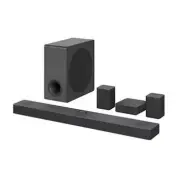
Page 2 - Sound Bar Quick Guide; Installing and using the Product; Soundbar Quick Guide
2 Sound Bar Quick Guide Installing and using the Product a Connect the sound bar to your TV via an optical cable or an HDMI cable. HDMI OUT OPTICAL IN HDMI IN HDMI IN (ARC) HDMI IN OPTICAL OUT HDMI d TV (eARC / ARC) a b D E a C C c c c B A A Sound bar B Remote Control Receiver / Status Display C Rea...
Page 4 - See “Connecting the wireless subwoofer manually”, “Manual
4 Manually connecting the sound bar to the wireless subwoofer or wireless receiver ( [ See “Connecting the wireless subwoofer manually”, “Manual connection” on page 8, 10.) If you see a red LED on the back of the wireless subwoofer or on the front of the wireless receiver, it means that the sound ba...
Page 5 - Table of Contents
5 Table of Contents Sound Bar Quick Guide 2 Installing and using the Product Installation 6 Connecting the Product 12 Enjoying enhanced sound 26 Connecting with a Smartphone via Wi-Fi 30 Resetting the Product Exploring the Product 31 Front 33 Back 34 Exploring Remote Control Connecting to the TV 43 ...
Page 6 - Connecting the Product; Connecting the wireless subwoofer automatically; Installation
6 Installation Connecting the Product You can enjoy a richer sound by connecting the sound bar to the wireless subwoofer. Connecting the wireless subwoofer automatically After completing installation, the wireless subwoofer will automatically be connected to the sound bar. Connect the sound bar to t...
Page 8 - Connecting the wireless subwoofer manually
8 Connecting the wireless subwoofer manually If you see a red LED on the back of the wireless subwoofer, it means that the sound bar is not connected to the subwoofer. If this is the case, connect them in the following order. a Press the Power button on the sound bar to turn it off. b Press the PAIR...
Page 9 - Connecting the rear speakers to the wireless receiver; Automatic connection
9 Connecting the rear speakers to the wireless receiver Automatic connection After completing installation, the wireless receiver will automatically be connected to the sound bar. Connect the sound bar to the wireless receiver in the following order. a Connect the speaker cables to the corresponding...
Page 11 - Attaching the ferrite core to the speaker cables
11 Attaching the ferrite core (optional) A ferrite core may not be provided depending on national standards. Attaching the ferrite core to the speaker cables Attach the ferrite core to the cables to reduce radio noise. a Pull Part [a] to open the ferrite core. b Wind the wireless receiver's speaker ...
Page 12 - Enjoying enhanced sound
12 Enjoying enhanced sound The surround sound function and the Multi-channel Experience allow you to hear immersive 3D sound produced by multiple audio channels from the speakers, regardless of the channels in the originally recorded content.For example, if you listen to music recorded in 2.0 channe...
Page 13 - Setting up surround sound
13 Setting up surround sound a Press Settings button. The product enters the setting mode and you can see “ OFF-AUTO POWER ” or “ ON-AUTO POWER ”. OFF-AUTO POWER b While the “ OFF-AUTO POWER ” or “ ON-AUTO POWER ” is scrolling in the status display, press Left/ Right button to select the surround so...
Page 14 - Using Multi-channel Experience
14 Using Multi-channel Experience Plays sound from all speakers to enhance surround sound regardless of the channel configuration of the input source.You can control this function on the LG Sound Bar app . Note • It may not work depending on the selected sound effect.
Page 15 - Surround sound function ON
15 Surround sound function ON When the surround sound function is turned on, sound is output from all connected speakers regardless of whether the Multi-channel Experience is turned on or off. Sound Effects Input Output Rear speakers not connected Rear speakers connected All Sound Effects 2.0 channe...
Page 16 - Surround sound function OFF; Multi-channel Experience ON
16 Surround sound function OFF When the surround sound function is turned off, sound is output differently from the connected speakers depending on whether the Multi-channel Experience is turned on or off. Multi-channel Experience ON Sound Effects Input Output Rear speakers not connected Rear speake...
Page 20 - Multi-channel Experience OFF
20 Multi-channel Experience OFF Sound Effects Input Output Rear speakers not connected Rear speakers connected AI SOUND PRO Sound customised with artificial intelligence 2.0 channels 5.1 channels 7.1 channels or more 7.1.4 channels
Page 26 - Connecting with a Smartphone via Wi-Fi; Please check the following first.
26 Connecting with a Smartphone via Wi-Fi LG Sound Bar app allows you to connect the product to the network and to control the product. Please check the following first. • Do you have a wireless router? - To connect your smartphone and the product via Wi-Fi, you must have a wireless router that is c...
Page 27 - Installing the app; Downloading with a QR code; Downloading on Google Play or App Store
27 Installing the app Install the LG Sound Bar app on your smartphone. To install the LG Sound Bar app , you can scan the QR code with a QR code scan app or download on Google Play or the App Store. Downloading with a QR code a Scan the QR code below with a QR code scan app. b You will be directed t...
Page 28 - Connecting with a Smartphone via LG Sound Bar app
28 Note • Settings menu items may vary depending on the smartphone manufacturer and OS. • Google, Android, Google Play, Google Home and Chromecast built-in are trademarks of Google LLC. Connecting with a Smartphone via LG Sound Bar app You must connect the product to the smartphone via Wi-Fi on the ...
Page 30 - Resetting the Product; How to reset
30 Resetting the Product If the product is frozen and does not work, or if the network connection is unstable, you will need to reset it. If the Wi-Fi network has been changed, you will need to reset the product and connect it to your smartphone again. How to reset a Press and hold the Wi-Fi button ...
Page 31 - Front; Exploring the Product
31 Exploring the Product Front a Power This turns the product on/off. • If you press and hold the Power button for longer than 3 seconds, Wi-Fi will disconnect and the product will no longer emit sound. Press the Power button quickly to maintain the Wi-Fi connection for future use. Function Press th...
Page 33 - Back
33 Back a HDMI IN Plug in an HDMI cable to connect an external device to the product. b HDMI d TV (eARC / ARC) Plug in an HDMI cable to connect the TV to the product. c USB port Plug in a USB storage device to play music with the product. d OPTICAL IN Plug in an optical cable to connect the TV to th...
Page 34 - Exploring Remote Control
34 Exploring Remote Control You can use the remote to control all functions of the product, from turning the power on/off to enabling cinematic sound. a b c j i d e h k g f Replacement of Battery Use AA 1.5V batteries. Replace the two batteries by inserting them into the remote control in accordance...
Page 38 - Controlling the product with your TV’s remote control; Functions controllable with a TV remote control
38 Controlling the product with your TV’s remote control The product volume can be adjusted with LG TV Remote control as well as other brands. Functions controllable with a TV remote control Volume, mute on/off TV brands supported LG, Panasonic, Philips, Samsung, Sharp Electronics, Sony, Toshiba, Vi...
Page 39 - Using Auto Power; Activating/Deactivating the Auto Power function
39 Note • Press the Settings button on the TV remote control to check if the TV's audio output is set to [External Speaker]. • You cannot control the product with the LG TV's Magic Remote Control. • When the SIMPLINK or Sound Sync functions of the TV are turned on, this function may not work properl...
Page 40 - Using Night Time; Activating/Deactivating the Night Time function
40 Using Night Time This reduces the general sound volume, but raises the volume of soft and delicate sounds. This is useful when enjoying music or a movie late at night. Activating/Deactivating the Night Time function a Press Settings button. The product enters the setting mode and you can see “ OF...
Page 41 - Using Display; Activating/Deactivating the Display function
41 Using Display The status display can be controlled as auto, on, and off. Option Status display AUTO Dimmed after 20 seconds of button input. ON Always on OFF Turned off after 20 seconds of button input. Activating/Deactivating the Display function a Press Settings button. The product enters the s...
Page 43 - Connecting with an Optical Cable; Watching TV after connecting with an optical cable; Connecting to the TV
43 Connecting to the TV Connecting with an Optical Cable Transmit your TV’s audio to the product by connecting it to the TV with an optical cable. You can add a variety of 3D effects to the original audio to fill the room with a deep, rich sound. Watching TV after connecting with an optical cable a ...
Page 44 - When you use an LG TV; Functions controllable with an LG TV remote control
44 c Press the Function button repeatedly until “ OPT/HDMI ARC ” appears on the status display. d Press the Settings button on the TV remote control to enter the [Speaker] menu and set the output speaker to [Optical] or [External Speaker]. Settings and menu items may vary depending on the TV manufac...
Page 45 - Connecting with an HDMI Cable; Watching TV after connecting with an HDMI cable
45 Connecting with an HDMI Cable You can transmit TV audio to the product by connecting the TV to the product with an HDMI cable. Add a variety of 3D effects to the original audio to fill the room with a deep, rich sound. Watching TV after connecting with an HDMI cable a Using the HDMI cable, connec...
Page 46 - SIMPLINK; Using WOW Orchestra with LG TV
46 SIMPLINK • SIMPLINK refers to the HDMI-CEC function that allows you to use a single TV remote control to easily operate an audio device or player connected to an LG TV via HDMI. - Functions controllable with a SIMPLINK-compatible LG TV remote control: Power on/off, volume control, mute on/off, et...
Page 47 - Connecting via Bluetooth; Watching TV after connecting it wirelessly
47 Connecting via Bluetooth Bluetooth is a technology that wirelessly connects electronic products around you. Connect the product to a TV via Bluetooth and enjoy your TV audio in high quality. Watching TV after connecting it wirelessly a Press the Bluetooth pair button. After a moment, “ BT READY ”...
Page 48 - Connecting an external device via HDMI; Connecting to an External Device
48 Connecting to an External Device Connecting with an HDMI Cable Connect the TV and external device (game console, DVD player, etc.) with an HDMI cable and enjoy a deep and rich sound. Connecting an external device via HDMI a Connect an external device such as a DVD or Blu-ray player. Following the...
Page 50 - Connecting an external device via optical cable
50 Connecting with an Optical Cable Connect the TV and external device (game console, DVD player, etc.) with an optical cable and enjoy a deep and rich sound. Connecting an external device via optical cable a Use the optical cable to connect the OPTICAL IN terminal on the back of the product to the ...
Page 51 - Using the Product as an Audio System
51 Using the Product as an Audio System Connecting via Bluetooth You can play music files stored on a Bluetooth device, or run music apps to enjoy the music with this product. Please check the following first. • Bluetooth devices to be connected to the product should meet the following specification...
Page 54 - Connecting to a USB Storage Device; Connecting the product to a USB storage device
54 Connecting to a USB Storage Device Enjoy high-quality sound by connecting a USB storage device containing music files to the product. Connecting the product to a USB storage device a Plug the USB storage device into the USB port on the back of the product. • The product cannot play any devices co...
Page 56 - Using the LG Sound Bar app; Controlling device functions; Using AI Room Calibration
56 Using the LG Sound Bar app Controlling device functions Run the LG Sound Bar app . You can easily set [Sound Effect] and [Night Time] and adjust the level of each speaker without a remote control.Tap the Settings button on the first screen to change the settings of the sound bar. Using AI Room Ca...
Page 57 - Compatible with Google Assistant; Using Chromecast built-inTM
57 Please check the following first. • Be aware that some features, specifications, applications, services and/or content (“Features”) may not be available in some countries. The Features may vary by country and are subject to change without notice. The Features may not be available in some language...
Page 58 - Works with Apple AirPlay; Wi-Fi network setting with iOS device
58 Works with Apple AirPlay This product allow you to listen to the music from your iOS device through AirPlay. Note • Make sure that this product and your iOS device are connected to the same Wi-Fi network. • Make sure that your iOS device is running iOS 11.4 or later. • The AirPlay 2–Enabled Speak...
Page 59 - Stream music through AirPlay; Spotify Connect
59 Stream music through AirPlay From the Control Center: a Open the Control Center on your iOS device. b Tap AirPlay ( ). c Choose your product to listen to music. You can choose one or more AirPlay 2 -enabled speakers. From a music player app: a Open a music player app. b Tap AirPlay ( ). c Choose ...
Page 60 - Works with Alexa; Alexa setup flow
60 Works with Alexa Alexa lets you use your voice to control this product by speaking commands through an Alexa Built-in device. Alexa Built-in device is sold Separately. Alexa setup flow a Run the LG Sound Bar app and tap amazon alexa button on the first screen and then follow the instructions. b S...
Page 61 - How to use Alexa; Tidal Connect
61 How to use Alexa • Explicating targeting: Through Alexa Built-in devices (e.g. Amazon Echo), you can ask Alexa to play music on your [S80Q]. For example, “Alexa, play jazz on [LG S80Q Soundbar]”. • Preferred Speaker: You can set one or more speakers so specific devices within a Smart Home Group p...
Page 62 - Checking before mounting to a wall; Mounting the Product to a Wall
62 Mounting the Product to a Wall Checking before mounting to a wall You can mount this product onto a wall. When mounting the product to the wall, follow the instructions below. Please check the following first. • It may be difficult to connect external devices and cables after wall-mounting. First...
Page 66 - Safety and Regulatory; CAUTION; Safety Precautions
66 Safety Precautions Safety and Regulatory CAUTION RISK OF ELECTRIC SHOCK DO NOT OPEN CAUTION: TO REDUCE THE RISK OF ELECTRIC SHOCK DO NOT REMOVE COVER (OR BACK) NO USER- SERVICEABLE PARTS INSIDE REFER SERVICING TO QUALIFIED SERVICE PERSONNEL. This lightning flash with arrowhead symbol within an eq...
Page 69 - Troubleshooting; General Errors; Before Reporting Product Malfunction
69 Before Reporting Product Malfunction Troubleshooting If you experience the following issues while using the product, please perform several checks, as they may not be malfunctions. General Errors Issue Solution The product does not work properly • Unplug the power cables and any external devices ...
Page 71 - Network Connection Errors
71 Network Connection Errors Issue Solution The product cannot be connected to the LG Sound Bar app • The connection may not be smooth when disturbed by other electric appliances that use radio waves, such as microwave ovens and medical equipment. Install the product 1 m (3.3 ft) away from other hom...
Page 74 - Turning off the Demo Mode
74 Turning off the Demo Mode Issue Solution The remote control does not work • Does the text on the status display remain unchanged, even if you press the Function button several times? • Do you only see the text “ DEMO ” in the status display? - The demo mode may be activated on the product. Unplug...
Page 75 - Appendix
75 Appendix Specifications General Power Requirement Refer to the main label. Power Consumption Refer to the main label. Dimensions (W x H x D) Approx. 1000.0 mm x 63.0 mm x 135.0 mm (including the base)(39.4 inch x 2.5 inch x 5.3 inch) Operation Temperature Range 5 °C - 40 °C (41 °F to 104 °F) Oper...
Page 77 - Registered Trademarks and Licenses
77 Registered Trademarks and Licenses All trademarks and trade names are the property of their respective owners. Dolby, Dolby Vision, Dolby Atmos, and the double-D symbol are registered trademarks of Dolby Laboratories Licensing Corporation. Manufactured under license from Dolby Laboratories. Confi...
Page 80 - Handling the Product; When shipping the Product; Cleaning the product
80 Handling the Product When shipping the Product Please save the original shipping carton and packing materials. If you need to ship the product, for maximum protection, re-pack the product as it was originally packed at the factory. Keeping the exterior surfaces clean • Do not use volatile liquids...