LG 32LT670H - User Manual
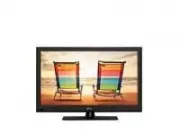
LG 32LT670H Professional Display – User Manual, read for free online in PDF format. We hope this helps you resolve any issues you may have. If you have further questions, please contact us through the contact form.


Table of Contents:
- Page 2 – ENG; ENGLISH; Do not use this apparatus near water.; IMPORTANT SAFETY INSTRUCTIONS; Breaker; WARNING; : This product contains chemicals; Wash hands after handling.
- Page 4 – - To reduce the risk of fire or
- Page 5 – Keep the product away from direct sunlight.; Dot Defect; Preventing “Image burn” or “Burn-in” on your TV screen; For USA and Canada; NOTE TO CABLE/TV INSTALLER
- Page 6 – LICENSES / OPEN SOURCE SOFTWARE NOTICE; LICENSES
- Page 7 – TABLE OF CONTENTS; NOTE; Image shown may differ from your TV.; FCC NOTICE
- Page 8 – INSTALLATION PROCEDURE / ASSEMBLING AND PREPARING; INSTALLATION PROCEDURE; Open the package and make sure all the accessories are included.; ASSEMBLING AND PREPARING; Unpacking; CAUTION; Quick Reference Guide
- Page 11 – Parts and buttons; Button; Scrolls through the saved channels.
- Page 15 – Rear Connection; PORT
- Page 16 – Setting up the TV; Put your TV on a pedestal stand and mount the TV on a table or wall.; Attaching the stand; Front; or
- Page 17 – Stand Body; Top View
- Page 18 – Mounting on a table; Lift and tilt the TV into its upright position on a; Adjusting the angle of the TV to suit view; Securing the TV to a table; Using the Kensington security system (optional)
- Page 19 – Attaching the TV to a desk
- Page 20 – Mounting on a wall
- Page 21 – Tidying cables; Power Cord Holder
- Page 22 – External speaker out; Connect the external speaker.
- Page 23 – VOL
- Page 25 – SPECIFICATIONS
- Page 27 – FCC ID of Wi-Fi module inside TV
- Page 28 – GENERAL TROUBLESHOOTING; Installation; Symptom; Symptom; Erratic Operation; Symptom
- Page 29 – Installer Remote
- Page 31 – Congratulations on your purchase! As you enjoy your new product,; THE ISSUE
- Page 32 – The model and serial numbers of the TV are; MODEL; LG Customer Information Center; CANADA
www.lgsolutions.com
QUICK REFERENCE GUIDE
LED LCD TV
Please read this manual carefully before operating your set and retain it
for future reference.
P/NO : MFL67415404 (1211-REV04)
26LT670H
32LT670H
37LT670H
42LT670H
26LT673H
32LT673H
37LT673H
42LT673H
26LT671H
32LT671H
37LT671H
42LT671H
32LT770H
37LT770H
42LT770H
47LT770H
"Loading the manual" means you need to wait until the file loads and becomes available for online reading. Some manuals are very large, and the time they take to appear depends on your internet speed.
Other Manuals for LG 32LT670H
Summary
2 ENG ENGLISH IMPORTANT SAFETY INSTRUCTIONS WARNING/CAUTION RISK OF ELECTRIC SHOCK DO NOT OPEN TO REDUCE THE RISK OF ELECTRIC SHOCK DO NOT REMOVE COVER (OR BACK). NO USER SERVICEABLE PARTS INSIDE. REFER TO QUALIFIED SERVICE PERSONNEL. WARNING/CAUTION RISK OF ELECTRIC SHOCK DO NOT OPEN The lightning ...
4 ENG ENGLISH IMPORTANT SAFETY INSTRUCTIONS y y Warning - To reduce the risk of fire or electrical shock, do not expose this product to rain, moisture or other liquids. Do not touch the TV with wet hands. Do not install this product near flammable objects such as gasoline or candles, or expose the T...
5 ENG ENGLISH IMPORTANT SAFETY INSTRUCTIONS y y If you smell smoke or other odors coming from the TV, unplug the power cord and contact an authorized service center. y y Do not press strongly upon the panel with a hand or a sharp object such as a nail, pencil or pen, or make a scratch on it. y y Kee...


