Page 3 - S A F E T Y I N F O R M AT I O N; General Safety; R E A D A N D S AV E T H E S E
3 S A F E T Y I N F O R M AT I O N • Only use your air purifier as described in this manual. • Do not use without removing the plastic wrap from the filter. The air purifier will not filter air, and may overheat, causing a fire hazard. • Do not use the air purifier outdoors. • Keep the air purifier ...
Page 4 - G E T T I N G T O K N O W Y O U R S M A R T A I R P U R I F I E R
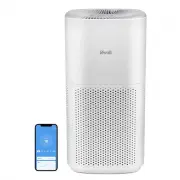
4 G E T T I N G T O K N O W Y O U R S M A R T A I R P U R I F I E R A. Fan Speed Indicators B. Fan Speed Button C. Sleep Mode Button / Check Filter Indicator Reset Button D. Air Quality Indicator Rings E. Plasma Button F. Light Sensor G. Timer Button H. On/Off Button I. Check Filter Indicator J. Wi-...
Page 5 - C O N T R O L S & D I S P L AY
5 C O N T R O L S & D I S P L AY On/Off Button • Turns the air purifier on/off. • Press and hold for 5 seconds to configure the air purifier. See the VeSync in-app instructions for more information. • Press and hold for 15 seconds to reset the air purifier and disconnect from Wi-Fi (see page 8)....
Page 7 - G E T T I N G S TA R T E D
7 3. Place the top half of the air purifier directly back onto the bottom half of the air purifier, aligning each corner. Press down to snap the top into place. [Figure 1.3] a. The top of the air purifier can face in any direction, as long as the corners align. Figure 1.4 15 in / 38 cm 15 in / 38 cm...
Page 8 - Connect with Amazon Alexa or
8 Note: You must create your own VeSync account to access voice assistants. • To disconnect Wi-Fi, press and hold the On/Off button for 15 seconds until the Wi-Fi indicator turns off. This will restore the smart air purifier’s default settings and disconnect it from the VeSync app. • To reconnect, p...
Page 9 - Sleep Mode
9 U S I N G Y O U R S M A R T A I R P U R I F I E R 1. Plug in and tap to turn on the air purifier. [Figure 2.1] 2. Optionally, tap to change fan speed between low, medium, high, and turbo. Note: • The fan speed indicators will light up when active. 1 indicator will light up for low, 2 for medium, 3...
Page 10 - Auto Mode
10 Auto Mode uses AirSight Plus™, a smart laser dust sensor inside the air purifier, to adjust the fan speed automatically based on air quality. For example, if the air quality is bad, the fan will automatically be set to high speed. The PM2.5 value on the display shows the amount of airborne partic...
Page 11 - Timer; Display Off
11 You can set a timer for 1–12 hours. 1. Tap . The display will switch from showing the PM2.5 reading to the time you’ve selected. 2. Tap repeatedly to select a time in 1-hour increments. If you don’t touch any buttons for 5 seconds, the display will switch to showing the PM2.5 reading and the time...
Page 13 - VeSync App Functions
13 The VeSync app allows you to access additional smart air purifier functions, including those listed below. As the app develops, more features may become available. Remote Control • Change any air purifier settings through the app, even while Display Lock is on. Air Quality Updates • View real-tim...
Page 14 - A B O U T T H E F I LT E R
14 A B O U T T H E F I LT E R The air purifier uses a 3-stage filtration system to purify air. A. Pre-Filter • Captures large particles such as dust, lint, fibers, hair, and pet fur. • Maximizes the filter’s life by protecting it. B. H13 True HEPA Filter • Captures at least 99.97% of airborne partic...
Page 15 - Humidity
15 Moisture may damage the filter. This air purifier should be used in an area with a humidity level below 85% RH. If you use the air purifier in excessively humid areas, the surface of the filter may become moldy. Do not add essential oils to the air purifier or filter. The filter will become damag...
Page 16 - C A R E & M A I N T E N A N C E; Check Filter Indicator; Cleaning the Filter
16 Resetting the Check Filter Indicator Reset the Check Filter Indicator when: A. lights up red. 1. Replace the filter (see page 17). 2. Turn on the air purifier. 3. Press and hold the button for 3 seconds. 4. will turn off when successfully reset. B. The filter was changed before lit up. 1. Press a...
Page 17 - Replacing the Filter
17 1. Unplug the air purifier, then twist the top half of the air purifier counterclockwise and lift up to remove it. (see Getting Started , page 7). 2. Remove the old filter from inside the bottom half of the air purifier. 3. Clean out any remaining dust or hair inside the air purifier using a vacu...
Page 18 - T R O U B L E S H O O T I N G
18 Problem Possible Solution Air purifier will not turn on or respond to button controls. Plug in the air purifier. Check to see if the power cord is damaged. If it is, stop using the air purifier and contact Customer Support (see page 23). Plug the air purifier into a different outlet. The air puri...
Page 20 - V E S Y N C A P P T R O U B L E S H O O T I N G
20 If your problem is not listed, please contact Customer Support (see page 23) . V E S Y N C A P P T R O U B L E S H O O T I N G My smart air purifier isn’t connecting to the VeSync app. • Make sure your phone has Bluetooth® turned on and is not currently connected to another Bluetooth device. • Du...
Page 22 - W A R R A N T Y I N F O R M AT I O N
22 Product Name Levoit PlasmaPro™ 600S Smart True HEPA Air Purifier Model LAP-C601S-WUSR For your own reference, we strongly recommend that you record your order ID and date of purchase. Date of Purchase Order ID W A R R A N T Y I N F O R M AT I O N Terms & Policy Arovast Corporation (“Arovast”)...
Page 23 - C U S T O M E R S U P P O R T; Support Hours; AT T R I B U T I O N S
23 C U S T O M E R S U P P O R T If you have any questions or concerns about your new product, please contact our helpful Customer Support Team. Distributed by Arovast Corporation 1202 N. Miller St., Suite A Anaheim, CA 92806 Email: [email protected] Toll-Free: (888) 726-8520 Mon–Fri, 9:00 am–5:00 p...