LEVOIT HEAPAPLVSUS0078 - User Manual
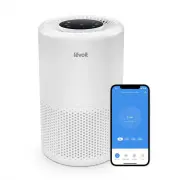
LEVOIT HEAPAPLVSUS0078 Air Purifier – User Manual, read for free online in PDF format. We hope this helps you resolve any issues you may have. If you have further questions, please contact us through the contact form.


Table of Contents:
- Page 2 – Table of Contents; Package Contents; Specifications
- Page 3 – S A F E T Y I N F O R M AT I O N; General Safety; R E A D A N D S AV E T H E S E
- Page 5 – C O N T R O L S
- Page 6 – G E T T I N G S TA R T E D
- Page 7 – V E S Y N C A P P S E T U P; Log In
- Page 8 – U S I N G Y O U R S M A R T A I R P U R I F I E R; General Operation; Sleep Mode
- Page 10 – A B O U T T H E F I LT E R; H13 True HEPA Filter
- Page 11 – Do not; Essential Oils; Air Change per Hour
- Page 12 – Resetting the Check Filter; Cleaning the Filter; C A R E & M A I N T E N A N C E; Cleaning the Smart Air Purifier
- Page 13 – Replacing the Filter
- Page 14 – T R O U B L E S H O O T I N G
- Page 15 – If your problem is not listed,
- Page 16 – V E S Y N C A P P T R O U B L E S H O O T I N G; My smart air purifier isn’t connecting to the VeSync app.
- Page 18 – W A R R A N T Y I N F O R M AT I O N
- Page 19 – C U S T O M E R S U P P O R T; Support Hours; Trademark Information
Questions or Concerns?
Please contact us Mon–Fri, 9:00 am–5:00 pm PST/PDT
at
or at
(888) 726-8520
.
Core
™
200S Series
Levoit VeSync Core™ 200S
Plus Smart True HEPA Air Purifier
Model:
LAP-C202S-WUSR
U S E R M A N UA L
"Loading the manual" means you need to wait until the file loads and becomes available for online reading. Some manuals are very large, and the time they take to appear depends on your internet speed.
Was this manual helpful?
About this manual
- Brand
- LEVOIT
- Model
- HEAPAPLVSUS0078
- Document type
- User Manual
- Category
- Air Purifier
- Language(s)
- English
- Pages
- 20
- File size
- 1.4 MB
- Format
Summary
2 Table of Contents Package ContentsSpecificationsSafety InformationGetting to Know Your Smart Air Purifier ControlsGetting StartedVeSync App SetupUsing Your Smart Air PurifierVeSync App FunctionsAbout the FilterCare & Maintenance TroubleshootingVeSync App TroubleshootingWarranty InformationCust...
3 S A F E T Y I N F O R M AT I O N • Only use your air purifier as described in this manual. • Do not use without removing the plastic wrap from the filter. The air purifier will not filter air, and may overheat, causing a fire hazard. • Do not use the air purifier outdoors. • Keep the air purifier ...
5 C O N T R O L S On/Off Button • Turns the air purifier on/off. • Press and hold to configure the air purifier. See the VeSync in-app instructions for more information. • Press and hold to reset the air purifier and disconnect from Wi-Fi (see page 7). Night Light Button • Turns the night light on/o...