Page 3 - S A F E T Y I N F O R M AT I O N; General Safety; R E A D A N D S AV E T H E S E
3 S A F E T Y I N F O R M AT I O N • Only use your air purifier as described in this manual. • Do not use without removing the plastic wrap from the filter. The air purifier will not filter air, and may overheat, causing a fire hazard. • Do not use the air purifier outdoors. • Keep the air purifier ...
Page 4 - Customer Support; Your Levoit air purifier complies with all
• This air purifier uses standard North American 120V, 60Hz outlets. If using outside the US or Canada, check for compatibility. • If the power supply cord is damaged, it must be replaced by Arovast Corporation or similarly qualified persons in order to avoid an electric or fire hazard. Please conta...
Page 5 - G E T T I N G T O K N O W Y O U R S M A R T A I R P U R I F I E R
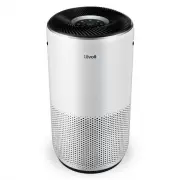
5 G E T T I N G T O K N O W Y O U R S M A R T A I R P U R I F I E R A. Fan Speed Indicators B. Fan Speed Button C. Sleep Mode Button D. Air Quality Indicator Rings E. Plasma Button F. Check Filter Indicator G. Timer Button H. On/Off Button I. Wi-Fi® Indicator J. Auto Mode Button K. PM2.5/Timer Displ...
Page 6 - C O N T R O L S & D I S P L AY
6 C O N T R O L S & D I S P L AY On/Off Button • Turns the air purifier on/off. • Press and hold to configure the air purifier. See the VeSync in-app instructions for more information. • Press and hold to reset the air purifier and disconnect from Wi-Fi (see page __). Fan Speed Button • Cycles t...
Page 7 - G E T T I N G S TA R T E D
7 3. Replace the filter cover and twist clockwise to lock. [Figure 1.3] Figure 1.3 Figure 1.4 15 in / 38 cm cover should snap shut 15 in / 38 cm G E T T I N G S TA R T E D 1. Flip the air purifier over or turn it on its side. Twist the filter cover counterclockwise and remove it. [Figure 1.1] Figure...
Page 8 - VeSync App Setup
8 U S I N G Y O U R S M A R T A I R P U R I F I E R 1. Plug in and tap to turn on the air purifier. The fan will start on low speed. [Figure 2.1] 2. Optionally, tap to change fan speed between low, medium, high, and turbo. Note: • The fan speed indicators will light up when active. 1 indicator will ...
Page 9 - Auto Mode
9 Sleep Mode operates quietly by using a fan speed lower than low speed. 1. Tap to turn Sleep Mode on/off. 2. Sleep Mode will turn off the display after 3 seconds if no other buttons are tapped. Auto Mode uses AirSight Plus™, a smart laser dust sensor inside the air purifier, to adjust the fan speed...
Page 10 - Timer; Display Off
10 You can set a timer for 1–12 hours. 1. Tap . The display will switch from showing the PM2.5 reading to the time you’ve selected. 2. Tap repeatedly to select a time in 1-hour increments. If you don’t touch any buttons for 5 seconds, the display will switch to showing the PM2.5 reading and the time...
Page 11 - Plasma Function
11 The plasma function uses PlasmaPro™ technology to generate positive and negative ions that bind with pollutants and neutralize them by breaking down their molecular structure.This helps neutralize particulate matter, odorous gases, aerosols, and volatile organic compounds (VOCs). The VeSync app a...
Page 13 - A B O U T T H E F I LT E R
13 A B O U T T H E F I LT E R The air purifier uses a 3-stage filtration system to purify air. A. Pre-Filter • Captures large particles such as dust, lint, fibers, hair, and pet fur. • Maximizes the filter’s life by protecting it. B. H13 True HEPA Filter • Captures at least 99.97% of airborne partic...
Page 14 - Humidity
14 Moisture may damage the filter. This air purifier should be used in an area with a humidity level below 85% RH. If you use the air purifier in excessively humid areas, the surface of the filter may become moldy. Do not add essential oils to the air purifier or filter. The filter will become damag...
Page 15 - C A R E & M A I N T E N A N C E; Check Filter Indicator; Cleaning the Filter
15 Resetting the Check Filter Indicator Reset the Check Filter Indicator when: A. lights up red. 1. Replace the filter (see page 16). 2. Turn on the air purifier. 3. Press and hold the button for 3 seconds. 4. will turn off when successfully reset. B. The filter was changed before lit up. 1. Press a...
Page 16 - Replacing the Filter
16 1. Unplug the air purifier. Flip the air purifier over or turn it on its side. Remove the filter cover (see Getting Started , page 7). 2. Remove the old filter. 3. Clean out any remaining dust or hair inside the air purifier using a vacuum hose. Do not use water or liquids to clean the air purifi...
Page 17 - T R O U B L E S H O O T I N G
17 Problem Possible Solution Air purifier will not turn on or respond to button controls. Plug in the air purifier. Check to see if the power cord is damaged. If it is, stop using the air purifier and contact Customer Support (see page 22). Plug the air purifier into a different outlet. The air puri...
Page 19 - V E S Y N C A P P T R O U B L E S H O O T I N G
19 If your problem is not listed, please contact Customer Support (see page 22) . V E S Y N C A P P T R O U B L E S H O O T I N G My smart air purifier isn’t connecting to the VeSync app. • Make sure your phone has Bluetooth® turned on and is not currently connected to another Bluetooth device. • Du...
Page 21 - W A R R A N T Y I N F O R M AT I O N
21 Product Name VeSync Core Pro 400S Smart True HEPA Air Purifier Model LAP-C401S-WUSR For your own reference, we strongly recommend that you record your order ID and date of purchase. Date of Purchase Order ID W A R R A N T Y I N F O R M AT I O N Terms & Policy Arovast Corporation (“Arovast”) w...
Page 22 - C U S T O M E R S U P P O R T; Support Hours; AT T R I B U T I O N S
22 C U S T O M E R S U P P O R T If you have any questions or concerns about your new product, please contact our helpful Customer Support Team. Distributed by Arovast Corporation 1202 N. Miller St., Suite A Anaheim, CA 92806 Email: [email protected] Toll-Free: (888) 726-8520 Mon–Fri, 9:00 am–5:00 p...