Page 2 - Bay Networks Part Number:; Trademarks; Restricted Rights Legend
ii Bay Networks Part Number: 301461-B Rev. 00 Date: April 1998 Accuracy Notice The products and specifications, configurations, and other technical information regarding theproducts contained in this document are subject to change without notice. All statements, technicalinformation, and recommendat...
Page 3 - Contents
Preface iii Contents Preface .....................................................................................................v Extranet Switch Documentation Map ........................................................................... viConventions ...............................................
Page 5 - Preface
Preface v Preface This Getting Started Guide will step you through the necessary tasks toget your Switch up and running fast. This guide provides information onthe following: • Components • Cabling, Lights, and LEDs • Assigning a System Identity • Accessing a Web Browser • Managing the Switch • Rack...
Page 6 - Extranet Switch Documentation Map
Preface vi Extranet Switch Documentation Map This map lists the associated documentation that you will need to configureand manage your Bay Networks Extranet Switch and represents the orderthat you would typically follow. G e t s y o u u p a n d r u n n i n g f a s t w i t h a P P T P c o n n e c t ...
Page 7 - Conventions; Documentation; User Interface
Preface vii Conventions This guide refers to the Bay Networks Extranet Access Switch 2000 as theSwitch. This document assumes that you are familiar with Web browsers andtheir general operation. Documentation This document uses the following conventions to distinguish among notes ofvarying importance...
Page 8 - Bay Networks Customer Service
Preface viii Bay Networks Customer Service Contact the appropriate Technical Solutions Center below to get help onyour Switch. TechnicalSolutions Center Telephone Number Fax Number United States andCanada 800-2LANWAN (800-252-6926); enterExpress RoutingCode (ERC): 176# 978-916-3514 Valbonne, France ...
Page 9 - Front View
1 Chapter 1 Checking the Components Before you begin cabling and configuring the Bay Networks ExtranetSwitch, examine the product packaging to be sure that you have all thenecessary components. Front View Following is a front view of the Switch. Figure 1 − The Bay Networks Extranet Switch, Front Vie...
Page 10 - Components List; Optional Sliding Rail Bracket Set
Checking the Components 2 Components List The following table lists all of the components and accessories of the BayNetworks Extranet Switch 2000. Description Quantity Extranet Switch 2000 Power Cord (US and Canada only) Molded Serial Cable DB9/DB25-to-DB9/DB25 Bay Networks Extranet Switch CD-ROM Re...
Page 11 - LAN Speed Selection
3 Chapter 2 Cabling the Switch This chapter describes how to connect the cables that you must use with theSwitch, including pinouts for local area networks (LAN) connections, and howto read the LEDs when the Switch is powered on. LAN Speed Selection The Switch automatically determines the speed of t...
Page 12 - Connector Pinouts; Optional WAN Interface
Cabling the Switch 4 Connector Pinouts The LAN connectors on the Switch are RJ-45 straight-through. Thefollowing illustration shows the Switch connector's 10/100BASE-TXpinouts. Figure 2 − 10/100BASE-TX Pinouts Optional WAN Interface The WAN connectors are located on a PCI card that is installed in t...
Page 13 - Serial Cable
Cabling the Switch 5 Note that you will need a DSU/CSU (digital service unit/channel service unit)between the WAN connection and the Switch. Serial Cable The serial cable provided with the Switch is a DB9/DB25-to-DB9/DB25. Thisprovides a cross-over (transmit-to-receive and receive-to-transmit). The ...
Page 14 - Understanding the Lights and LEDs
Cabling the Switch 6 Understanding the Lights and LEDs The Power light is green when the power is on; if it is flashing, there is ahardware failure and you should contact Bay Networks. The Reset light is green, and when it flashes the Switch is either reading orwriting to the disk. You can press the...
Page 17 - Startup Configuration Requirements; Management IP Address
Assigning a System Identity 10 Startup Configuration Requirements This section provides descriptions of the fields that you must complete witheither the IP Address Configuration Utility or the Serial InterfaceConfiguration procedure. Management IP Address Enter a Management IP Address for the system...
Page 18 - Private and Public Interfaces; Private
Assigning a System Identity 11 Private and Public Interfaces The Bay Networks Extranet Switch provides secure access between your localarea network (LAN) and Public Data Networks like the Internet. Throughoutthis document the term Private refers to the LAN within your corporation,and the term Public...
Page 19 - IP Address Configuration Utility; Requirements
Assigning a System Identity 12 IP Address Configuration Utility Bay Networks provides a utility to perform the initial configuration of a Switch. Requirements To assign the Switch a Management IP Address with the Bay Networks IPAddress Configuration Utility you must have the following: • A PC runnin...
Page 21 - Serial Interface Configuration; Prerequisites
Assigning a System Identity 14 4. Click Apply to configure the Management IP Address, SubnetMask, and Default Gateway on the Switch. The IP AddressConfiguration Utility display disappears. When the Switch has completed updating its configuration with theManagement IP Address, Subnet Mask, and option...
Page 22 - Procedure
Assigning a System Identity 15 Procedure 1. Connect the serial cable from the Switch’s serial cable port to a terminalor a communications port of a PC. 2. Using a terminal emulation program, such as Hyper Terminal, press the Enterkey and you are prompted to enter a user name and password. The factor...
Page 24 - Recommended Web Browser Versions and Settings; Platforms Supported; Display Setting
17 Chapter 4 Managing the Switch This chapter describes the recommended Web browsers, the default login andpasswords to gain access to the Bay Networks Extranet Access Switch, andthe Quick Start Configuration. Recommended Web Browser Versions and Settings Bay Networks Extranet Manager uses Java, Jav...
Page 25 - Extranet Switch Welcome Display
Managing the Switch 18 Extranet Switch Welcome Display The Welcome display allows you to enter any of the three configuration areasfor the Bay Networks Extranet Switch, including: • Quick Start Configuration • Guided Configuration • Manage Extranet Switch • Registration • Notebook Before entering th...
Page 27 - Preparing for Configuration; Quick Start
Managing the Switch 20 Preparing for Configuration To properly prepare for Installation and Configuration of the Bay NetworksExtranet Switch, you should have the following items available: A Management IP Address for the system. You need this address tomanage all system services, such as HTTP, FTP...
Page 28 - Guided Configuration
Managing the Switch 21 Guided Configuration Click to begin the Guided Configuration. This option allows access to allConfiguration Management facilities. However, the design and structure ofthe Guided Configuration is best followed using the top-to-bottom layoutprovided. This approach walks you thro...
Page 29 - Logging in and Supplying a Password
Managing the Switch 22 Logging in and Supplying a Password Start up a Web browser and enter your Switch's Management IPAddress. Select an option in the navigational menu and submenu, andthen you are prompted for the Login and Password. Enter the systemdefault Login and Password in lowercase characte...
Page 30 - Quick Start Configuration Prerequisites
Managing the Switch 23 Quick Start Configuration Prerequisites This display acts as a checklist for you to prepare for the Quick StartConfiguration. Assembling the information beforehand, and verifying thatyou can establish a PPTP Client session, makes the Quick Start easy. Figure 13 − Quick Start P...
Page 31 - Required Environment
Managing the Switch 24 Required Environment This section describes the environment you must be using to perform theQuick Start Configuration. If this does not describe your environment, usethe Guided Configuration. Point-to-Point Tunnel Protocol (PPTP) tunnel access method PPTP is a tunneling protoc...
Page 33 - Configuration
Managing the Switch 26 Configuration This display allows you to add a LAN port IP Address and Subnet Mask,establish the tunnel as Private (your private LAN) or Public (public datanetworks), and configure up to three PPTP Users and an Administratorwith User IDs and Passwords. Additionally, you can se...
Page 34 - Interfaces
Managing the Switch 27 LAN/WAN Interfaces Interfaces Lists the Management IP Address, LAN port, and any LAN or WAN cardsthat you have installed in the Switch. IP Address Enter an IP address for each interface on the Switch, including the LAN port.These IP addresses are used for tunnel creation. The ...
Page 35 - Type; PPTP Users; Confirm Password
Managing the Switch 28 Type The default configuration for Switches assigns the Management LANinterface as Private, and the LAN and WAN card interfaces as Public. Public Indicates that this interface is attached to a Public data network like theInternet. The Switch rejects nontunneled protocols and o...
Page 37 - Automatic Backup
Managing the Switch 30 Automatic Backup The Automatic Backup display under the Manage configuration option allowsyou to configure regular intervals when your system files are saved todesignated host backup file servers. IMPORTANT: You should configure Automatic Backups immediately so thatyou will no...
Page 38 - Extranet Access Client Installation
Managing the Switch 31 Extranet Access Client Installation Windows 95 To install the Bay Networks Extranet Access Client onto a Windows 95 PC,you must first copy and install four files that are on the Bay NetworksExtranet CD in the Client folder. International software users should notethat you must...
Page 42 - Mounting Brackets
Rack Mounting 36 Mounting Brackets The following illustration shows mounting brackets being attached to aSwitch in preparation of a two-post rack mount installation. Position thebrackets with the rack-mount bracket facing outward (as shown below).Optionally, you can mount the brackets in the rear of...
Page 43 - Rack Mount Installation Procedure
Rack Mounting 37 Rack Mount Installation Procedure Bay Networks recommends that you have two people available wheninstalling the rack-mount brackets. 1. Position the bracket onto the Switch (as shown on the previous page),then screw in the four rack-mounting screws. Repeat this step on theother side...
Page 46 - Sliding Rail Installation Procedure
Rack Mounting 40 Sliding Rail Installation Procedure NOTES : • Insert all bracket mounting screws so that the screw heads areinside the slides. • Do not use washers on the inside of the slides. • Mount the side brackets parallel to each other. • Determine if the unit will slide to the front or rear ...
Page 47 - Removing the Top Cover
41 Chapter 6 Changing Hardware Configurations This chapter describes how to change existing hardwareconfigurations, including: • Installing LAN or WAN cards or adding memory. • Swapping out a power supply. NOTE : Wear an antistatic band when handling electronic components for the Switch to avoid dam...
Page 49 - System Board
Changing Hardware Configurations 43 System Board Figure 18 shows the Switch's System Board, in particular the DIMMs, Option CardsSlots, Cooling Fans, and Replaceable Battery are noted. Figure 18 − Switch's System Board WARNING: Beware of danger if the battery is incorrectlyreplaced. Replace with the...
Page 50 - Installing Option Cards
Changing Hardware Configurations 44 Installing Option Cards The following illustration shows you how install LAN or WAN option cards into theSwitch. You can use Slots 1 to 3 for any mix of LAN and WAN cards. Note that Slot 4is not supported. Figure 19 − Installing LAN or WAN Cards 1. Power off the S...
Page 51 - Installing Additional DIMMs
Changing Hardware Configurations 45 Installing Additional DIMMs The following illustration shows you how to unlock a Dual Inline MemoryModule (DIMM), and remove or install a DIMM. Install DIMM in the nextavailable slot (i.e., if the DIMM # 1 slot is populated, then add the nextDIMM to the DIMM # 2 s...
Page 52 - Memory Options
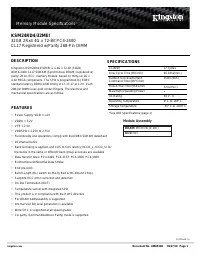
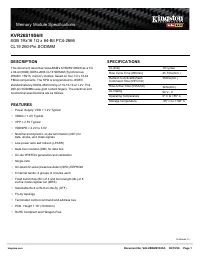
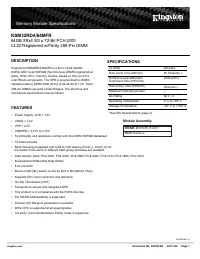
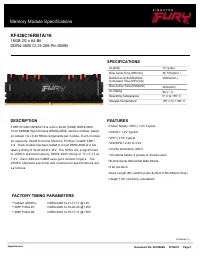
Changing Hardware Configurations 46 Memory Options The Switch ships with 64-MB memory installed. In case you want toincrease the memory, this table lists memory from different vendors thathas been tested with the Switch's System Board, and the vendor'saccompanying part number. Vendor Part Number 2M ...
Page 53 - Replacing a Power Supply
Changing Hardware Configurations 47 Replacing a Power Supply Turn off the Switch before attempting to replace a Power Supply. Replacing apower supply involves the following steps: 1. Remove the top cover (three screws). 2. Remove the four exterior screws that secure the Power Supplyto the rear of th...
Page 54 - Removing the Front Bezel
Changing Hardware Configurations 48 Removing the Front Bezel The following illustration shows you how to remove the front bezel from theSwitch. You must remove the bezel to insert the Recovery Diskette. Figure 21 − Front Bezel Removal F r o n t B e z e l S l i d e f i n g e r s b e h i n df r o n t ...
Page 57 - Replacing the Hard Disk Drive
Changing Hardware Configurations 51 Replacing the Hard Disk Drive The following steps describe Replacing the Hard Disk Drive. 1. Reattach the four screws securing the drive to the disk drive tray. 2. Put the disk drive tray back inside the chassis and slide it back overthe two standoff screws. 3. Re...
Page 58 - Appendix A; Physical
Changing Hardware Configurations 52 Appendix A Specifications Physical Depth: 17 in. (43.18 cm) Width: 16.75 in. (42.55 cm) Height: 7.00 in. (17.78 cm) Weight: 25.0 lbs. (11.34 kg) Electrical: 110-120/220-240V, 6.0/3.0A 50-60Hz Operating Environment Temperature: 32°F-122°F (0°C-50°C) Relative Humidi...
Page 59 - Statement of Conditions
53 Appendix B Special Notices This appendix provides information on statements of conditions, the Bay Networks SoftwareLicense Agreement, and RADIUS attribution. Statement of Conditions In the interest of improving internal design, operational function, and/or reliability, Bay Networks, Inc.reserves...
Page 61 - Bay Networks, Inc. Software License Agreement
Special Notices 55 Bay Networks, Inc. Software License Agreement NOTICE: Please carefully read this license agreement before copying or using the accompanyingsoftware or installing the hardware unit with pre-enabled software (each of which is referred to as“Software” in this Agreement). BY COPYING O...
Page 64 - RADIUS (Remote Authentication Dial In User Service)
Special Notices 58 RADIUS (Remote Authentication Dial In User Service) Livingston Enterprises, Inc.6920 Koll Center ParkwayPleasanton, CA 94566 Copyright 1992 Livingston Enterprises, Inc. Permission to use, copy, modify, and distribute this software for any purpose andwithout fee is hereby granted, ...
Page 65 - Index
59 Index 1 10/100BASE-TX LAN LEDs, 7 100BASE-TX interface, 3 10BASE-T interface, 3 A additional memory installing, 41 administrator, 25administrator settings, 29antistatic, 41automatic backup, 30 B Bay Networks Customer Service, viii Bay Networks Extranet Switch Administrator's Guide, 19 C Category ...