JVC KD-SH1000 - Manual

JVC KD-SH1000 Car Radio – Manual, read for free online in PDF format. We hope this helps you resolve any issues you may have. If you have further questions, please contact us through the contact form.


Table of Contents:
- Page 2 – ENGLISH; How to reset your unit; How to forcibly eject a disc; IMPORTANT FOR LASER PRODUCTS
- Page 3 – How to read this manual; CONTENTS; Remote controller —
- Page 4 – How to enter the various menus; Select a menu you want.; Operate as instructed on the screen.; How to detach/attach the control; When using the remote controller
- Page 5 – How to change the display information and patterns; Parts identification; Control panel
- Page 6 – Installing the lithium coin battery; Main elements and features
- Page 7 – Getting started; Basic operations; For SIRIUS
- Page 8 – To turn off the power; Basic settings; Setting the clock; Radio operations; Start searching for a station.; To tune in to a station manually; Caution on volume setting:
- Page 9 – When an FM stereo broadcast is hard; Tuning in to FM stations with strong; Storing stations in memory; FM station automatic presetting —
- Page 10 – Select a preset number.; Listening to a preset station
- Page 11 – Playing a disc in the unit; To stop play and eject the disc; Playing discs in the CD changer
- Page 12 – Attach the control panel.; Playing from a USB memory; About MP3 and WMA tracks
- Page 13 – To go to the next or previous tracks; Other main functions; Selecting a disc/folder/track on the list; Confirm the selection.
- Page 14 – Prohibiting disc ejection; Selecting the playback modes; Select one of the playback modes.
- Page 15 – Precise settings for the DSP modes; Sound adjustments; DSP modes
- Page 16 – Using the equalizer—EQ; Selecting preset sound modes—; Sound modes; Activating BBE Digital
- Page 17 – Storing your own sound modes
- Page 18 – Setting the sound modes—SEL; Select a setting item.; To adjust fader and balance—Fad/Bal; Activating crossover network; Finish the procedure.
- Page 19 – To adjust reproduced frequency
- Page 20 – General settings — PSM
- Page 23 – Selecting timer for the dimmer
- Page 24 – Title assignment; Sources; To erase the entire title
- Page 25 – Satellite radio operations; Listening to the satellite radio; Universal Tuner Box, or
- Page 26 – Listening to the XM Satellite radio; Searching for category/channel; Select a channel for listening.; Listening to the SIRIUS Satellite radio; Select a channel for listening.
- Page 27 – Select a user preset number.; Listening to a user preset channel; Perform steps; Storing user channels in memory; Checking the XM Satellite radio ID
- Page 28 – Selecting a category/channel on the; Selecting a category from the list; Select a category you want.; Selecting a channel from the list; Select a channel you want.
- Page 29 – To pause
- Page 30 – Selecting a track from the menu; Select the desired menu.
- Page 31 – Maintenance; How to clean the connectors; Turn on the connected component
- Page 32 – To keep discs clean; More about this unit; Turning on the power; Tuner operations
- Page 33 – General
- Page 35 – Changing the source; Selecting the DSP modes—DSP
- Page 37 – Available characters; Preset frequency level settings for each sound mode; Sound mode
- Page 38 – Symptoms; Troubleshooting
- Page 42 – Specifications; AUDIO AMPLIFIER SECTION; 0 W RMS × 4 Channels at 4; TUNER SECTION; FM Tuner
- Page 43 – CD PLAYER SECTION
- Page 44 – Refer to page of How to reset your unit; USA ONLY
- Page 45 – Parts list for installation and connection; ESPAÑOL; Lista de piezas para instalación y conexión; FRANÇAIS; WARNINGS
- Page 46 – Removing the unit; Retrait de l’appareil; Extracción de la unidad
- Page 47 – ELECTRICAL CONNECTIONS
- Page 48 – TROUBLESHOOTING
- Page 51 – INSTRUCTIONS; CD RECEIVER
- Page 87 – USB MEMORY; Playable Audio Format:; GENERAL; Negative ground
- Page 88 – Having TROUBLE with operation?; Please reset your unit
- Page 89 – Installation/Connection Manual; °“√μ‘¥μ—Èß/§ŸË¡◊Õ°“√μ‘¥μ—Èß; PRECAUTIONS on power supply and speaker connections:; ‚«≈∑Ï À“°√∂¬πμÏ¢Õߧÿ≥‰¡Ë‰; §”‡μ◊Õπ; μ√«® Õ∫„ÀÈ·πË„®«Ë“‰¥È‡¥‘𠓬¥‘πμËÕ√–À«Ë“߇§√◊ËÕß°—∫μ—«∂—ß √∂¬πμÏ„À¡Ë·≈È«À≈—ß®“°μ‘¥μ—Èß; ∑’ˉ¡Ë„TMÈ·≈È«; ¢ÈÕ§«√√–«—ß; լ˓μËÕ “¬μ–°—Ë«‡§‡∫‘≈°”≈—ߢÕß≈”‚æ߇¢È“°—∫·∫μ‡μÕ√’Ë√∂¬πμÏ ¡‘©–π—Èπ TMÿ¥a√–°Õ∫®–‰¥È√—∫§«“¡‡ ’¬À“¬¡“°; Ë«πa√–°Õ∫
- Page 90 – When installing the unit without using the sleeve /; ‡¡◊ËÕμ‘¥μ—ÈßTMÿ¥a√–°Õ∫‚¥¬‰¡Ë„TMÈa≈Õ°ÀÿÈ¡; When using the optional stay /; ‡¡◊ËÕ„TMÈμ—«¬÷¥·∫∫‡≈◊Õ°‰¥È; À¡“¬‡Àμ; Caution when installing /; ¢ÈÕ§«√√–«—߇¡◊ËÕ∑”°“√μ‘¥μ—Èß; °“√∂Õ¥TMÿ¥a√–°Õ∫
- Page 91 – °“√‡TM◊ËÕ¡‚¥¬„TMÈ ‰øøÈ“; Typical connections /; °“√‡TM◊ËÕ¡μËÕ·∫∫a°μ; À“°μ‘¥μ—Èß√–∫∫≈”‚æß “¡∑‘»∑“ß„π√∂¬πμÏ; ‡ “Õ“°“»‰øøÈ“Õ—μ‚π¡—μ‘ À“°¡’ (¢π“¥ Ÿß ̧¥
- Page 92 – Connecting the external amplifiers and/or subwoofer /; μËÕ·Õ¡æ≈‘ø“¬‡ÕÕ√Ï·≈–; °“√μ√«® Õ∫a—≠À“¢—¥¢ÈÕß; ≈”À√—∫·Õ¡æ≈‘ø“¬‡ÕÕ√χ∑Ë“π—Èπ:; ¢ÈÕμËÕ√Ÿaμ—«; ́—∫«Ÿ‡øÕ√; ‡§√◊ËÕߢ¬“¬‡
- Page 93 – À“°μ‘¥μ—Èß√–∫∫≈”‚æß “¡∑‘»∑“ß„π√∂¬πμÏ ¢Õ„ÀÈ¥Ÿ®ÿ¥μËÕ‰aπ’È„ÀÈ¥’; Speaker connections for 3-way network speaker system /; °“√μËÕ≈”‚æß ”À√—∫√–∫∫≈”‚æß “¡∑‘»∑“ß; Connecting subwoofer /; °“√μËÕTM—∫«Ÿ‡øÕ√; ́—∫«øŸ‡Õ√
- Page 94 – Other external component /; Õÿa°√≥Ï¿“¬πÕ°Õ◊ËπÊ; “Ext In”; À√◊Õ‡§√◊ËÕ߇≈Ëπ; Connecting the external components /; Õÿa°√≥Ï¿“¬πÕ°; Õÿa°√≥Ï¿“¬πÕ°; “Changer”; Õÿa°√≥Ï¿“¬πÕ°; ‡TMπ‡®Õ√Ï
- Page 132 – Ada MASALAH dengan cara; Setel kembali unit Anda; Lihat halaman mengenai Bagaimana mereset unit anda
- Page 133 – INDONESIA; PERINGATAN; Daftar bagian-bagian untuk pemasangan dan penyambungan
- Page 134 – Memindahkan alat penerima
- Page 135 – Typical connections / Ciri khas sambungan-sambungan; Sebelum penyambungan:
- Page 137 – Connecting subwoofer / Menyambungkan subwoofer
- Page 138 – Other external component / Komponen eksternal lainnya
- Page 177 – κ༬ો˿̱; ᙲѿ; Έءκ༬֝ોڅྒྷέ
- Page 178 – ࠝˀՠΈ͚ࢮጆೌκ༬͵ጆ; ࠝΈ́ᆊނ; κ༬ٍิො; κ༬༬éׇ֤ϛᄮڸؼ˗
- Page 179 – նܔڅોሉ̅٘
- Page 180 – Connecting the external amplifiers and/or subwoofer; ો͚ો؟ʩወ֝; ݮᄑਜ
- Page 181 – ʓಚᑶወԧڅಚᑶወો; ોචࡍљࡗಚᑶወ
- Page 182 – յ̨͚ોஈέ; Apple iPod®; ોյ̨͚ોஈέ
- Page 183 – RECEPTEUR CD; MANUEL D’INSTRUCTIONS
- Page 185 – Searching for your favorite FM RDS
- Page 193 – FM RDS operations; What you can do with RDS; Start searching for your favorite; Storing your favorite programme; Enter the preset list.
- Page 194 – Using the standby receptions; TA Standby Reception; To activate TA Standby Reception; To deactivate the TA Standby Reception; PTY Standby Reception; To activate the PTY Standby Reception; Select one of the PTY codes.
- Page 195 – Tracing the same programme—; Using the message service—; What is RDS Radiotext
- Page 207 – Set the dimmer end time.; Adjust the dimmer time.
- Page 208 – Selecting the graphic theme
- Page 211 – DAB tuner operations; Start searching for an ensemble.
- Page 212 – To search for your favorite service; Storing DAB services in memory; Select a service you want.; To tune in to an ensemble manually; When surrounding sounds are noisy
- Page 213 – Tuning in to a preset DAB service; Using the Standby Receptions; Reception; Announcement types
- Page 214 – Select an announce type.
- Page 217 – Caution for DualDisc playback
- Page 226 – Vous avez des PROBLÈMES de; Réinitialisez votre appareil
- Page 227 – AVERTISSEMENTS; PRECAUTIONS sur l’alimentation et la connexion des enceintes:
- Page 228 – INSTALLATION (MONTAGE DANS LE TABLEAU DE BORD); Caution when installing / Précautions lors de l’installation
- Page 232 – Other external component / Autre appareil extérieur
- Page 233 – РЕСИВЕР С ПРОИГРЫВАТЕЛЕМ КОМПАКТ-ДИСКОВ; BEDIENUNGSANLEITUNG
- Page 276 – Haben Sie PROBLEME mit dem Betrieb?; Bitte setzen Sie Ihr Gerät zurück; Siehe Seite Zurücksetzen des Geräts; Затруднения при эксплуатации?; Пожалуйста, перезагрузите Ваше устройство; Для получения информации о перезагрузке Вашего устройства
- Page 277 – Руководство по установке/подключению; РУССКИЙ; Список деталей для установки и подключения
- Page 278 – Удаление устройства
- Page 279 – ЭЛЕКТРИЧЕСКИЕ ПОДКЛЮЧЕНИЯ
- Page 280 – BЫЯВЛЕНИЕ НЕИСПРАВНОСТЕЙ
ENGLISH
ESPAÑOL
FRANÇAIS
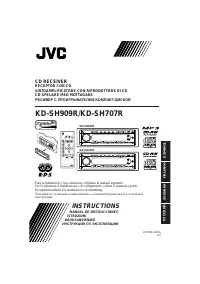
CD RECEIVER
KD-SH1000
RECEPTOR CON CD
KD-SH1000
RECEPTEUR CD
KD-SH1000
For canceling the display demonstration, see page 8
Para cancelar la demostración en pantalla, consulte la página 8
Pour annuler la démonstration des affichages, référez-vous à la page 8
For installation and connections, refer to the separate manual.
Para la instalación y las conexiones, refiérase al manual separado.
Pour l’installation et les raccordements, se référer au manuel séparé.
INSTRUCTIONS
MANUAL DE INSTRUCCIONES
MANUEL D’INSTRUCTIONS
For customer Use:
Enter below the Model
No. and Serial No. which
are located on the top or
bottom of the cabinet.
Retain this information
for future reference.
Model No.
Serial No.
GET0364-001A
[J]
Cover__SH1000J_001A_2.indd 2
Cover__SH1000J_001A_2.indd 2
1/17/06 10:43:59 AM
1/17/06 10:43:59 AM
"Loading the manual" means you need to wait until the file loads and becomes available for online reading. Some manuals are very large, and the time they take to appear depends on your internet speed.
Was this manual helpful?
About this manual
- Brand
- JVC
- Model
- KD-SH1000
- Document type
- Manual
- Category
- Car Radio
- Language(s)
- English
- Pages
- 282
- File size
- 12 MB
- Format
Other Manuals for JVC KD-SH1000
Summary
2 ENGLISH How to reset your unit • Your preset adjustments will also be erased. How to forcibly eject a disc • If an SD card is inserted, eject the SD card first (see page 11). 1 2 • If this does not work, reset your unit. • Be careful not to drop the disc when it ejects. Warning: If you need to ope...
ENGLISH 3 Thank you for purchasing a JVC product. Please read all instructions carefully before operation, to ensure your complete understanding and to obtain the best possible performance from the unit. How to read this manual • Button operations are mainly explained with the illustrations in the t...
4 ENGLISH How to enter the various menus The main menu contains seven menus (MODE, PSM, SEL, TITLE, BBE, EQ, DSP).• If no operation is done for about 5 seconds, menu screen is canceled. 1 2 Select a menu you want. 3 Enter the selected menu. • To go back to the previous screen or exit the MENU screen...