JBL QUANTUM 100X - Manual
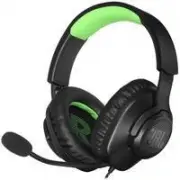
This document serves as a quick start guide for the JBL Quantum 100X console headset. It outlines the packaging contents, details the headset components, and provides setup instructions for various platforms including PC, Xbox, PlayStation, Nintendo Switch, mobile devices, Mac, and VR. The guide features a comprehensive technical specifications section and microphone details. Additionally, it includes extensive multilingual support covering Danish, German, Greek, Spanish, Finnish, French, Hungarian, Italian, Dutch, Norwegian, Polish, Portuguese, Swedish, Turkish, Russian, Chinese, Arabic, and Hebrew, as well as product information and safety instructions in Bulgarian.


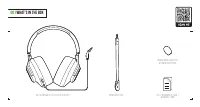
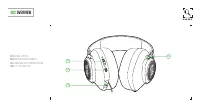
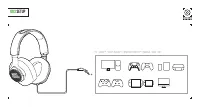


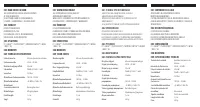
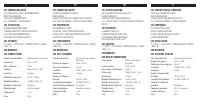



Table of Contents:
- Page 1 – Front Cover
- Page 3 – Contents of the Box
- Page 4 – Product Overview
- Page 5 – Device Setup
- Page 6 – Microphone Section
- Page 7 – Technical Specifications
- Page 8 – Multilingual Overview and Specs
- Page 9 – Multilingual Product Information
- Page 10 – Multilingual Technical Details
- Page 11 – Multilingual Specifications
- Page 12 – Multilingual Guide
- Page 13 – Multilingual Specifications
- Page 14 – Product Information and Warranty
JBL QUANTUM 100Xconsole
QUICK START GUIDE
JBL
HARMAN
"Loading the manual" means you need to wait until the file loads and becomes available for online reading. Some manuals are very large, and the time they take to appear depends on your internet speed.
Was this manual helpful?
About this manual
- Brand
- JBL
- Model
- QUANTUM 100X
- Document type
- Manual
- Category
- Headphones
- Language(s)
- English
- Pages
- 16
- File size
- 828.2 KB
- Format
Other Manuals for JBL QUANTUM 100X
Summary
Front cover displaying the product name and brand logos.
List of items included in the package, such as the headset, microphone, foam windscreen, and warranty documents.
Diagram illustrating the main components including volume control, mute button, 2.5mm jack, and ear clip.
Tips
- Always check the warranty card included in the box for valid service claims.
- Ensure the device is compatible with your specific gaming platform before purchasing.
- Do not attempt to open or repair the device yourself as this may void the warranty.
- Store the device in a cool, dry place away from direct sunlight and extreme temperatures.
Ask a question
Related manuals
Popular JBL Headphones





More JBL Headphones models
 JBL Live Pro+ User Manual
 JBL QUANTUM 50 User Manual
 JBL QUANTUM 100 User Manual
 JBL QUANTUM100 Quick Guide
 JBL QUANTUM 100P User Manual
 JBL QUANTUM 200 User Manual
 JBL Quantum 350 User Manual
 JBL Reflect Contour User Manual
 JBL Reflect Fit User Manual
 JBL Reflect Mini BT User Manual
 JBL Reflect Mini BT Black User Manual
 JBL Reflect Response User Manual